• Products
  • Community
  • Markets
  • Brokers
  • More
Get started
  • Help Center
  • /Knowledge base
  • /
  • /Features and configuration
  • /What is TradingView Desktop
On this page
TradingView Desktop featuresTradingView Desktop featuresTradingView Desktop in a nutshellTradingView Desktop in a nutshell

What is TradingView Desktop

TradingView Desktop is a program you can download and install on your computer to access a dedicated space for financial analysis with all the capabilities of our platform. It is available on Windows, macOS, and Linux.

Additionally, the desktop app provides extra features that are not available via the web version, so go ahead and check what it has to offer to make your analysis more competitive and advanced.

TradingView Desktop features

The desktop version provides you with the same functionality as the TradingView web platform. But its app-based nature comes with unique advantages:

  • Stay focused without distractions — your trading tabs won’t get lost among news sites or social media. Focus on what matters most to achieve better results
  • Automatically restores the ticker, interval, and active watchlist in every tab upon app launch
  • Link tickers across chart tabs — assign the same color tag to different tabs, change the ticker in one, and all others will display the same symbol
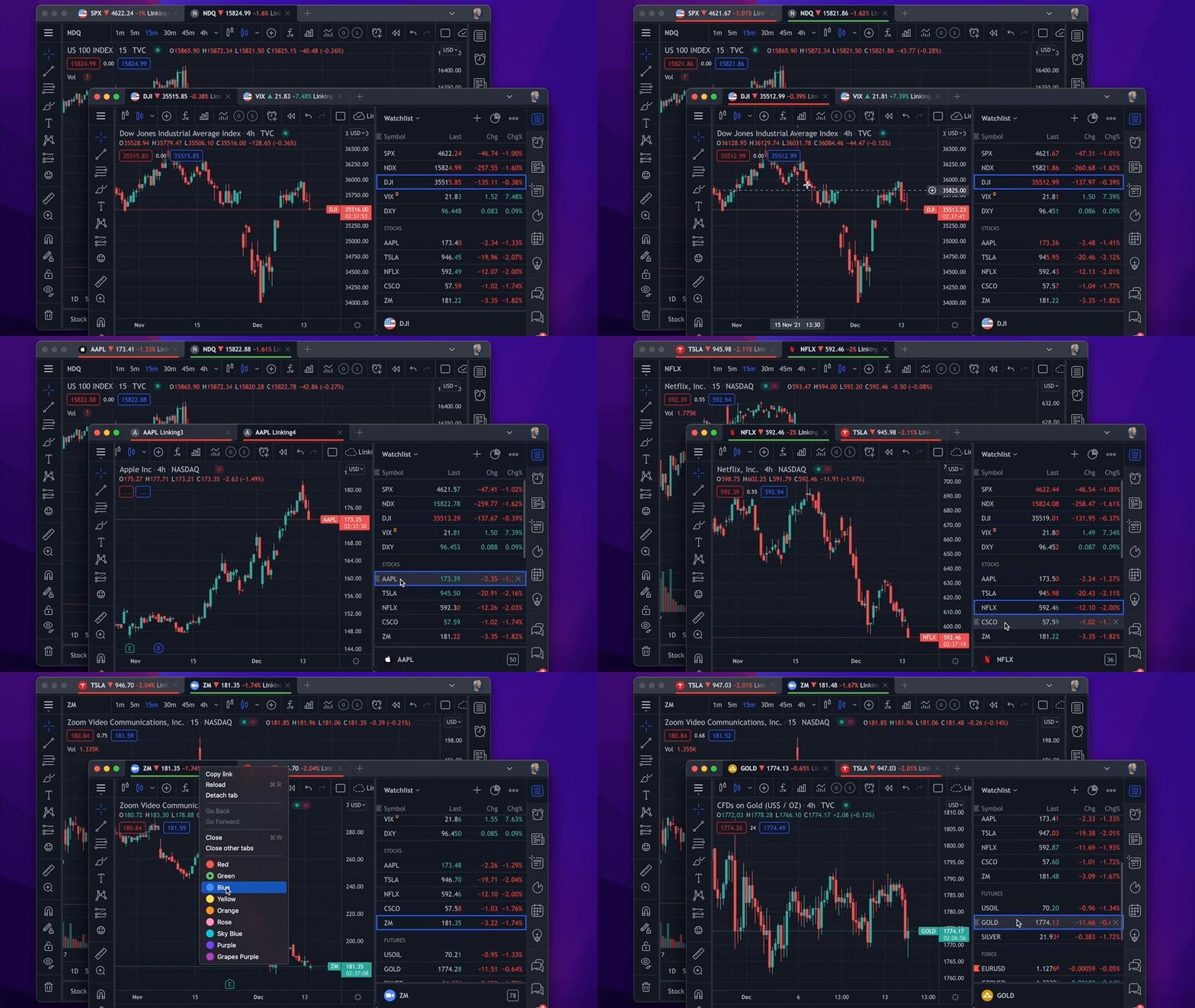
  • Connect screeners to your chart
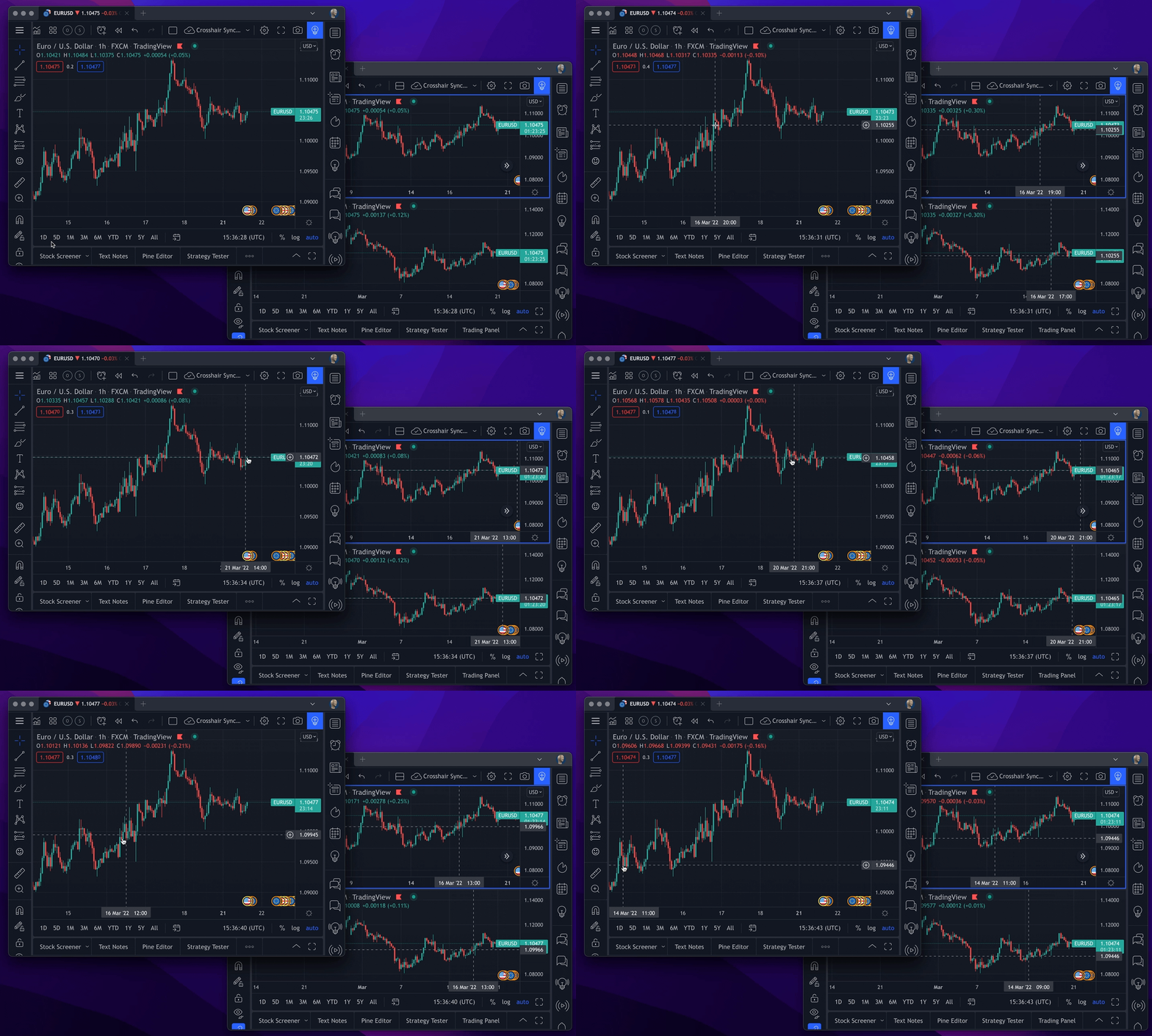
  • Synchronize crosshair across tabs and windows
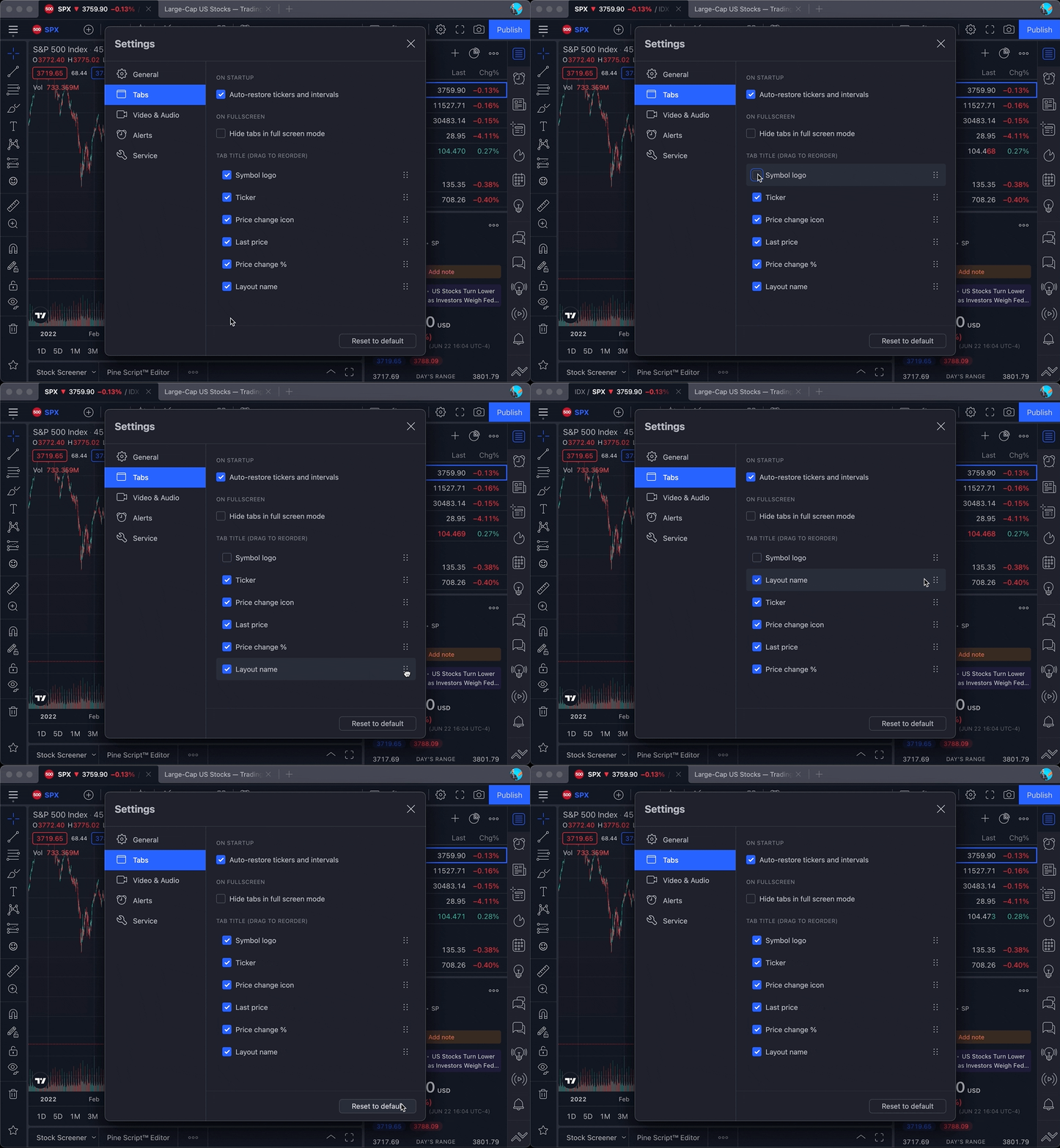
  • Customize tab titles for better organization
  • Supports system-native notifications
  • Automatically follows the system theme and dynamically switches between light and dark modes based on the OS preferences with the Auto appearance mode in macOS and Windows

TradingView Desktop in a nutshell

Concentration is key in trading and investing. Our desktop app delivers the same in-depth analysis as the web version — plus exclusive features.

Use it to maximize your performance with powerful tools: multi-monitor support, synchronized tabs, customizable layouts, and other.

To stay informed about updates, check the Desktop release notes and stay tuned to what's happening in trading and investment.

Also read:

  • System requirements for the desktop app
  • How to trade on TradingView
  • Paper Trading — main functionality
  • Drawing tools
  • Chart types
TradingView Desktop releases and release notes
How do I switch the app to Dark or Light color theme

Made by humans

Select market data provided by ICE Data Services. Select reference data provided by FactSet. Copyright © 2026 FactSet Research Systems Inc.Copyright © 2026, American Bankers Association. CUSIP Database provided by FactSet Research Systems Inc. All rights reserved. SEC filings and other documents provided by Quartr.© 2026 TradingView, Inc.

SOC 2 CompliantGDPR Compliant
More than a product
  • Supercharts
Screeners
  • Stocks
  • ETFs
  • Bonds
  • Crypto coins
  • CEX pairs
  • DEX pairs
  • Pine
Heatmaps
  • Stocks
  • ETFs
  • Crypto coins
Calendars
  • Economic
  • Earnings
  • Dividends
  • IPOs
More products
  • News Flow
  • Portfolios
  • Fundamental Graphs
  • Yield Curves
  • Options
  • Macro Maps
  • Pine Script®
  • MCP Server
Apps
  • Mobile
  • Desktop
Community
  • Social network
  • Wall of Love
  • Refer a friend
  • Creator program
  • House Rules
  • Moderators
Ideas
  • Trading
  • Education
  • Editors' picks
Pine Script
  • Indicators & strategies
  • Wizards
  • Freelancers
  • Marketplace
Tools & subscriptions
  • Features
  • Pricing
  • Market data
  • Gift plans
Trading
  • Overview
  • Brokers
  • Brokers comparison
  • The Leap
Special offers
  • CME Group futures
  • Eurex futures
  • US stocks bundle
About company
  • Who we are
  • Space mission
  • Blog
  • Help Center
  • Careers
  • Media kit
Merch
  • Tarot cards for traders
  • The C63 TradeTime
Policies & security
  • Terms of Use
  • Disclaimer
  • Privacy Policy
  • Cookies Policy
  • Accessibility Statement
  • Trust Center
  • Security tips
  • Bug Bounty program
  • Status page
Business solutions
  • Widgets
  • Charting libraries
  • Lightweight Charts™
  • Advanced Charts
  • Trading Platform
Growth opportunities
  • Advertising
  • Brokerage integration
  • Partner program
  • Education program
Community
  • Social network
  • Wall of Love
  • Refer a friend
  • Creator program
  • House Rules
  • Moderators
Ideas
  • Trading
  • Education
  • Editors' picks
Pine Script
  • Indicators & strategies
  • Wizards
  • Freelancers
  • Marketplace
Business solutions
  • Widgets
  • Charting libraries
  • Lightweight Charts™
  • Advanced Charts
  • Trading Platform
Growth opportunities
  • Advertising
  • Brokerage integration
  • Partner program
  • Education program
Look FirstLook First