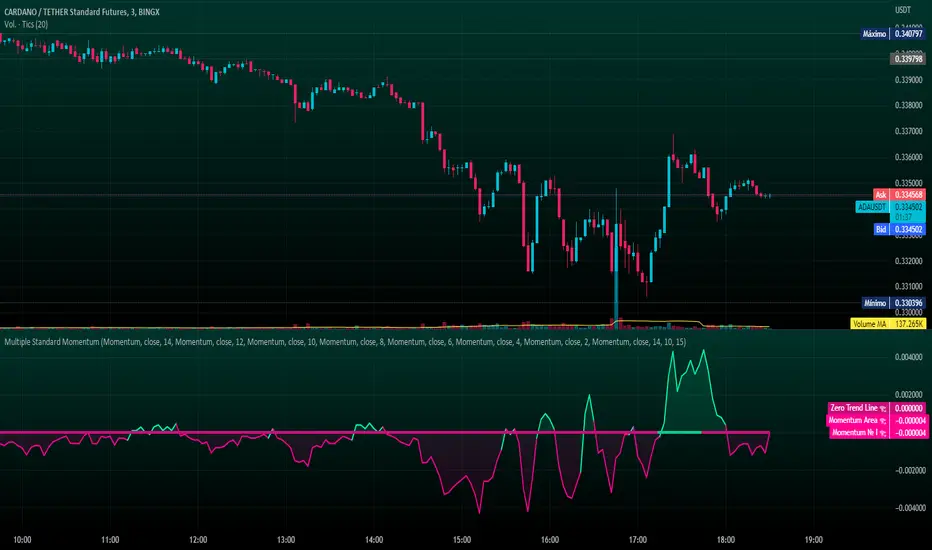
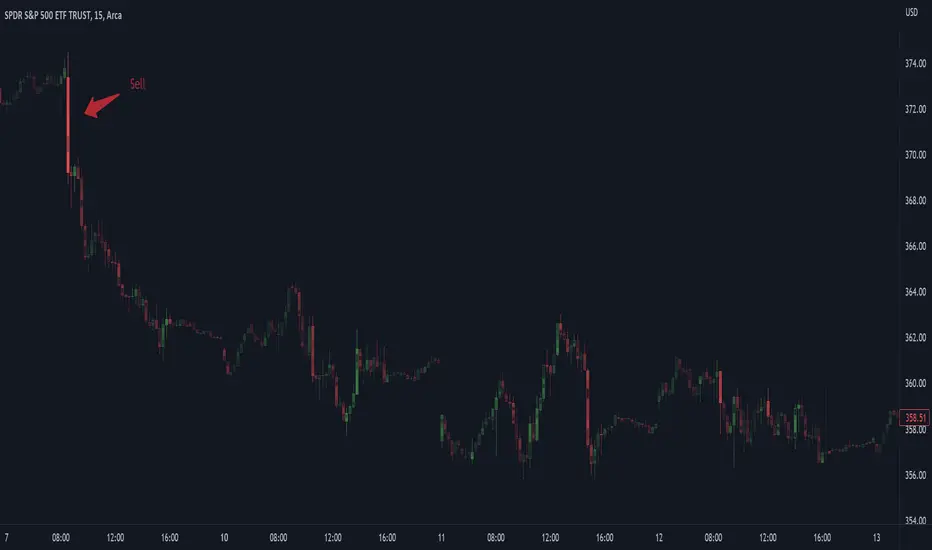
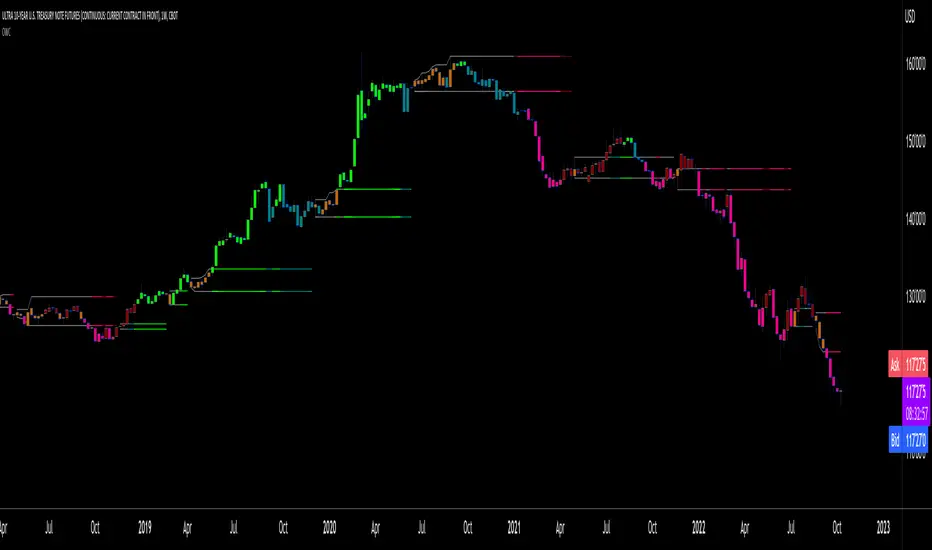
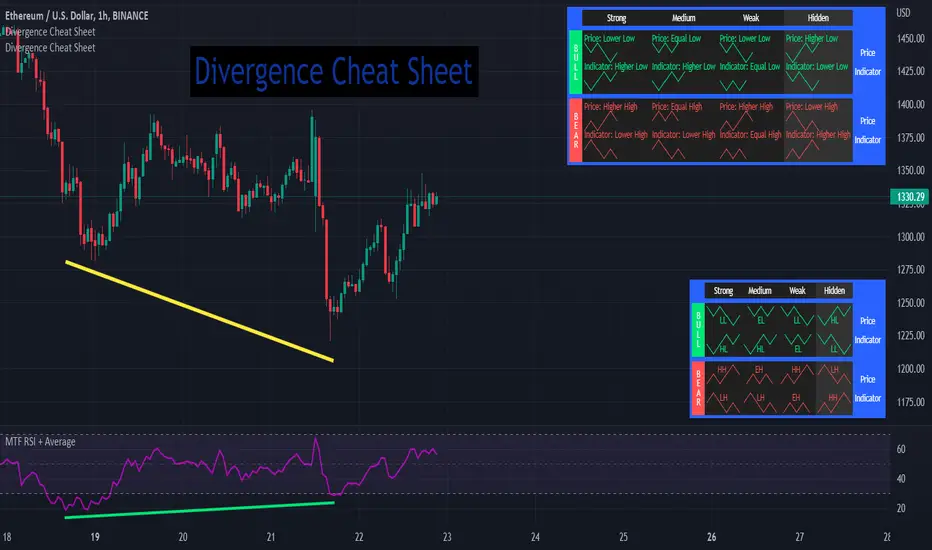
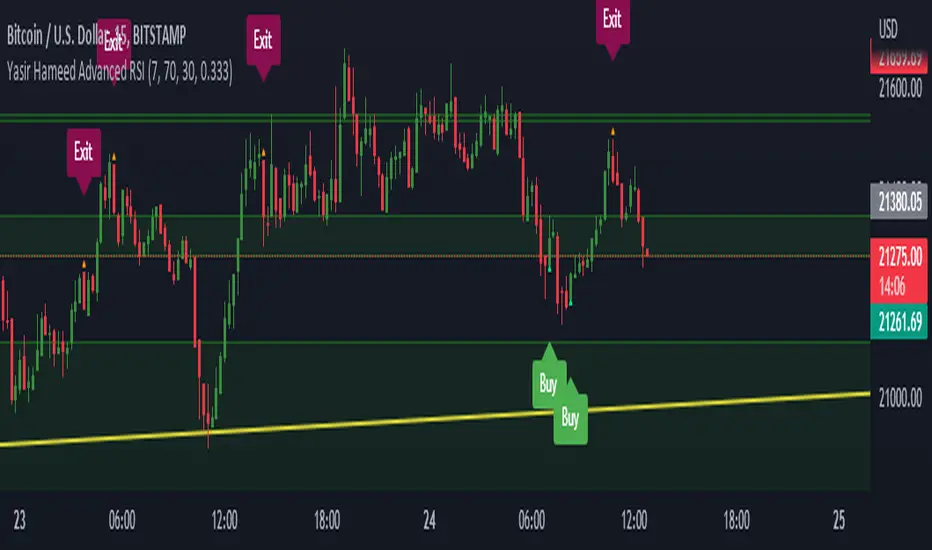
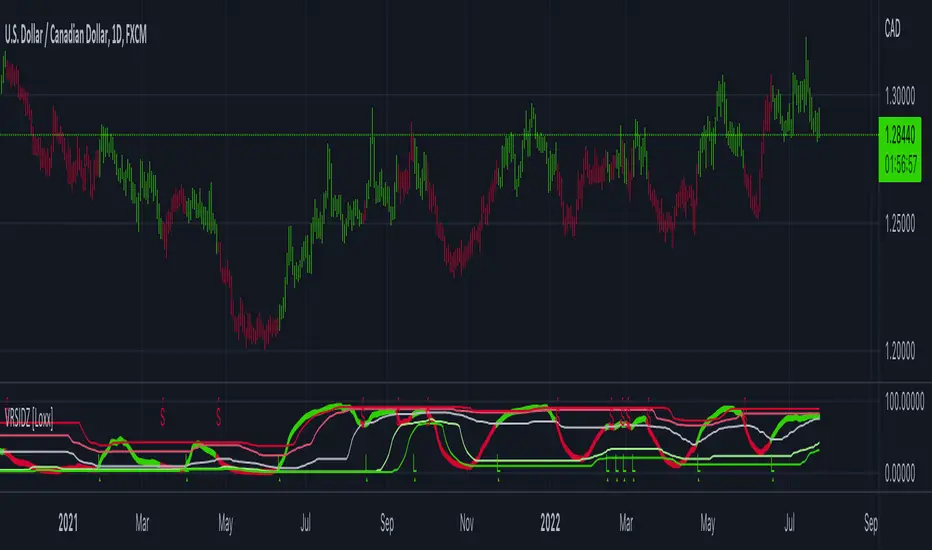
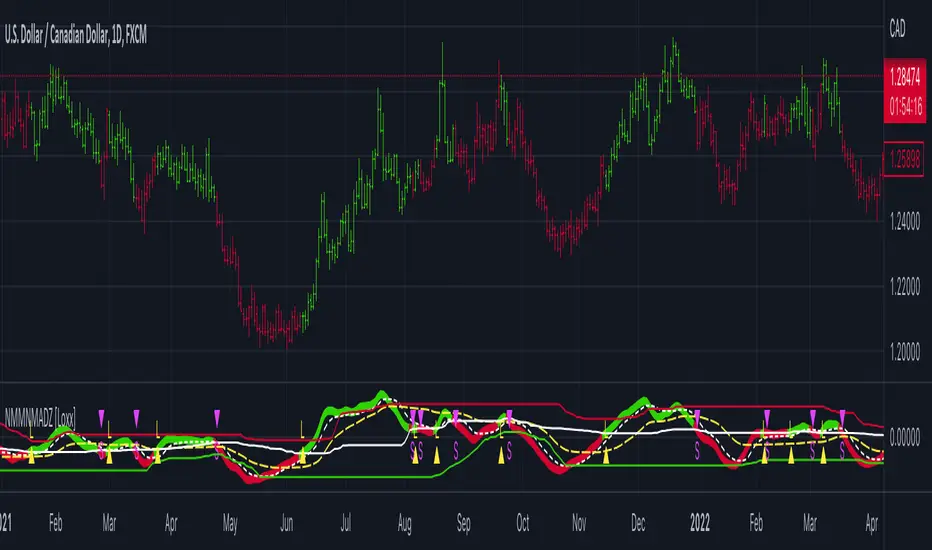
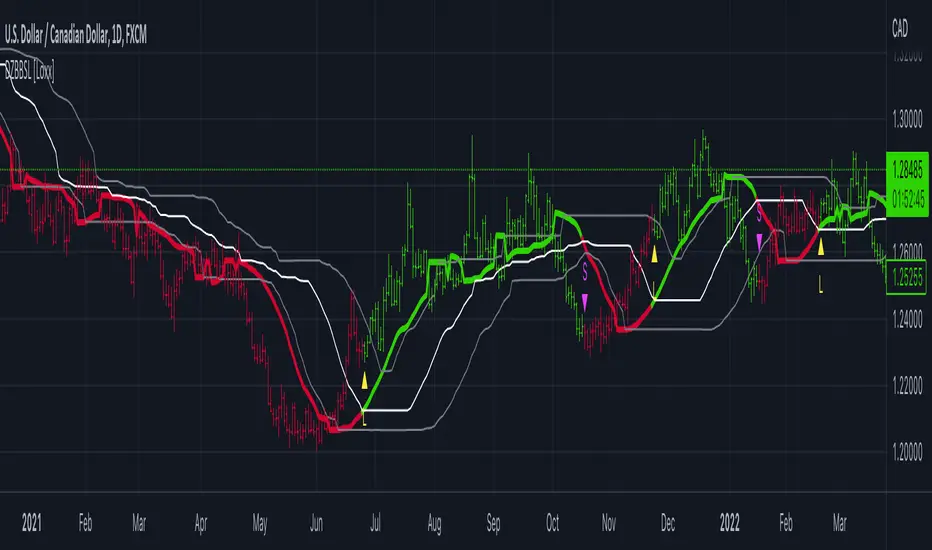
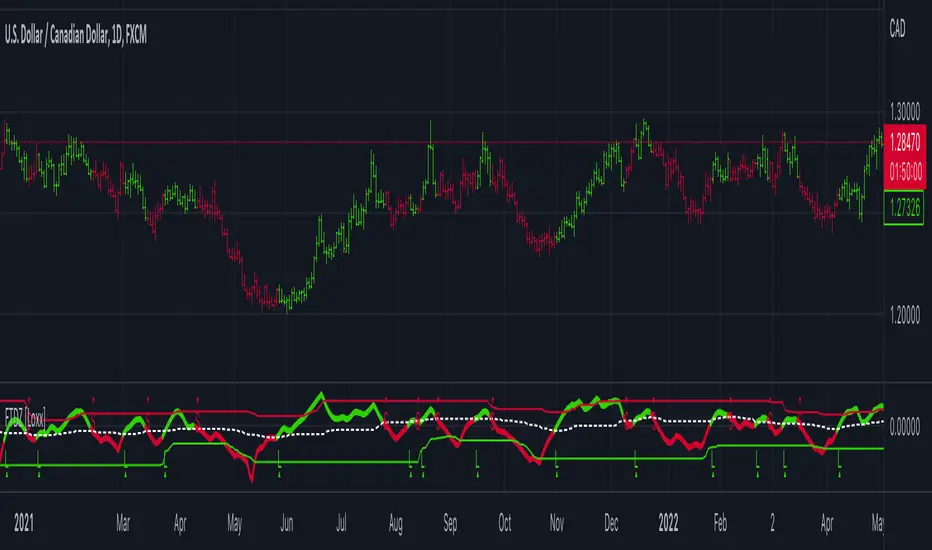
NG [Simple Harmonic Oscillator]The SHO is a bounded oscillator for the simple harmonic index that calculates the period of the market’s cycle.
The oscillator is used for short and intermediate terms and moves within a range of -100 to 100 percent.
The SHO has overbought and oversold levels at +40 and -40, respectively.
At extreme periods, the oscillator may reach the levels of +60 and -60.
The zero level demonstrates an equilibrium between the periods of bulls and bears.
The SHO oscillates between +40 and -40.
The crossover at those levels creates buy and sell signals.
In an uptrend, the SHO fluctuates between 0 and +40 where the bulls are controlling the market.
On the contrary, the SHO fluctuates between 0 and -40 during downtrends where the bears controlthe market.
Reaching the extreme level -60 in an uptrend is a sign of weakness.
Search in scripts for "bear"
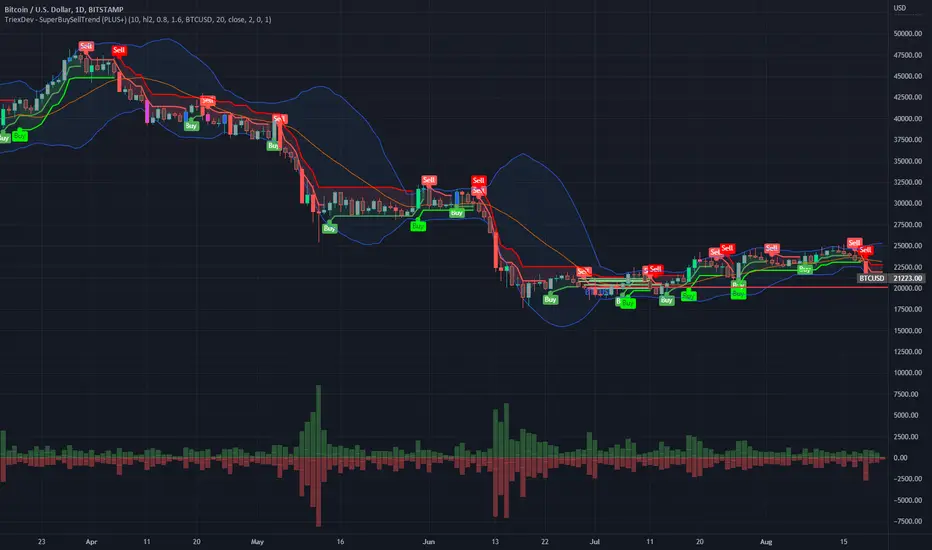
Force Index with Buy on Dip strategyThis charts has 2 indicators
1 - Force Index
This indicator is based on Dr Alexander Elder ForceIndex indicator with relate price to volume by multiplying net change and volume.
- GREEN Bar indicates Bull is in control
- RED Bar indicates Bear is in control.
LENGTH of the bar indicate the strength of Bull or Bear.
Normally there's potential BUY if the RED bar turned GREEN and SELL if GREEN to RED.
2 - Stochastic momentum
Stochastic momentum is to detect potential Reversal where BLUE bar will appear if :-
- Oversold - Stochastic less than 35
- Closing price is higher than last 2 High (Fast Turtle)
// Note : Best use with "EMA Indicators with BUY sell Signal"
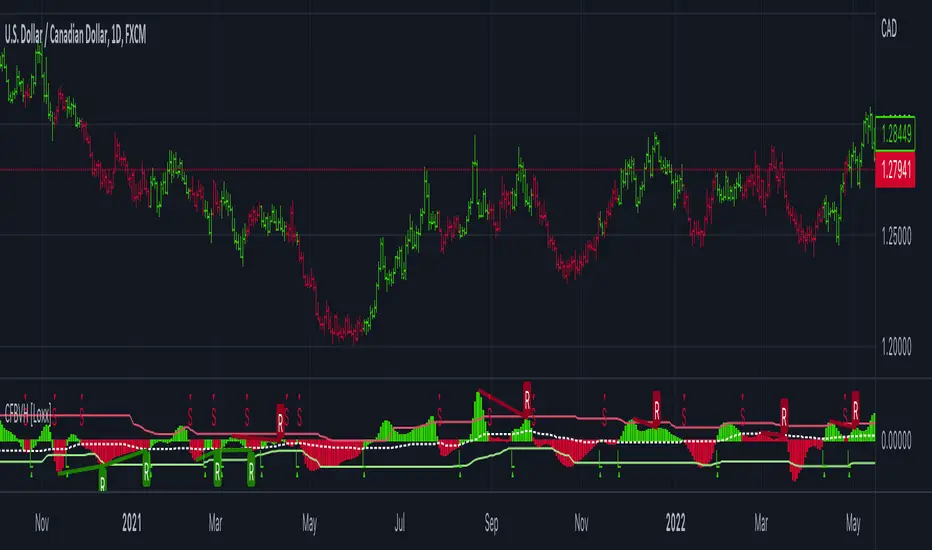
Hersheys Volume Pressure v1Hersheys Volume Pressure gives you very nice confirmation of trend starts and stops using volume and price.
For up bars...
If you have a large price range with low volume, that's very bullish.
If you have a small price range with low volume, that's bullish.
For down bars...
If you have a large price range with low volume, that's very bearish.
If you have a small price range with low volume, that's bearish.
Look at the chart and you'll see how trends start and end with a PINCH and widen in the middle of the moves.
Hersheys Volume Pressure is unique, in that it measures bull/bear pressure on each bar by itself. Other volume indicators like On Balnce Volume and Price Volume Trend use cumulative differences in the current and previous bar to show trends.
You can set the moving average period, 14 is the default.
Good trading!
Brian Hershey
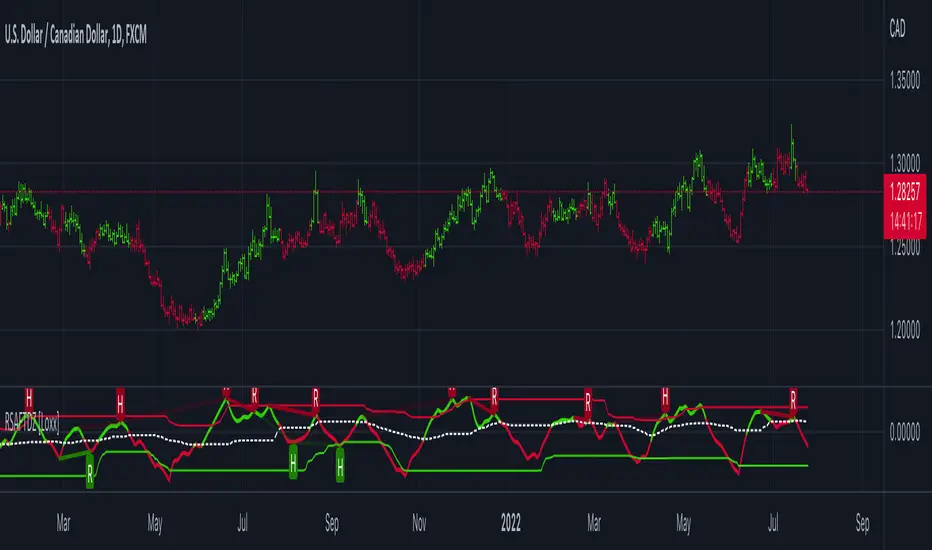
Murrey Math Extremes ComparatorHOW IT WORKS
Creates two murrey math oscillators (hidden) one with 256 length another with 32 length and compare each other.
WHAT GIVE ME THIS SCRIPT
The script can give you very valuable information:
- Main Trend
- Pullbacks detections
- Extreme overbought oversold prices alerts
- Divergences
- Any timeframe usage
REFERENCES OF USAGE
Main Trend Indications
****The main trend is indicated with green(bull) or red(bears) small "triangles" on the bottom(bull) or the top(bears) of the chart.
*****To detect the Bull/Bear major trend the script use 256 murrey, if > 0 (green) we are uptrend in other cases we are downtrend
Pullback detection
****The pullbacks are indicated with Green(bull) or red(bears) medium "Arrows"
*****To detect pullbacks the system compare the long term murrey with the short term murrey, if long term is Green(green triangles)
*****so we are in a main bull trend, if the short term murrey make an extreme low then the pullback is indicated
*****The same for the short pullback, if long term murrey is RED and we have an extreme green short term murrey we shot a red arrow
Extreme Overbught/Oversold
****The extreme OO is indicated with fancy diamonds
*****To detect the Extremes price movements we combine the two murrey, if Long Term Murrey is overbought and short term murrey too
*****Then the diamond show on the screen obove or below based on the extreme if overbought or oversold
Strategy Resume:
Triangles indicate Major Trend Up/Down
Arrows Indicate Continuation pullbacks
Diamonds Indicate Extreme Prices
GUIDE HOW TO IMAGES
How it's works Behind Scene
MWho is in ControlWho is in Control.
This study shows who is in control by showing just the Bull side, the Bear side or a combined view. This study follows the same philosophy of simplicity I try to use as much as possible in my studies. The least number of parameters and as understandable as possible.
Len : length of the period
Signal : Signal to show change of trend
Disp Bull : Display/Hide Bull Side
Disp Bear : Display/Hide Bear Side
Disp Differential : Display/Hide the differential between Bulls and Bears.
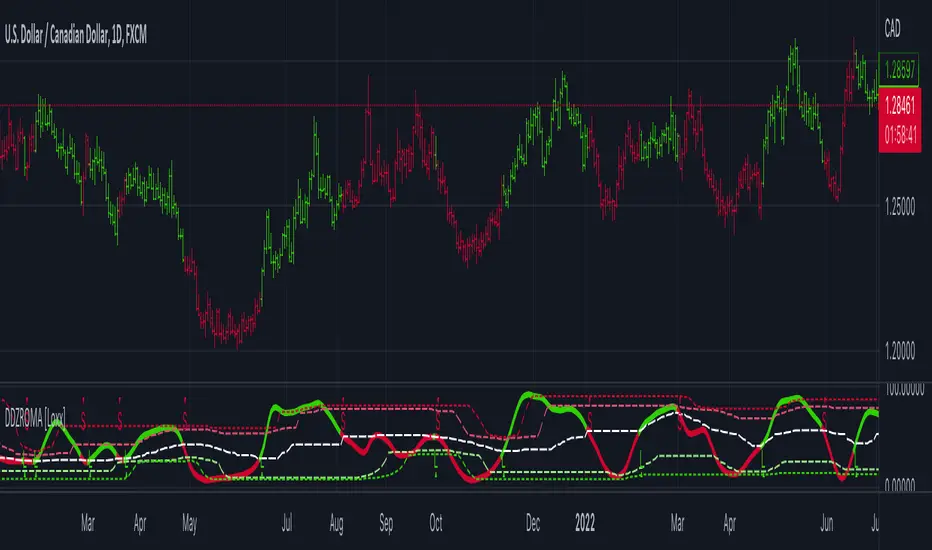
: Volume Zone Oscillator & Price Zone Oscillator LB Update JRMThis is a simple update of Lazy Bear's " Indicators: Volume Zone Indicator & Price Zone Indicator" Script. PZO plots on the same indicator. The horizontal plot lines are taken primarily from two articles by Wahalil and Steckler "In The Volume Zone" May 2011, Stocks and Commodities and "Entering The Price Zone"June 2011, Stocks and Commodities. With both indicators on the same plot it is easier to see divergences between the indicators. I did add a plot line at 80 and -80 as well because that is getting into truly extreme price/volume territory where one might contemplate a close your eyes and sell or cover particularly if confirmed at a higher time frame with the expectation of some type of corrective move..
The inputs and plot lines can be edited as per Lazy Bear's original script and follows the original format. Many thanks to Lazy Bear.
Ichimoku With GradingDescription:
This indicator is an enhanced version of the classic Ichimoku Kinko Hyo, designed to provide traders with an objective, quantitative assessment of trend strength. By breaking down the complex Ichimoku system into specific conditions, this script calculates a "Total Score" to help visualize the confluence of bullish or bearish signals.
How It Works
The core of this script is a 7-Point Grading System. Instead of relying on a single crossover, the script evaluates 7 distinct Ichimoku conditions simultaneously.
The Grading Criteria:
Tenkan > Kijun: Checks for the classic TK Cross (1 point if Bullish, -1 if Bearish).
Price vs TK/KJ: Checks if the Close is above both the Tenkan and Kijun (Bullish) or below both (Bearish).
Future Cloud: Analyzes the Kumo (Cloud) projected 26 bars ahead. If Senkou Span A > Senkou Span B, it is bullish.
Chikou Span: The Lagging Span validation. It compares the current Close to the Highs, Lows, and Cloud levels of 26 bars ago to ensure there are no obstacles.
Close > Tenkan: Checks immediate short-term momentum.
Close > Current Senkou Span A: Checks if price is above the current cloud's Span A.
Close > Current Senkou Span B: Checks if price is above the current cloud's Span B.
Total Score & Signals:
Maximum Score (+7): When all 7 conditions are met, a Green Triangle is plotted above the bar, indicating a strong trend confluence.
Minimum Score (-7): When all 7 conditions are negative, a Red Triangle is plotted below the bar.
Neutral/Mixed: Scores between -6 and +6 indicate a mixed trend or consolidation phase.
Dashboard Features
A table is displayed in the top-right corner to provide real-time data:
Score Breakdown: Shows the status of every individual metric (1 or -1).
Total Score: The sum of all metrics.
Distance to Tenkan %: This calculates the percentage distance between the Close and the Tenkan-sen.
Usage: Traders often use the Tenkan-sen as a trailing stop-loss level. This percentage helps gauge how extended the price is from the mean; a high percentage may indicate an overextended move, while a low percentage indicates a tight consolidation.
How to Use Ichimoku Lines
Beyond the grading system, this indicator plots the standard Ichimoku lines, which are powerful tools for price action analysis:
Support & Resistance: The Tenkan-sen (Conversion Line) and Kijun-sen (Base Line) act as dynamic support and resistance levels. In a strong trend, price will often respect the Tenkan-sen. In a moderate trend, it may pull back to the Kijun-sen before continuing.
The Kumo (Cloud): The edges of the current cloud (Senkou Span A and B) act as major support and resistance zones. A thick cloud represents strong S/R, while a thin cloud is easily broken.
Trend Identification: Generally, if the price is above the Cloud, the trend is bullish. If below, it is bearish. If the price is inside the Cloud, the market is considered to be in a noise/ranging zone.
Screenshots
1. Bitcoin Daily View:
Here you can see the dashboard in action. The grading system helps filter out noise by requiring all conditions to align before generating a signal.
2. Gold (XAUUSD) Example:
An example of a bearish confluence where the score hit -7, triggering a sell signal as the price broke through all Ichimoku support levels.
3. Euro (EURUSD) Mixed State:
This example shows a market in transition. While some metrics are positive (Green), others are negative (Red), resulting in a score of 4. This prevents premature entries during choppy market conditions.
Settings
Lengths: All Ichimoku periods (Tenkan, Kijun, Senkou B, Displacement) are fully customizable in the settings menu to fit your preferred timeframe or trading style (e.g., Doubled settings for crypto).
Disclaimer: This tool is for educational and informational purposes only. Past performance does not guarantee future results. Always manage your risk.
Adaptive Trend Envelope [BackQuant]Adaptive Trend Envelope
Overview
Adaptive Trend Envelope is a volatility-aware trend-following overlay designed to stay responsive in fast markets while remaining stable during slower conditions. It builds a dynamic trend spine from two exponential moving averages and surrounds it with an adaptive envelope whose width expands and contracts based on realized return volatility. The result is a clean, self-adjusting trend structure that reacts to market conditions instead of relying on fixed parameters.
This indicator is built to answer three core questions directly on the chart:
Is the market trending or neutral?
If trending, in which direction is the dominant pressure?
Where is the dynamic trend boundary that price should respect?
Core trend spine
At the heart of the indicator is a blended trend spine:
A fast EMA captures short-term responsiveness.
A slow EMA captures structural direction.
A volatility-based blend weight dynamically shifts influence between the two.
When short-term volatility is low relative to long-term volatility, the fast EMA has more influence, keeping the trend responsive. When volatility rises, the blend shifts toward the slow EMA, reducing noise and preventing overreaction. This blended output is then smoothed again to form the final trend spine, which acts as the structural backbone of the system.
Volatility-adaptive envelope
The envelope surrounding the trend spine is not based on ATR or fixed percentages. Instead, it is derived from:
Log returns of price.
An exponentially weighted variance estimate.
A configurable multiplier that scales envelope width.
This creates bands that automatically widen during volatile expansions and tighten during compression. The envelope therefore reflects the true statistical behavior of price rather than an arbitrary distance.
Inner hysteresis band
Inside the main envelope, an inner band is constructed using a hysteresis fraction. This inner zone is used to stabilize regime transitions:
It prevents rapid flipping between bullish and bearish states.
It allows trends to persist unless price meaningfully invalidates them.
It reduces whipsaws in sideways conditions.
Trend regime logic
The indicator operates with three regime states:
Bullish
Bearish
Neutral
Regime changes are confirmed using a configurable number of bars outside the adaptive envelope:
A bullish regime is confirmed when price closes above the upper envelope for the required number of bars.
A bearish regime is confirmed when price closes below the lower envelope for the required number of bars.
A trend exits back to neutral when price reverts through the trend spine.
This structure ensures that trends are confirmed by sustained pressure rather than single-bar spikes.
Active trend line
Once a regime is active, the indicator plots a single dominant trend line:
In a bullish regime, the lower envelope becomes the active trend support.
In a bearish regime, the upper envelope becomes the active trend resistance.
In neutral conditions, price itself is used as a placeholder.
This creates a simple, actionable visual reference for trend-following decisions.
Directional energy visualization
The indicator uses layered fills to visualize directional pressure:
Bullish energy fills appear when price holds above the active trend line.
Bearish energy fills appear when price holds below the active trend line.
Opacity gradients communicate strength and persistence rather than binary states.
A subtle “rim” effect is added using ATR-based offsets to give depth and reinforce the active side of the trend without cluttering the chart.
Signals and trend starts
Discrete signals are generated only when a new trend regime begins:
Buy signals appear at the first confirmed transition into a bullish regime.
Sell signals appear at the first confirmed transition into a bearish regime.
Signals are intentionally sparse. They are designed to mark regime shifts, not every pullback or continuation, making them suitable for higher-quality trend entries rather than frequent trading.
Candle coloring
Optional candle coloring reinforces regime context:
Bullish regimes tint candles toward the bullish color.
Bearish regimes tint candles toward the bearish color.
Neutral states remain visually muted.
This allows the chart to communicate trend state even when the envelope itself is partially hidden or de-emphasized.
Alerts
Built-in alerts are provided for key trend events:
Bull trend start.
Bear trend start.
Transition from trend to neutral.
Price crossing the trend spine.
These alerts support hands-off trend monitoring across multiple instruments and timeframes.
How to use it for trend following
Trend identification
Only trade in the direction of the active regime.
Ignore counter-trend signals during confirmed trends.
Entry alignment
Use the first regime signal as a structural entry.
Use pullbacks toward the active trend line as continuation opportunities.
Trend management
As long as price respects the active envelope boundary, the trend remains valid.
A move back through the spine signals loss of trend structure.
Market filtering
Periods where the indicator remains neutral highlight non-trending environments.
This helps avoid forcing trades during chop or compression.
Adaptive Trend Envelope is designed to behave like a living trend structure. Instead of forcing price into static rules, it adapts to volatility, confirms direction through sustained pressure, and presents trend information in a clean, readable form that supports disciplined trend-following workflows.
Barometer Barometer is a comprehensive market state analysis tool that synthesizes multiple market dimensions into a single, actionable reading. Like a weather barometer predicts atmospheric conditions, this indicator forecasts market "weather" by combining trend, volatility, volume, range, and momentum analysis.
Stop guessing about market conditions. The Barometer tells you exactly what state the market is in and quantifies it with a score from -12 to +12.
█ THE BAROMETER CONCEPT
The indicator creates a composite score by analyzing five key market dimensions:
📈 TREND ANALYSIS (Score: -3 to +3)
• Short-term trend (fast EMA)
• Medium-term trend (intermediate EMA)
• Long-term trend (slow EMA)
• MA alignment bonus when all aligned
📊 VOLATILITY ANALYSIS (Score: -2 to +2)
• ATR percentile ranking
• High/Low volatility detection
• Expansion/Contraction identification
📦 VOLUME ANALYSIS (Score: -2 to +2)
• Volume relative to moving average
• Climax and dry-up detection
• Volume trend analysis
📐 RANGE ANALYSIS (Score: -2 to +2)
• Bar range vs average range
• Expansion/Contraction states
• Wide bar and narrow bar detection
🚀 MOMENTUM ANALYSIS (Score: -2 to +2)
• RSI-based momentum scoring
• Overbought/Oversold detection
• Optional component
█ MARKET STATES
The composite score translates into five market states:
🔥 STRONG BULL (Score ≥ 5)
Most conditions aligned bullish
High probability trend continuation
Aggressive long opportunities
📈 BULL (Score 2-4)
Generally bullish conditions
Some components may be neutral
Standard long setups favored
➖ NEUTRAL (Score -1 to +1)
Mixed or transitional conditions
Caution advised
Wait for clarity
📉 BEAR (Score -2 to -4)
Generally bearish conditions
Some components may be neutral
Standard short setups favored
❄️ STRONG BEAR (Score ≤ -5)
Most conditions aligned bearish
High probability trend continuation
Aggressive short opportunities
4Nov_2BarDC+3of4MA Trend +NeutralAlertsThis indicator is a **trend-context and early-reversal tool** built using **Donchian Channel structure**, **multi-EMA momentum**, and **MACD neutrality detection**.
It helps identify **trend starts, counter-trend pressure, and compression zones** with **non-repainting, bar-close confirmed logic**.
### Key Features
* **Donchian Channel (20)** with dynamic coloring
* 🟢 Bullish pressure
* 🟧 Bearish pressure
* ⚪ Neutral / balance state
* **Early reversal detection** using bars-since-DC-change logic
* **Multi-EMA framework**: 5 / 9 / 30 / 187 with smoothed validation
* **EMA-187 trend filter** for higher-timeframe bias
* **Hidden MACD engine** to detect low-momentum and compression zones
* **Directional triangle markers** for trend starts and counter moves
* **Neutral gray signals** to highlight balance and transition phases
* **Automatic recent high/low reference levels**
Notes
This is not a buy/sell system by itself.
Best used as a context + confirmation tool alongside price action and risk management.
All logic is bar-close confirmed to avoid repainting.
### Alerts
All alerts trigger **once per confirmed bar**:
* Bullish / Bearish reversals
* Bull Start / Bear Start
* Neutral Up / Down
* Neutral Compression Zone
### Usage Notes
* Designed for **intraday and swing trading**
* Works best as a **context + confirmation indicator**
* Not a standalone buy/sell system — combine with price action and risk management
---
If you want, I can also create:
* an **ultra-short 8–10 line version**
* or a **“How to read signals” cheat sheet** for the public page
ORB W/ Custom time FramesRelease Notes: Simplified ORB (Opening Range Breakout)
This indicator is a streamlined, high-performance tool designed to identify the Opening Range—one of the most widely used concepts by professional floor traders and institutional scalpers. It marks the high, low, and midpoint of the initial balance of the market, providing you with a "map" for the rest of the trading session.
Key Features
Customizable Timeframes: Define your opening range window (e.g., the first 5, 15, or 30 minutes) regardless of what timeframe you are currently viewing.
Custom Session Support: Choose between standard market hours (09:30–16:00) or define your own custom window (e.g., the London Open or the first hour of "Power Hour").
Real-Time Midpoint Calculation: Automatically plots the 50% Equilibrium level between the high and low, serving as a pivot point for intraday bias.
Dynamic Updating: During the ORB window, the lines adjust in real-time as new highs or lows are set. Once the window expires, the levels lock in place to act as support and resistance.
Clean Visuals: Utilizes a lightweight line drawing system that is easy on your GPU and keeps the chart clutter-free.
Why This is Essential for Scalping
Scalpers rely on volatility and clear "lines in the sand." The Opening Range Breakout (ORB) provides exactly that:
The "Opening Drive": If price breaks the ORB High with high volume, scalpers look for quick "long" momentum plays. Conversely, a break below the ORB Low signals a bearish trend.
The Midpoint Pivot: The 50% level (Mid) is often treated as the "Fair Value" of the morning. If price is above the mid, the bias is bullish; if below, the bias is bearish.
Stop Loss / Take Profit Anchor: The ORB High and Low act as natural areas for placing stops or targets. A failed breakout that returns inside the range often targets the opposite side of the box.
Smart Money Concept, Modern ViewSmart Money Concept, Modern View (SMCMV)
Institutional Volume Flow Analysis with VWMA Matrix
━━━━━━━━━━━━━━━━━━━━━━━━━━━━━━━━━━━━━━━━━━━━━━━━━━
📌 OVERVIEW
SMCMV is an advanced institutional-grade indicator that combines Volume-Weighted Moving Average (VWMA) matrix analysis with sophisticated volume decomposition to detect buyer and seller entry points. The indicator provides a comprehensive real-time dashboard displaying market structure, volume dynamics, and validated trading signals.
Key Features:
• Dual Volume Model: Geometry-based (candle range split) and Intrabar (precise LTF data)
• 10-Period VWMA Spectrum: Multi-timeframe support/resistance matrix (7, 13, 19, 23, 31, 41, 47, 67, 83, 97)
• 5-Layer Scoring System: 100-point institutional-grade signal quality assessment
• State Machine Signal Engine: Validated entry/exit signals with timer and range confirmation
• Real-time Prediction Engine: Candle-by-candle buyer/seller probability estimation
• High Volume Node Detection: Automatic identification of significant volume zones
━━━━━━━━━━━━━━━━━━━━━━━━━━━━━━━━━━━━━━━━━━━━━━━━━━
📊 DASHBOARD REFERENCE
1) NOW VECTOR (Current Market State)
This section captures the immediate market conditions:
• FLOW ANGLE: Directional angle of price movement in degrees (from VWMA-5). Positive = bullish, Negative = bearish.
• LTP: Last Traded Price - current close price.
• NET FLOW (Δ): Volume Delta - net difference between buying and selling volume. Shows ⚡+ or ⚡-.
• LIQUIDITY: Total volume on the current bar (K/M format).
• BUY VOL: Estimated buying volume based on selected model.
• SELL VOL: Estimated selling volume.
• BID PRES.: Buying volume as percentage of total volume.
• ASK PRES.: Selling volume as percentage of total volume.
• DIRECTION: Current state with hysteresis: BULL (🐂), BEAR (🐻), or NEUT (⚪).
2) DATA QUALITY / CONFIG
Configuration status and data integrity monitoring:
• VOL MODEL: INTRABAR (uses LTF data) or GEOMETRY (estimates from candle structure).
• IB LTF: Intrabar Lower Timeframe for precise volume decomposition.
• MODE: Micro (7 periods: 7-47) or Macro (10 periods: 7-97).
• IB OK: Intrabar data validity - OK or NO.
• IB STREAK: Consecutive bars with valid intrabar data.
• LATENCY: Data freshness indicator. ✓ = current, ↺ = using historical reference.
3) STRUCTURE RADAR
Market structure analysis showing price position relative to VWMA matrix:
• WIRES ▲/▼: Count of VWMAs above (resistance) and below (support).
• RES: Nearest Resistance - shows MA period, "ZN RES", or "BLUE SKY".
• SUPP: Nearest Support - shows MA period, "ZN SUPP", or "FREE FALL".
4) ACTIVE INTERACTION
Real-time analysis of price interaction with key levels:
• Header Status: "⚠ TESTING SUPPLY (ASK SIDE)" / "⚠ TESTING DEMAND (BID SIDE)" / "--- NO KEY INTERACTION ---"
• TARGET: Active level being tested (MA period or zone type).
• TEST LEVEL: Exact price level being tested.
• SCORE: Total score (0-100%) with letter grade .
• VOLUME POWER: Volume ratio vs historical average (e.g., "2.5x").
• BREAKOUT: "CONFIRMED" if attacking volume exceeds defending, "REJECTED" otherwise.
• DELTA DIR: "ALIGNED" if delta matches accumulation trend, "CONFLICT" if opposing.
━━━━━━━━━━━━━━━━━━━━━━━━━━━━━━━━━━━━━━━━━━━━━━━━━━
🎯 5-LAYER SCORING SYSTEM (100 Points Total)
Layer 1: Volume Quality (Max 25 pts)
• Mass (0-10): Volume ratio vs average. 0.5x=0, 1.0x=5, 2.0x=8, 3.0x+=10
• Spike (0-8): Volume Z-Score intensity
• Trend (0-7): Volume trend alignment with price direction
Layer 2: Battle Structure (Max 25 pts)
• Break (0-10): Breakout intensity ratio (attacker vs defender)
• Dom (0-8): Internal dominance ratio
• Pres (0-7): Pressure imbalance percentage
Layer 3: Flow & Energy (Max 20 pts)
• Delta (0-8): Delta alignment with accumulation trend
• Accel (0-6): Delta acceleration
• Mom (0-6): Flow momentum
Layer 4: Geometry (Max 15 pts)
• Impact (0-7): Impact angle directness
• Vec (0-5): Vector alignment
• PriceZ (0-3): Price Z-Score position
Layer 5: Army Structure (Max 15 pts)
• Stack (0-5): MA stack depth
• Conf (0-5): Confluence percentage
• Trend (0-5): Trend alignment count (7>13, 13>23, 23>97)
Grade Scale:
• A+ = 90-100 pts (Exceptional)
• A = 80-89 pts (Strong)
• B+ = 70-79 pts (Good)
• B = 60-69 pts (Moderate)
• C+ = 50-59 pts (Below average)
• C/D/F = Below 50 pts (Weak)
━━━━━━━━━━━━━━━━━━━━━━━━━━━━━━━━━━━━━━━━━━━━━━━━━━
5) SIGNAL STATUS PANEL
Real-time signal state machine status:
• Header: "🐂 BUYERS ACTIVE" / "🐻 SELLERS ACTIVE" / "⏳ VALIDATING..." / "⏸ RANGE / FLAT"
• LOCK PRICE: Price at which signal was locked/confirmed.
• RANGE ±: Validation range percentage.
• POSITION: Price vs lock: "▲ ABOVE" / "▼ BELOW" / "● AT LOCK"
• DISTANCE: Percentage distance from lock price.
• vs RANGE: Position vs validation range: "IN_RANGE" / "ABOVE" / "BELOW"
• VAL TICKS: Validation progress (current/required ticks).
6) REALTIME PREDICTION PANEL
Candle prediction engine:
• WINNER: Predicted dominant side: "BUYERS" / "SELLERS" / "NEUTRAL"
• CONFIDENCE: Prediction confidence percentage.
• ACCURACY: Historical prediction accuracy (session-specific).
• BUY/SELL PROB: Individual probabilities for each side.
━━━━━━━━━━━━━━━━━━━━━━━━━━━━━━━━━━━━━━━━━━━━━━━━━━
🏷️ SIGNAL LABELS REFERENCE
• 🐂 BUYER ENTRY (Green): Confirmed buyer entry signal. Validation complete.
• 🐻 SELLER ENTRY (Red): Confirmed seller entry signal. Validation complete.
• 🔻 REVERSAL BUY→SELL (Magenta): Reversal from buyer to seller position.
• 🔺 REVERSAL SELL→BUY (Cyan): Reversal from seller to buyer position.
• ⏹ EXIT → FLAT (Gray): Position exit to flat/neutral state.
• ⬆ BUYER STRONGER (Small Green): Lock price updated higher during buyer state.
• ⬇ SELLER STRONGER (Small Red): Lock price updated lower during seller state.
Display Modes:
• Minimal: Icon only (hover for tooltip details)
• Normal: Icon + Price level
• Detailed: Full information (price, score, grade)
━━━━━━━━━━━━━━━━━━━━━━━━━━━━━━━━━━━━━━━━━━━━━━━━━━
📈 CHART ELEMENTS
VWMA Spectrum Lines
Colored gradient lines representing the 10-period VWMA matrix. Color progresses from light blue (fast: 7-period) through purple to orange (slow: 97-period). These act as dynamic support/resistance levels weighted by volume.
High Volume Node Lines
• Blue Lines: High Buy Volume zones - potential demand areas
• Red Lines: High Sell Volume zones - potential supply areas
• Yellow Lines: Overlapping zones (buy + sell extremes) - high conflict areas
Lock Price Line & Range Band
• Dashed Line: Locked price level (green for buyers, red for sellers)
• Dotted Lines: Upper/lower bounds of validation range
━━━━━━━━━━━━━━━━━━━━━━━━━━━━━━━━━━━━━━━━━━━━━━━━━━
⚙️ INPUT SETTINGS GUIDE
Volume Model
• Calculation Method: "Geometry (Candle-Range Split)" for universal compatibility or "Intrabar (Precise)" for accurate buy/sell separation.
• Intrabar LTF: Lower timeframe for Intrabar mode (e.g., "1" for 1-minute).
Direction Filter
• Direction Trigger Angle: Threshold for directional state change (default: 1.5°)
• Neutral Reset Angle: Threshold for returning to neutral (default: 0.7°)
Testing Filter
• Level Proximity (%): How close price must be to "test" a level (default: 0.25%)
• Require Wick Touch: If enabled, requires high/low to touch proximity band.
Signal Validation
• Lock Range (%): Price range for validation (default: 0.5%)
• Validation Ticks: Consecutive bars required (default: 3)
• Validation Time: Minimum seconds for real-time confirmation (default: 5)
• Minimum Hold Bars: Stay in position for at least this many bars (default: 5)
• Exit Mode: "Reversal Only" / "Signal Loss" / "Price Stop"
• Stop Loss (%): Exit threshold (default: 1.0%)
Signal Score Filter
• Score Range Minimum: Minimum score for signal generation (default: 10%)
• Score Range Maximum: Maximum score threshold (default: 100%)
━━━━━━━━━━━━━━━━━━━━━━━━━━━━━━━━━━━━━━━━━━━━━━━━━━
💡 USAGE RECOMMENDATIONS
1. Start with Macro mode to see the complete VWMA spectrum, then switch to Micro for cleaner charts.
2. Use Intrabar mode when your broker provides lower timeframe data.
3. Focus on high-grade signals (B+ or better) for higher probability setups.
4. Wait for validation to complete before acting on signals.
5. Use the Lock Price line as your reference for position management.
━━━━━━━━━━━━━━━━━━━━━━━━━━━━━━━━━━━━━━━━━━━━━━━━━━
⚠️ IMPORTANT NOTES
• This indicator is designed for educational and analytical purposes.
• Always combine with proper risk management and additional confirmation.
• Past performance and signal quality do not guarantee future results.
• The prediction accuracy is session-specific and resets on chart reload.
━━━━━━━━━━━━━━━━━━━━━━━━━━━━━━━━━━━━━━━━━━━━━━━━━━
Volume-Based Indicator — Data Granularity & Table Guide
1) Critical warning about data granularity (read first)
Important: This indicator is built entirely on volume-derived calculations (volume, volume delta, and related flow metrics). Because of that, its precision is only as good as the granularity and history of the data you feed it.
The most granular view is a tick-based interval (e.g., 1T = one trade/tick). If tick-based intervals are not available for your symbol or your plan, the closest time-based approximation is a 1-second chart (1S).
If you enable any "high-precision / intrabar" options (anything that relies on the smallest updates), make sure you understand which TradingView plan you are using, because intrabar historical depth (how many bars you can load) varies by plan. More history generally means more stable baselines for volume statistics, regime detection, and long lookback features.
Plan-related notes (TradingView)
TradingView limits how many intrabar historical bars can be loaded, depending on your plan. The exact limits are defined by TradingView and can change over time, but as of the current documentation, the intrabar limits are:
• Basic: 5,000 bars
• Essential: 10,000 bars
• Plus: 10,000 bars
• Premium: 20,000 bars
• Expert: 25,000 bars
• Ultimate: 40,000 bars
Tick charts / tick-based intervals are currently positioned as a feature of professional-tier plans (e.g., Expert/Elite/Ultimate). Availability may also vary by symbol and data feed.
SB - HULL MANifty Options Scalping @ 1 Minute TF
Call Entry - If both MA turns bullish.
Put Entry - If Both MAs turns bearish.
Best results - If both MAs complement each other in the same direction.
Exit Plan - My opinion, If slow MA turns bearish. However one can also plan to exit if any one of the MA turns bearish.
Display - Make your own setting as per your own comfort
Keep this indicator in a separate pane below the chart. It will give clarity view of the chart.
Works well on nifty derivatives @ 1 minute TF , can do well on other instruments too.
SB - HULL MANifty Derivatives Scalping @ 1 Minute TF
Call Side - If both the MAs turns bullish
Put Side - If both the MAs turns bearish.
Can be applied on options charts directly. Better to plan 50 points in the money Call or Put option from Spot.
Exit - My opinion, if slow MA turns bearish. You can either exit if anyone of the MA turns bearish also.
Best for nifty derivatives scalping at 1 Minute TF, can work well on other instruments too.
Display Setting - As per your own convenience, Mine snap is below :
Max. Liquidity & Delta Bias Profile @MaxMaserati 3.0MAX. LIQUIDITY & DELTA BIAS PROFILE @MAXMASERATI 3.0
═══════════════════════════════════════════════════════════════
OVERVIEW
────────
An advanced volume profile tool that analyzes market liquidity and order flow dynamics across different timeframes. This indicator helps traders identify key price levels where significant trading activity and directional bias converge.
DUAL PROFILE SYSTEM
───────────────────
🔷 LIQUIDITY PROFILE (Right Side)
Displays total volume traded at each price level, colored by market bias:
• Green nodes = Bullish dominance (buyers in control)
• Red nodes = Bearish dominance (sellers in control)
• Width represents volume concentration at that level
🔷 DELTA BIAS PROFILE (Left Side)
Shows net buying vs selling pressure at each price level:
• Blue nodes = Positive delta (buying pressure dominates)
• Purple nodes = Negative delta (selling pressure dominates)
• Width represents strength of the imbalance
KEY REFERENCE LEVELS
─────────────
📍 POC (Point of Control)
Yellow horizontal line marking the price with highest traded volume - represents the most accepted fair value during the period.
📍 MAX BULL Level
Green line highlighting the price with strongest bullish conviction - where buyers showed maximum aggression and commitment.
📍 MAX BEAR Level
Red line highlighting the price with strongest bearish conviction - where sellers demonstrated maximum pressure and control.
TOGGLE OFF EVERYTHING EXCEPT THE MAX LINES TO HAVE THIS SETUP
PROFILE STATUS INDICATORS
──────────────────────────
• ▶ ONGOING (Green) = Current developing profile
• ⬛ STOPPED (Red) = Completed profile, new period started
CUSTOMIZATION FEATURES
──────────────────────
✓ Multiple anchor periods (Auto/Session/Day/Week/Month/Quarter/Year)
✓ Independent toggles for each visual element
✓ Individual color and size controls for every label
✓ Adjustable profile width and transparency
✓ Customizable line widths and styles
TRADING APPLICATIONS
────────────────────
• Identify high-probability support/resistance zones
• Spot institutional accumulation/distribution levels
• Detect order flow imbalances before major moves
• Track intraday value areas and fair price zones
• Confirm trend strength through delta analysis
• Find optimal entry/exit levels based on volume
WHO THIS IS FOR
───────────────
Designed for active traders who:
• Trade futures, stocks, forex with volume data
• Use volume profile and market profile concepts
• Analyze order flow and institutional footprints
• Seek data-driven price level identification
• Want visual clarity on market structure
NOTES
─────
• Requires volume data to function properly
• Best used on liquid instruments with consistent volume
• Profiles reset based on selected anchor period
• All visual elements can be toggled independently
• Performance optimized for real-time analysis
⚠️ DISCLAIMER
Educational Tool Only - This indicator is for educational and informational purposes only and does not constitute financial, investment, or trading advice.
Risk Warning - Trading involves substantial risk of loss and is not suitable for all investors. Past performance does not guarantee future results. No representation is made that this indicator will achieve profits or prevent losses.
User Responsibility - All trading decisions are solely your responsibility. The developer and Max Maserati Model assume no liability for losses incurred from using this indicator. Conduct your own research and consult a qualified financial advisor before making investment decisions.
Data Dependency - Indicator accuracy depends on your TradingView plan's data availability and selected timeframe support.
By using this indicator, you acknowledge and agree to these terms.
CSA Infinity BridgeCSA Infinity Bridge - 14-Indicator Consensus Dashboard
Description
- CSA Infinity Bridge is a proprietary multi-indicator consensus system that analyzes 14 technical indicators simultaneously and displays their collective agreement in a real-time dashboard. The indicator provides clear LONG, SHORT, or NEUTRAL signals based on mathematical consensus, eliminating subjective interpretation.
Core Innovation
- Unlike single indicators requiring interpretation, this tool synthesizes signals from Heikin Ashi, SuperTrend, Momentum, CCI, MFI, DMI, CMO, RSI+TTM, Zero-Lag MACD, ROC, SMA50, and specialized combinations into a unified market state classification.
Key Features
- 14 independent technical indicators analyzed per bar
- Real-time consensus dashboard with color-coded Bull/Bear readings
- 5-tier market state classification (Bullish, Trending ↑, Neutral, Chop, Trending ↓, Bearish)
- TOTAL column displays agreement count (out of 14) showing conviction level
- STATE column provides clear LONG/SHORT/NEUTRAL recommendations
- Built-in alerts for strong consensus (11+) and state changes
- Customizable dashboard size (Tiny to Huge)
- Optional dashboard placement (Top Right, Bottom Right, Bottom Center, Top Center)
What Makes It Unique
- The consensus engine quantifies market conviction with a simple number: when 11+ indicators agree, high-probability setups appear. When agreement drops below 8, the system warns to reduce exposure or stay flat. This creates a rules-based framework eliminating emotional trading decisions. The flexible dashboard positioning allows seamless integration into any chart layout without obstructing price action.
Ideal For
- Day traders and scalpers on futures markets (MNQ, MES, MYM, MGC, MCL) who need objective signals based on multi-indicator confirmation. Works on any instrument and timeframe, optimized for 1-5 minute scalping.
How to Use
Setup:
- Add indicator to chart and customize dashboard size and position. Enable alerts for "Strong Bullish", "Strong Bearish", "LONG Signal", and "SHORT Signal".
Dashboard Columns:
- Individual cells show Bull/Bear for each of 14 indicators
- TREND shows market state (Bullish/Trending/Neutral/Chop)
- STATE shows trade recommendation (LONG/SHORT/NEUTRAL)
- TOTAL shows agreement count with color coding (green 10+, orange 7-9, gray <7)
Signal Interpretation:
- 11-14 Agreement: High-probability setups, use full position size
- 8-10 Agreement: Medium probability, use 50-75% size
- 6-7 Agreement: Low probability, scalp only or avoid
- 5 Agreement: Chop zone, stay flat
Entry Strategy:
- Enter LONG when TOTAL reaches 11+ with STATE showing LONG. Enter SHORT when TOTAL reaches 11+ with STATE showing SHORT. Use stops 10-15 ticks beyond recent swing points.
Exit Strategy:
- Exit when TOTAL drops to 7 or below, or when STATE changes to opposite direction. Take partial profits at 2R, trail remainder.
Risk Management:
- Position sizing: 100% at 12-14 agreement, 75% at 10-11, 50% at 8-9, avoid below 8. Never risk more than 1% per trade.
Best Timeframes:
- 1-min (scalping), 3-min (quick day trades), 5-min (standard day trading), 15-min (swing entries).
BK AK-Flag Formations🏴☠️ BK AK-Flag Formations — Continuation Structure, Tactical Readability. 🏴☠️
Built for traders who press momentum with discipline: it finds flagpoles + flags/pennants, validates the structure, draws the boundaries, and labels it in a way you can act on without clutter.
🎖️ Full Credit — Foundation Engine (Trendoscope)
Original foundation (Trendoscope Flags & Pennants):
The core detection engine (multi-zigzag swing extraction, pivot logic, validation/classification framework, and base drawing architecture) is by Trendoscope.
This script keeps that engine intact. My work adds a tactical execution layer: short tags + tooltip briefing + alert routing + forward border projection.
✅ What This Script Does
This indicator hunts continuation formations after an impulse move, and outputs three things:
Detects the pole (impulse leg) and the consolidation that follows
Classifies the consolidation as a Flag or Pennant, and assigns a bias (Bull/Bear/Neutral) based on context
Draws the structure and labels it cleanly, with optional hover briefings and filtered alerts
You get continuation structure across multiple sensitivities, so it can catch tight flags and larger, slower continuations without changing settings every chart.
🔍 How It Detects (So You Know It’s Not Random)
This is not “pattern art.” It’s rule-based swing logic + geometry:
1) Multi-Zigzag Sweep (micro → macro)
The script runs multiple zigzag levels (up to 4) to extract swings at different sensitivities.
That means the same market is scanned for both:
short, fast consolidations
larger, cleaner consolidations
2) Impulse + Consolidation Validation
After swings are extracted, the engine checks:
that the move qualifies as an impulse “pole”
that the consolidation stays within a controlled retracement window (your Max Retracement control)
that the consolidation geometry is coherent enough to be classified (tolerance controlled by Error Threshold and Flat Threshold)
3) Optional Quality Filters (you control strictness)
Verify Bar Ratio: checks proportion/spacing of pivots, not just price shape
Avoid Overlap: prevents stacking new patterns on top of existing ones
Max Patterns: hard cap so the chart stays readable
Repaint option: allows refinement if better coordinates form (useful for real-time traders)
🧩 BK Enhancements — Why This Publication Exists (Not a Mashup)
This is one pattern engine plus a purpose-built execution layer. Not “two indicators glued together.”
A) Short-Form Pattern Tags (clarity under pressure)
Instead of long labels drowning price, the script can replace them with compact codes:
BF / BeF / BP / BeP / F / P / UF / DF / RF / FF / AF / DeF
This is not cosmetic — it lets you keep structure visible while trading.
B) Tooltip Briefing (optional)
Hover a tag to see:
the full pattern name
the bias (Bullish/Bearish/Neutral)
So you get detail only when you request it, not sprayed across the chart.
C) Alert Routing (signal control, not spam)
Alerts can be filtered by:
Bias (Bull/Bear/Neutral)
Type (Flag vs Pennant)
So you can route only what you trade — e.g., bullish continuations only, or pennants only.
D) Pattern Border Extension (planning the break/retest)
Optional feature extends only the two true boundary lines forward by N bars, so you can plan:
breakout/breakdown levels
retest zones
invalidation outside structure
This extension is selective: it aims to extend the actual borders, not random zigzag legs.
How these work together:
Trendoscope detects/validates → draws the pattern → BK layer converts labels to short tags + applies transparency + tooltip overlay → BK alert router filters by bias/type → BK border extension projects the two boundary lines forward.
That’s the purpose: faster reads + cleaner execution planning.
🏷️ How To Read the Codes (Practical Translation)
BF — Bull Flag: strong pole → controlled pullback → watch boundary break + continuation
BP — Bull Pennant: thrust → tight compression → expansion confirms carry
BeF — Bear Flag: down impulse → weak rallies → breakdown favors continuation lower
BeP — Bear Pennant: pause beneath resistance → release favors trend continuation
F / P: generic tags when it’s valid but shouldn’t over-specify
⚙️ What You Actually Tune
Zigzag lengths/depths: sensitivity (faster vs cleaner)
Max Retracement: how deep consolidation may retrace the pole
Error / Flat thresholds: strictness of structure validation
Overlap / Max patterns: chart cleanliness
Labels: short tags, transparency, tooltips
Border extension: extend boundaries forward by N bars
Alerts: enable + filter by bias and by type
🧑🏫 BK / AK
AK is honor — my mentor’s standard: patience, clarity, no gambling.
All glory to G-d — the true source of wisdom, restraint, and endurance.
👑 King Solomon Lens
“Plans are established by counsel; by wise guidance wage war.” — Proverbs 20:18
Continuation trading is the same: impulse → formation → execution.
BK AK-Flag Formations — when the standard rises, the line advances.
Gd bless. 🙏
50 SMA Slope Change with TrendlineThe 50 MA is a good indicator if medium term price direction whether bull or bear. It shows the 50 MA and the rate of change. A positive slope is green and negative slope is red.
My first script I made and it's nothing special just something I thought would be interesting
MoBo Bands - Momentum Breakout IndicatorDESCRIPTION
MoBo Bands (Momentum Breakout Bands) is a volatility-based breakout detection indicator that helps traders identify potential momentum shifts in the market. The indicator uses dynamic bands calculated from standard deviation to signal when price breaks above or below established ranges, indicating potential bullish or bearish momentum changes.
═════════════════════════════════════════════════════════════
KEY FEATURES
═════════════════════════════════════════════════════════════
- Dynamic upper and lower bands based on standard deviation
- Color-coded bands that change based on breakout direction (green for bullish, red for bearish)
- Visual breakout arrows marking entry points above/below bands
- Optional colored fill zones between bands showing current momentum state
- Customizable displacement for band projection
- Built-in alert system for breakout and breakdown signals
═════════════════════════════════════════════════════════════
HOW IT WORKS
═════════════════════════════════════════════════════════════
The indicator calculates a middle line using a Simple Moving Average (SMA) with upper and lower bands positioned using standard deviation multipliers. When price closes above the upper band, a bullish breakout (green) is signaled. When price closes below the lower band, a bearish breakdown (red) is signaled. The bands and fill zones remain colored until the opposite signal occurs, providing clear visual confirmation of the current momentum state.
═════════════════════════════════════════════════════════════
CUSTOMIZABLE INPUTS
═════════════════════════════════════════════════════════════
CALCULATION PARAMETERS:
- Price Source - Select which price data to use (default: close)
- Length - Period for SMA and standard deviation calculation (default: 10)
- Num Dev Up - Standard deviation multiplier for upper band (default: 0.8)
- Num Dev Down - Standard deviation multiplier for lower band (default: -0.8)
- Displace - Shift bands forward for projection analysis (default: 0)
DISPLAY OPTIONS:
- Colored Mobo - Enable/disable color-coded bands
- Colored Fill - Enable/disable fill zones between bands
- Break Arrows - Show/hide breakout and breakdown arrows
ALERT OPTIONS:
- Show Alerts - Enable/disable alert conditions
═════════════════════════════════════════════════════════════
USAGE GUIDE
═════════════════════════════════════════════════════════════
Watch for price to close outside the bands as potential breakout signals:
BULLISH BREAKOUT: Green arrow appears below the lower band when price closes above the upper band, indicating upward momentum shift.
BEARISH BREAKDOWN: Red arrow appears above the upper band when price closes below the lower band, indicating downward momentum shift.
The bands also serve as dynamic support and resistance levels. When bands are green, momentum is bullish. When bands are red, momentum is bearish.
═════════════════════════════════════════════════════════════
BEST PRACTICES
═════════════════════════════════════════════════════════════
- This indicator works well on liquid futures contracts (MNQ, MES, MYM, MGC, MCL) and major
currency pairs across multiple timeframes
- Lower deviation values (0.5-1.0) produce more frequent signals suitable for scalping
- Higher deviation values (1.5-2.5) filter for stronger breakouts ideal for swing trading
- Combine with volume indicators for additional confirmation
- Use with momentum oscillators to validate breakout strength
- Best results in trending market conditions
- Consider the overall market context and trend direction
════════════════════════════════════════════════════════════
ALERT CONFIGURATION
═════════════════════════════════════════════════════════════
Configure custom alerts for automated notifications:
- "MoBo BreakOUT" - Triggers on bullish breakout signals
- "MoBo BreakDOWN" - Triggers on bearish breakdown signals
Set alerts to "Once Per Bar Close" for confirmed signals and avoid false triggers during bar development.
═════════════════════════════════════════════════════════════
IDEAL FOR
═════════════════════════════════════════════════════════════
- Day traders and scalpers on futures markets
- Swing traders looking for momentum shifts
- Breakout trading strategies
- Trend following systems
- Works on stocks, forex, crypto, and commodities
- Effective across multiple timeframes (1min to daily)
═════════════════════════════════════════════════════════════
Perfect for traders seeking clear visual breakout signals with minimal lag. The color-coded system and arrow markers make it easy to identify momentum changes at a glance.
© 2024 NPR21 | Mozilla Public License 2.0
Open-source script
NPR21
Disclaimer
The information and publications are not meant to be, and do not constitute, financial, investment, trading, or other types of advice or recommendations supplied or endorsed by
Hero Zero+ Gamma (False Breakout Filter)Hero Zero – EMA + VWAP + Gamma (Strong Candle)
Purpose:
This script is designed to capture high-momentum intraday moves (Gamma Blasts / Hero Zero trades) by combining:
Trend strength (EMA stack)
Institutional reference (VWAP)
Momentum candle quality (Full Body / Marubozu)
Participation confirmation (Volume burst – OI proxy)
It avoids weak breakouts and focuses only on decisive price expansion candles.
1️⃣ EMA STRUCTURE – TREND FILTER
emaFast = ta.ema(close, 9)
emaMid = ta.ema(close, 20)
emaSlow = ta.ema(close, 50)
📈 Why EMAs?
EMAs react faster to price → ideal for intraday momentum
The script uses EMA stacking, not just crossovers
Bullish EMA Stack
emaFast > emaMid > emaSlow
✔ Indicates strong uptrend
✔ Buyers are in control across short, medium & intraday timeframes
Bearish EMA Stack
emaFast < emaMid < emaSlow
✔ Indicates strong downtrend
✔ Sellers dominate
🔒 No EMA stack = no trade
This removes sideways and choppy markets.
2️⃣ VWAP – INSTITUTIONAL BIAS
vwapVal = ta.vwap(hlc3)
Why VWAP?
Used by institutions, algos, prop desks
Acts as a fair value line
Conditions
Bullish trade: close > VWAP
Bearish trade: close < VWAP
📌 This ensures:
You trade with smart money
You avoid mean-reversion traps
3️⃣ VOLUME BURST – GAMMA / OI PROXY
avgVol = ta.sma(volume, 20)
volBurst = volume > avgVol * 1.5
What this represents
Sudden increase in participation
Acts as a proxy for OI build-up / Gamma activity
✔ No volume = no follow-through
✔ Volume burst confirms real interest, not fake moves
4️⃣ STRONG CANDLE LOGIC – CORE EDGE 🔥
Candle Anatomy
bodySize = abs(close - open)
upperWick = high - max(close, open)
lowerWick = min(close, open) - low
A) FULL BODY CANDLE
Meaning:
Price moves strongly in one direction with minimal rejection.
Bullish Full Body
bodySize > upperWick
✔ Buyers pushed price up and held it
Bearish Full Body
bodySize > lowerWick
✔ Sellers dominated without pullback
B) MARUBOZU CANDLE (Institutional Candle)
upperWick <= mintick*2
lowerWick <= mintick*2
✔ Almost no wicks
✔ Pure aggression
✔ Typically seen during:
Option Gamma expansion
Index hero moves
Breakout candles
C) STRONG CANDLE (Final Filter)
Strong Candle = Full Body OR Marubozu
📌 This is powerful because:
Full Body → strong but normal momentum
Marubozu → explosive institutional move
Weak candles are fully filtered out.
5️⃣ HERO ZERO (GAMMA BLAST) CONDITIONS
Bullish Gamma Blast
EMA Stack + Price above VWAP +
Strong Bull Candle + Volume Burst
Bearish Gamma Blast
EMA Stack + Price below VWAP +
Strong Bear Candle + Volume Burst
💥 When all align → probability spike
💥 Designed for fast 1–3 candle expansion
6️⃣ SIGNAL VISUALS
Green “GAMMA BUY” → below candle
Red “GAMMA SELL” → above candle
EMAs + VWAP plotted for context
Signals are rare but high-quality.
7️⃣ ALERT SYSTEM
alertcondition(bullGamma)
alertcondition(bearGamma)
✔ Use for:
Bank Nifty / Nifty
Option buying
Scalping during power hours
8️⃣ BEST USAGE (IMPORTANT)
✅ Recommended Timeframes
3-min → Best balance
5-min → Safer
1-min → Aggressive scalping only
✅ Best Time Window (IST)
9:20 – 11:00 AM
2:30 – 3:15 PM (Hero Zero zone)
9️⃣ WHAT THIS SCRIPT AVOIDS ❌
Sideways chop
Low volume traps
Wicky fake breakouts
EMA crossover noise
🧠 TRADER MINDSET
This is not a signal-spamming indicator.
It is a confirmation engine for:
Index options
Momentum scalps
Gamma expansion trades
LTF Distribution Analyzer█ OVERVIEW
LTF Distribution Analyzer reveals the hidden price distribution and order flow within each candle by sampling lower timeframe data. It visualizes where prices concentrated, how volume was distributed between buyers and sellers, and identifies divergences between price action and actual market participation.
Unlike traditional candlesticks showing only OHLC, this indicator exposes the statistical structure of price movement using quartile-based visualization combined with delta analysis.
█ CONCEPTS
The indicator is built on two core concepts:
1 — Statistical Price Distribution
Each candle contains many lower timeframe bars. By analyzing these bars, we calculate:
• Q1 (25th percentile) - 25% of prices traded below this level
• Q3 (75th percentile) - 75% of prices traded below this level
• Median - The middle price value
• IQR (Interquartile Range) - The Q3-Q1 spread containing 50% of all prices
2 — Volume Delta Analysis
Delta measures buying vs selling pressure:
• Delta = Buy Volume − Sell Volume
• Positive delta = More aggressive buying
• Negative delta = More aggressive selling
• Delta Ratio normalizes this as a percentage
█ HOW IT WORKS
The indicator fetches lower timeframe data using request.security_lower_tf() and processes it to create a statistical summary:
Step 1: Timeframe Calculation
• Auto mode: Chart timeframe ÷ Auto Divisor = LTF
• Example: 1H chart ÷ 1000 = ~3.6 second sampling
• Manual mode: User-specified timeframe
Step 2: Data Collection
• Collects all close prices from LTF bars within current candle
• Aggregates volume by candle direction (bullish/bearish)
Step 3: Statistical Analysis
• Calculates quartiles (Q1, Q3), median, and boundaries
• Identifies outliers using 1.5× and 3× IQR fences
• Finds Volume POC (price with highest volume)
Step 4: Delta Calculation
• Sums buy volume (from bullish LTF bars)
• Sums sell volume (from bearish LTF bars)
• Computes delta ratio for color determination
█ VISUAL ELEMENTS
┌─────────────────────────────────────────┐
│ ▲ Extreme outlier (3× IQR) │
│ △ Mild outlier (1.5× IQR) │
│ ─ Upper whisker cap │
│ ┊ Whisker line (dashed) │
│ ▄ IQR Box (Q1 to Q3 range) │
│ ━ Volume POC (highest volume) │
│ ● Median (green=bull, red=bear) │
│ ┊ Whisker line (dashed) │
│ ─ Lower whisker cap │
│ ▽ Mild outlier │
│ ▼ Extreme outlier │
└─────────────────────────────────────────┘
█ COLOR SYSTEM
Colors indicate the relationship between candle direction and order flow:
🟢 TEAL (Positive Flow)
Bullish candle + Positive delta
→ Strong buying confirmation
→ Trend continuation signal
🔴 RED (Negative Flow)
Bearish candle + Negative delta
→ Strong selling confirmation
→ Trend continuation signal
🟠 ORANGE (Mixed Signal A)
Bullish candle + Negative delta
→ Price up but sellers dominated
→ Potential weakness/reversal warning
🔵 BLUE (Mixed Signal B)
Bearish candle + Positive delta
→ Price down but buyers dominated
→ Potential accumulation/reversal signal
█ SETTINGS
Timeframe Settings
• LTF Mode — Auto or Manual selection
• Manual Timeframe — Specific LTF when in Manual mode
• Auto Divisor — Higher = finer granularity (default: 1000)
• Allow Sub-Minute — Requires Premium subscription
Visual Style
• Positive/Negative Flow colors — Customize the 4 flow colors
• Box Transparency — Opacity of the quartile box (0-100%)
Statistics Display
• Show Statistics Panel — Toggle on-chart stats table
• Show Timeframe Badge — Toggle LTF indicator badge
• Panel Position — Choose corner placement
• Panel Size — Text size selection
█ HOW TO USE
1. Divergence Detection
Look for color mismatches:
• Orange bars in uptrend = weakness, potential reversal
• Blue bars in downtrend = strength, potential reversal
• Multiple consecutive divergent bars strengthen signal
• Wait for confirmation before entry
2. Volume POC Trading
• POC marks where most volume traded
• POC clusters at similar levels = strong S/R zone
• Price often returns to POC before continuing
• Use POC for entry/exit targeting
3. Trend Confirmation
• Consecutive teal = strong uptrend
• Consecutive red = strong downtrend
• Median position shows intrabar momentum
• Wide boxes indicate high volatility
4. Outlier Analysis
• Extreme markers (▲▼) often mark stop hunts
• Consider fading extremes at key levels
• Mild markers (△▽) = areas to watch
█ RECOMMENDED SETTINGS
For different chart timeframes:
│ Chart TF │ Auto Divisor │ Resulting LTF │
├──────────┼──────────────┼───────────────┤
│ 15M │ 1500 │ ~1M │
│ 1H │ 1000 │ ~3-4s │
│ 4H │ 600 │ ~24s │
│ Daily │ 500 │ ~2-3M │
Tip: Check the TF badge to confirm active sampling timeframe.
█ BEST PRACTICES
Do:
✓ Use "Bars" chart style for cleanest display
✓ Combine with support/resistance analysis
✓ Wait for confirmation bars
✓ Note POC clusters across multiple bars
✓ Adjust divisor based on your timeframe
Avoid:
✗ Trading single bar signals alone
✗ Using during low volume periods
✗ Trading immediately after news releases
✗ Ignoring overall market context
█ LIMITATIONS
• Requires adequate market liquidity for reliable signals
• Sub-minute timeframes need Premium subscription
• Historical data depth depends on TradingView's data availability
• Delta calculation assumes volume direction matches candle direction
█ NOTES
This indicator works best on liquid markets (forex majors, major indices, popular stocks/crypto) where volume data is meaningful.
The gray dotted vertical line marks where LTF data becomes available - bars before this line won't display the indicator.
For questions or suggestions, leave a comment below.
Options Gamma Flip Zones [BackQuant]Options Gamma Flip Zones
A market-structure style “gamma flip” mapper that builds adaptive strike-like zones, scores how price interacts with them, then promotes the strongest candidates into confirmed flip zones. Designed to highlight pinning, failed breaks, and rotational behavior without needing live options chain data.
What this indicator does
This script identifies price levels that behave like “strike magnets” during conditions that resemble options pinning, then draws dynamic zones around those levels.
Instead of assuming every round number matters, it:
Creates a strike ladder (auto or manual step).
Applies a regime filter that looks for “pin-friendly” market conditions.
Tracks and scores repeated interactions with the level.
Upgrades a zone from candidate to confirmed when enough evidence accumulates.
Invalidates zones when price achieves sustained acceptance away from them.
The output is a set of shaded boxes (zones) centered on strike-like levels, with text readouts that show the current state of each zone.
Key concept: “Gamma proxy”
A true gamma flip requires options positioning data. This indicator does not use options chain gamma.
Instead, it uses a proxy approach:
When markets have elevated volatility relative to their recent baseline AND trend strength is weak, price often behaves “sticky” around key levels.
In those conditions, repeated touches and failed escapes around a level behave similarly to pinning around strikes.
So this tool is best read as:
“Where would a strike-like magnet likely exist right now, based on price behavior and regime conditions?”
How zones are created
Zones only start forming when the script detects a pin-friendly regime.
1) Strike Ladder (level selection)
Auto Strike Step selects a step size based on current price magnitude (bigger price, bigger step).
Manual Strike Step lets you force a fixed increment.
The current “active level” is the nearest rounded level to price.
Major Level Every optionally marks major ladder levels (multiples of step).
2) Band construction (zone thickness)
Each zone is a symmetric band around the level, using one of two modes:
ATR mode scales thickness with volatility.
Percent mode scales thickness as a fraction of price.
This matters because “pin behavior” is not a single tick. It’s a region where price repeatedly probes and rejects.
Regime filter (when the script is allowed to believe in pinning)
A zone is only eligible to form and strengthen when Pin Regime is active. Pin Regime is a conjunction of:
1) IV proxy (ATR z-score)
Uses ATR as a volatility proxy.
Converts ATR% into a z-score relative to a long lookback.
IV Proxy Threshold controls how elevated volatility must be before the script considers pinning likely.
2) Weak trend requirement
The script also requires price action to be non-trending:
EMA spread must be small (fast vs slow EMA not diverging strongly).
ADX must be below a ceiling, confirming weak directional trend strength.
Interpretation:
High “IV proxy” + weak trend is where pin-like behavior is most common.
If trend is strong, zones are less meaningful because price is more likely to accept away from levels.
Flip confirmation logic (what upgrades a zone)
A zone is not “confirmed” just because price is near it once. The script builds conviction via evidence accumulation.
Evidence types:
Touches : price comes close to the level within tolerance.
Failed escapes : price pushes outside the band but closes back inside (rejection).
Acceptance run : consecutive closes outside the band, suggesting price is accepting away from the zone.
Protections:
Touch Cooldown prevents counting the same micro-chop as multiple touches.
Acceptance Bars defines what “real acceptance” means, so the zone does not get invalidated by one noisy bar.
A zone becomes confirmed when:
Touches meet the “evidence” requirement.
Failed escapes meet the “rejection” requirement.
The regime filter still says the market is pin-friendly.
That is important, it avoids promoting levels that only worked briefly in a trending tape.
Zone scoring and lifecycle
Each zone maintains a score that evolves over time. Think of score as “how much this level has recently behaved like a magnet.”
Score dynamics:
Decay per bar : score fades over time if price stops respecting the zone.
+ per touch : repeated proximity increases score.
+ per failed escape : rejections add stronger reinforcement.
- per acceptance bar : sustained trading outside reduces score.
Min score to draw : prevents clutter from weak, low-confidence zones.
Invalidation:
If the score becomes very weak AND price achieves sustained acceptance away from the zone, the zone is deleted.
This keeps the chart clean and ensures zones represent current market behavior, not ancient levels.
How to read the plot on chart
1) Zone fill and border
Each zone is drawn as a box extended to the right.
Fill opacity adapts to zone strength, strong zones are visually more prominent.
Border color encodes the current directional context and special events.
2) Bullish vs bearish coloring
A zone is colored bullish when price is currently trading above the zone’s mid-level.
A zone is colored bearish when price is currently trading below it.
This is not a trade signal by itself, it is a state cue for “which side is in control around the level.”
3) Failed escape highlighting
If price attempts to break above the band and fails, the border temporarily highlights as a failed up escape.
If price attempts to break below the band and fails, the border temporarily highlights as a failed down escape.
These are the moments where pin behavior is most visible:
Break attempt.
Immediate rejection.
Return to the band.
4) Midline (optional)
The zone midline is the strike-like level itself.
It is dotted to distinguish it from price structure lines.
5) Optional strike ladder overlay
When enabled, the script draws major and minor ladder lines near current price.
Major levels are thicker and less transparent.
This is a visualization aid for “where the algorithm is rounding,” not a prediction tool.
On-chart text readout (what the box text means)
Each box prints a compact state summary, designed for fast scanning:
Γ CANDIDATE means the zone is being tracked but not yet validated.
Γ FLIP (PROXY) means the zone has met confirmation requirements.
BULL/BEAR indicates which side price is on relative to the mid-level.
L prints the level value.
T is touch count, repeated proximity events.
F is fail count, rejected escape attempts.
IVz is the volatility proxy z-score at the moment.
ADX is the trend strength context.
Practical use cases
1) Pinning and range trading context
Confirmed zones often act like gravity wells in sideways or rotational regimes.
When price repeatedly fails to escape, fading outer edges can be reasonable context for mean reversion workflows.
2) Breakout validation
If price achieves acceptance outside the band for multiple bars, that is stronger breakout context than a single wick.
Zones that invalidate cleanly can mark transitions from pinning to directional move.
3) Time your “do nothing” periods
When Pin Regime is active and a zone is confirmed, the tape often becomes sticky and inefficient for trend chasing.
This helps avoid taking trend entries into a pin environment.
Alerts
Standalone alertconditions are included:
Zone Confirmed : a candidate becomes confirmed.
Zone Touch : price touches an active zone within tolerance.
Zone Invalidated : the zone loses relevance and is removed.
Tuning guidelines
Sensitivity vs quality
Lower Touches Needed and Failed Escapes Needed creates more zones faster, but with lower quality.
Higher values create fewer zones, but the ones that remain are more behaviorally “proven.”
Band width
ATR mode adapts to volatility and is typically safer across assets.
Percent mode is consistent visually but can feel too tight in high vol or too wide in low vol if not tuned.
Regime thresholds
If you want fewer zones, raise IV proxy threshold and tighten weak-trend filters.
If you want more zones, lower IV proxy threshold and loosen weak-trend filters.
Limitations
This is a proxy model, not live options gamma.
In strong trends, pinning assumptions can break, the regime filter is there to reduce that risk, but not eliminate it.
Auto strike step is designed for typical market ranges, manual step is recommended for niche tick sizes or custom markets.
Disclaimer
Educational and informational only, not financial advice.
Not a complete trading system.
Always validate settings per asset and timeframe.
MTF Candle Body Break WITH 20SMAMTF Candle Body Break WITH 20SMA: Complete Guide
This indicator is a professional-grade market environment analysis tool designed to synchronize "Market Structure" and "Momentum" across multiple timeframes (MTF).
1. Core Logic: Candle Body Break
Unlike traditional high/low breakouts that include wicks, this tool focuses exclusively on "Body Breaks" (Closing prices).
Logical Basis: Wicks often represent temporary noise. A closing price break signifies a genuine shift in market consensus.
Visualization: * Blue Lines: Bullish Structure.
Red Lines: Bearish Structure.
Gray/Black Lines: Historical breakout levels that often act as future Support or Resistance (S/R Flip).
2. Triple 20SMA System
The indicator automatically plots three generations of 20-period SMAs relative to your current chart.
Short-term (Black): 15-Min 20SMA (On a 1H chart). This acts as the "immediate support" for a strong trend.
Mid-term (Blue): Current TF 20SMA. The backbone of the trend.
Long-term (Red): Higher TF 20SMA. The major trend direction.
3. The Dashboard System (Three Components)
The right side of the screen features a three-part visual system to confirm trend alignment:
① Top-Right Panel: Long-Term Signal
Compares Daily (1D) and 4-Hour (4H) structure.
Blue: Both are bullish.
Red: Both are bearish.
② Middle-Right Bar: Momentum Signal (The "Final Filter")
This vertical bar represents the SMA 10/20 Sync.
Blue: The SMA 10 is above the SMA 20 on the 1-Hour chart. This indicates that short-term momentum is accelerating upward.
Red: The SMA 10 is below the SMA 20. This indicates downward acceleration.
Gray: No clear momentum (ranging or indecisive).
③ Bottom-Right Panel: Short-Term Signal
Compares 1-Hour (1H) and 15-Minute (15M) structure.
Blue: Both are bullish.
Red: Both are bearish.
4. Entry Signal: The "●" (Dot)
The "●" signal is the "Perfect Alignment" trigger. It appears when:
Long-term (Daily/4H) is aligned.
Short-term (1H/15M) is aligned.
Momentum (Middle Bar) is aligned.
When all these turn the same color, the "●" appears, signaling a high-probability trade.
日本語解説:完全版
このインジケーターは、**「相場の構造(実体ブレイク)」と「勢い(移動平均線の同期)」**を全時間軸で一致させ、高勝率なポイントを特定する環境認識ツールです。
1. 核心:実体ブレイク(Body Break)
ヒゲではなく、**「終値(実体)」**で高値・安値を更新した時のみをトレンド転換と見なします。
メリット: 突発的なヒゲによるダマシを排除し、真の構造変化を捉えます。
表示: 青ライン(上昇)、赤ライン(下落)。過去のラインはグレー(サポレジ転換の目安)として残ります。
2. 3本の20SMA
チャートの時間足に合わせて、自動で最適な3本のSMAを描画します。
短期(黒): 15分足20MA(1時間足チャート時)。今の勢いを表し、押し目買いの目印になります。
中期(青): 表示中の時間足の20MA。
長期(赤): 上位足の20MA。
3. 3つのダッシュボード(信号機)
右側に表示される3つのパーツが、トレードの「Go/No-Go」を判定します。
① 右上パネル:長期構造シグナル
日足と4時間足の構造を比較します。ここが「青」なら、大きな流れは上向きです。
② 右中央のバー:モーメンタム・シグナル(真ん中のテーブル)
1時間足のSMA10とSMA20の同期を表します。
青: SMA10 > SMA20(上昇加速中)
赤: SMA10 < SMA20(下落加速中)
役割: 構造が良くても、勢いが死んでいる(レンジ)時はエントリーを避けるための「最終フィルター」です。
③ 右下パネル:短期構造シグナル
1時間足と15分足の構造を比較します。ここが「青」に変わる瞬間が、エントリーの準備段階です。
4. エントリーサイン「●」
「長期・中期(真ん中のバー)・短期」すべての色が揃った瞬間にチャートに「●」が出現します。 すべての時間軸の投資家が同じ方向を向いた「完璧な同調」を示しており、最も期待値の高いエントリーポイントとなります。