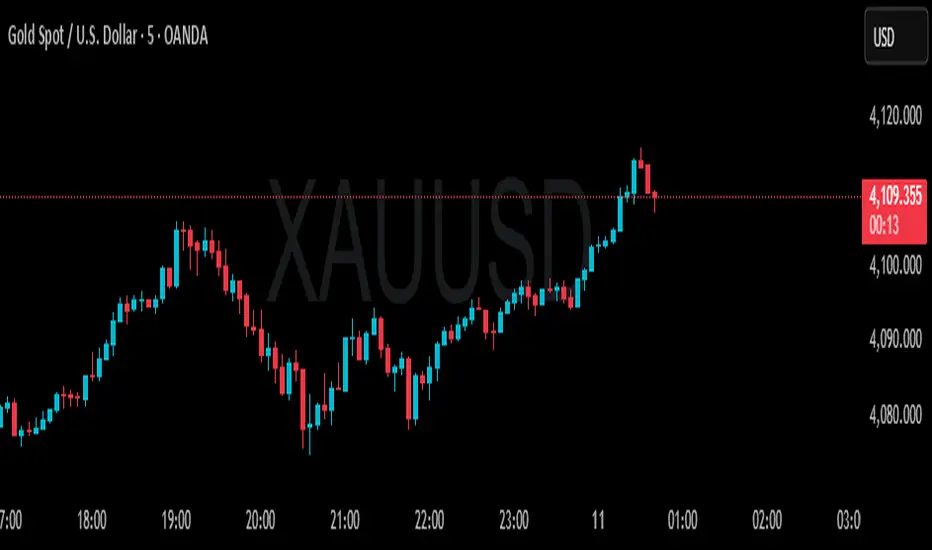
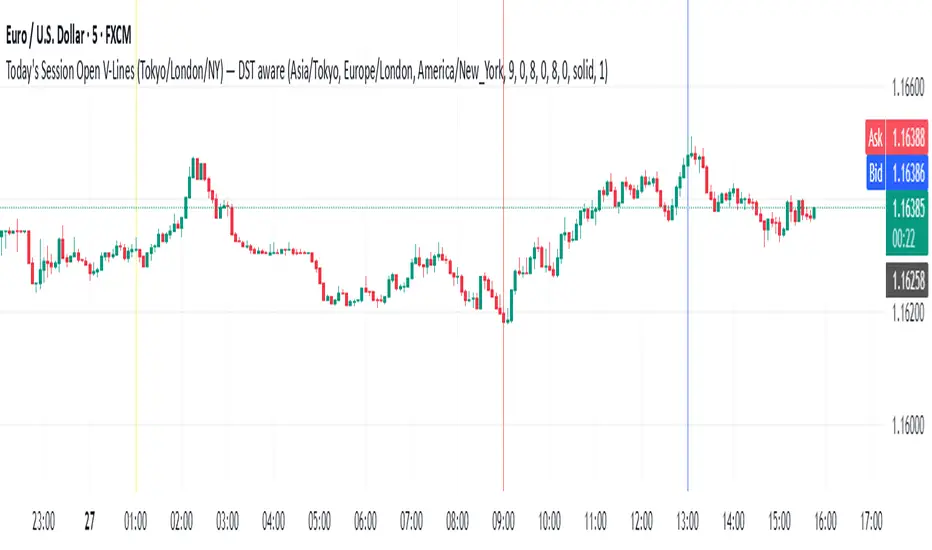
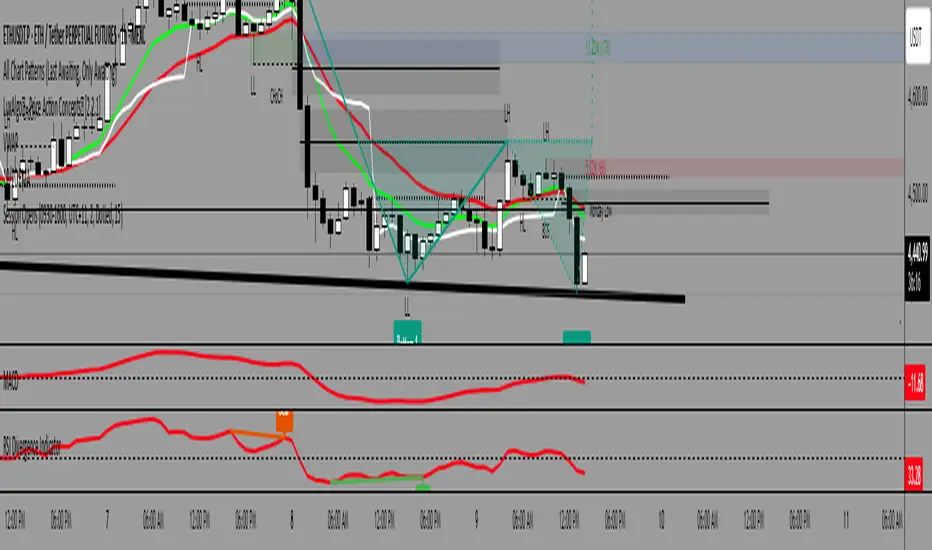
Sessions + EMAS + Nube (Mini Table)This indicator is designed to help traders analyze market trends and identify potential trading opportunities.
It provides clear visual signals based on price behavior and technical calculations, allowing traders to better understand market structure, momentum, and direction.
The indicator can be used on any market and timeframe, making it suitable for both intraday and swing trading.
It is intended as a decision-support tool and should be used in combination with proper risk management and other forms of analysis.
Search in scripts for "session"
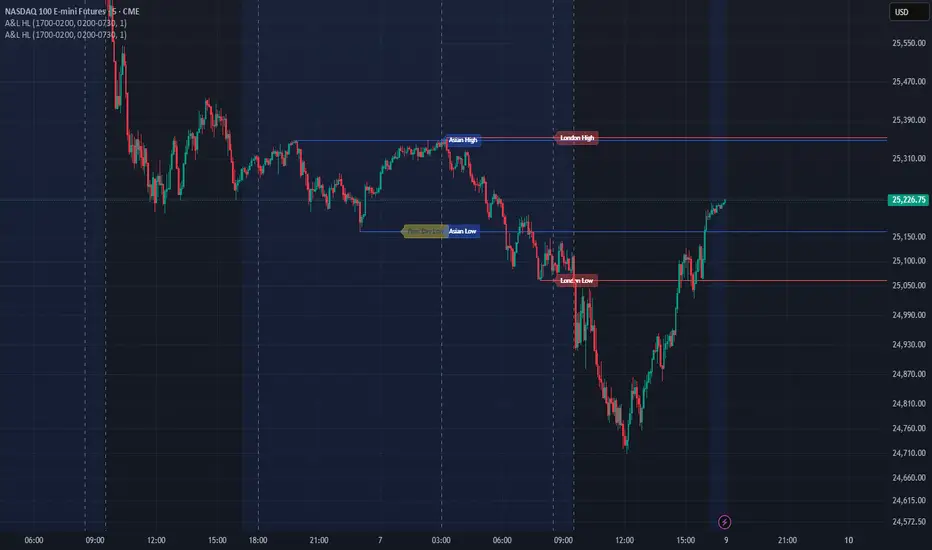
Sessions High/LowIndicator lines to show the prior days NY high/low, overnight Asian high/low, and recent London high/low. Time frame variables are included as well as the option to change colors for both the high and low. Good luck.
Sessions Rainbow EST with overlapsThis script displays the trading zones with overlaps based on the color of the rainbow. It is used with a Point&Figure chart to show trends associated with trading periods and overlapping trading periods.
Sessions - London NY overlapOther scripts show London closing at 5pm GMT whereas i believe the forex market on London closes at 4pm GMT. So i have adjusted an already published script to reflect this
Session & ATR Trailing Stop mindedgean indicator that highlights the asian range where i look for the 15m fractal to be swept and then i trade in the opposite direction
Session SFPThis script is a powerful, multi-timeframe tool designed to identify high-probability Swing Failure Patterns (SFPs) at key historical levels.
Instead of looking for traditional "pivots" (like a 3-bar swing), this indicator finds the actual high and low of a previous higher-timeframe (HTF) bar (e.g., the previous weekly high/low) and waits for a lower-timeframe (LTF) candle to sweep that level and fail.
This allows you to spot liquidity sweeps and potential reversals at significant, structural price points.
How It Works
The indicator's logic is based on a simple, two-timeframe process:
Level Detection: First, it finds the high and low of the previous bar on your chosen "Level Timeframe" (e.g., W for Weekly, D for Daily). It plots these as small 'x' markers on your chart.
SFP Identification: Second, it watches price action on a lower "SFP Timeframe" (e.g., 240 for 4H). A potential SFP is identified when a candle's wick sweeps above a key high or below a key low.
Confirmation: The SFP is only confirmed after the SFP candle closes back below the high (for a bearish SFP) or above the low (for a bullish SFP). It then waits for a set number of "Confirmation Bars" to pass. If price does not close back over the level during this window, the signal is locked in, and a label is printed.
How to Use (Key Settings)
Level Timeframe (Most Important): This is the timeframe for the levels you want to trade. Set this to W to find SFPs of the previous weekly high/low. Set it to D to find SFPs of the previous daily high/low.
SFP Timeframe: This is the timeframe you want to use to find the SFP candle itself. This should be lower than your Level Timeframe (e.g., 240 or 60).
Level Lookback: This controls how many old levels the script will track. A value of 10 on a W Level Timeframe will track the highs and lows of the last 10 weeks.
Confirmation Bars: This is your "patience" filter. It's the number of SFP Timeframe bars that must close without reclaiming the level after the SFP. A value of 0 will confirm the SFP immediately on the candle's close.
Enable Wick % Filter: A quality filter. If checked, this ensures the SFP candle's rejection wick is a significant percentage of the candle's total range.
Chart Visuals
'x' Markers: These are the historical highs and lows from your "Level Timeframe". You can turn these on or off in the settings.
SFP Label: When an SFP is fully confirmed, a label (Bearish SFP or Bullish SFP) will appear, detailing the level that was swept and the timeframes used.
SFP Line: A solid horizontal line is drawn from the 'x' marker to the SFP candle to highlight the sweep.
Colored Boxes (Optional): If you are viewing a chart timeframe lower than your "SFP Timeframe", you can enable background boxes to highlight the exact SFP candle and its confirmation bars.
SeparatorsSession - H1 and below Time Frame
Day - H4 and below Time Frame
Month - D Time Frame
Quarter - W Time Frame
Session Key Levels Lines (with Labels)This is an extension of the previous indicator, it just plots all the information you need automatically for you so you dont have to lift a finger. hope it helps :)
Session Moving AveragesAdds EMAs and SMAs to chart using 8am-8pm EST values. Completely configurable in settings.
Some platforms allow users to configure what time frame they would like to view market data. One popular selection is 8am-8pm EST as 8am is when institutional orders go through. An argument can be made that price action before 8am EST is not valid yet moving averages will use that data.
This matters less for shorter moving averages such as a 9 or 20 ema, but it dramatically changes the 200 or the 50 sma for example.
This script allows you to ignore that pre-market data (or any data you choose to configure in the settings) and select up to 3 moving averages (either Exponential or Simple) for a set time.
By default the moving averages include the 9-ema (gray), 20-ema (green), and 200-sma (purple) and is set to 8am-8pm EST
This is configurable in the settings including the time frame you would like the moving averages to start using market data.
By default the script will use your charts timeframe. You are able to use multi-time frames with this script just scroll down to "timeframe", then click "chart" in settings... this will then allow you to select a timeframe.
A popular choice is 5-minute value of 8am-8pm EST moving averages. This means regardless of the time frame you are on (sub 1-minute, 1-minute, etc.) the script will display 5-minute data.
Final note: In settings you are able to turn on/off shapes (the gray lines at the bottom) which shows when the data is being used. This can be helpful on certain tickers that trade continuously such as /ES or /NQ.
Session Time RangesHave you ever wondered if you are trading at the right time of the day or feel like all the good trades happen when you are sleeping? Well now you can check your theory :)
This Script allows you to highlight a time range on your chart over a 24hour time period. For example 3AM to 6AM
The script has two time variables, set your start time and end time based on a 24 hour clock and set the time zone offset variable to match your charts time zone. For example New York -4 (for utc just enter 0 for no offset )
This is a quick script I put together so hopefully it is error free enjoy :)
Session P4L MTFCorrected indicator for better support of smaller time frames. version 3.0 with better interface. thank you
Session P EdgesThis is an attempt to chart the primary balance ranges, however,
I have been having difficulty getting the lows to work in the graph, any assistance would be welcome
SA_ORB_ONR_CLOUD_vwapBandsSIGNAL ARCHITECT™ — ORB / ONR Cloud with VWAP Bands
Optimized for the 15-Minute Timeframe
Overview
The Signal Architect™ ORB / ONR Cloud is a session-structure and probability framework designed to help traders understand where price is statistically compressed, transitioning, or escaping value during the regular trading session.
On the 15-minute chart, this study excels at identifying:
High-probability consolidation zones
Early session directional intent
Fade vs continuation environments
Context for VWAP-based mean reversion or trend extension
Rather than predicting price, the indicator classifies market behavior using time-anchored ranges and volume-weighted statistics.
Core Components (15-Minute Context)
1️⃣ Overnight Range (ONR)
The Overnight Range captures price extremes formed before the regular session opens.
On the 15-minute timeframe, ONR acts as:
A higher-timeframe reference level
A source of institutional liquidity memory
A boundary where early session reactions often occur
2️⃣ Opening Range (ORB)
The Opening Range is defined as the first X minutes after the session open (default: 15 minutes).
On a 15-minute chart:
The ORB often forms entirely within a single candle
It represents initial institutional positioning
It helps differentiate initiative vs responsive behavior
3️⃣ ORB–ONR Cloud (Key Feature)
The Cloud is the overlapping area between the Overnight Range and the Opening Range.
This zone is critical on the 15-minute timeframe because it often represents:
Compressed auction
Balance / indecision
Liquidity absorption
Interpretation:
Price inside the cloud → Higher probability of consolidation, fade, or contraction
Price exiting the cloud → Transition toward expansion or trend resolution
The cloud is not a signal — it is a probability environment.
4️⃣ VWAP with Session-Weighted σ Bands
The study plots VWAP starting from the regular session open, along with true volume-weighted standard deviation bands (±1σ, ±2σ).
On the 15-minute timeframe:
VWAP defines fair value
σ bands help distinguish normal rotation vs statistical extension
Interaction with VWAP while inside the cloud often suggests mean-reverting conditions
Interaction with VWAP after leaving the cloud often confirms trend continuation
5️⃣ Breakout Classification (BRK)
A BRK event occurs when price closes outside BOTH:
The Overnight Range
The Opening Range
On the 15-minute chart:
BRK events often mark session regime changes
They are contextual markers, not entries
Arrows are color-matched to the candle (green candle → green arrow, red candle → red arrow)
To avoid clutter, breakouts can be limited to first-occurrence only.
Probability Layer (15-Minute Edge)
The indicator includes rolling probability calculations to quantify market behavior:
📊 Inside-Cloud Probability
Shows how often price remains inside the ORB–ONR cloud over the selected lookback.
Higher values → balance / compression dominant
Lower values → trend / expansion dominant
📉 Fade / Contraction Probability (Inside Cloud)
When price is inside the cloud, the study measures volatility contraction using ATR behavior.
Higher contraction % → Greater likelihood of rotation or fade
Lower contraction % → Cloud acting as launchpad rather than balance
📈 State Occupancy (5-State Model)
Tracks how price distributes its time across:
Above both ranges
Below both ranges
Inside ORB only
Inside ONR only
Inside the Cloud
This helps traders understand where the market statistically prefers to trade on the 15-minute structure.
Best Use Cases (15-Minute Chart)
✔ Contextual bias for intraday swing trades
✔ Identifying fade vs trend conditions
✔ VWAP-based execution alignment
✔ Avoiding low-probability entries inside compression
✔ Session structure awareness without lower-timeframe noise
What This Indicator Is NOT
❌ Not a buy/sell system
❌ Not predictive
❌ Not a guarantee of outcomes
It is a market structure and probability framework — designed to improve decision quality, not replace risk management.
Recommended Settings (15-Minute)
ORB Length: 15 minutes
VWAP Bands: ±1σ / ±2σ
Probability Lookback: 100–200 bars
Breakout Mode: First-occurrence only
Cloud Enabled: Yes
Risk & Compliance Notice
This tool is provided for educational and informational purposes only.
It does not constitute financial advice, investment recommendations, or trade instructions.
All trading involves risk, including the possible loss of capital.
Standalone Signal - trianchor.gumroad.com
chatgpt.com
chatgpt.com
chatgpt.com
MA Zone Candle Color 8.0This indicator plots a selected moving average (any type: EMA, VWAP, HMA, ALMA, custom composites, RVWAP, etc.) and creates a symmetrical grid of horizontal levels/bands spaced at precise, predefined increments around it. The spacing between levels can be set in two modes:
Percent (%) of the current MA value
Points (fixed price units)
The available increment sizes follow a specific geometric-like sequence (very similar to Gann square-of-9 derived steps), giving you clean, repeatable distance choices such as 0.61, 1.22, 2.44, 4.88, 9.77 points (or their percentage equivalents).
Core purpose
It visually marks exactly how far price has moved away from your chosen moving average — in multiples of the increment you selected.
Main practical use cases -
1. Measuring distance from key reference level
VWAP or EMA(20–89), Points mode, 1.22–4.88 incr.
"Price is currently 3.5 increments above VWAP" → quick context for context
2. Identifying structured price levels
Points mode + 2.44 or 4.88 increment
Treat every band as potential support/resistance or target zone
3. Comparing extension size across instruments
Percent mode, same increment value across symbols
Makes extensions visually comparable (BTC vs ETH vs SPX vs NQ)
4. Session / intraday structure mapping
RVWAP or session VWAP + Points mode
See how many "steps" price has made since session open / reset
5. Setting objective take-profit / scale-out levels
Any MA + medium increment (4.88–19.53 points)
"I'll take partials at +2×, +4×, +6× increment" — very mechanical
6. Volatility-adjusted grid (crypto/forex)
Points mode with larger increments
Prevents bands from becoming too wide/narrow during huge volatility swings
Most common combo
MA: VWAP or RVWAP (session/day reset)
Mode: Points
Increment: 1.220704 or 2.441408 or 4.8828125
Bands per side: 30–60
→ Creates a clean, evenly-spaced ladder of levels around the daily/intraday average that traders can use purely for distance measurement and objective level marking.
In short:
It's a very precise, repeatable distance ruler built around any moving average you choose — nothing more, nothing less.
Kalman Absorption/Distribution Tracker 3-State EKFQuant-Grade Institutional Flow: 3-State EKF Absorption Tracker
SUMMARY
An advanced, open-source implementation of a 3-State Extended Kalman Filter (EKF) designed to track institutional Order Flow. By analyzing 1-second intrabar microstructure data, this script estimates the true Position, Velocity, and Volatility of the Cumulative Volume Delta (CVD), revealing hidden Absorption and Distribution events in real-time.
INTRODUCTION: THE SIGNAL AMIDST THE NOISE
In the world of technical analysis, noise is the enemy. Traditional indicators rely on Moving Averages (SMA, EMA) to smooth out price and volume data. The problem is the "Lag vs. Noise" paradox: to get a smooth signal, you must accept lag; to get a fast signal, you must accept noise.
This indicator solves that paradox by introducing aerospace-grade mathematics to the TradingView community: The 3-State Extended Kalman Filter (EKF).
Unlike moving averages that blindly average past data, a Kalman Filter is a probabilistic state-space model. It constantly predicts where the order flow "should" be, compares it to the actual measurement, and updates its internal model based on the calculated uncertainty of the market.
This script is not just another volume oscillator. It is a full microstructure analysis engine that digests intrabar data (down to 1-second resolution) to track the true intent of "Smart Money" while filtering out the noise of retail chop.
THE INNOVATION: WHY 3 STATES?
Most Kalman Filters found in public libraries are "1-State" (tracking price only) or occasionally "2-State" (tracking price and velocity). This script introduces a highly advanced 3-State EKF.
The filter tracks three distinct variables simultaneously in a feedback loop:
State 1: Position (The True CVD)
This is the noise-filtered estimate of the Cumulative Volume Delta. It represents the actual inventory accumulation of aggressive buyers versus sellers, stripped of random noise.
State 2: Velocity (The Momentum)
This tracks the rate of change of the order flow. Is buying accelerating? Is selling pressure fading even as price drops? This provides a leading signal before the cumulative value even turns.
State 3: Volatility (The Adaptive Regime)
This is the game-changer. The filter estimates the current volatility of the order flow (Log-Volatility). In high-volatility environments (like news events), the filter automatically widens its uncertainty bands (Covariance) and reacts faster. In low-volatility environments (chop), it tightens up and ignores minor fluctuations.
THE LOGIC: DETECTING ABSORPTION AND DISTRIBUTION
The core philosophy of this indicator is based on Wyckoff Logic: Effort vs. Result.
-- Effort: Represented by the CVD (Buying/Selling pressure).
-- Result: Represented by Price Movement.
When these two diverge, we have an actionable signal. The script uses the EKF Velocity state to detect these moments:
Absorption (Bullish)
This occurs when the EKF detects high negative Velocity (aggressive selling), but Price refuses to drop. The "Smart Money" is absorbing the sell orders via limit buys. The indicator highlights this as a Blue Event in the dashboard.
Distribution (Bearish)
This occurs when the EKF detects high positive Velocity (aggressive buying), but Price refuses to rise. Limit sellers are capping the market. The indicator highlights this as an Orange Event.
TECHNICAL DEEP DIVE: UNDER THE HOOD
For the developers and quants, here is how the Pine Script is architected using the "type" and "method" features of Pine Script v5.
1. Data Ingestion (Microstructure)
The script uses "request.security_lower_tf" to pull intrabar data regardless of your chart timeframe. This allows the script to see "inside" the bar. A 5-minute candle might look green, but the microstructure might reveal that 80% of the volume was selling absorption at the wick. This script sees that.
2. Tick Classification
Standard CVD assumes that if Price Close is greater than Price Open, all volume is buying. This is often flawed. This script offers three modes of tick handling, including a "High-Low Distribution" method that statistically apportions volume based on where the tick closed relative to its high and low.
3. The EKF Mathematics
The script implements the standard Extended Kalman Filter equations manually. It calculates the Jacobian matrix to handle the non-linear relationship between volatility and price. The "Process Noise Matrix" (Q) is dynamically scaled by the Volatility State. This means the mathematics of the indicator literally "breathe" with the market conditions—expanding during expansion and contracting during consolidation.
THE DASHBOARD & VISUALS:
The indicator features a professional-grade HUD (Heads Up Display) located on the chart table.
-- EKF State Vector: Displays the real-time Position, Velocity, and Volatility values derived from the matrix.
-- Ease of Movement (Wyckoff): Calculates how much price moves per 1,000 contracts of CVD. For example, if Price moves +5 points per 1k Buy CVD, but only -2 points per 1k Sell CVD, the "Path of Least Resistance" is clearly UP.
-- Session State: Tracks cumulative confirmed Bullish vs. Bearish events for Today, Yesterday, and the Day Before (3-Day Profile).
-- Bias Summary: An algorithmic conclusion telling you if the day is "Confirmed Bullish," "Accumulating," or "Neutral."
HOW TO TRADE THIS INDICATOR
Strategy A: The Reversal (Absorption Play)
Look for price making a Lower Low.
Look for the EKF Velocity (Histogram) to be Deep Red (High Selling Pressure).
Watch the Dashboard "Absorption" count increase.
SIGNAL: When EKF Velocity crosses back toward zero and turns grey/green, the absorption is complete. This indicates sellers are exhausted and limit buyers have control.
Strategy B: The Trend Continuation (Ease of Movement)
Check the Dashboard "Ease of Movement" section.
If "Price per +1K CVD" is significantly higher than "Price per -1K CVD", buyers are efficient.
Wait for a pullback where EKF Velocity hits the "Neutral Zone" (Gray).
SIGNAL: Enter Long when Velocity ticks positive again, aligning with the dominant Ease of Movement stats.
CONFIGURATION GUIDE:
Because this is a quant-grade tool, the settings allow for fine-tuning the physics of the filter.
-- Velocity Decay: Controls how fast momentum resets to zero. Set high (0.98) for trending markets, or lower (0.85) for mean-reverting chop.
-- Volatility Persistence: Controls how "sticky" volatility regimes are.
-- Process Noise: Increase this if the filter feels too laggy; decrease it if the filter feels too jittery (noisy).
-- Measurement Noise: Increase this to trust the Mathematical Model more than the Price Data (smoother output).
WHY OPEN SOURCE?
Complex statistical filtering is often sold behind closed doors in expensive "Black Box" algorithms. By releasing this 3-State EKF open source, the goal is to raise the standard of development on TradingView.
I encourage the community to inspect the code, specifically the "ekf_update_3state" function, to understand how matrix operations can be simulated in Pine Script to create adaptive, self-correcting indicators. And also update me for improvements.
DISCLAIMER:
This tool analyzes microstructure volume data. It requires a subscription plan that supports Intrabar inspection (Premium/Pro recommended for best results). Past performance of the Kalman Filter logic does not guarantee future results. Volume analysis is subjective and should be used as part of a comprehensive strategy.
SUGGESTED SETTINGS
-- Timeframe: Works best on 1m, 3m, or 5m charts (Intrabar data is fetched from 1S).
-- Asset Class: Highly effective on Futures (ES, NQ, BTC) and high-volume Forex/Crypto pairs where volume data is reliable.
-- Background: Dark mode recommended for Dashboard visibility.
WHAT IS A KALMAN FILTER?
Imagine driving a car into a tunnel where your GPS signal is lost.
Prediction: Your car knows its last speed (Velocity) and position. It predicts where you are every second inside the tunnel.
Update: When you exit the tunnel, the GPS connects again. The system compares where it thought you were versus where the satellite says you are.
Correction: It corrects your position and updates its estimate of your speed.
Now apply this to trading:
-- The Tunnel: Market Noise, wicks, and Fake-outs.
-- The Car: The True Market Trend.
-- This Indicator: The navigation system that tells you where the market actually is, ignoring the noise of the tunnel.
Enjoy the indicator and trade safe!
Dr. Jay Desai
(Investment Management & Derivatives Area, Gujarat University)
SA Trump Volatility Pattern Wick + Volume Shock ReversalDisclaimer (read first)
Educational use only — not financial advice. This script does not provide entries/exits, targets, position sizing, or profit guarantees. Trading (especially options/futures) involves substantial risk and can result in loss of principal (and more for leveraged products). Use at your own discretion.
Best use cases on the 2-Hour timeframe
On 2H, this script becomes a high-signal-quality “shock reversal” detector instead of a noisy candle toy. You’re essentially filtering for:
Large wick rejection
Small real body
Statistically unusual volume (Z-score > threshold)
Context alignment (trend filter + prior bar direction + optional RSI)
What 2H is best for
1) Detecting “event shock” reversals
2H bars often capture:
Macro headlines
Fed commentary
earnings reactions (for equities)
sudden volatility expansions
When the script fires on 2H, it often means:
“Aggressive push happened, liquidity got rejected, and participation was unusually high.”
That’s a structural clue, not a trade instruction.
2) Filtering false breakouts / breakdowns
The wick requirement is basically “failed continuation.”
On 2H, this is powerful around:
prior day highs/lows
weekly pivots
obvious consolidation edges
key moving averages (fast SMA / slow SMA gate)
Bull pattern = flush + reclaim behavior.
Bear pattern = pop + rejection behavior.
3) Options traders: timing “premium exposure windows”
On 2H, this is great for options traders who want to avoid buying premium into a fake move.
BullTrump on 2H can be used as a “don’t chase puts / be cautious short” context shift.
BearTrump on 2H can be used as a “don’t chase calls / be cautious long” context shift.
It’s a “regime hint” for the next few sessions, not a one-bar command.
4) Futures traders: rotation vs continuation framework
A 2H “Trump Candle” often marks:
the end of a liquidation leg
a stop-run / squeeze peak
a pivot moment where the market shifts from impulse to balance
Use it to decide whether you’re in:
continuation mode (trend carries)
or rotation mode (mean-reversion / two-way)
How to use it (2H workflow)
Step A — Keep it strict at first
Recommended defaults for 2H:
wickFracThreshold: 0.40–0.55
bodyMaxFrac: 0.35–0.45
volZThresh: 1.0–1.5
useRSIFilter: ON
RSI bull min / bear max: 45 / 55 (good baseline)
Step B — Treat triggers as “context events”
When it prints, ask 3 questions:
Where did it happen? (key level or random spot)
Was it aligned with trend gate? (SMA fast/slow)
Did volume Z-score spike? (true shock vs normal wick)
Higher quality triggers happen when:
the wick pierces a known level (prior swing / range edge)
and the close re-enters the range
and volume Z-score is meaningfully positive
Step C — Confirm with the next 1–2 candles (optional)
On 2H, it’s reasonable to wait for:
a follow-through close
or a hold above/below fast SMA
or a second “acceptance” candle
You can do this manually without changing code.
Other recommended timeframes (best to worst)
✅ 4H (even cleaner, fewer signals)
Use for:
swing context
multi-day pivots
big reversal points
✅ 1H (more signals, still structured)
Use for:
intraday + overnight context
day-trade bias shifts
✅ 30m (for active traders)
Use for:
tighter responsiveness
more setups
But requires more discretion; noise increases.
⚠️ 15m and below (only if you increase strictness)
If you want to run it on 5m/15m:
raise volZThresh (ex: 1.5–2.0)
raise wickFracThreshold (ex: 0.50–0.65)
lower bodyMaxFrac (ex: 0.25–0.35)
Otherwise it will trigger too often.
Best markets for this script
Works best on:
Index futures: /NQ, /ES (big volume makes Z-score meaningful)
Liquid ETFs: SPY, QQQ
High-volume large caps (AAPL, MSFT, NVDA etc.)
Less reliable on:
thin small caps (volume Z-score gets weird)
low-volume premarket candles
illiquid options underlyings
Signal Inside the Script ✅ SA ZoneEngine Bias Filtered is a market-structure bias and confirmation tool designed for futures To request access: 👉 Purchase here: trianchor.gumroad.com
Best GBT for this indicator
chatgpt.com
chatgpt.com
chatgpt.com
AMDX/XAMD indicatorThe AMDX/XAMD indicator is designed to highlight specific trading sessions on the chart using distinct colors and optional vertical lines. Users can choose between two session types, AMDX or XAMD, and customize the visual appearance of the sessions. This tool is particularly useful for traders who want to analyze market behavior during different trading periods.
Meaning of AMDX:
A: Accumulation
M: Manipulation
D: Distribution
X: Continuation Or Reversal
Features:
Session Highlighting:
AMDX Sessions: Split into four segments - A, M, D, X.
XAMD Sessions: Split into four segments - X, A, M, D.
Customizable Colors:
Choose individual colors for each session (A, M, D, X).
Adjust the transparency of the session boxes for better visual integration with the chart.
Drawing Styles:
Box Style: Draws colored boxes around the session ranges.
Line Style: Draws vertical lines at session start and end times.
Vertical Lines:
Option to enable or disable vertical lines at session boundaries.
Customizable line style: Solid, Dotted, or Dashed.
Session Labels:
Automatically labels each session for easy identification.
Customization Options:
Session Type: Select between AMDX and XAMD session types.
Colors: Set custom colors for each session and vertical lines.
Border Width: Adjust the width of the session box borders.
Transparency: Control the transparency level of the session boxes.
Drawing Style: Choose between Box and Line styles for session representation.
Vertical Lines: Enable or disable vertical lines and select the line style.
How It Works:
The indicator calculates the start and end times for each session based on the selected session type (AMDX or XAMD). It then draws either boxes or lines to highlight these sessions on the chart. The indicator also includes options to draw vertical lines at the session boundaries and labels each session with a corresponding letter (A, M, D, X).
Use Cases:
Market Session Analysis: Easily identify and analyze market behavior during different trading sessions.
Intraday Trading: Helps intraday traders to focus on specific time segments of the trading day.
Visual Segmentation: Provides a clear visual segmentation of the trading day, aiding in better decision-making.
Times for AMDX/XAMD session:
A Session: 18:00 (previous day) to 03:00 (current day)
M Session: 03:00 to 09:00
D Session: 09:00 to 12:00
X Session: 12:00 to 18:00
Time for the XAMD session :
X Session: 18:00 (previous day) to 00:00 (current day)
A Session: 00:00 to 09:00
M Session: 09:00 to 12:00
D Session: 12:00 to 18:00
Time Zone PSenseiTitle: Time Zone PS Indicator
Author: Orlando Depablos
Description:
The Time Zone PS Indicator is a tool designed to help traders visualize different trading sessions on their charts. It allows users to specify three different trading sessions: the start of the day, the London session, and the New York (NYC) session. Each session is represented by a distinct color-coded background on the chart.
Features:
Customizable Sessions: Traders can define the start time and end time for each trading session according to their preference. This flexibility enables users to tailor the indicator to their specific trading strategies session time zones.
Session Display Control: Users have the option to choose whether they want to display each trading session on the chart. This feature allows for a clutter-free charting experience, where traders can focus on the sessions relevant to their analysis.
Visual Clarity: The indicator uses distinct colors for each trading session, making it easy for traders to differentiate between different time zones. This visual clarity aids in quickly identifying key trading periods throughout the day.
How to Use:
Setting Up Sessions: Use the input options to define the start and end times for the start of the day, the London session, and the NYC session. Adjust these values based on your trading preferences and time zone.
Display Preferences: Toggle the display options to choose which trading sessions you want to visualize on the chart. This allows for a customizable charting experience tailored to your specific needs.
Interpreting the Chart: Once configured, the indicator will display color-coded backgrounds on the chart corresponding to the defined trading sessions. Interpret these visual cues to identify key trading periods and plan your trading strategies accordingly.
Originality:
The Time Zone PS Indicator adds value to the TradingView community by providing traders with a customizable tool to visualize different trading sessions. While similar indicators exist, this script offers flexibility and ease of use, enhancing the charting experience for traders across various time zones.
Use Cases:
Session-Based Analysis: Traders can use the indicator to analyze price action within specific trading sessions, such as the London or NYC session, to identify potential trading opportunities.
Time Zone Adjustment: Traders operating in different time zones can adjust the indicator settings to align with their local trading hours, ensuring accurate visualization of relevant trading sessions.
Strategy Development: The indicator can aid in the development of trading strategies that capitalize on price movements during specific trading sessions, helping traders optimize their trading performance.
Chart Visualization:
The indicator provides a clear and concise visualization of different trading sessions on the chart. Each session is represented by a color-coded background, allowing traders to quickly identify key trading periods and make informed trading decisions.