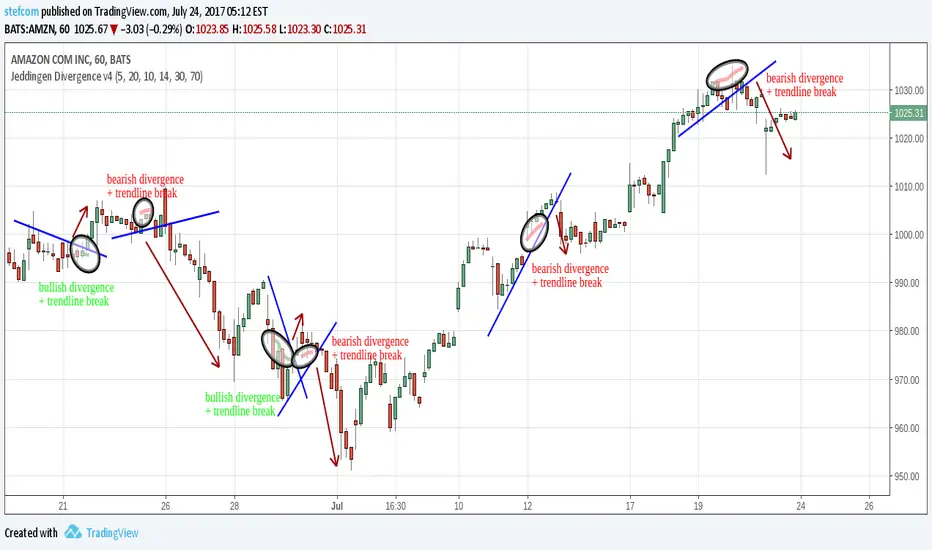
Bottom & Top Finder v3.0Bottom & Top Finder v3.0 is a proprietary multi-component oscillator designed to identify potential market reversals and extreme price conditions. The indicator analyzes momentum, volatility, and price behavior to generate bullish and bearish signals with strength classification.
█ OVERVIEW
Each signal is classified into three strength levels (Weak, Medium, Strong) allowing traders to prioritize high-conviction setups.
Signal Classification:
• Strong signals (±1.0): High conviction setups with multiple confirmations
• Medium signals (±0.6): Moderate conviction with key component alignment
• Weak signals (±0.33): Early warnings or preliminary indications
█ KEY FEATURES
Smart Signal Management
The indicator includes an intelligent system that allows signal sequences to complete naturally while preventing excessive noise. Unlike traditional cooldown systems that block all signals during a cooldown period, this implementation allows consecutive signals during a "run" and only applies cooldown after the signal run ends. This ensures complete multi-bar patterns are captured while preventing rapid flip-flopping.
Advanced Filtering System
Three optional filters allow adaptation to different market conditions:
• Volume Confirmation Filter: Validates signals against recent volume activity across a configurable lookback period. Checks if any bar in the lookback window exceeded average volume by the specified multiplier.
• Trend Alignment Filter: Four operational modes including With Trend, Counter Trend, Statistical Distance, or Off. The anomaly mode uses calculations to identify signals only at statistical extremes rather than simple directional bias.
• Signal Type Selection: Enable or disable weak, medium, and strong signals independently based on your trading style and risk tolerance.
Comprehensive Alert System
Ten distinct alert conditions cover every use case. Alerts include price level and timestamp, and are ready for webhook integration with automated trading systems.
█ HOW TO USE
Basic Setup
1 — Add "Bottom & Top Finder v3.0" to your chart in a separate indicator pane
2 — Optionally add "Bottom & Top Finder v3.0 - Chart Labels" for on-chart visual markers
3 — Configure lookback periods (defaults work well for most timeframes)
4 — Enable or disable signal strengths based on your trading style
5 — Apply filters as needed to reduce noise in your specific market
Signal Interpretation
Histogram magnitude indicates signal conviction. Multiple signal types can fire simultaneously and are aggregated into the composite score.
Alert Configuration
Set up alerts through TradingView's standard alert system using the built-in alert conditions. Choose from individual signal types (for specific setups) or aggregate alerts (for broader monitoring).
Recommended Approach
• Combine indicator signals with price action and support/resistance analysis
• Use strong signals for entries, weaker signals for early warnings or exits
• Enable filters when trading liquid markets with reliable volume data
• Adjust cooldown period based on timeframe: lower for active trading, higher for swing setups
• Start with default settings and adjust based on backtesting results
█ SETTINGS
Lookback Settings
• Main Lookback Period: Primary calculation period for most components (default: 21). Lower values increase sensitivity, higher values smooth signals.
• Range Lookback: Extended lookback for range high/low analysis (default: 50). Affects extreme condition detection.
Signal Settings
• Enable Weak Signals: Toggle weak signal detection (default: on)
• Enable Medium Signals: Toggle medium signal detection (default: on)
• Enable Strong Signals: Toggle strong signal detection (default: on)
Filter Settings
• Enable Volume Filter: Require volume confirmation (default: off)
• Volume Lookback: Period to check for volume spikes (default: 30)
• Volume Spike Multiplier: Threshold above average volume (default: 1.3x)
• Trend Filter Mode: Off, With Trend, Counter Trend, or Anomaly (default: off)
• Trend SMA Period: Moving average period for trend calculations (default: 50)
• Anomaly Threshold: Minimum statistical deviation for anomaly mode (default: 1.5)
Display Settings
• Show Composite Histogram: Toggle main histogram display (default: on)
• Show Signal Bars: Toggle triangle markers in indicator pane (default: on)
• Show RSI Reference: Overlay normalized RSI for context (default: off)
█ TIMEFRAME CONSIDERATIONS
The indicator works on any timeframe from 1-minute to monthly charts. However, optimal performance requires timeframe-appropriate configuration:
Shorter Timeframes (1m-15m)
Consider reducing main lookback period for increased responsiveness. Volume filter may be less reliable in some markets during low-liquidity sessions.
Medium Timeframes (1H-4H)
Default lookback periods are optimized for these timeframes. Volume and trend filters provide good noise reduction.
Longer Timeframes (1D+)
Consider increasing lookback periods for smoother signals. Filters are highly effective at these timeframes.
█ BEST PRACTICES
Risk Management
This indicator is a technical analysis tool designed to identify potential reversal zones and does not guarantee profitable trades. Users should:
• Understand that signals indicate potential setup zones, not guaranteed outcomes
• Employ proper position sizing and risk management on every trade
• Combine indicator signals with their own analysis and trading strategy
• Paper trade and backtest thoroughly before live implementation
• Never risk more than they can afford to lose
Signal Context
Indicator signals should be evaluated within broader market structure. Consider:
• Proximity to key support and resistance levels
• Overall trend direction and strength
• Market volatility and liquidity conditions
• Confluence with other technical indicators or patterns
• Fundamental factors that may override technical signals
█ NOTES
• All signals use confirmed bar data and do not repaint
• The cooldown system tracks top and bottom signals independently
• Multiple signal types can fire simultaneously; the composite score aggregates them
• Anomaly mode measures standard deviation magnitude, not just directional bias
• Volume filter checks any bar in the lookback period, not just the current bar
• Strong signals require more confirmations than medium or weak signals
Stocks!
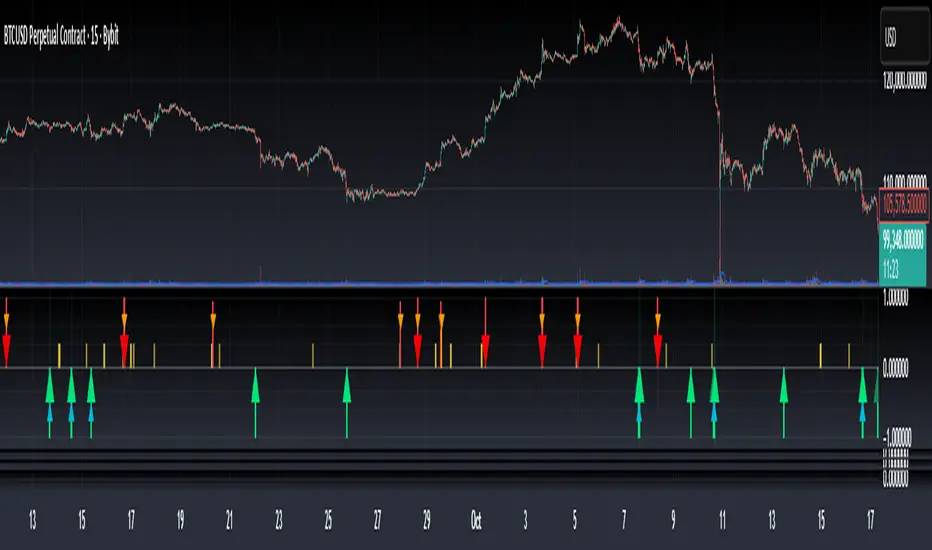
Top Finder 1.1Top Finder is an automated cryptocurrency signals and analysis tool which uses a complex algorithm involving multiple indicators, trends, and cross-overs including proprietary formulas developed in-house to predict the top or near top price of cryptocurrencies. It also works well on stocks, gold, oil and forex, even soybeans!
Top Finder is the sister indicator to Bottom Finder (check my other scripts).
Signal strength is represented by height/color of the signal. (Taller signal = stronger signal).

Bottom Finder 2.2Release 2.2
Bottom Finder is an automated cryptocurrency signals and analysis tool which uses a complex algorithm involving multiple indicators, trends, and cross-overs including proprietary formulas developed in-house to predict the bottom price of cryptocurrencies. It also works well on stocks, gold, oil and forex!
Future updates will be included onto this script.
Tip #1: In a bear market, the Half height (fuchsia colored) signals should be ignored by the risk averse trader. In a bull market feel free to buy on both the signals.
Tip #2: In a bear market, use a smaller percent gain instead of TSSL to set your exit targets. In a bull do the opposite, using TSSL (or method of your choice) to exit.

Traders Dynamic Index Pro by YardleyRosetteThis is an excellent indicator thanks to the code author LazyBear!
I have modified to a more appealing colors visually representing market condition.
2 Backgrounds
Uptrend/Sell: Uptrend above Orange line, Sell potential area.
Downtrend/Buy: Downtrend under Orange line, Buy potential area.
I have modified by adding previously unrecognized upper and lower channels of support/resistance zones within Traders Dynamic Index which will be of great use in previously confusing situations.
The Traders Dynamic Index, observes trend direction , market strength , and market volatility .
To be used by the "elite", the Pro accounts.
Multiple Time Frames are ABSOLUTELY required. I'm sorry for those who aren't. I can refer you who don't, to try out KK_Traders Dynamic Index Higher Timeframe (by Kurbelklaus).
Multiple Time Frames are necessary or else technical analysis using this one chart alone will give false reasoning as I have witnessed a few who do attempt to use this time machine, including me when I had not used multiple time frame charts since I did not have the PRO account.
Problems, for example low time frame indicates 'overbought' yet higher time frame indicates it had been oversold. Which are you to agree with? The higher time frame absolutely.
In this condition though an overall retracement will very likely occur in the short-term.
Here is my clever explanation of the rules:
Use of time frames: Traders' choice of combination.
For example, 180, 90, and 45 minute charts may be useful for example with Bitcoin
You can see what may confuse others. Apparently rising as a buy signal for having green line cross up from below orange line, but 90 minute time frame thanks to this support/ resistance channel coded within T.D.I. can be observed as an alerting condition. Then observing 45 minute time frame notice the blue lines ("Bands") are 'squeezing' the other components you can then expect a breakout , and if its in the overbought side, at least above 56, and the 240 time frame can identify current downtrend... you know how to connect the data given by the charts: Ranging Overbought in a downtrend will breakout. 1) Overbought in downtrend: Sell, 2) Ranging to breakout, set entry order according to pattern. With probability on your side, you can set a sell stop under the tricky uptrend line when all others are wondering what will happen, you are ahead.
According to range scalping: Great Scalping
Only if orange (MBL) line steady within upper and lower midlines 40 and 60
Long, when green and red line are under 44 with green crossing over red.
The green line is above the red line
The green line is above the orange line
Short, when green and red line are above 56 with red crossing over green.
The green line is below the red line
The green line is below the orange line
Close when opposite signal is about to occur

DepthHouse - Trend & Reversal CandlesticksDepth House Trend and Reversal Candlestick Indicato r is a custom trading tool designed to help traders determine trend direction, and possible trend reversal points.
Here is a video which I give a brief overview and show it in action:
youtu.be
How it works:
Based on the default settings, there are 5 primary colors that each have their own possible signal.
The colors are:
Green - Trending upwards
Red – Trending downwards
Lime –Trending upwards with a chance of reversal
Orange – Trending downwards with a chance of reversal
Grey – General trend is unknown
Please Note: There are NOT trading signals. Each colored candle represents nothing other than a possibility of which way the trend may go. Be sure to use your own adequate analysis. Use at your own financial risk.
How to get:
As you can see this is an invite only script. In the coming months this indicator, along with many others will become pay to use only. (website on my profile page)
However all my indicators will be FREE until May 1, 2018 . So please try them out!
To take advantage of this FREE trial:
1. Subscribe to my YouTube channel. I have many more videos to come! Maybe even leave a comment of what you would like to see next!
2. Comment on this indicator post! Maybe even give me a follow :D
I hope you all enjoy!!
Indicator website: depthhouse.com

DepthHouse - Support and Resistance IndicatorDepth House Support & Resistance Indicator is a custom trading tool designed to help traders locate possible support and resistance levels on stocks, cryptocurrencies, and all forex pairs.
A fantastic tool on all time frames.
Here is a video which I give a brief overview and show it in action:
youtu.be
How it works:
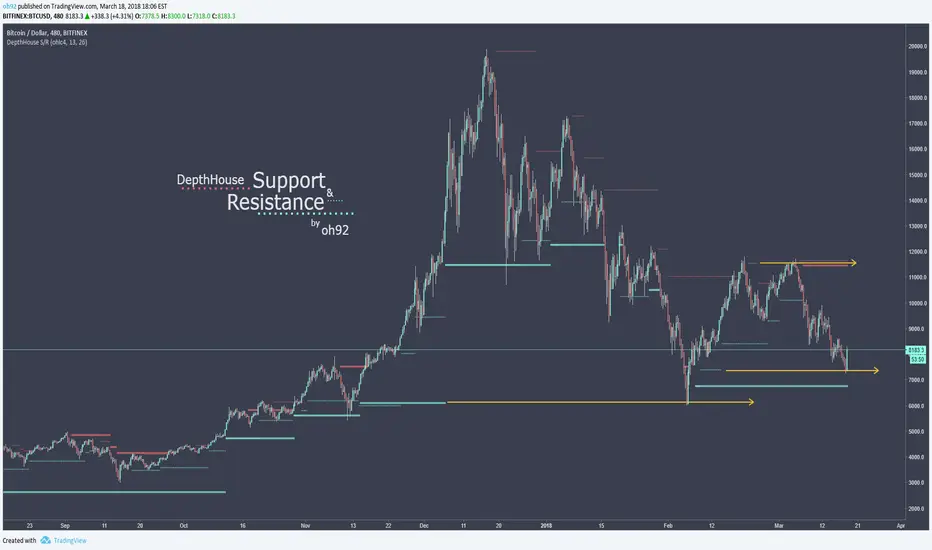
Based on the default settings, the ticker dots represent strong support and resistance while the smaller lines tend to represent weaker support/resistance.
As shown on the chart above, even after a line stops plotting, it still serves as possible support and/or resistance.
Changing the settings completely alters the support lines, so adjust and find what works best for you!
How to get:
As you can see this is an invite only script. In the coming months this indicator, along with many others will become pay to use only. (website on my profile page)
However all my indicators will be FREE until May 1, 2018 . So please try them out!
To take advantage of this FREE trial:
1. Subscribe to my YouTube channel. I have many more videos to come! Maybe even leave a comment of what you would like to see next!
2. Comment on this indicator post! Maybe even give me a follow :D
I hope you all enjoy!!
Indicator website: depthhouse.com
Naked Put - Growth IndicatorDISCLAIMER: Do NOT follow this strategy unless you are aware of the risks of selling naked options.
1) I have identified 20 companies with 30%+ YoY revenue growth (using the most recent quarter) and minimum "average trading volume": ZEN, TEAM, BABA, SHOP, RNG, SPLK, NFLX, FB, WIX, SQ, MULE, WDAY, MU, HUBS, ABT, LOGM, NEWR, NVDA, MELI, AMZN, NOW. I like companies that fit this criteria because 30%+ revenue growth means their revenue double every ~2.5 year and their "market cap" is based on their revenue.
2) When you see a green "$" icon above a candle on a DAILY chart, that means it's a good time to "sell naked puts" using the solid green line as the approximate "strike price". I prefer 3-9 months until expiration and "stagger" my expirations so it's not possible for everything to be put to me all at once.
3) I use a "minimum premium" and "max contracts" that I sell that suits my risk tolerance, you will need to calculate your own contract size based on your risk tolerance.
*NOTE: This only works on a DAILY chart, and only works on the companies identified above -- if you are using intraday, weekly or monthly, the "$" signs do NOT appear.
RISK NOTE: I do NOT sell any naked puts unless I am 100% ready to own the shares AND have enough capital in my account if they are put to me, you should do the same. Don't follow this strategy unless you are prepared to OWN shares at expiration.

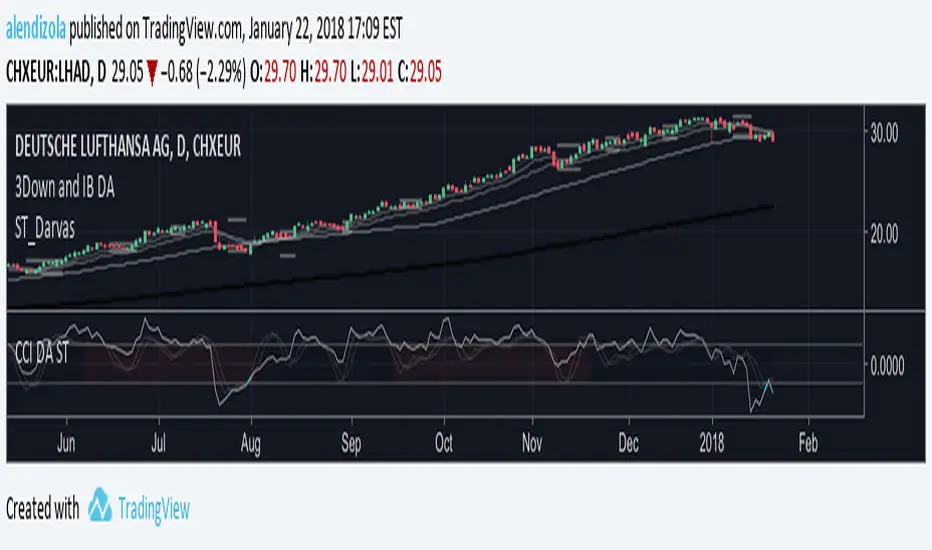
Three Bars Down and Inside Bar v2Updated Version of my Script. Script includes a Filter for stocks that are down three days in a row. Also it checks for oversold rsi and inside bars. Works best daily with stocks.

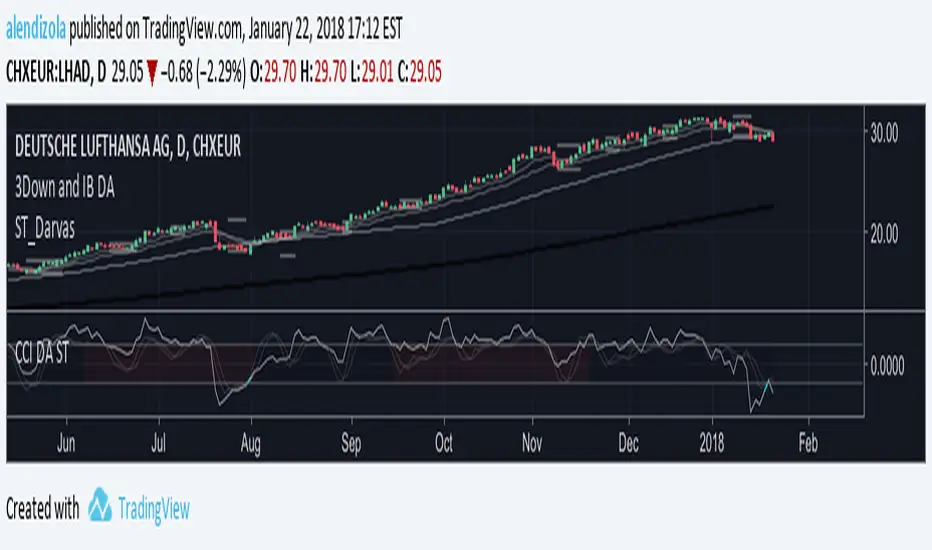
3Down and IB DAScript provides Multiple MAs and checks for 3 Bars down in a row. On top it displays inside Bars. Works best on a daily timeframe with stocks.
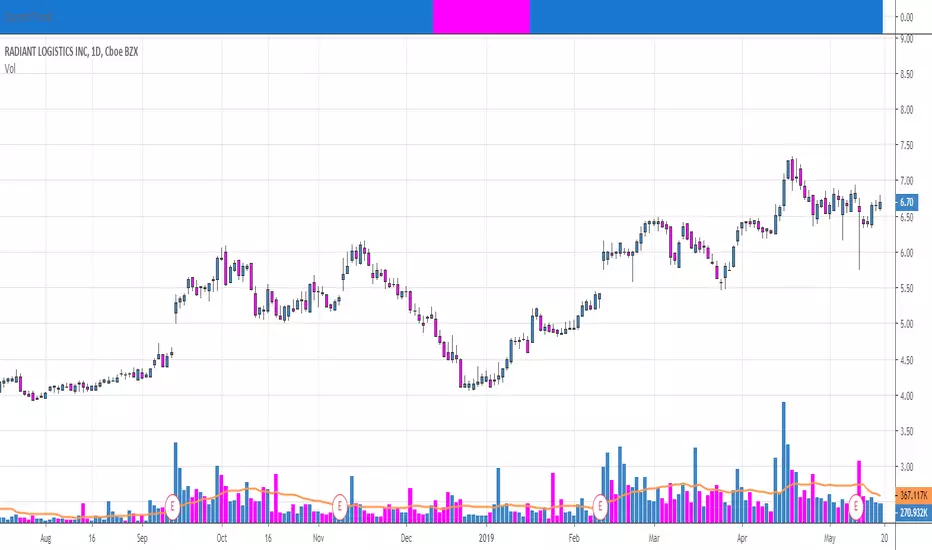
Current Trend Indicator-Visually See The TrendThe Current Trend Indicator compliments the TradeSpec indicator to visually see the trend direction of the symbol based on the gray trend line. It can be placed above, on, or below the main chart.
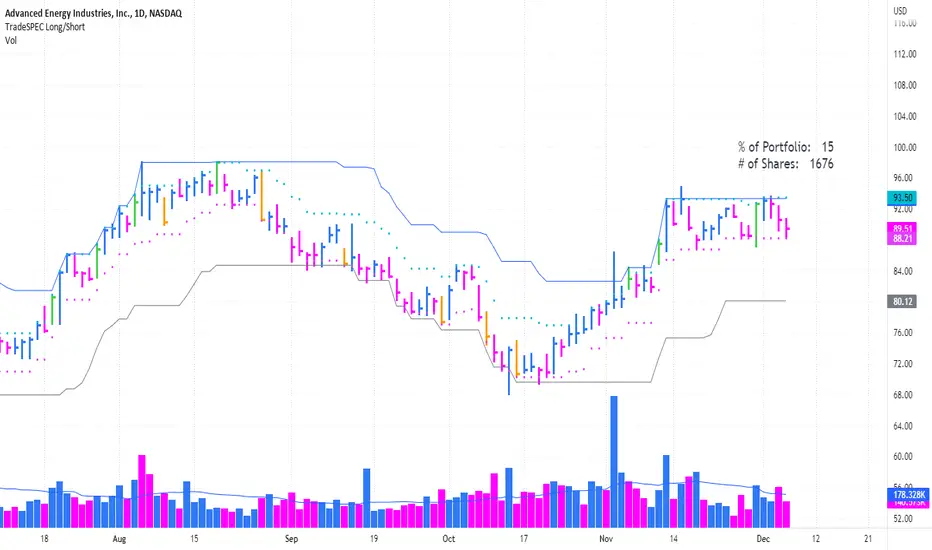
TradeSpec-Designed for Crypto, Stocks, Currencies and Futures TradeSpec- Overview
1. Main Trend (gray line) lets you see your trailing stop as the the trend progresses and provide a definitive point to know where to execute your sell and lock in your profits. Also, you have the ability to adjust the indicator value based on your trading time frame and objective.
2. Initial stop value (pink dotted line) can be used to determine position size.
3. Specific price bars ( yellow or green) are highlighted to show potential starting points for new or continued trends.
4. Price Alerts Indicator (orange or green crosses above price) looks to highlight areas of importance during a trend. Become aware when the trend could be ready to plateau for a while or when a top could be forming. The alert markers can be used to tighten your trailing stop, remove a portion of the trade, or be used as an indication to remove the position entirely.
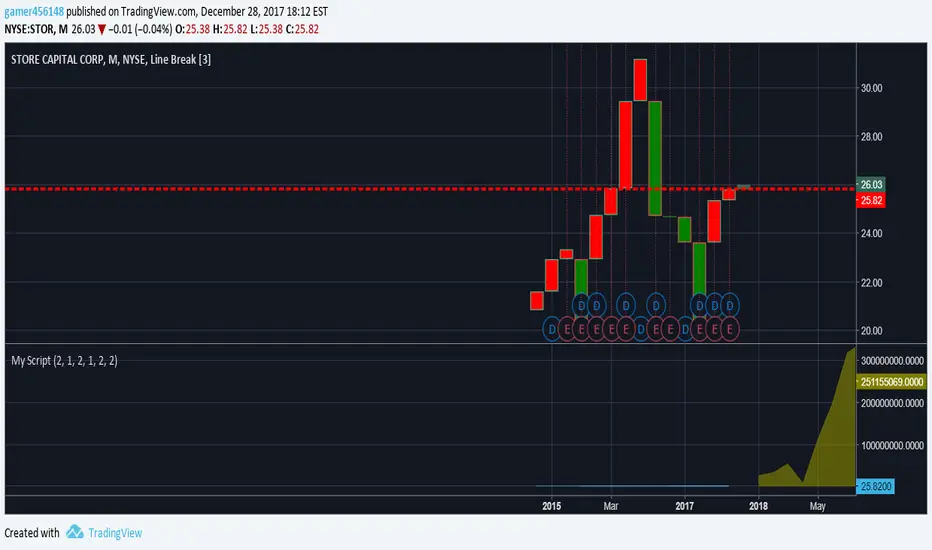
Stock Analysis IndicatorThis is a script for a line break study that includes my Accumulation/Distribution views, and utilizes the Alice study from Benjamin Lupton's repo. Also included is an SWMA moving average strategy, set bar resistance and color options. This is best utilized for predicting the rise of stocks post market as well as chart views for predictive analysis. This is one of the things I am building as a newbie to pinescript, so still improvements to be made. Use this indicator as an extension to your own strategy or custom chart views.
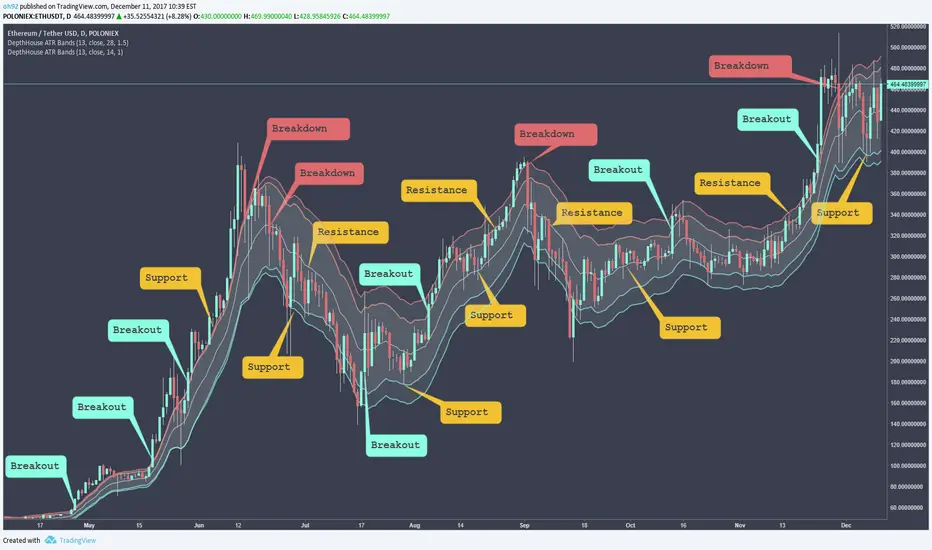
DepthHouse - ATR BandsDepthHouse ATR Bands is a FREE INDICATOR
Similar to the well-known Bollinger Bands.
Instead of using the standard deviation formula, ATR Bands determines the size of the bands based on the adjustable average range.
IF you use this FREE Indicator:
Please like and comment!
Check out my channel on YouTube! youtu.be
Bitcoin and Ethereum Donations are always appreciated :)
BTC : 1MLnVPqebcFTqYEVAKm9dSCRWhyNDmAb5W
ETH : 0xEEcD7Ce6E22AfA6083074c4CCd326Be0b1C932d9
How to use:
The bands tighten while the markets’ range becomes lower, and widens as its' range becomes broader. Giving the indicator a loaded spring effect.
A break outside of the bands in either direction indicates a possible breakout.
All 3 bands serve as possible support and/or resistance. Meaning breaks back into the bands could indicate a reversal, or end of the breakout.
This indicator is completely customizable, so compiling multiple sized bands on top of each other may create a strong competitive edge.
--
IF YOU SUBSCRIBED
This indicator was intended to be available for purchase Jan 2018.
However, with recent change of mind I have decided to make it free to use.
IF you previously subscribed. I greatly appreciate your interest and I hope you enjoy this now FREE indicator!
Once again, thank you!
Technology-Adjusted Parabolic Stop and Reverse (TAPSAR)Finally, a more accurate PSAR is here!
Request access in the comments.
This PSAR will show up, and stick around when a majority of the Technology companies in the index below conform in the same direction.
The TAPSAR can be applied to any technology company and ANY time-frame!
This Tech-Index consists of the largest technology companies on the NASDAQ stock exchange that are similar in subsector.
1. Apple Inc (NASDAQ:AAPL)
Market Cap: $888.06B
Subsector: Computer Manufacturing
2. Alphabet Inc (NASDAQ:GOOGL)
Market Cap: $738.53B
Subsector: Computer Software: Programming, Data Processing
3. Microsoft Corporation (NASDAQ:MSFT)
Market Cap: $654.81B
Subsector: Computer Software: Prepackaged Software
4. Facebook Inc (NASDAQ:FB)
Market Cap: $529.9B
Subsector: Computer Software: Programming, Data Processing
5. Oracle Corporation (NASDAQ:ORCL)
Market Cap: $204.54B
Subsector: Computer Software: Prepackaged Software
6. International Business Machines Corporation (NASDAQ:IBM)
Market Cap: $141.16B
Subsector: Computer Manufacturing
Thick Blue lines beneath the price indicate a change in direction, and momentum up.
Thick Red lines above the price indicate a change in direction, and momentum down.
UPDATE: The lines will become thicker with confidence of movement.
This indicators holds three editable parameters:
1. "Start" - The starting value for the Acceleration Factor (.02 is the Default).
2. "Increment" = The increment in which the Acceleration Factor will move (.02 is Default).
3. "Max" - The maximum value of the Acceleration Factor (.20 is the Default)

Technology-Adjusted Parabolic Stop and Reverse (TAPSAR)Finally, a more accurate PSAR is here!
Request access in the comments.
This PSAR will show up , and stick around when a majority of the Technology companies in the index below conform in the same direction.
The TAPSAR can be applied to any technology company and ANY time-frame!
This Tech-Index consists of the largest technology companies on the NASDAQ stock exchange that are similar in subsector.
1. Apple Inc (NASDAQ:AAPL)
Market Cap: $888.06B
Subsector: Computer Manufacturing
2. Alphabet Inc (NASDAQ:GOOGL)
Market Cap: $738.53B
Subsector: Computer Software: Programming, Data Processing
3. Microsoft Corporation (NASDAQ:MSFT)
Market Cap: $654.81B
Subsector: Computer Software: Prepackaged Software
4. Facebook Inc (NASDAQ:FB)
Market Cap: $529.9B
Subsector: Computer Software: Programming, Data Processing
5. Oracle Corporation (NASDAQ:ORCL)
Market Cap: $204.54B
Subsector: Computer Software: Prepackaged Software
6. International Business Machines Corporation (NASDAQ:IBM)
Market Cap: $141.16B
Subsector: Computer Manufacturing
Thick Blue lines beneath the price indicate a change in direction, and momentum up.
Thick Red lines above the price indicate a change in direction, and momentum down.
This indicators holds three editable parameters:
1. "Start" - The starting value for the Acceleration Factor (.02 is the Default).
2. "Increment" = The increment in which the Acceleration Factor will move (.02 is Default).
3. "Max" - The maximum value of the Acceleration Factor (.20 is the Default)

Block TransactionThis script will allow you to view block transactions as they occur on ANY time frame, and ANY instrument!
Now you can visualise in real-time exactly where the big money goes in and how much.
The smaller transactions are shown by smaller blocks, and the larger transactions are shown by bigger blocks. It is as simple as that!
If the block transaction is larger than $US5 million the block be red, and if the transaction is larger than $US10 million, the block be black.
This indicator will identify block transactions within the range of 100k - 1 bn. If a block transaction larger than or the equivalent of $US1 bn is to occur, the block will be orange.
Large institutions invest in many different markets and sectors in various ways and so it is difficult to find trading strategies that always work. This indicator was designed to encompass an, "If you can't beat them, join them" and "follow the money" approach to trading.
There will be more developments in the near future.
Like and comment for access to the script. I may be offline so it may take up to 12 hours for your access to be granted.
Kind Regards.

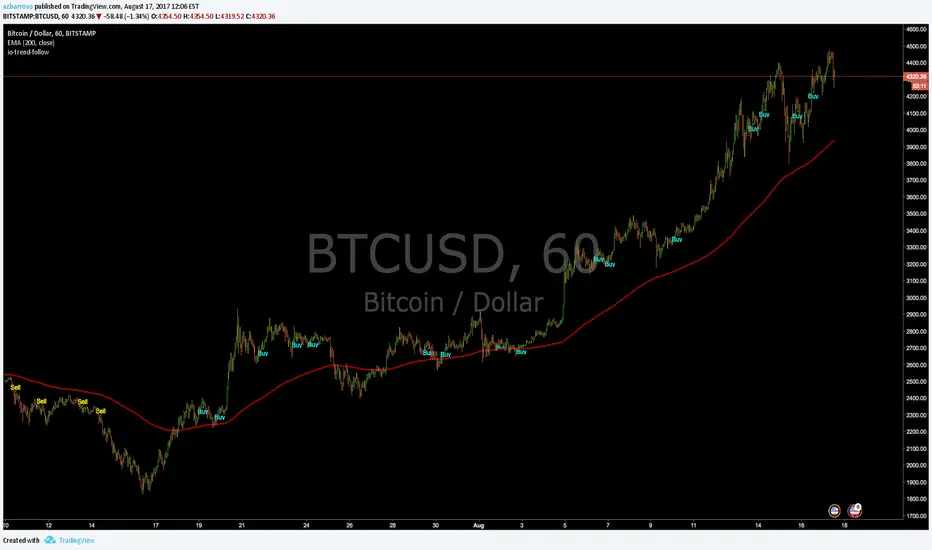
io-trend-follow (1.5)Trend Follow script to be used across all market instruments and timeframes.
You can display long only, short only or both signals.
version 1.5 -> Filter by EMA 200 option added
version 1.4 -> Alerts added
version 1.2 -> Only one signal per trend (default) or multiple entry signals per trend
version 1.1 -> White theme option added
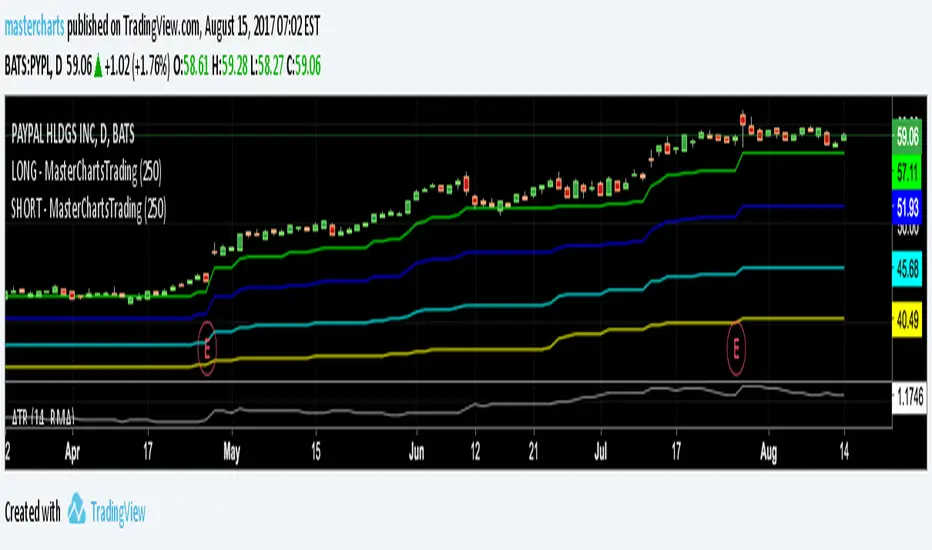
io-counter-trend (1.5)Counter Trend script to be used across all market instruments and timeframes.
You can display long only, short only or both signals.
version 1.5 -> Filter by EMA 200 option added
version 1.4 -> Alerts added
version 1.1 -> White theme option added


SMART4TRADER-UP-DOWN Stock Exchange Volume (SPY)Shows the trend direction for the S&P500
Показывает направление тренда для S&P500

Jeddingen Divergence v4Momentum vs. price divergence. Sell signals on bearish divergence, buy signals on bullish divergence .
Indicator includes an RSI filter, alert-conditions and lots of other configuration options.
There is also a TradingView strategy available to backtest everything!