Average Daily Range (ADR) indicator
The Average Daily Range indicator measures the asset's volatility. It's mostly used by scalpers and day traders, but you can tailor it to your unique strategy. Available on Supercharts and TradingView screeners, this technical analysis tool can help you place more realistic take-profits and stop-losses.
CONTENTS:
What is the ADR indicator
The ADR measures how much an instrument typically moves in price during a selected period, based on the average of its past ranges. With this knowledge, you can set the potential targets for upcoming trades.
The average price movement is displayed on the right scale, so you can see the value for the period you've chosen. This value is the asset's movement potential for the current chart interval.
How is the ADR calculated
Say you want to calculate the volatility over a seven-day period. Then choose the daily chart on the upper toolbar and, in the indicator settings, set length to 7.
To calculate the average value for today, the indicator will first calculate the average of the high values over the past seven days, then the average of the low values for the same period. Then it will find the difference between these values and display it as a number.
How to access the ADR
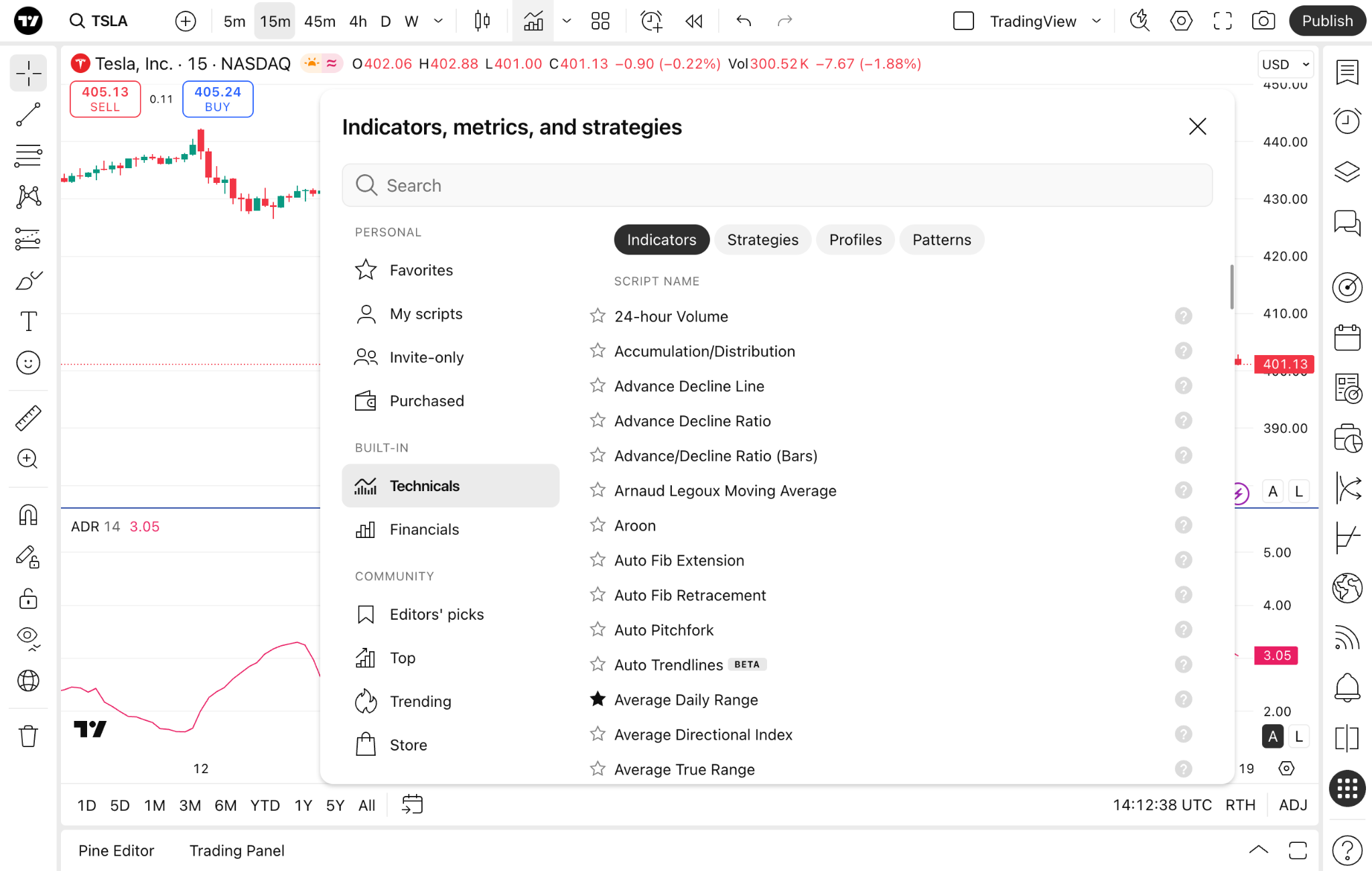
From Supercharts, on the upper toolbar, click Indicators → Technicals → Average Daily Range. Or simply type "ADR" in the Search.
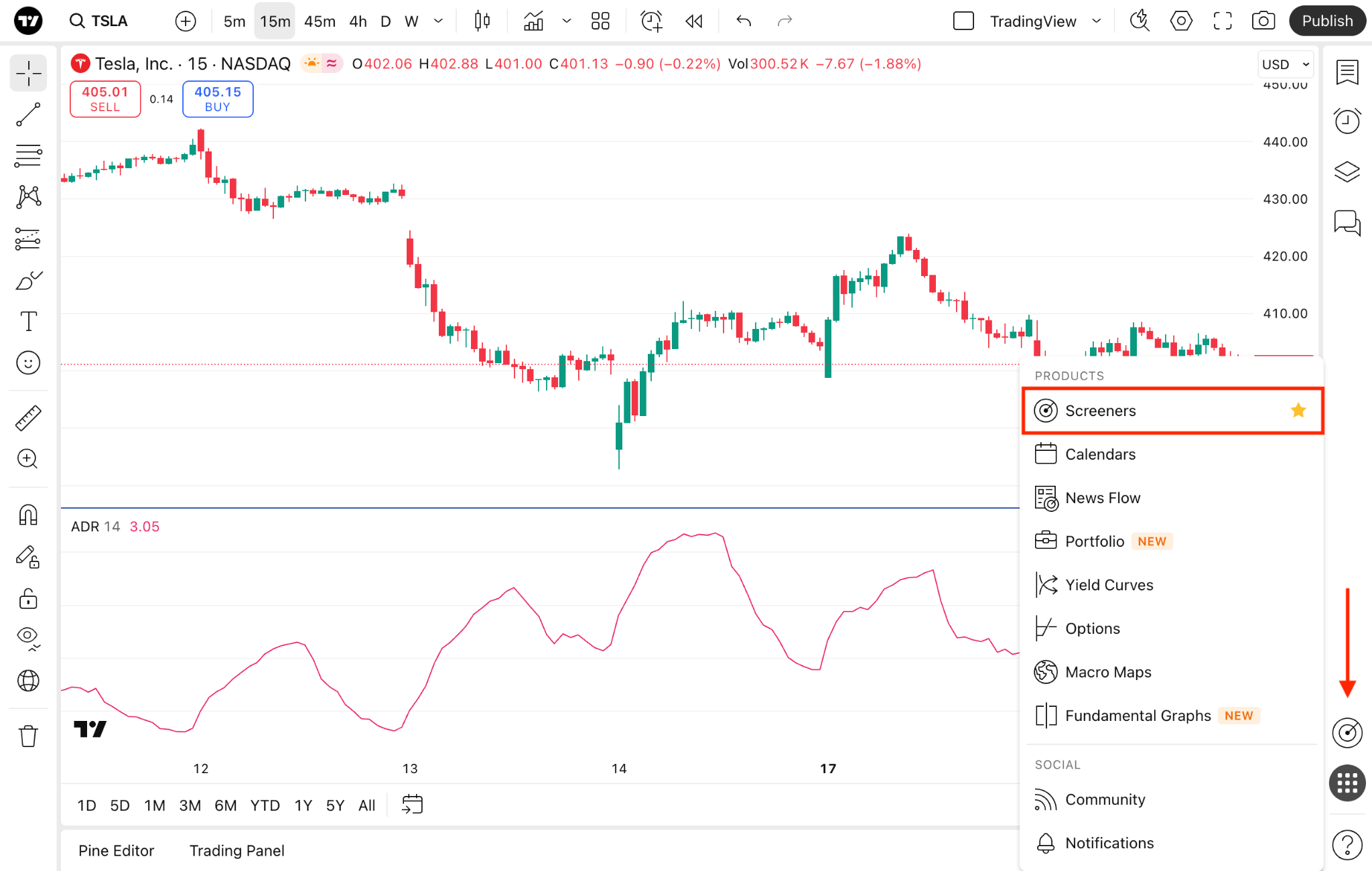
If you want to screen instruments with the ADR, you can either open the desired screener from the right toolbar in the "Products" menu or access the standalone screener from the home page.
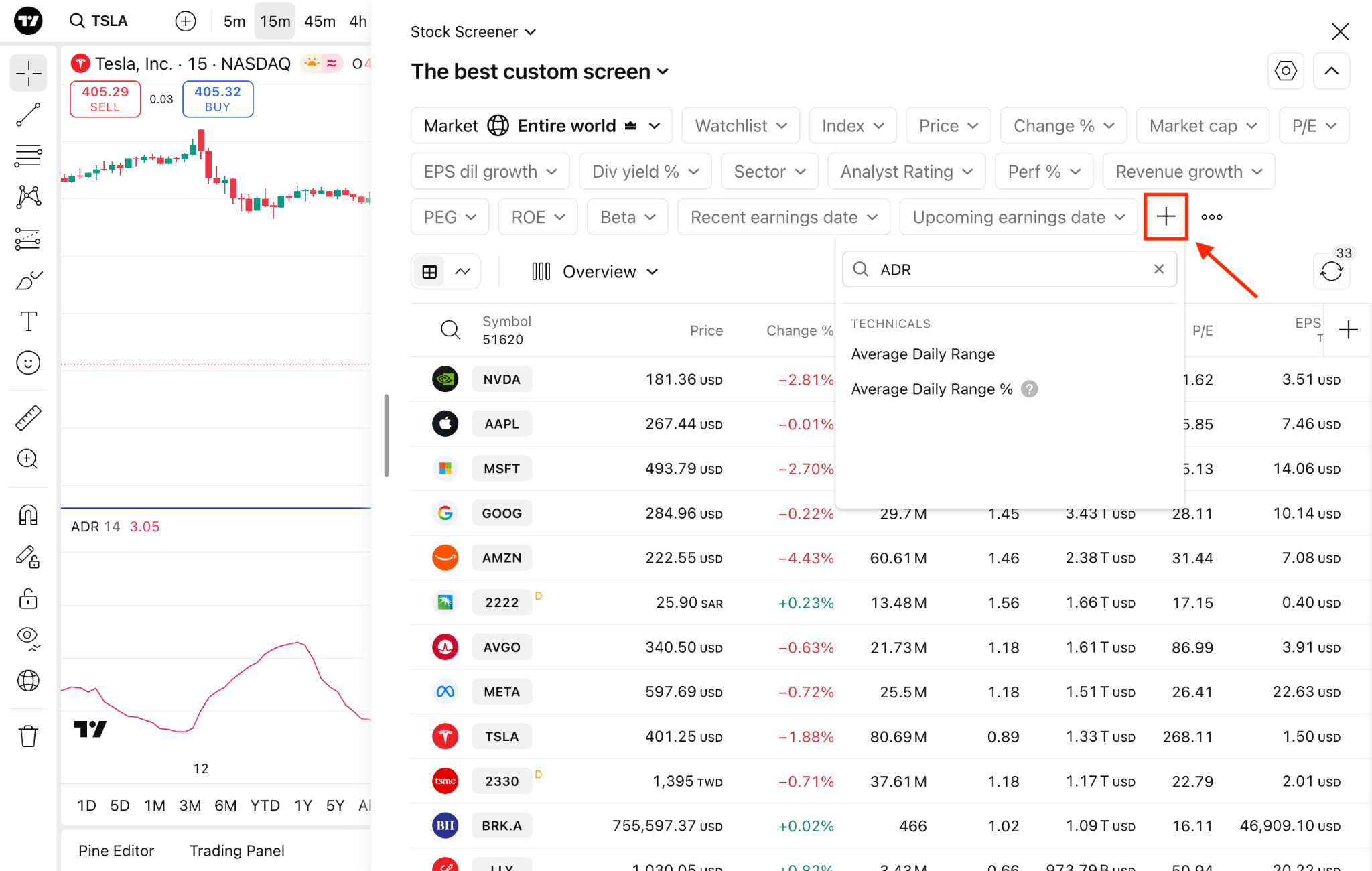
From there, click the "Add new filter" button and select the ADR you need — the standard one or the ADR%.
Indicator settings
Inputs
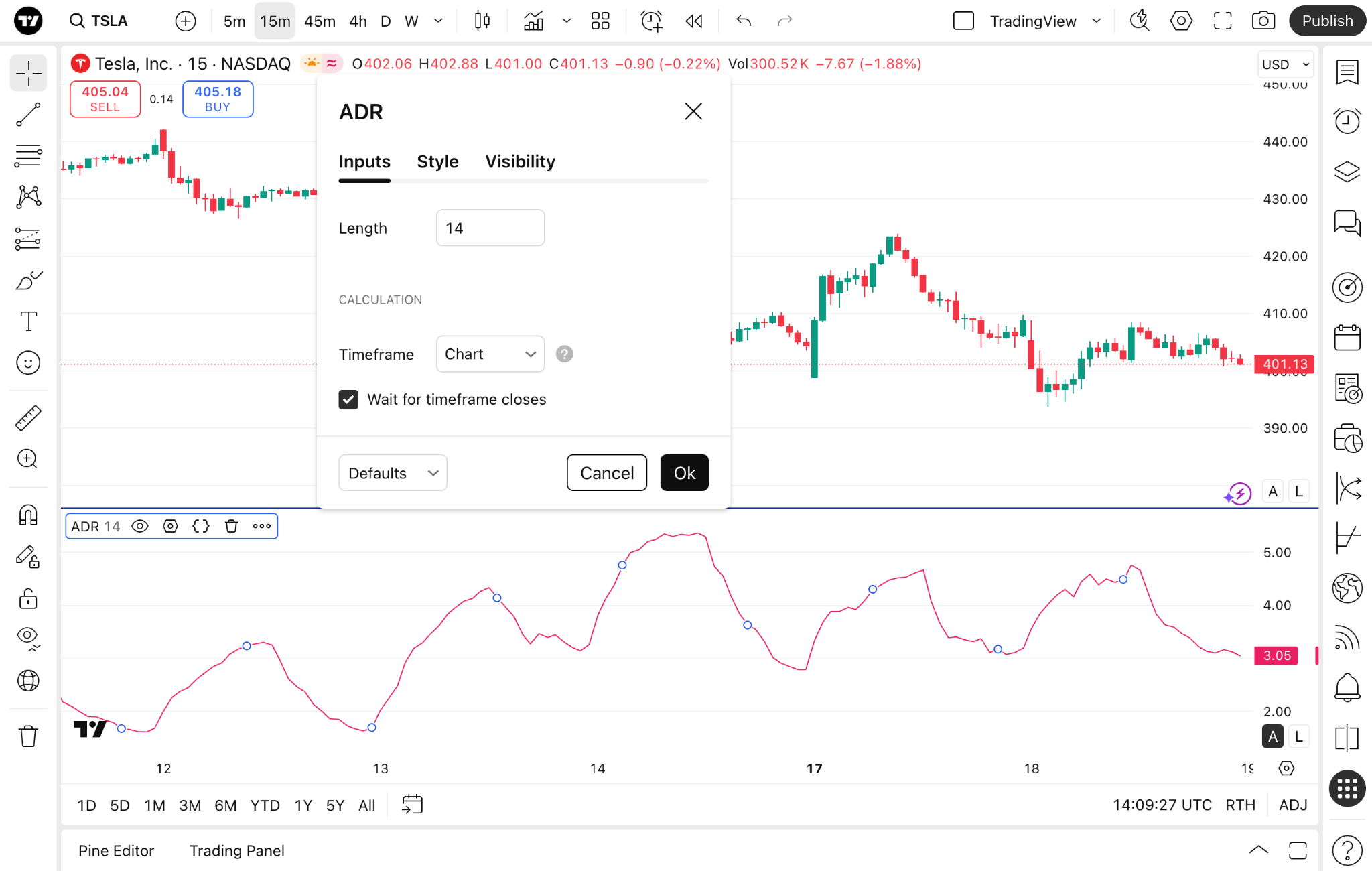
Length: The number of days used to calculate the average value. If this setting is too low, it will take short-term noise into account. But a longer period may be less appropriate for the current market conditions, as the newest data will be offset by the older price movements.
Timeframe: This feature allows you to conduct multi-timeframe analysis. You can select the timeframe the indicator will use for its calculations.
Style
ADR: Change color, opacity, thickness, and line style. Also, choose whether to display the price line and change the visual type of the indicator.
Precision: Change the number of decimals on the right scale.
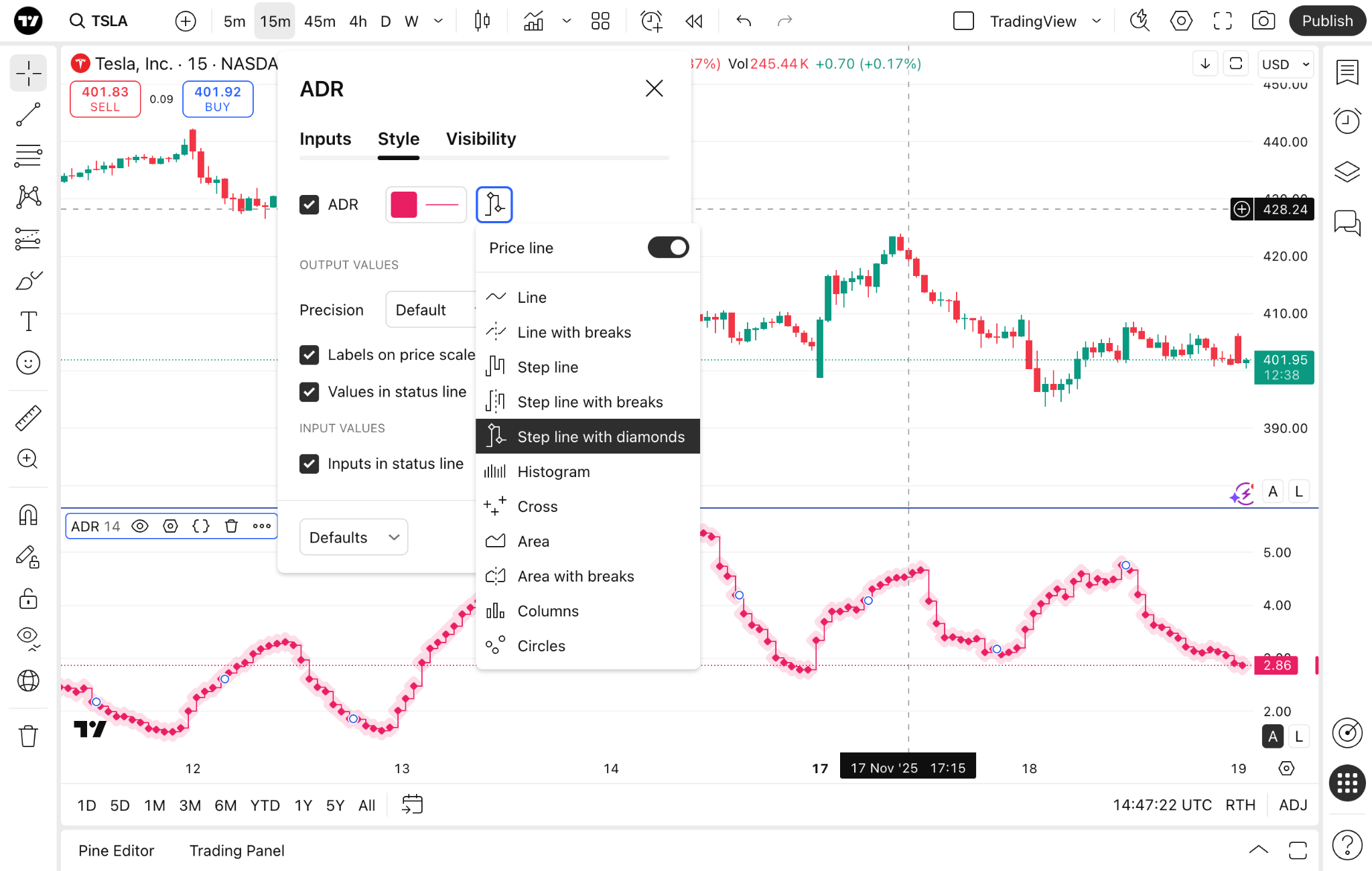
Tick other boxes if needed.
Visibility
In this section, you can choose which chart intervals will display the indicator. For example, if you change the chart interval to an hourly chart and have "hours" unchecked in the indicator settings, the indicator will disappear, when you switch to this interval.
The bottom line
The ADR indicator is one of the essential tools you may want to use when day trading. It displays just one value in one line, which can be easily read and requires less time than other tools to use effectively.
Also read: