Cyberpunk Pattern Engine⚡ Cyberpunk Pattern Engine: Neon Technical Analysis
Upgrade your chart aesthetics while maintaining surgical precision. The Cyberpunk Pattern Engine is a high-performance pattern recognition script designed to identify classic reversal formations with a futuristic, neon-soaked visual style.
🛠️ Key Features
・Automated Pattern Detection: Real-time identification of four major price action structures:
・Double Top (DT) - Neon Pink
・Double Bottom (DB) - Neon Cyan
・Head & Shoulders (H&S) - Neon Green
・Inverse H&S (iH&S) - Neon Gold
・Cyber-Visuals: Uses the linefill engine to create semi-transparent glowing triangles, making chart patterns instantly recognizable without cluttering your price action.
・Dual-Language Support: Toggle labels between English and Japanese with a single click.
・Sensitivity Control: Adjust the "Pivot Period" and "Max Difference %" to filter out market noise and find only the most textbook-perfect setups.
🚀 How to Use
1. Pivot Period: Larger values find long-term trends; smaller values find scalp opportunities.
2. Max Difference: Controls how "equal" the tops/bottoms must be. Decrease for strict perfection, increase for more frequent signals.
3. Confirmation: The engine paints the completed pattern once the price crosses the neckline (confirmation level).
日本語版 (Japanese Description)
⚡ Cyberpunk Pattern Engine: ネオン・テクニカル・エンジン
チャート分析に「美学」と「精度」を。Cyberpunk Pattern Engineは、伝統的なチャートパターンを検出し、近未来的なサイバーパンク・スタイルで可視化する高性能インジケーターです。
🛠️ 主な機能
・自動パターン検出: 主要な4つの反転パターンをリアルタイムで識別します:
・ダブルトップ (DT) - ネオンピンク
・ダブルボトム (DB) - ネオンシアン
・三尊 / Head & Shoulders (H&S) - ネオングリーン
・逆三尊 / Inverse H&S (iH&S) - ネオンゴールド
・サイバー・ビジュアル: linefill機能を駆使し、半透明の光る三角形で描画。チャートの視認性を損なうことなく、瞬時に形状を把握できます。
・2ヶ国語対応: ラベル表示を日本語と英語で切り替え可能。
・感度カスタマイズ: 参照期間(Pivot Period)や許容誤差(Max Diff %)を調整することで、ノイズを排除し、自身のトレードスタイルに最適な形状のみを抽出できます。
🚀 使い方
1. 参照期間 (Pivot Period): 数値を大きくすると長期足レベルの大きな波を、小さくするとスキャルピング向けの小さな波を検出します。
2. 許容誤差: 頂点や肩の高さがどれくらい揃っていればパターンとみなすかを調整します。厳格な判断には数値を下げてください。
3. 確定条件: 価格がネックラインをブレイクし、パターンが完成したタイミングで描画が実行されます。
Chart Patterns

Nifty Move Hunter 2.0Nifty Move Hunter 2.0 is a comprehensive trading indicator designed for intraday traders looking for clear session levels, dynamic trendlines, symmetrical triangle detection, and liquidity/rejection zones. This indicator helps you identify high-probability trade setups, key support & resistance levels, and potential breakout zones.
🔹 **Features of Nifty Move Hunter 2.0:**
1. **Session Levels (9:15 – 9:20)**: Automatically calculates first candle high & low and projects multiple target levels.
2. **Dynamic Trendlines**: Detects swing highs/lows, draws trendlines with slope calculation (ATR/STDEV/LINREG), and optional backpainting.
3. **Rejection/Liquidity Zones**: Highlights areas where price may face strong support or resistance.
4. **Symmetrical Triangle Detection**: Detects contracting price patterns for potential breakout trades.
5. **Round Levels (Optional)**: Shows key psychological levels based on closing price.
6. **Swing Points Visualization**: Highlights pivot highs and lows for reference.
7. **Top-right Table**: Shows free version info and premium upgrade hints.
💡 **Why Use This Indicator?**
- Get clear buy/sell signals with session breakout targets.
- Identify key market turning points using dynamic trendlines and rejection zones.
- Track potential symmetrical triangle breakouts.
- Perfect for Nifty and other liquid indices.
📌 **Settings:**
- Adjustable sync period & multiplier
- Dynamic trendline slope method: ATR, STDEV, LINREG
- Optional backpainting, line extensions, and trendline labels
- Customizable rejection box color, width, and text size
⚠️ **Note:** This is the FREE version. Premium signals are locked. Unlock full features via Telegram @ChandanTradingSolutions.
Happy Trading! 🚀

Cup & Handle (Zeiierman)█ Overview
Cup & Handle (Zeiierman) is a classic continuation-pattern scanner that detects both bullish Cup+Handle and bearish Inverted Cup+Handle structures using a compact pivot stream. It’s designed to highlight rounded reversals back to a “rim” level, followed by a smaller pullback (“handle”) before a potential continuation move.
⚪ What It Detects
A Cup & Handle (Bull) forms when price makes a rounded decline from a left rim, bottoms, then climbs back to a similar right rim. After returning to the rim, price forms a handle (a smaller pullback) that stays within an allowed retracement range. This pattern often precedes a bullish continuation attempt.
An Inverted Cup & Handle (Bear) is the mirrored version. Price makes a rounded rise to a left rim, tops, then declines back to a similar right rim. After returning to that rim, price forms a handle (a smaller bounce) that stays within the allowed retracement range. This pattern often precedes a bearish continuation attempt.
█ How It Works
⚪ 1) Pivot Extraction (Swing Compression)
The script first converts raw candles into a small set of meaningful swing pivots using ta.pivothigh() and ta.pivotlow() with Pivot span. A pivot is accepted only after it is confirmed by the lookback window, which helps reduce noise.
Key effect:
Higher Pivot span = fewer, stronger pivots (cleaner patterns)
Lower Pivot span = more pivots (more patterns, more noise)
⚪ 2) Pattern Framing (4-Point Structure)
When at least four pivots exist, the script maps them into a fixed sequence:
For a bull Cup+Handle sequence: High → Low → High → Low
These are treated as:
L = left rim pivot
B = cup bottom pivot
R = right rim pivot
H = handle pivot
For a bear inverted Cup+Handle sequence: Low → High → Low → High
Mapped similarly, but inverted.
This “4-pivot” structure is the minimum shape needed to define a cup and a handle without overfitting.
⚪ 3) Rim Similarity Filter (Cup Quality Control)
The script checks if the left rim and right rim are close enough to be considered a proper cup rim:
Rim similarity tolerance (%) controls this.
Lower tolerance = only very clean symmetric rims
Higher tolerance = allows uneven rims (more detections)
⚪ 4) Handle Depth Filter (Reject Weak or Messy Handles)
The handle is validated by measuring how deep it retraces relative to the cup depth:
Handle Retraction = |rim − handle| / |rim − bottom|
The handle must fall between:
Handle retrace min
Handle retrace max
This prevents:
tiny “non-handle” wiggles (too shallow)
deep pullbacks that break the structure (too deep)
█ How to Use
⚪ Interpreting a Bull Cup & Handle
Treat it like a continuation setup built around a key breakout level:
Cup forms
Handle forms
Breakout happens above this level
Once price returns to this breakout zone and the handle stays controlled, the structure may attempt to continue upward.
Common behaviors after a clean signal:
Push above the breakout level
Brief retest/acceptance near the breakout zone
Continuation toward the projected target if momentum holds
⚪ Interpreting a Bear Inverted Cup & Handle
Treat it like a bearish continuation/rollover setup built around the same breakout concept:
Cup forms (inverted)
Handle forms
Breakout happens below this level
Once price returns to this breakout zone and the handle stays controlled, the structure may attempt to continue downward.
Common behaviors after a clean signal:
Drop below the breakout level
Retest from underneath
Continuation toward the projected target if selling pressure persists
█ Settings
Pivot span – pivot sensitivity. Higher = smoother pivots, fewer signals. Lower = more pivots, more signals/noise.
Rim similarity tolerance (%) – rim quality filter. Lower = stricter symmetry, higher = more permissive detection.
Handle retrace min – minimum handle depth (filters weak handles).
Handle retrace max – maximum handle depth (filters messy/deep handles).
Invalidation (handle max retrace %) – “maximum tolerated damage” for handle move before the structure is considered broken.
Require breakout confirmation – only trigger when price closes beyond the rim in the expected direction.
Target multiplier (× cup depth) – scales how far the projection target is. Lower = closer targets; 1.0 = classic depth target.
-----------------
Disclaimer
The content provided in my scripts, indicators, ideas, algorithms, and systems is for educational and informational purposes only. It does not constitute financial advice, investment recommendations, or a solicitation to buy or sell any financial instruments. I will not accept liability for any loss or damage, including without limitation any loss of profit, which may arise directly or indirectly from the use of or reliance on such information.
All investments involve risk, and the past performance of a security, industry, sector, market, financial product, trading strategy, backtest, or individual's trading does not guarantee future results or returns. Investors are fully responsible for any investment decisions they make. Such decisions should be based solely on an evaluation of their financial circumstances, investment objectives, risk tolerance, and liquidity needs.

Std Dev Channel [fmb]What it is
A professional regression channel that combines standard deviation divisions, an extreme price envelope, and a trend quality gauge. It is designed for fast read-and-act decisions on any timeframe, with sensible presets and log-space math for instruments that trend exponentially.
Why it’s different
Most channels draw fixed ±1σ and ±2σ around a regression line. This tool adds:
- Fibonacci-spaced σ divisions for precise scaling
- An objective MaxEnvelope of actual extremes with optional 1.272 and 1.618 extensions
- Pearson’s R labelling that classifies the trend as Strong Up, Moderate, Weak, or Strong Down
- A log-space option so channels behave correctly on long trends and high beta charts
How it works
Base line
- Linear regression of the last Length bars, drawn as a ray.
- Optional colour change by regime using Pearson’s R.
Divisions (StdDev or MaxEnvelope)
- StdDev basis: σ of residuals around the regression line.
- MaxEnvelope basis: distances from the base line to the farthest highs and lows in the lookback.
- Divisions can be Fibonacci multiples (0.382, 0.618, 1.000, 1.272 by default) or uniform steps.
Outer rails
- ENV 1.0 touches the farthest highs and lows within the window.
- Optional extensions at 1.272 and 1.618 highlight stretch and breakout zones.
Trend quality (Pearson’s R)
- R is computed on the same series and window.
- Default thresholds: Strong when |R| ≥ 0.70, Weak when |R| < 0.40.
- The label reads: R 0.XXX • Class, plotted near the most recent base value.
Log-space math
- When enabled, the model runs on ln(price) and converts the outputs back to price.
- Safer on multi-year charts and large percentage trends.
Presets
- Swing: Length 125, StdDev basis, Fib divisions, ENV 1.0 and 1.272 on
- Intraday: Length 240, StdDev basis, simple ±1 and ±2 style divisions, ENV off by default
- Position: Length 200, StdDev basis, compact Fib set for higher timeframes
You can turn preset overrides off to make every input respond instantly.
Inputs you will actually use
- Length, Source, Log-space ON or OFF
- Basis: StdDev or MaxEnvelope
- Divisions: Fib list or Step and Max multiple
- Outer rails: show ENV 1.0, show 1.272, show 1.618
- Labels and sizes, extend left or right
- Hide divisions or outer rails automatically when the regime is Weak
Alerts included
- Close crosses above or below ENV 1.0
- Close crosses above or below ENV 1.272 and 1.618 (if enabled)
Practical playbook
Trend following
- In Strong Uptrend: buy pullbacks near 0.382 to 0.618 above the base with stops just beyond the next lower division.
- In Strong Downtrend: sell bounces into 0.382 to 0.618 below the base with stops just beyond the next upper division.
Mean reversion
- When R is Moderate or Weak, fade moves that tag ENV 1.0 back toward the base.
- If price closes through an ENV extension, treat it as potential regime change and stand down on fades.
Breakouts
- A close through ENV 1.0 with R rising toward Strong often precedes trend acceleration.
- Use the next division or the 1.272 rail as the first target and trail on the base.
Tips
- Keep Length stable across symbols you compare. Consistency beats curve fitting.
- Use log-space on multi-year equities and crypto. Use linear for short intraday work.
- If you want a classic look, disable Fib and rails, set Step 1.0 and Max 2.0.
Notes
- The tool draws more lines when Fib divisions are active. If it feels busy, show divisions only and hide labels, or keep ENV 1.0 plus one extension.
- Pearson’s R is descriptive, not predictive. Combine with price structure and volume for entries.

WhaleHunter: Time & Volatility Matrix [Algorithm]Concept & Methodology This script is a proprietary algorithmic trading system designed to identify high-probability reversal zones by combining three distinct dimensions of market analysis: Volatility (Price), Momentum (Volume), and Cycles (Time). unlike standard oscillators, this algorithm does not rely on lagging indicators like RSI or MACD. Instead, it utilizes a custom iterative search engine to find "Time Clusters" where price pivots align with Fibonacci sequence intervals.
1. Adaptive Time-Cycle Scanner (The Core Engine) The unique feature of this script is the built-in Auto-Search loop.
How it works: The algorithm stores historical Swing Highs and Swing Lows into arrays. On every bar, it runs a simulation loop to calculate the distance between past pivots.
Fibonacci Time Projection: It attempts to fit these distances to Fibonacci numbers (8, 13, 21, 34, 55, etc.) by applying a dynamic coefficient.
Cluster Detection: When multiple projected time cycles converge on the same future bar, the script draws a vertical "Time Line". The opacity of the line represents the strength of the cluster (how many cycles overlap). This indicates a high probability of volatility or trend change at that specific moment in time.
2. Multi-Timeframe TMA Channels (Volatility) The script renders a composite view of Triangular Moving Average (TMA) bands across 9 different timeframes (from 1 minute to 1 Month) simultaneously on the chart.
Logic: By calculating the ATR-based deviation from the TMA on higher timeframes, the script identifies "Overextended" price zones.
Note on Calculation: The TMA channels utilize lookahead=true to smooth the bands and provide a clearer view of the dominant trend structure on historical data. While the channels themselves adapt, the entry signals described below are strictly confirmed on the close of the bar.
3. VSA Whale Detector (Volume) The "Whale" signals (Diamonds) appear only when specific Volume Spread Analysis conditions are met:
Price hits the outer band of the TMA Channel (Statistical deviation).
Volume exceeds the average by a user-defined factor (e.g., x2.0).
Candle geometry shows rejection (long wicks or small bodies relative to range). This logic filters out "fake" moves and highlights areas where institutional interest (high volume) opposes the current trend.
How to Use
Look for Confluence: The strongest signals occur when a "Time Cluster" (Vertical Line) aligns with a "Whale Diamond" (Volume spike at Channel edge).
Heatmap Reading: The vertical lines represent future time turning points. Brighter lines = stronger time confluence.
Risk Management: Do not trade blindly on diamonds. Use the channels as dynamic support/resistance zones.
Settings
Whale Detector: Adjust the Volume Multiplier to filter signals.
Time Scanner: You can change the "Lookback Depth" to analyze more or less historical pivots for time projections.
Channels: Toggle specific timeframes (e.g., turn off 1m/5m for swing trading).
Disclaimer: This script is for educational purposes and market analysis only.

Flexible S/R Channels🟩 Flexible S/R Channels is a visualization tool that draws curved support and resistance boundaries through user-defined anchor points. Unlike traditional trendlines and channels that force linear interpretation onto price action, this indicator captures the curved structures that markets frequently form—rounded tops and bottoms, parabolic advances and declines, arcing rallies and pullbacks. Three anchor points per curve define the shape; the indicator fits a smooth mathematical curve through these points and projects it forward. The approach is simple: draw what you see. Curved market structure that resists precise definition with traditional tools can now be rendered with mathematical accuracy.
The indicator bridges the gap between static drawing tools and programmable indicators. TradingView's arc tool draws curves but produces only visual pixels with no analytical value. Flexible S/R Channels creates live data series that integrate with other analysis tools. Four curve-fitting methods—Quadratic, Quadratic-Linear, Weighted Linear, and Natural Cubic Spline—accommodate different market structures. The curved levels naturally lend themselves to breakout and reversion strategies—applications left to the trader's discretion. The open-source code invites experimentation and customization.
💡 THEORY AND CONCEPT 💡
Traders have long relied on horizontal levels and diagonal trendlines to define support and resistance. Linear tools assume constant slope—a property rarely exhibited by actual market movement. When momentum accelerates or decelerates, price trajectories curve rather than hold to fixed angles. The resulting structures—parabolic advances during expansion phases, arcing pullbacks during consolidation, rounded formations at reversal points—represent changes in the rate of change itself. Traditional drawing tools cannot accommodate this variable geometry without sacrificing mathematical precision..
Flexible S/R Channels extends familiar support and resistance concepts into curved space. The approach is simple: draw what you see. When the eye recognizes a curved boundary in price action, this indicator provides the means to define it precisely. Three anchor points per curve—an initial point, an intermediate point, and a recent point—are all that is required. The indicator fits a smooth mathematical curve through these points and extends it forward as a projection.
This indicator represents a blend of human pattern recognition and algorithmic precision. Fully automated indicators make decisions without user input—efficient but detached from trader discretion. Manual drawing tools rely entirely on freehand skill—expressive but imprecise. Flexible S/R Channels occupies the middle ground. The trader identifies the curved structure; the algorithm renders it mathematically. The result is human insight expressed with computational accuracy—for traders who recognize curved structure in price action but lack precise tools to define it.
This projection is not a prediction. It is a visual hypothesis—a structured way of asking "if this trajectory continues, where would price be?" The underlying assumption is simple: like Newton's first law of motion, a trajectory in motion tends to continue unless acted upon by an external force. Future price action validates or invalidates the projection, just as it does with any trendline or channel.
TradingView offers an arc drawing tool for freehand curved lines, but these are purely visual—static pixels on a screen with no programmable value. Flexible S/R Channels bridges this gap. The fitted curves exist as data series that can generate alerts, trigger signals, and interact with other analysis tools. The visual drawing becomes operational structure.
🔁 CURVE METHODS 🔁
The indicator offers four curve-calculation methods, each producing different shapes suited to different market structures:
Quadratic — Fits a parabolic arc through the three anchor points. Best for smooth, continuous curves such as rounded tops and bottoms. It captures the natural "swing" of the market, assuming the momentum will maintain its current rate of acceleration or deceleration.
Quadratic-Linear — Uses a parabolic curve through the anchor points, then transitions to a straight line after the final anchor. Useful when curved structure gives way to linear trend continuation. This is the "bridge" between a turning market and a steady, directed move, preventing the projection from curving back on itself when the price begins to run.
Weighted Linear — Connects anchor points with straight line segments rather than a smooth curve. Suited for angular market structures with distinct inflection points. It treats the market as a series of rigid shifts, providing a clear "corridor" when the price is bouncing between sharp, diagonal levels.
Natural Cubic Spline — Produces the smoothest curve by minimizing abrupt directional changes. Ideal for organic, flowing market movements. It acts as a flexible spine that adapts to complex transitions without the rigid constraints of a fixed geometric shape.
Quadratic Fitting : A smooth, parabolic arc defines a curved resistance boundary. By fitting a mathematical path through three anchor points, the curve captures rounded structures and arcing price action that traditional linear trendlines fail to represent.
Weighted Linear Fitting : This method produces an angular, segmented path by connecting anchor points with distinct linear slopes. Unlike the continuous smoothness of a quadratic arc, the weighted linear approach creates a more jointed geometry, allowing for a precise match to market structures that exhibit sharp, localized changes in trajectory.
Natural Cubic Spline Fitting : This method creates a highly fluid, elastic curve that can accommodate complex price oscillations. In this instance, the curves define a narrowing range as support and resistance converge, highlighting the volatility compression that often precedes a significant breakout or breakdown from established structures.
🖱️ HOW IT WORKS 🖱️
1️⃣ Initial Setup
Unlike traditional indicators that calculate values automatically from price data, Flexible S/R Channels requires user-defined anchor points. This is intentional. The trader's eye is the pattern recognition engine—no algorithm can see the curved structure that experience and intuition reveal. The indicator waits for this input, then applies mathematical precision to render what the trader has identified.
The Recognition of Natural Structure : Effective analysis begins when a curved rhythm becomes visible within price action that traditional trendlines cannot satisfy. Identifying the specific swing highs and swing lows that define these boundaries is the first step in organizing a chart. By isolating three key pivots for resistance and three for support, the underlying framework of the market's trajectory is established, providing the necessary coordinates to accurately map the path.
Interactive Setup Workflow : Upon loading, the indicator prompts for the sequential selection of six points—three swing highs and three swing lows—to serve as the raw data for the calculation. While the chart remains blank during this initial phase, the curves generate instantly once the final anchor is confirmed. These points are not permanent; they appear as interactive grips that can be dragged in real time to refine the boundaries as the market structure evolves.
The indicator prompts for six sequential selections—three for resistance, three for support. The first three selections define the resistance boundary; the final three define support. This sequential grouping is distinct from zigzag-style selection patterns. Within each group, clicking order is flexible—the algorithm automatically sorts points chronologically, allowing traders to select visually prominent pivots in whatever sequence feels natural.
Structural Anchor Identification : Identifying three key swing highs and three key swing lows provides the foundation for the dual-curve geometry. These specific structural peaks and troughs serve as the coordinates for the mathematical models, ensuring that the resulting boundaries accurately reflect the underlying skeleton of the market action.
2️⃣ Interactive Adjustment
After the initial setup, all six anchor points are fully adjustable:
Points are automatically sorted chronologically regardless of selection order
Grip handles appear at each anchor location
Any point can be repositioned by clicking and dragging its grip handle
The curves recalculate instantly as points are adjusted
The algorithm produces a mathematically perfect curve based on the anchor points provided. If the result does not match the trader's vision, adjustments are immediate. This iterative refinement—see, adjust, refine—continues until the rendered curve represents what the trader sees in the price action. The user remains in control; the algorithm remains in service.
Interactive Channel Boundaries : Six user-defined anchor points—three for resistance and three for support —establish a non-linear range that moves beyond the constraints of a flat, horizontal channel. This configuration captures the arcing trajectory of the market while showing price action respecting the curved boundaries in a classic reversion pattern. By manually positioning these anchors, a dynamic dimension is added to the chart that maintains structural integrity even as the price follows a rounded path.
🛠️ SETTINGS 🛠️
Customizable Visual Feedback : Beyond the core geometry, the visualization offers various user-defined settings to tailor the chart's information density. From identifying specific price targets to toggling structural labels, these options allow the trader to adjust the level of detail to suit their personal analysis style while maintaining a clear view of the non-linear boundaries.
Configuration Options
Curve Method — Select the curve-fitting algorithm: Quadratic, Quadratic-Linear, Weighted Linear, or Natural Cubic Spline.
Projection Length — Number of bars to project the curves beyond current price action. Projections appear as dashed lines.
Visual Settings
Grip Size — Size of the draggable handles displayed at each anchor point. Set to zero to hide grips entirely.
Line Width — Thickness of the support and resistance curves.
Support Color / Resistance Color — Color settings for each curve.
Show Info Table — Toggle display of the info table showing the current curve method in the chart corner.
Advanced: Time/Price Coordinates
The settings panel includes precise time and price values for each of the six anchor points, grouped under Resistance Time/Price and Support Time/Price. These values are populated automatically when points are selected on the chart.
Adjusting anchor points by dragging the grip handles directly on the chart is faster and more intuitive. The time/price fields are available for situations requiring exact coordinate entry—such as aligning an anchor to a specific candle timestamp or a precise price level. These fields can be safely ignored unless fine-tuning is necessary.
🖼️ CHART EXAMPLES 🖼️
The Flexible S/R Channels indicator adapts to diverse market structures across multiple timeframes and instruments. Curved boundaries can define subtle momentum shifts in near-linear trends, dramatic reversals in rounding formations, or volatility compression as channels converge toward breakout points. The four curve-fitting methods accommodate different geometries—smooth parabolic arcs for continuous momentum changes, segmented linear paths for angular structures, and elastic splines for complex oscillations. Each anchor point adjustment instantly recalculates the curves, allowing iterative refinement until the rendered boundaries align with the trader's interpretation of market structure. Forward projections extend these mathematical relationships into future territory, providing visual context for hypothetical support and resistance levels if current trajectories persist.
Subtle Curve Alignment : Even in structures that appear linear, subtle curvature allows the channel boundaries to breathe with the market’s internal momentum. By utilizing three anchor points rather than two, the channel adapts to the slight acceleration of a trend, providing a more precise fit than a rigid, straight corridor.
Decelerating Momentum and Convergence : This classic rounding structure illustrates a transition where the initial wide oscillations between highs and lows begin to contract. As the boundaries converge, the curve captures the diminishing volatility and the shift in market energy, providing a clear visual representation of a trend losing its expansive momentum as it approaches a potential turning point.
Organic Trend Modeling : In an accelerating uptrend, the Natural Cubic Spline provides a highly adaptable boundary that mirrors the organic flow of momentum. This non-traditional approach allows the channel to follow complex price pulses that a standard linear trendline would likely cut through, maintaining a precise fit even as the angle of the trend shifts over time.
Non-Linear Projections : Unlike standard trendlines that converge at a fixed rate, curved projections adapt to the historical momentum of the move. This allows the indicator to map a dynamic squeeze, capturing the subtle nuances of how price action tightens toward an apex. It provides a more sophisticated view of future convergence points that traditional linear channels often fail to anticipate.
The "Draw What You See" Philosophy : Market structures are rarely perfect, and this example highlights the indicator’s ability to map unconventional rhythms. Rather than forcing price into a predefined category, the tool remains flexible enough to define any structural path the trader identifies. If you can see a trend's trajectory, the indicator can provide the mathematical framework to support it.
Comparative Projection Modeling : Using identical anchor points as above, this example demonstrates how selecting a different calculation method can alter the projected path. While the historical fit remains precise, the variation in the forward-looking trajectory allows traders to explore multiple mathematical interpretations of the same market structure, choosing the model that best aligns with the current volatility and trend behavior.
Extended Timeframe Channel Definition : This multi-year perspective demonstrates the indicator's ability to define curved channel boundaries across extended timeframes spanning hundreds of bars and multiple market cycles. The resistance curve captures the rounded distribution of swing highs while the support curve follows the accelerating base formation, creating a non-linear channel that frames long-term structural trends more precisely than traditional parallel channels or static trendlines.
Rounding Bottom Reversal and Channel Convergence : This example captures a classic rounding bottom formation—a reversal pattern that linear tools cannot adequately define. The Quadratic method produces a smooth parabolic arc through the resistance anchors, tracing the deceleration of the downtrend, the capitulation low, and the subsequent re-acceleration upward as a single continuous curve. The support boundary mirrors this momentum shift from below, creating a curved channel that narrows toward current price. This convergence represents structural compression—the boundaries tightening as volatility contracts and directional resolution approaches. Price action oscillates within these non-linear boundaries, demonstrating that channel behavior persists even when the geometry is curved rather than parallel. The projection extends both curves forward, mapping the hypothetical trajectory if the current momentum structure continues, providing visual context for potential breakout or breakdown levels as the channel reaches its apex.
Built-in Precision vs. Algorithmic Power : While TradingView offers basic curve drawing tools (shown here as dashed lines), the Flexible S/R Channels indicator elevates this concept into a functional analytical framework. By converting manual observations into mathematical models, it moves beyond mere drawing to provide a data-driven structure that can be utilized for advanced technical analysis and future Pine Script trading logic.
⚙️ TECHNICAL DETAILS ⚙️
Curve Fitting vs. Overfitting: The term curve fitting often carries negative connotations in quantitative analysis due to its association with overfitting—the practice of adjusting a model until it perfectly matches historical data, producing an illusion of accuracy that fails when applied to new data. The application here is fundamentally different. Flexible S/R Channels does not optimize parameters to maximize historical fit; it constructs a mathematical curve through user-selected anchor points, then projects that curve into unknown territory. The curve is not fitted to price data—it is fitted to structural pivots identified by the trader. The projection represents a hypothesis about trajectory continuation, not a prediction derived from statistical optimization. Future price action validates or invalidates this hypothesis in real time, exactly as it does with any trendline or channel. The anchor points remain fixed unless manually adjusted, ensuring the curve does not adapt to new data retroactively.
Non-Repainting Behavior: The indicator does not repaint historical bars. The mathematical coefficients that define each curve are calculated once—when the final anchor point is set—and stored as fixed values. These coefficients remain constant unless an anchor point is manually repositioned. The backfit polyline is drawn once using these coefficients, spanning the known range from the first to last anchor point. The plot() function applies the same coefficients to each subsequent bar, updating in real-time as new bars form but never altering previously plotted values. The projection polyline extends forward from the current bar using the same fixed coefficients, projecting a user-defined number of future bars (maximum 500). This projection redraws on each tick to maintain its position relative to the moving current bar, but the mathematical trajectory remains constant—only the starting point advances. The current bar's curve value will update tick-by-tick as price develops, which is standard real-time behavior, not repainting. Once a bar closes, all curve values on that bar are permanent. The hybrid architecture (backfit polyline for known history, plot() for unlimited real-time range, projection polyline for controlled forward extension) prevents overflow errors while maintaining non-repainting integrity across all components.
🗒️ NOTES 🗒️
The indicator renders curves based on any anchor points provided without validation. Unusual anchor placement produces mathematically accurate but potentially non-useful results. Adjustment is iterative—if the curve doesn't match expectations, reposition the anchors.
Because anchor points are stored as specific time and price coordinates, a new instance of the indicator should be added when analyzing a different chart or timeframe.
Grip handles can be hidden by setting Grip Size to zero in the settings. This is useful for clean chart screenshots or presentations where interactive elements are not needed.
Projection length can be set to zero if forward-looking curves are not desired. The indicator will still render the backfit curves through the anchor points and continue plotting in real-time without the dotted projection extensions.
Anchor points remain fixed at their selected time-price coordinates as new bars form. The curves extend forward automatically from these historical anchors, allowing observation of how projected trajectories align with developing price action.
⚠️ DISCLAIMER ⚠️
The Flexible S/R Channels indicator is a visual analysis tool designed to illustrate geometric market inertia and serve as a framework for understanding dynamic support and resistance. While the indicator generates structural channels and projected paths, no guarantee is made regarding the accuracy or profitability of these projections. Like all technical indicators, the curves and boundaries generated by this tool may appear to align with favorable trading opportunities in hindsight. However, these visualizations are not intended as standalone recommendations for trading decisions. This indicator is intended for educational and analytical purposes, complementing other tools and methods of market analysis.
🧠 BEYOND THE CODE 🧠
Flexible S/R Channels is part of a broader collection of tools designed to provide structured market analysis. This includes the Grid Bot Simulator , the Grid Bot Auto , the Grid Bot Parabolic , and the Gridbot Ping Pong . While each tool serves a distinct purpose, they all utilize dynamic anchor mechanics and non-linear boundaries to adapt to evolving market conditions.
This indicator shares the same educational philosophy as the Fibonacci Time-Price Zones and the Fibonacci Geometry Series - providing frameworks for understanding market concepts through visualization and experimentation rather than black-box signals.
The Flexible S/R Channels indicator, like other xxattaxx indicators , is designed to encourage both education and community engagement. Feedback and insights are invaluable to refining and enhancing this tool. We look forward to the creative applications, observations, and discussions this indicator inspires within the trading community.

ZenAlgo - ChannelOverview and required chart interaction
This indicator draws a price channel and a volume profile that are both anchored to a user defined swing range. To initialize it, the user must pick two chart timestamps using the script inputs:
Start - the first anchor point (typically one extreme of the move, such as the swing low for an ascending move or the swing high for a descending move).
End - the second anchor point (the opposite extreme of that same move).
After both points are set, the script analyzes the bars between Start and End, fits a sloped channel through that range, builds a volume profile aligned with the channel, and then projects all derived levels forward along the same slope.
Inputs and what they control
Volume area and profile resolution
Width % controls how far the volume profile histogram can extend horizontally. It scales the longest profile bar relative to the Start-End range length.
Volume Area % controls how much of total volume around the profile’s highest volume region is included when computing the value area boundaries.
Style and visibility
Toggles exist for displaying the profile derived levels: LOC , VAH/VAL , pivot labels (HH, HL, LH, LL), breakout shapes, and optional ghost extensions.
Extend lines right decides whether primary lines are truly extended to the right by TradingView’s line extension, or only drawn for the Start-End segment.
Ghost Extend draws dotted, semi transparent projections for a configurable number of future bars when the main lines are not extended.
Deviation levels
Deviation Multiplier and Deviation Levels add symmetric bands above and below the LOC, spaced by a distance derived from the channel height relative to LOC. These bands are projected along the channel slope.
Slope analysis and alerts
The script can evaluate channel "strength" using either angle in degrees or a normalized percent-per-bar slope . The chosen measure is then bucketed into qualitative strength categories that are used only for labeling and alert message context.
Alerts can be enabled for confirmed breakouts and for slope sign changes (bullish to bearish, or bearish to bullish).
How the channel baseline is constructed from Start to End
Once Start is reached, the script begins accumulating bar-by-bar statistics until End is reached:
It tracks the number of bars in the selected range and accumulates an average and a linearly weighted average of closes.
At End, it converts those aggregates into a straight line defined by a start value, an end value, and a per-bar slope across the Start-End period.
Why this works (within the chosen range):
Using a fitted line over the selected segment provides a compact description of directional drift across that range. It will not capture every fluctuation, but it provides a stable reference for projecting "where the middle of the move is" as time advances.
How the channel height is determined and why the borders sit where they do
After computing the baseline slope, the script scans through the selected bars to measure how far price deviated above and below that baseline:
For each bar in the range, it computes the baseline value at that bar index and measures the distance from that baseline to the bar’s high and to the bar’s low.
It finds the maximum upward deviation and the maximum downward deviation.
The baseline is shifted so the lower channel border is aligned to the worst downward deviation, and the total channel height becomes the distance between the worst upward and worst downward deviations.
Why this works (and what it implies):
The resulting channel borders are anchored to the extremes observed in the selected range. That makes the borders a description of the range’s realized "envelope" around the fitted drift.
Because this envelope is derived from past extremes in the chosen window, it is descriptive rather than predictive. When price behavior changes, future price can exceed the historical envelope and will be treated as a breakout.
How the volume profile is built inside the channel
The script constructs a volume profile that is aligned with the sloped channel, not a flat horizontal range:
The channel’s vertical span is divided into the configured number of bins (Layers).
For each bar in the selected range, the script checks which bins are intersected by that bar’s high-low range and adds that bar’s volume to each intersected bin.
It keeps track of the bin with the highest accumulated volume. That bin defines the profile’s maximum-volume region.
Why this works (and what it measures):
Aggregating volume by where price traded within the channel helps identify the areas where the most activity occurred during the selected move.
Using bar range intersection (high-low crossing a bin) is a practical approximation for distributing volume across prices without requiring intrabar volume-at-price data. This approximation can over-attribute volume to multiple bins for wide bars, but it remains consistent across the range.
LOC, VAH, and VAL derivation
LOC (line of control)
The LOC is placed at the center of the highest-volume bin.
The LOC is then drawn as a line from Start to End, following the same slope as the channel baseline.
Interpretation:
LOC represents the most frequently traded zone within the selected channel range, expressed as a sloped level that moves forward with the channel’s drift.
VAH and VAL
Total volume across all bins is computed.
Starting from the highest-volume bin, the script expands upward and downward, accumulating volume until the accumulated fraction exceeds the configured Volume Area %.
The highest included bin boundary becomes VAH, and the lowest included bin boundary becomes VAL.
VAH and VAL are drawn as sloped lines parallel to the channel drift.
Interpretation:
VAH and VAL bound the portion of the channel where the majority of the range’s volume accumulated, based on the chosen percentage.
Relative position of price to these levels can be used as context for whether current trading is occurring in historically high-activity or low-activity parts of the selected move.
Deviation bands around LOC
After LOC is known, the script creates additional parallel bands:
It measures the vertical distance from LOC to the top channel border.
Using that as a base offset, it draws symmetric lines above and below LOC for each deviation level, scaled by the deviation multiplier.
These lines are projected with the same slope as the channel.
Interpretation:
These bands provide repeated "distance markers" above and below LOC in units derived from the selected range’s internal structure.
They are best treated as contextual zones rather than precise targets, because spacing is tied to the chosen Start-End window and its extremes.
Optional projections: Extend right and Ghost Extend
Two projection mechanisms exist:
If Extend lines right is enabled, the main channel borders, LOC, and optionally VAH/VAL and deviation lines are extended using TradingView line extension.
If Extend right is disabled but Ghost Extend is enabled, dotted projections are drawn for a fixed number of future bars from End, including channel borders, LOC, VAH/VAL, and deviation lines.
Interpretation:
Both options visualize where the same fitted structure would land in future bars if slope remains unchanged. They do not update slope unless Start-End selection is changed.
Pivot labels: HH, HL, LH, LL
The script optionally labels local swing points using pivot detection:
A pivot high is confirmed when a high is greater than neighboring highs by the configured left and right bar counts.
A pivot low is confirmed similarly for lows.
New pivot highs are labeled as HH or LH relative to the prior pivot high, and pivot lows as HL or LL relative to the prior pivot low.
The logic includes a reset behavior after a new LL or HH to reduce chaining ambiguity across regime shifts.
Interpretation:
These labels provide local structure context that can be compared to the channel’s direction and to whether price is interacting with channel borders or profile levels.
Breakout detection on channel borders
Once End is set, the channel is considered active and the script evaluates each new bar against the channel borders at that bar index:
It computes the current top and bottom border values for the present bar by advancing from the Start baseline with the fitted slope and channel height.
A potential breakout is marked on the first bar that crosses above the top border (or below the bottom border), using a close-based crossing test against the prior bar’s border value.
After a potential breakout, the script waits for confirmation:
For an upside breakout, confirmation occurs only if price remains above the top border and then closes higher than the potential breakout close.
For a downside breakout, confirmation occurs only if price remains below the bottom border and then closes lower than the potential breakout close.
If price re-enters back inside the border before confirmation, the pending breakout state is canceled.
Interpretation:
The two-step logic distinguishes an initial border cross from follow-through. It aims to reduce cases where a single bar spikes outside the channel and immediately returns.
The confirmation test is still close-based and does not consider intrabar excursions beyond the channel, so it is sensitive to candle closes rather than wicks.
Alerts included by the script
Confirmed breakout up or down can trigger alerts and corresponding alertconditions, aligned to the confirmed state described above.
Slope sign change alert triggers when the computed slope (based on the last selected Start-End range) flips sign compared to the previously computed slope. This is a re-selection or re-computation event rather than a continuous recalculation.
How to interpret the plotted elements together
A practical way to read the indicator is to separate it into three layers of information:
Channel structure
Top and bottom borders describe the fitted envelope of the selected range.
The slope indicates the drift direction implied by that selection.
Activity structure inside the channel
LOC is the highest-activity region within the selected range, projected along drift.
VAH and VAL bound the configured fraction of volume around the activity center.
Deviation bands give repeated distance zones around LOC.
Event markers
Pivot labels show local swing structure.
Breakout markers highlight border crosses and confirmed follow-through.
How to best use this indicator
Selecting Start and End effectively
Choose Start and End that represent a coherent swing segment where you want the channel and profile to describe that move.
Avoid mixing multiple regimes (for example, including both a strong trend and a later choppy distribution) unless that is explicitly what you want the profile to summarize.
If the selected window is extremely long, the script limits processing to recent data due to a hard cap (it warns when the range exceeds 10,000 bars and uses only the most recent subset).
Using LOC, VAH, and VAL for context
Treat LOC as the "most traded" zone of the selected move, projected forward.
Treat VAH and VAL as boundaries of the selected move’s high-activity region. Price acceptance inside VAH-VAL and excursions outside that band can be interpreted as trading in higher-activity versus lower-activity zones of the selected move.
Using breakouts
A potential breakout is an early warning that the historical envelope is being exceeded on a closing basis.
A confirmed breakout indicates follow-through beyond the initial breakout close while remaining outside the channel border.
Combining with pivot labels
Compare HH/HL sequences to the channel slope to understand whether local structure aligns with the selected drift.
Pivot labels can also help you decide when the current Start-End selection is no longer representative and should be refreshed.
Added value over other free indicators
The volume profile is constructed along a sloped channel , not a flat horizontal range, so the distribution is expressed in the same coordinate frame as the selected drift.
LOC, VAH, and VAL are therefore projected parallel to the channel , providing moving reference levels tied to the chosen swing segment rather than static horizontal bands.
Breakout logic uses a two-step potential and confirmation mechanism, which separates first border crossings from subsequent follow-through conditions.
Disclaimers and where the indicator can fall short
Results depend heavily on Start and End selection. Different anchor points can produce materially different slope, channel height, and profile levels.
The volume profile uses candle range intersection to distribute volume across bins. Large range candles can contribute volume to many bins, which may broaden the apparent distribution.
The channel borders are based on extremes within the selected range. If market volatility expands, price can exceed the envelope frequently and produce repeated breakout states.
Breakout detection is close-based. Wick-only excursions beyond borders are not treated as breakouts unless the close crosses the border.
Very large ranges may be truncated for processing due to the script’s internal bar limit, which changes what data is actually summarized.

Power Hour Trendlines [LuxAlgo]The Power Hour Trendlines indicator is based on Power Hours detection, and includes up to three displayed trendlines derived from the closing prices of all the bars within the last user-selected Power Hours.
Users can edit the time of Power Hours, choose how many sessions to take into account, enable or disable any trendlines, and change their colors.
🔶 USAGE
The Power Hour is defined as the last hour of the trading session and is set by default from 3:00 p.m. to 4:00 p.m. New York time. During this period, volume and volatility enter the market. Traders using higher timeframes may use this period to enter or exit positions by placing MOC (Market on Close) orders.
This tool works under the hypothesis that prices made during power hours (periods with high trading activity) are more relevant when used for the construction of trendlines.
An initial trendline is fit using linear regression; prices from power hours located above this initial fit are used for the upper trendline, while the ones below the fit are used for the lower one.
As with any trendline, traders can analyze the slope to determine the market's direction:
Positive slope: The market is trending up.
Negative slope: The market is trending down.
No slope: The market is trending sideways.
As we can see in the image, Nasdaq and Bitcoin are clearly in downtrends, gold is clearly in an uptrend, and the euro/U.S. dollar is in a sideways market over the last visible sessions.
As you can see, the trend lines may or may not be parallel to each other. The wider the area, the more volatile the data. The narrower the area, the less volatile the data. Let's look at an example.
In the image, the Dow30 and the euro/U.S. dollar have opposite behaviors. The volatility above the middle trendline is growing in the first case but shrinking in the second. In both cases, the volatility in the bottom area seems steady, so there are no big surprises there.
Traders can adjust the number of sessions for calculations, making the tool ideal for analyzing price behavior over different time frames.
As the image shows, we can clearly see how the market behaves over different time periods. XLY has been moving down over the last 10, 20, and 40 sessions, with a steeper decline over shorter periods. However, it has been moving sideways over the last 70 sessions.
One of the main uses of trendlines is to provide key support and resistance. In the image, SPY is shown with trendlines over the last 20 sessions. These lines provide excellent reference points for trading and observing price behavior in those areas, such as whether prices are accepted or rejected, which may trigger a response from other traders.
🔹 Not Allowed Timeframes
For obvious reasons, timeframes larger than 1H are not allowed. The Power Hour is defined as the last hour of the trading session. The tool will display a warning message if the timeframe is longer than 60 minutes.
🔶 SETTINGS
Power Hour (NY Time): Choose a custom Power Hour in New York time
Sessions Memory: Select how many Power Hours to take into account for calculations.
🔹 Style
Top: Enable or disable the top line and choose the line and background colors.
Middle: Enable or disable the middle line and choose the line color.
Bottom: Enable or disable the bottom line and choose the line and background colors.
Background: Enable or disable the background color for top and bottom lines.

Institutional Flow X-Ray [Blk0ut]Introduction
In the world of quantitative trading, volume is often described as the "fuel" of the market. However, standard volume bars have a major flaw: they show you how much changed hands, but they don't tell you who was in control.
The Institutional Flow X-Ray is designed to solve this opacity problem. It looks "under the hood" of every candle to visualize the intent of the Smart Money participants. By combining Volume Price Analysis (VPA), Wyckoff Logic, and Volatility Compression into a single interface, this tool helps traders identify when institutions are quietly accumulating positions (Absorption) before a major expansion occurs.
How It Works: The Logic
This indicator is not a simple moving average crossover. It aggregates four distinct quantitative models into one composite view:
1. Institutional Flow (The Histogram) Instead of just looking at whether price closed up or down, we calculate the "Intra-Bar Delta." We measure where the price closed relative to the high-low range of that specific candle, weighted by the volume.
• The Result: A smoothed momentum oscillator that reveals the internal strength of the trend.
• Gradient Coloring: The bars use a 4-color gradient system. Bright Green/Red indicates accelerating momentum, while Darker Green/Red indicates exhaustion or a pullback is likely.
2. Stealth Absorption (The "Gold" Signal) This is based on Wyckoff’s Law of Effort vs. Result. The script scans for a specific anomaly: Volume is significantly higher than average (>2.0x), but Price Range is significantly lower than average.
• Why this matters: When you see high volume but no price movement, it often means a large entity is absorbing all available liquidity (Iceberg Orders). These bars are painted GOLD.
3. Volatility Compression (The "Squeeze" Dots) Markets move in cycles of Expansion and Compression. This module compares the width of Bollinger Bands against Keltner Channels.
• The Logic: When the Bollinger Bands contract inside the Keltner Channels, the market is like a coiled spring. This measures potential energy.
4. Relative Strength (The Alpha Line) Institutional capital rarely flows into underperforming assets. The script automatically compares your current ticker against a benchmark (SPY for Stocks, BTC for Crypto, DXY for Forex).
• The Logic: If the benchmark is dropping, but your ticker is holding steady (Rising Blue Line), it shows Relative Strength, a key footprint of institutional support.
________________________________________
Visual Guide & Usage
The Histogram (Flow & Signals)
• Green Gradients: Buyers are in control.
• Red Gradients: Sellers are in control.
• GOLD Bars (Absorption): Be alert. A major player is active. If this happens at Support, it is a high-probability Accumulation setup.
• WHITE Bars (Alpha Signal): The "Triple Confluence." This occurs when we have (1) Absorption + (2) Bullish Flow + (3) Relative Strength all activating at once. This is the strongest signal in the system.
The Volatility Map (Center Dots) The dots running along the zero line tell you the state of market energy:
• 🔴 Red (Extreme Squeeze): Ratio < 0.7. Massive energy build-up. Expect an explosive move soon.
• 🟠 Orange (Squeeze): Ratio < 1.0. Standard pre-breakout compression.
• ⚪ Gray (Normal): Standard volatility.
• 🔵 Blue (Expansion): The move is underway. Volatility is expanding.
The Heads-Up Dashboard A professional table in the corner provides real-time quantitative data so you don't have to guess:
• Inst. Flow: The raw score (0-100).
• Volatility: Tells you exactly which phase the market is in (Squeeze vs. Expansion).
• Rel. Strength: Tells you if you are "Outperforming" or "Lagging" the benchmark.
________________________________________

ATR Bands (MA Distance)ATR Bands (MA Distance) plots volatility-based bands at a multiple of ATR away from a selected moving average.
Unlike percentage envelopes or standard deviation bands, this indicator measures distance from the moving average using ATR, representing the market’s normal “breathing range” rather than statistical probability.
Key Features
The center line is a selectable moving average (EMA, SMA, RMA/Wilder, or WMA).
Upper and lower bands are calculated as:
Moving Average ± ATR × Multiplier
Band width automatically adapts to changing market volatility.
Designed for consistent use across different markets and timeframes without parameter re-optimization.
Non-repainting: all values are calculated only from confirmed historical bars.
Intended Use
ATR Bands (MA Distance) is best used as a context and preparation tool , not as a direct entry or exit signal.
Typical use cases include:
Identifying areas where price is extended relative to its recent volatility.
Visualizing normal vs. stretched price distance from the moving average.
Supporting range-based analysis or trade preparation when combined with other indicators (e.g., oscillators).
Important Notes / How NOT to Use
This indicator does NOT generate buy or sell signals by itself .
Touching or crossing a band does not imply an automatic reversal.
In strong trending markets, price may stay outside the bands for extended periods.
ATR Bands should not be interpreted as overbought/oversold levels on their own.
This indicator does NOT repaint. Once a bar is closed, its values will not change.
For best results:
Use ATR Bands as a preparation zone, then wait for confirmation from your own entry logic.
Disable or ignore band-based mean-reversion ideas during strong trend conditions.
Concept Summary (Short)
ATR Bands (MA Distance) visualize how far price has moved from its moving average in terms of volatility, without repainting and without relying on percentage deviation or statistical assumptions.
Optional Short Description (Preview)
Volatility-based, non-repainting ATR bands plotted at a distance from a moving average.
Designed for market context and trade preparation — not standalone signals.

Wedge Pattern [Kodexius]Wedge Pattern is a chart-overlay indicator designed to detect and manage classic Rising Wedge (bearish) and Falling Wedge (bullish) structures using strict, rules-based validation. The script focuses on producing clean, tradable wedge prints by building both boundaries from confirmed pivot swings, enforcing a mandatory “no closes outside the wedge” condition during formation, and requiring the wedge apex to be projected into the future to avoid premature or distorted patterns.
This implementation is built for practical execution charts. It continuously updates the active wedge boundaries in real time, clearly labels the pattern type, and reacts decisively when price confirms a valid breakout. When enabled, it also projects a measured-move target derived from the wedge geometry, so the trader can quickly evaluate reward potential without manual projection.
The detection logic is intentionally conservative. Rather than printing every possible converging structure, it aims to identify wedges that respect structural integrity: multiple touches on each boundary, controlled price action inside the converging range, and a valid convergence point (apex) ahead of the current bar. The result is a wedge tool that prioritizes quality, readability, and consistent behavior across symbols and timeframes.
🔹 Features
🔸 Rising and Falling Wedge Detection (Trendline Based)
The indicator detects two wedge types by constructing an upper trendline from pivot highs and a lower trendline from pivot lows:
Rising Wedge (Bearish): both lines slope upward, and the lower line rises faster than the upper line, creating a tightening upward channel that typically resolves with a downside break.
Falling Wedge (Bullish): both lines slope downward, and the upper line falls faster than the lower line, producing a tightening downward channel that typically resolves with an upside break.
This slope relationship is the core wedge classifier. It ensures the script is not just drawing random converging lines, but explicitly requires the characteristic “compression” geometry that defines wedges.
🔸 Pivot-Confirmed Structure with User Control
Wedges are built from confirmed pivots using:
Pivot Left and Pivot Right inputs to control how “strict” a pivot must be.
Min. Touches per Line to enforce multiple confirmations on each boundary.
Standard technical analysis commonly requires at least three touches to validate a trendline. This script supports that workflow by requiring a minimum number of pivot points before a wedge is eligible for drawing.
🔸 Mandatory Integrity Rule: No Closes Outside the Boundaries
A key quality filter is applied before a wedge can be accepted:
During formation, no candle close is allowed outside the upper or lower boundary.
If any close is detected above the upper line or below the lower line (with tick tolerance), the candidate wedge is rejected. This prevents patterns that already “broke” before they were formally detected and reduces false positives caused by messy price action.
🔸 Apex Validation to Avoid Distorted Prints
The wedge apex (the projected intersection point of the two trendlines) must be in the future. This avoids degenerate cases where lines intersect behind current price, which often indicates the structure is not a valid wedge or is already past its useful phase.
🔸 Live Updating Boundaries for Active Patterns
Once a wedge becomes active, its upper and lower lines are extended forward bar by bar. The script recalculates the boundary price at the current bar index using the stored slope, then updates the line endpoints so the wedge remains visually accurate as time advances.
🔸 Breakout Engine with Directional Confirmation
The script differentiates between:
Correct breakout: the wedge breaks in the expected direction.
Rising wedge breaks downward (close below the lower boundary).
Falling wedge breaks upward (close above the upper boundary).
When this happens, the wedge is marked as broken and labeled as BREAKOUT on the chart.
🔸 Invalidation and Failure Handling
If price violates the wedge in the wrong direction, or if the wedge collapses into an impossible structure (upper boundary falls below or equals the lower boundary), the wedge is flagged as FAILED. This keeps signals honest and prevents lingering drawings that no longer represent a valid pattern.
🔸 Optional Target Projection (Measured Move)
When Show Target Projection is enabled, the script plots a dashed target line and a target label after a valid breakout. The target is computed as a measured move using the wedge height, projected from the breakout boundary in the breakout direction. This provides an immediate objective reference for potential continuation.
🔸 Clean Object Management and Chart Readability
To maintain clarity, the script manages the “active” wedge per type:
If a new wedge is detected while an older one is still active and not broken or failed, the old drawings are removed and replaced with the newer valid pattern.
This prevents chart clutter and keeps the display focused on the most relevant wedge structures.
🔹 Calculations
1) Pivot Collection
The script uses pivot functions to confirm swing points:
float ph = ta.pivothigh(high, INPUT_PIVOT_LEFT, INPUT_PIVOT_RIGHT)
float pl = ta.pivotlow(low, INPUT_PIVOT_LEFT, INPUT_PIVOT_RIGHT)
if not na(ph)
pivot_highs.push(Coordinate.new(bar_index - INPUT_PIVOT_RIGHT, ph))
if not na(pl)
pivot_lows.push(Coordinate.new(bar_index - INPUT_PIVOT_RIGHT, pl))
Each pivot is stored as a Coordinate containing:
index: the bar index where the pivot is confirmed
price: the pivot high or pivot low value
The arrays are capped (for example, last 20 pivots) to control memory and keep selection relevant.
2) Trendline Construction and Slope
A wedge candidate uses the earliest and latest required pivot points for each line. For each boundary, slope is computed as:
method calc_slope(Trendline this) =>
(this.end.price - this.start.price) / (this.end.index - this.start.index)
With slope known, the trendline value at any bar index is:
method get_price_at(Trendline this, int bar_idx) =>
this.start.price + this.slope * (bar_idx - this.start.index)
This approach allows the script to update wedge boundaries consistently without re-fitting lines on every bar.
3) Wedge Type Classification (Geometry Rules)
After both slopes are calculated, wedge type is determined by slope direction and relative steepness:
Rising wedge requires both slopes positive and lower slope greater than upper slope.
Falling wedge requires both slopes negative and upper slope more negative than lower slope (upper line falls faster).
In code logic:
if tl_up.slope > 0 and tl_lo.slope > 0 and tl_lo.slope > tl_up.slope
w_type := 1 // Rising
if tl_up.slope < 0 and tl_lo.slope < 0 and tl_up.slope < tl_lo.slope
w_type := 2 // Falling
This enforces converging boundaries and avoids simple parallel channels.
4) Apex Projection (Trendline Intersection)
The apex is the projected intersection x-coordinate of the two trendlines:
method get_apex_index(Wedge this) =>
float m1 = this.upper.slope
float m2 = this.lower.slope
float y1 = this.upper.start.price
float y2 = this.lower.start.price
int x1 = this.upper.start.index
int x2 = this.lower.start.index
float apex_x = (y2 - y1 + m1 * x1 - m2 * x2) / (m1 - m2)
math.round(apex_x)
Validation requires:
apex_idx > bar_index (apex must be in the future)
This prevents late or structurally invalid wedges from being activated.
5) Mandatory “No Close Outside” Validation
Before activation, the script verifies the pattern has not been violated by candle closes:
method check_violation(Wedge this, int from_idx, int to_idx) =>
bool violated = false
for i = from_idx to to_idx
float up_p = this.upper.get_price_at(i)
float lo_p = this.lower.get_price_at(i)
float c_p = close
if c_p > up_p + syminfo.mintick or c_p < lo_p - syminfo.mintick
violated := true
break
violated
Interpretation:
For every bar from wedge start to current bar, the close must remain between the projected upper and lower boundary prices.
A tick tolerance (syminfo.mintick) is used to reduce micro false violations.
6) Live Update and Breakout Detection
Once active, lines are extended to the current bar and boundary prices are computed:
float u_p = w.upper.get_price_at(bar_index)
float l_p = w.lower.get_price_at(bar_index)
bool b_up = close > u_p
bool b_dn = close < l_p
Correct breakout conditions:
Rising wedge breakout: close below lower boundary.
Falling wedge breakout: close above upper boundary.
if (w.is_rising and b_dn) or (not w.is_rising and b_up)
w.is_broken := true
Invalidation rules include:
wrong-direction break
boundary crossover (upper <= lower)
7) Target Projection (Measured Move)
If target display is enabled, the script calculates wedge height and projects a target from the breakout side:
float m = math.abs(w.upper.start.price - w.lower.get_price_at(w.upper.start.index))
float t = w.is_rising ? l_p - m : u_p + m
Interpretation:
m represents the wedge height near the start of the formation.
t is the target price, projected in the breakout direction.
Rising wedge: target below the lower boundary.
Falling wedge: target above the upper boundary.
A dashed target line and label are then placed forward in time for readability.

MACD H&S Breakout ScannerMACD H&S Breakout Scanner (FX24HR HSB)
This tool automatically scans any market and timeframe for high‑probability Head & Shoulders (H&S) and Inverse Head & Shoulders (IH&S) reversal patterns, filtered by MACD momentum.
This indicator detects structural H&S / IH&S patterns using pivot logic with adjustable sensitivity.
Draws a dynamic neckline connecting the key swing lows/highs of the pattern.
Uses MACD (12/26/9) to verify momentum exhaustion:
Bearish H&S: LS & Head form with MACD above zero, right shoulder forms as MACD loses strength and moves toward/through the zero line.
Bullish IH&S: LS & Head form with MACD below zero, right shoulder forms with MACD already at/above zero, confirming a bullish shift.
Highlights the full pattern path (LS → Head → RS) and neckline, giving a clean visual map for manual entries, alerts, or further confluence (RSI, volume, S/R, etc.).
Supports multi‑timeframe context: you can optionally project higher‑timeframe patterns onto your trading chart for better top‑down analysis.
This is an indicator, not an auto‑strategy. It is designed to help traders:
Quickly spot quality reversal structures.
Filter out weak patterns where MACD does not confirm exhaustion/shift.
Build their own entry/exit rules around neckline breaks, retests, and other confirmation tools.
Best used on 15m–4H for FX, indices, gold, and crypto, but it works on any symbol and timeframe.
© forex24hr.com – All rights reserved.
Disclaimer
This script is for educational and informational purposes only and does not constitute financial, investment, or trading advice. Past performance of any strategy or indicator does not guarantee future results. Trading involves substantial risk and may not be suitable for all investors. You are solely responsible for your own trading decisions and for managing your risk at all times. Always do your own research and, if necessary, consult a licensed financial advisor before trading.

CCI 34 IndicatorThis tool plots the 34 period CCI to help study momentum and price strength versus its recent average.
It is meant only for educational analysis and should not be treated as a buy/sell signal or investment advice.
Traders must use their own judgment, risk management, and additional tools before making decisions.
Short Explanation of Levels
CCI > +100
= strong upside momentum; price is trading above its recent average and demand is dominant.
CCI < −100
= strong downside momentum; price is below its recent average and selling pressure is dominant.

Smart Chart Patterns: Breakout Boxes## Abstract
This script is an algorithmic pattern recognition tool designed to identify, validate, and trade classical reversal structures (Double/Triple Tops and Bottoms). Unlike subjective drawing tools, this indicator employs a quantitative approach to geometry. It utilizes Volatility Normalization to ensure that angle detection works consistently across all asset classes—from high-priced assets like Bitcoin to low-volatility Forex pairs—without requiring manual recalibration.
## Methodology & Features
1. Pivot Chaining & Integrity Checks The algorithm identifies Swing Highs and Swing Lows (Pivots). It then "chains" them together to form resistance or support barriers.
Integrity Check: The script strictly enforces that price action between pivots must not violate the connecting line. If price cuts through the line, the pattern is invalidated immediately.
2. Angled vs. Horizontal Structures
Angled Mode: Allows for "channel-like" tops and bottoms (e.g., Rising Wedges or Descending Channels) up to a user-defined volatility-adjusted angle.
Horizontal Mode: If angled lines are disabled, the script applies a strict 1-degree tolerance filter, identifying only classical "Flat" Double/Triple patterns.
3. Trend Filtering To reduce false positives in ranging markets, the script includes a directional filter:
Double Tops are only validated if preceded by a quantitative Uptrend.
Double Bottoms are only validated if preceded by a quantitative Downtrend.
Trend Strength is measured by the net price displacement relative to ATR over a lookback period.
4. Automated Risk Management Upon pattern confirmation (breakout), the script automatically projects:
Target (Green): Projected based on the vertical height of the pattern (Pivot to Neckline).
Stop Loss (Red): Calculated dynamically using the Neckline ± (1.5 * ATR), adapting to current market volatility.
## Settings Guide
Min Touches: Set to 2 for Double patterns, 3 for Triple patterns.
Trend Filter: Enable to ensure the pattern is reversing an existing trend.
Angle Control: Adjusts the maximum allowed slope. Because this is normalized, 15.0 is a robust default for almost all assets.
Targets & Stops: Toggles the automated SL/TP lines and adjusts their multipliers.

Double/Triple Tops & Bottoms & Rectangle BoxesThis indicator is an algorithmic pattern recognition tool designed to automatically identify, validate, and track significant reversal structures—specifically Double/Triple Tops and Bottoms. Unlike subjective drawing tools, this script uses a strict set of quantitative rules based on swing pivots and volatility (ATR) to define market structure.
The Logical Methodology The script operates on a three-stage "scientific" detection process:
Pivot Chaining (Level Detection): The algorithm scans for significant swing highs and lows using a user-defined lookback period. It stores these pivot levels and monitors subsequent price action. If price returns to a previous pivot level within a specific volatility threshold (normalized by ATR), it registers a "touch."
Pattern Construction (Neckline Identification): Once a level has been touched the required number of times (e.g., 2 for Double patterns, 3 for Triple patterns), the script calculates the "Neckline."
For Tops: It identifies the lowest trough between the peaks.
For Bottoms: It identifies the highest peak between the valleys. This creates a valid trading range, visualized as a blue box connecting the pivot level to the neckline.
Signal Validation (Breakout vs. Failure): The pattern remains in a "pending" state until a breakout occurs.
Confirmation: A signal is generated only when a candle closes beyond the neckline (below for Tops, above for Bottoms).
Invalidation: If price breaks the pivot level itself (e.g., makes a higher high on a Double Top) before breaking the neckline, the pattern is immediately marked invalid to prevent false signals.
Key Features
ATR-Based Sensitivity: Uses Average True Range to dynamically adjust how "precise" a re-test must be, adapting to changing market volatility.
Dual-Scanning: Can independently scan for Triple Tops (Bearish) and Double Bottoms (Bullish) simultaneously with separate settings.
Time & Width Constraints: Filters out "noise" by enforcing a minimum pattern width (in bars), ensuring only structurally significant patterns are displayed.
Settings Guide
Min Top/Bottom Touches: Set to 2 for Double patterns or 3 for Triple patterns.
Pivot Lookback: The number of bars used to define a swing point (higher = larger, more significant patterns).
Touch Sensitivity: Adjusts how strictly the price must match the previous level.
Min Pattern Width: Prevents the detection of micro-patterns that are too narrow to be reliable.

Top Detector V2 This indicator detects valid tops for future double tops. Once a top is confirmed, it displays an entry line for a potential entry point and a stop-loss line for a potential stop loss.
The indicator is fully programmable.

Double&Triple Pattern[TS_Indie]📌 Description – Double & Triple Pattern Indicator
The Double & Triple Pattern Indicator is developed to help traders systematically and clearly identify Double Top, Double Bottom, Triple Top, and Triple Bottom chart patterns.
⚙️ Core Logic & Working Mechanism
The Double & Triple Pattern Indicator is built on the concept of price swing formation, based on the logic of Trend Entry_0 , which focuses on structured market analysis and price action behavior.
The indicator detects three main swing points (Swing 1, Swing 2, and Swing 3). A Fibonacci Box is then created using Swing A and Swing B as reference points to define the swing detection zone.
When all three swings remain inside the defined Fibonacci Box, the structure is considered a valid Price Action setup.
The indicator then plots key lines on the chart:
➩ Break Line – used to confirm the signal (confirmation)
➩ Cancel Line – used to invalidate the price action if price moves against the conditions
➛ When price breaks the Break Line , the structure is confirmed and a Pending Order is placed at Swing B , with the Stop Loss set at Swing 1.
➛ If price breaks the Cancel Line first, the price action structure is immediately invalidated.
⚙️ Fibonacci Entry Zone & Change SL Settings
➩ When Fibo Entry Zone is set to 0, the Pending Order is placed directly at Swing B.
➩ When the value is greater than 0, the Pending Order is calculated using Fibonacci levels drawn from Swing B to the Stop Loss level.
➩ Change SL allows switching the Stop Loss reference between Swing 1 and Swing A.
⚙️ Min & Max Control for Swing Size : xATR
When enabling Control Size Swing : xATR , the indicator filters Swing B based on the defined Min and Max range.
This allows traders to selectively test larger or smaller swing-based price actions , depending on their trading strategy.
⭐ Pending Order Cancellation Conditions
A Pending Order will be canceled under the following conditions:
1.A new Price Action signal appears on either the Buy or Sell side.
2.When Time Session is enabled, the Pending Order is canceled once price exits the selected session.
🕹 Order Management Rule
When there is an active open position, the indicator restricts the creation of new Pending Orders to prevent overlapping positions.
💡 Double Pattern Example
💡 Triple Pattern Example
⚠️ Disclaimer
This indicator is designed for technical analysis purposes only and does not constitute investment advice.
Users should apply proper risk management and make decisions at their own discretion.
🥂 Community Sharing
If you find parameter settings that work well or produce strong statistical results, feel free to share them with the community so we can improve and develop this indicator together.

HMA 34 Dual-Fractal Projections - VdubusVdubus MacD Divergence Trend Break Signal Generator :Here:-
HMA 18 Dual-Fractal Projections
Overview
The HMA 18 Dual-Fractal Projections is a technical analysis tool designed to identify market structure and potential breakout patterns by analyzing the pivots of a Hull Moving Average (HMA).
Unlike standard trendline indicators that struggle to balance "big picture" trends with immediate price action, this indicator utilizes a Dual-Fractal approach. It simultaneously calculates two separate timelines—Macro and Micro—to visualize both the dominant channel and the developing chart patterns (such as wedges or triangles) in real-time.
Visual Guide
The indicator plots three key elements on the main chart:
The HMA Line (Blue): A smooth, fast-acting moving average (default length 34) that serves as the baseline for all calculations.
Macro Structure (Solid, Thick Lines):
Red (Solid): Major Resistance.
Green (Solid): Major Support.
Purpose: Identifies the long-term trend channel. These lines react slowly and filter out noise.
Micro Structure (Dashed, Thin Lines):
Red (Dashed): Immediate Resistance.
Green (Dashed): Immediate Support.
Purpose: Identifies the short-term market structure. These lines react quickly to show forming wedges, triangles, or flags.
How It Works
The indicator applies a "Pivot High/Low" algorithm directly to the HMA data rather than raw price data. This filters out candle wicks and volatility, ensuring lines are drawn based on established momentum shifts.
Layer 1 (Macro): Uses a large "Lookback" period (default 44 bars) to find significant peaks and valleys. It connects the most recent major pivot to the previous one, projecting a line forward to show where the major trend channel lies.
Layer 2 (Micro): Uses a small "Lookback" period (default 10 bars) to find local peaks and valleys. This allows you to see how price is behaving within the larger channel.
Settings & Configuration
HMA Settings
HMA Length: The length of the Hull Moving Average.
Default: 34 (Matches the "visually pleasing" setting from recent testing).
Note: Set to 18 for a faster, more reactive baseline (scalping).
Layer 1: Macro (Big Channel)
Macro Lookback: Determines how many bars must pass before a peak is confirmed.
Default: 44. High values find broad, established channels.
Max Macro Lines: How many historical lines to keep on the chart.
Default: 1 (Keeps the chart clean, showing only the current structure).
Extend Macro Lines: Projects the lines infinitely to the right to predict future support/resistance zones.
Layer 2: Micro (Current Pattern)
Micro Lookback: A lower sensitivity setting to catch immediate structure.
Default: 10. Low values will pinpoint the exact boundaries of small wedges or flags forming right now.
Trading Strategy & Interpretation
1. The "Squeeze" (Wedge Identification) This is the primary use case.
Look for scenarios where the Macro Lines (Solid) are wide/parallel, but the Micro Lines (Dashed) are rapidly converging (pointing towards each other).
This indicates that while the main trend is intact, momentum is compressing. A breakout is imminent where the dashed lines intersect.
2. Trend Channels
When both Solid and Dashed lines are roughly parallel and sloping in the same direction, the trend is healthy and strong. Price is respecting both the short-term and long-term momentum.
3. Divergence / Early Reversal Warning
If the Macro Line is sloping UP, but the Micro Line starts sloping DOWN (crossing inside), it indicates a loss of momentum and a potential reversal before the price actually breaks the major trendline.
===========================================================================
2. Micro/Macro Cross Alert
A new input, Enable Micro/Macro Cross Alert, has been added under the "Alerts & Features" section.
This alert condition is triggered when the momentum of the Micro Structure exceeds the momentum of the Macro Structure, which is a high-probability signal for a breakout:
Bullish Alert: The Micro High (dashed red line) crosses above the Macro High (solid red line).
Bearish Alert: The Micro Low (dashed green line) crosses below the Macro Low (solid green line).
To set up the actual alert on your chart:
Right-click on the chart.
Select "Add alert on HMA 34 Dual-Fractal Projections".
In the Condition dropdown, select the indicator's name.
For the main alert criteria, choose "Any alert()".
Select your preferred alert actions (e.g., notification, email).

Ben D"s IndicatorIt Auto Draws and Detects, Channels draws buy and sell signals based on over bought, oversold and a few other indicators. It works on all time frames! Enjoy! Leave a comment if you like it.

Simple Price ChannelSimple Price Channel
This indicator plots a basic volatility-based channel around a moving average.
Features:
Midline using Simple Moving Average (SMA)
Upper & lower bands using ATR or true range
Channel fill for easy trend visualisation
This script is designed for educational and analytical purposes only.
It does not provide signals, alerts, or financial advice.

AG Pro Dynamic Channels PremiumAG Pro Dynamic Channels Premium
The Gold Standard in Automated Market Structure.
AG Pro Dynamic Channels Premium is the culmination of advanced algorithmic development, designed specifically for professional traders who refuse to compromise on chart clarity.
While standard indicators flood your screen with noise, this Premium edition employs a proprietary "Smart Filtering Engine" to identify, validate, and project only the most statistically significant support and resistance channels. It transforms chaos into a clear, actionable roadmap.
🏆 Why Go Premium?
This is not just an update; it is a complete overhaul of the trend detection logic.
1. 🧠 Smart Quality Control (Exclusive) The core difference in the Premium version is its ability to "think" before it draws.
Volatility Filtering: The script analyzes the slope of every potential trend. It automatically rejects unsustainable "pump/dump" moves and flat ranges, keeping only tradeable structures.
Wick Exclusion Logic: An advanced algorithm that ignores extreme volatility spikes (wicks), drawing channels based on candle body consolidation for higher precision.
2. 🏷️ Intelligent Labeling System Instant situational awareness. Every channel is auto-labeled (e.g., Mj Ext Up), so you know exactly which market phase (Major or Minor, Internal or External) you are trading in without guessing.
3. ⚡ Zero-Lag Optimization The code has been refactored for maximum efficiency, ensuring faster load times and smoother performance even on lower timeframes.
💎 Key Features
Dual-Layer Architecture: Simultaneously tracks Major Trends (for bias) and Minor Trends (for entries).
Dynamic Support & Resistance: The dotted midline acts as a high-probability reversal zone.
Institutional Grade Alerts: Fully customizable alerts for Breakouts and Reactions, complete with metadata for automated trading systems.
Auto-Tuning: Default settings are optimized for a balance of sensitivity and reliability, but fully customizable for specific assets (Crypto, Forex, Indices).
⚙️ Methodology (How It Works)
To comply with TradingView House Rules, here is the technical logic behind the script:
Pivot Detection: The script scans price action using a highly sensitive lookback period to find raw Pivot Highs and Lows.
Structure Mapping: It processes these points to define the Market Structure (HH, LL, LH, HL).
Validation Layer: Before rendering, the Smart Filter calculates the channel's duration and slope coefficient. If the channel is too short or too steep (violating the user-defined Max Slope threshold), it is discarded as "Market Noise."
Projection: Validated channels are drawn with dynamic extensions and fill zones.
🔒 How to Get Access
This is an Invite-Only script. Access is restricted to authorized users.
To Request Access: Please send me a private message on TradingView or check the links in my profile signature for more information.
Existing Members: If you have active access, the script will load automatically.
Disclaimer: Technical analysis tools are for educational purposes. Past performance does not guarantee future results.
Developed by Ali Gurtuna (AG Pro Series).

Kernel Channel [BackQuant]Kernel Channel
A non-parametric, kernel-weighted trend channel that adapts to local structure, smooths noise without lagging like moving averages, and highlights volatility compressions, expansions, and directional bias through a flexible choice of kernels, band types, and squeeze logic.
What this is
This indicator builds a full trend channel using kernel regression rather than classical averaging. Instead of a simple moving average or exponential weighting, the midline is computed as a kernel-weighted expectation of past values. This allows it to adapt to local shape, give more weight to nearby bars, and reduce distortion from outliers.
You can think of it as a sliding local smoother where you define both the “window” of influence (Window Length) and the “locality strength” (Bandwidth). The result is a flexible midline with optional upper and lower bands derived from kernel-weighted ATR or kernel-weighted standard deviation, letting you visualize volatility in a structurally consistent way.
Three plotting modes help demonstrate this difference:
When the midline is shown alone, you get a smooth, adaptive baseline that behaves almost like a regression moving average, as shown in this view:
When full channels are enabled, you see how standard deviation reacts to local structure with dynamically widening and tightening bands, a mode illustrated here:
When ATR mode is chosen instead of StdDev, band width reflects breadth of movement rather than variance, creating a volatility-aware envelope like the example here:
Why kernels
Classical moving averages allocate fixed weights. Kernels let the user define weighting shape:
Epanechnikov — emphasizes bars near the current bar, fades fast, stable and smooth.
Triangular — linear decay, simple and responsive.
Laplacian — exponential decay from the current point, sharper reactivity.
Cosine — gentle periodic decay, balanced smoothness for trend filters.
Using these in combination with a bandwidth parameter gives fine control over smoothness vs responsiveness. Smaller bandwidths give sharper local sensitivity, larger bandwidths give smoother curvature.
How it works (core logic)
The indicator computes three building blocks:
1) Kernel-weighted midline
For every bar, a sliding window looks back Window Length bars. Each bar in this window receives a kernel weight depending on:
its index distance from the present
the chosen kernel shape
the bandwidth parameter (locality)
Weights form the denominator, weighted values form the numerator, and the resulting ratio is the kernel regression mean. This midline is the central trend.
2) Kernel-based width
You choose one of two band types:
Kernel ATR — ATR values are kernel-averaged, producing a smooth, volatility-based width that is not dependent on variance. Ideal for directional trend channels and regime separation.
Kernel StdDev — local variance around the midline is computed through kernel weighting. This produces a true statistical envelope that narrows in quiet periods and widens in noisy areas.
Width is scaled using Band Multiplier , controlling how far the envelope extends.
3) Upper and lower channels
Provided midline and width exist, the channel edges are:
Upper = midline + bandMult × width
Lower = midline − bandMult × width
These create smooth structures around price that adapt continuously.
Plotting modes
The indicator supports multiple visual styles depending on what you want to emphasize.
When only the midline is displayed, you get a pure kernel trend: a smooth regression-like curve that reacts to local structure while filtering noise, demonstrated here: This provides a clean read on direction and slope.
With full channels enabled, the behavior of the bands becomes visible. Standard deviation mode creates elastic boundaries that tighten during compressions and widen during turbulence, which you can see in the band-focused demonstration: This helps identify expansion events, volatility clusters, and breakouts.
ATR mode shifts interpretation from statistical variance to raw movement amplitude. This makes channels less sensitive to outliers and more consistent across trend phases, as shown in this ATR variation example: This mode is particularly useful for breakout systems and bar-range regimes.
Regime detection and bar coloring
The slope of the midline defines directional bias:
Up-slope → green
Down-slope → red
Flat → gray
A secondary regime filter compares close to the channel:
Trend Up Strong — close above upper band and midline rising.
Trend Down Strong — close below lower band and midline falling.
Trend Up Weak — close between midline and upper band with rising slope.
Trend Down Weak — close between lower band and midline with falling slope.
Compression mode — squeeze conditions.
Bar coloring is optional and can be toggled for cleaner charts.
Squeeze logic
The indicator includes non-standard squeeze detection based on relative width , defined as:
width / |midline|
This gives a dimensionless measure of how “tight” or “loose” the channel is, normalized for trend level.
A rolling window evaluates the percentile rank of current width relative to past behavior. If the width is in the lowest X% of its last N observations, the script flags a squeeze environment. This highlights compression regions that may precede breakouts or regime shifts.
Deviation highlighting
When using Kernel StdDev mode, you may enable deviation flags that highlight bars where price moves outside the channel:
Above upper band → bullish momentum overextension
Below lower band → bearish momentum overextension
This is turned off in ATR mode because ATR widths do not represent distributional variance.
Alerts included
Kernel Channel Long — midline turns up.
Kernel Channel Short — midline turns down.
Price Crossed Midline — crossover or crossunder of the midline.
Price Above Upper — early momentum expansion.
Price Below Lower — downward volatility expansion.
These help automate regime changes and breakout detection.
How to use it
Trend identification
The midline acts as a bias filter. Rising midline means trend strength upward, falling midline means downward behavior. The channel width contextualizes confidence.
Breakout anticipation
Kernel StdDev compressions highlight areas where price is coiling. Breakouts often follow narrow relative width. ATR mode provides structural expansion cues that are smooth and robust.
Mean reversion
StdDev mode is suitable for fade setups. Moves to outer bands during low volatility often revert to the midline.
Continuation logic
If price breaks above the upper band while midline is rising, the indicator flags strong directional expansion. Same logic for breakdowns on the lower band.
Volatility characterization
Kernel ATR maps raw bar movements and is excellent for identifying regime shifts in markets where variance is unstable.
Tuning guidance
For smoother long-term trend tracking
Larger window (150–300).
Moderate bandwidth (1.0–2.0).
Epanechnikov or Cosine kernel.
ATR mode for stable envelopes.
For swing trading / short-term structure
Window length around 50–100.
Bandwidth 0.6–1.2.
Triangular for speed, Laplacian for sharper reactions.
StdDev bands for precise volatility compression.
For breakout systems
Smaller bandwidth for sharp local detection.
ATR mode for stable envelopes.
Enable squeeze highlighting for identifying setups early.
For mean-reversion systems
Use StdDev bands.
Moderate window length.
Highlight deviations to locate overextended bars.
Settings overview
Kernel Settings
Source
Window Length
Bandwidth
Kernel Type (Epanechnikov, Triangular, Laplacian, Cosine)
Channel Width
Band Type (Kernel ATR or Kernel StdDev)
Band Multiplier
Visuals
Show Bands
Color Bars By Regime
Highlight Squeeze Periods
Highlight Deviation
Lookback and Percentile settings
Colors for uptrend, downtrend, squeeze, flat
Trading applications
Trend filtering — trade only in direction of the midline slope.
Breakout confirmation — expansion outside the bands while slope agrees.
Squeeze timing — compression periods often precede the next directional leg.
Volatility-aware stops — ATR mode makes channel edges suitable for adaptive stop placement.
Structural swing mapping — StdDev bands help locate midline pullbacks vs distributional extremes.
Bias rotation — bar coloring highlights when regime shifts occur.
Notes
The Kernel Channel is not a signal generator by itself, but a structural map. It helps classify trend direction, volatility environment, distribution shape, and compression cycles. Combine it with your entry and exit framework, risk parameters, and higher-timeframe confirmation.
It is designed to behave consistently across markets, to avoid the bluntness of classical averages, and to reveal subtle curvature in price that traditional channels miss. Adjust kernel type, bandwidth, and band source to match the noise profile of your instrument, then use squeeze logic and deviation highlighting to guide timing.
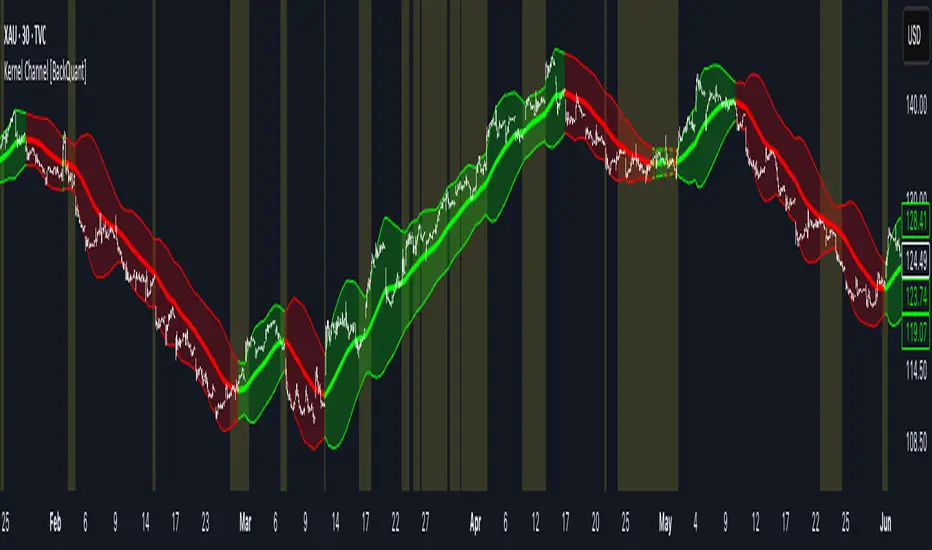
MIG and MC 发布简介(中文)
MIG and MC 指标帮助日内交易者快速识别微型缺口(Micro Gap)与微型通道(Micro Channel)。脚本支持过滤开盘跳空、合并连续缺口,并自动绘制
FPL(Fair Price Line)延伸线,既可追踪缺口是否被填补,也能直观标注潜在的趋势结构。为了确保跨周期一致性,最新版本对开盘前后和跨日场景做了专门处理
主要特性
- 自动检测并显示看涨/看跌微型缺口,支持按需合并连续缺口。
- 自定义是否忽略开盘缺口、缺口显示范围与 FPL 样式。
- FPL 触及后即停止延伸,辅助研判缺口是否真正回补。
- 内置强收盘与缺口过滤的微型通道识别,可选多种严格程度。
- 适用于 1/5/9 分钟等日内周期,也适用于更长周期。
Recommended English Description
The MIG and MC indicator highlights Micro Gaps and Micro Channels so you can track true intraday imbalances without noise. It merges
consecutive gaps, projects Fair Price Lines (FPL) that stop once touched, and offers a full intraday-ready opening-gap filter so your
early bars stay clean. The latest update refines cross-session handling, giving reliable gap plots on 1-, 5-, and 9-minute charts as well as higher time frames.
Key Features
- Detects bullish and bearish micro gaps with optional gap merging.
- Toggle opening-gap filters and configure look back, visibility, and FPL style.
- FPL lines stop as soon as price revisits the gap, making gap closure obvious.
- Micro Channel mode uses strong-close and gap filters to mark high-quality trend legs.
- Consistent behavior across intraday and higher time frames.
