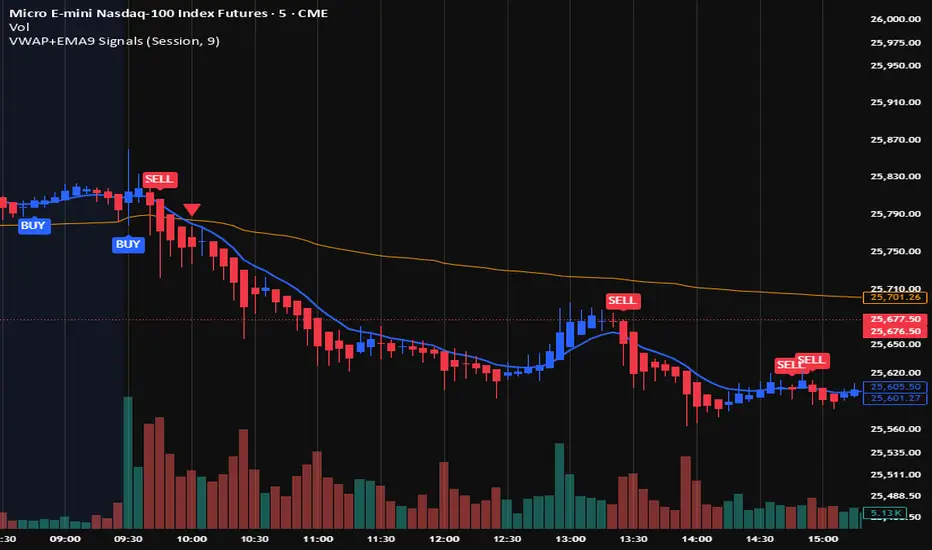
AI Pro Scalper work best on gold Build for 1 Minute time frame has smart trent engine Atr Dynamic Stop Tp1/ Tp2/ Tp3 alert ready Pine Script® indicatorby TitanEquityPartners4
AI Gold Institutional Scalperworks Best on Gold (xausd/MGC) Built For 1 Minute timeframe Has Smart Trend Engine Liquidity break Detection Volume Confirmatone Atr Dynamic stop TP1 /TP2/ TP3 Pine Script® indicatorby TitanEquityPartners4
Nico Trend Change Indicator + 2 TP TargetsThe Trend Change Indicator (TCI) is a trend-following momentum tool designed to identify clear trade entries and exits based on the relationship between two moving averages and volatility-adjusted margins. Here is a breakdown of how the indicator works and how to interpret its components: 1. The Core Ribbon (Momentum & Trend) The heart of the indicator is the "Ribbon," formed by a Fast and a Slow-moving average. Green Ribbon (Bullish): This occurs when the Fast length is significantly above the Slow length, indicating strong upward momentum. This serves as your Long Entry signal. Red Ribbon (Bearish): This occurs when the Fast length is significantly below the Slow length, indicating strong downward momentum. This serves as your Put / Short Entry signal. White Ribbon (Neutral/Chop): When the difference between the two averages is smaller than the volatility-based margin (determined by the ATR), the ribbon turns white. This is a No Trade Zone or a Take Profit (TP) Zone. 2. Volatility Filtering (ATR Margin) Unlike a standard moving average crossover, the TCI uses an ATR (Average True Range) Margin. The trend only changes to Bullish or Bearish if the gap between the Fast and Slow lines is larger than a specific percentage of the market's current volatility. This helps filter out "fakeouts" or "noise" during sideways markets where moving averages might cross frequently without a real trend starting. 3. Support/Resistance & Forecast Dots SMA Line: The thick white line is a long-term Simple Moving Average (defaulting to 140 periods). It acts as the primary "baseline." If the price is above this line, the overall bias is bullish; below it, the bias is bearish. Forecast Dots: The white dots appearing ahead of the price are SMA Forecasts. They project where the SMA will likely be in the future based on current price action, helping you visualize potential dynamic support or resistance levels before the price reaches them. 4. Higher Timeframe (HTF) Analysis The indicator includes a built-in "Security" function that looks at a higher timeframe (like the 4H or 12H) regardless of what chart you are currently viewing. The dashboard table uses this to show you if the "Big Trend" (HTF) matches the "Current Trend" (Chart TF). Trading in the direction of both timeframes (e.g., both are Green) typically increases the probability of a successful trade. Summary of Trade Signals Pine Script® indicatorby nio110166
TrendFib Pro [KhedrFX]Automatic Fibonacci Indicator for TradingView: Real-Time Retracement, Extension & XABC Pattern Tool TrendFib Pro is a powerful automatic Fibonacci indicator for TradingView that detects recent swing highs and lows in real time to plot precise Fibonacci retracement and extension levels. It combines dynamic swing identification with standard Fibonacci ratios and projects an XABC pattern structure — highlighting key B retracement zones (0.382 or 0.5) and a forward dashed C target — to reveal high-probability confluence areas for trend continuations, pullbacks, and reversals. This TradingView Fibonacci tool eliminates manual drawing, providing crystal-clear levels and visual aids for faster decision-making across any market (Forex, Crypto, Stocks, Gold, Indices) and timeframe (1-minute to monthly). Core Features & Underlying Concepts - Dynamic Swing Detection: Automatically identifies the latest major swing high/low using an adjustable lookback period (default 50 bars) for accurate, real-time auto Fib levels without repainting after confirmation. - Complete Fibonacci Suite: Plots essential retracement levels (0, 0.236, 0.382, 0.5, 0.618, 0.786, 1) and extension targets (1.272, 1.414, 1.618) based on detected swings ideal for Golden Pocket (0.618 area) bounces and trend continuation setups. - XABC Pattern Projection: Recognizes potential X-A-B-C formations, validates B retracement depth, and projects a future C target (dashed line) to anticipate explosive moves or reversals after pattern development. - Visual Confluence Zones: Semi-transparent background boxes highlight high-probability areas (e.g., around 0.5, 0.618, or extensions) for instant visual recognition. - Customizable Display: One-color mode, adjustable line styles (solid/dashed/dotted), thickness, left/right extensions, label positions (left/middle/right), and price/percent labeling options. - Info Table: Quick summary of recent XABC-related prices on the last bar for at-a-glance analysis. - Performance Optimized: Limits drawing objects (~500 max) to ensure smooth chart performance. This dynamic Fibonacci tool stands out by merging automatic detection, full Fib suite, and basic pattern projection into one non-repainting indicator — saving time while spotlighting confluences where Fibonacci levels align with potential XABC structures. How to Use TrendFib Pro for Pullback Trading, Reversals & Extensions The indicator auto-adapts to your chart timeframe — simply switch and see updated Fibonacci retracement TradingView levels and projections. - Scalping / Intraday (1m–15m) : Use shorter lookback (20–30 bars) for quick swings in volatile markets. Target shallow pullback trading Fib entries at 0.382, 0.5, or 0.618 in strong trends. Monitor XABC C-target for short momentum bursts. - Day Trading (30m–4h) : Default 50-bar lookback excels here. Hunt bounces at Golden Pocket Fibonacci (0.618–0.65) or 0.5 retests. Use extensions (1.272+) for take-profits and XABC projections for intraday targets. - Swing / Position Trading (Daily–Weekly) : Extend lookback (80–150 bars) for major swings. Focus on shallow pullbacks (0.236/0.382) in trends or deep 0.786 reversals. Extensions become multi-day targets; XABC often signals key turning points. Multi-Timeframe Confluence Strategy Start on higher timeframes (Daily/4h) for trend bias and primary Fib zones, then drop to your trading timeframe for entries where levels cluster (e.g., higher-TF 0.618 + lower-TF 0.5). This alignment dramatically boosts setup probability. ⚠️ Trade Responsibly TrendFib Pro (TFPro KFX) is a professional-grade analytical tool — not a guaranteed profit machine. For best results, combine it with solid risk management and complementary indicators such as RSI, MACD, or Volume Profile. Trading involves significant risk of loss — always use proper position sizing, stop losses, and backtest thoroughly before live trading.Pine Script® indicatorby KhedrFX3
Smart Trader, Episode 04, by Ata Sabanci, Candles and Z ScoresSmart Trader, Episode 04 Candles and Z-Scores: A Statistical Approach to Market Analysis ━━━━━━━━━━━━━━━━━━━━━━━━━━━━━━━━━━━━━━━━━━━ OVERVIEW This indicator applies Z-Score statistical analysis to measure how unusual current market conditions are compared to historical norms. It simultaneously analyzes five key metrics: Price, Total Volume, Buy Volume, Sell Volume, and Delta (Buy minus Sell) . The system detects 60 academically-researched market scenarios and provides visual feedback through Z-Lines (support/resistance levels), Event Markers, Trend Channels, and a comprehensive Dashboard. ━━━━━━━━━━━━━━━━━━━━━━━━━━━━━━━━━━━━━━━━━━━ CORE CONCEPT: WHY Z-SCORE? A Z-Score measures how many standard deviations a value is from its mean. In financial markets, extreme Z-Scores indicate statistically rare events that often precede significant price movements. Mathematical Formula: Z = (Current Value - Mean) / Standard Deviation Interpretation: • Z ≥ +2.0: Extremely high (occurs approximately 2.5% of the time) • Z ≥ +1.0: Above average • Z ≈ 0: Normal (near the mean) • Z ≤ -1.0: Below average • Z ≤ -2.0: Extremely low (occurs approximately 2.5% of the time) ━━━━━━━━━━━━━━━━━━━━━━━━━━━━━━━━━━━━━━━━━━━ ACADEMIC FOUNDATION This indicator is inspired by / grounded in market microstructure literature (abbreviated citations in-script) from market microstructure literature: • Price-Volume Relationship - Karpoff (1987), Journal of Financial and Quantitative Analysis, Cambridge Volume is positively correlated with price change magnitude • Order Flow Imbalance - Cont, Kukanov, Stoikov (2014), Journal of Financial Econometrics Order imbalance drives price more reliably than raw volume • Informed Trading (PIN Model) - Easley, Kiefer, O'Hara, Paperman (1996), Journal of Finance Buy/Sell imbalance reveals informed trader activity • Mixture of Distributions - Tauchen & Pitts (1983), Clark (1973) Volume clusters with volatility regimes • Volume Predictability - Gervais, Kaniel, Mingelgrin (2001) Volume shocks predict future returns • Liquidity & Order Imbalance - Chordia, Roll, Subrahmanyam (2002) Order imbalance affects short-term returns • Volume-Return Dynamics - Llorente, Michaely, Saar, Wang (2002) Speculation vs. risk-sharing patterns • Reversal vs. Continuation - Campbell, Grossman, Wang (MIT) High volume predicts lower autocorrelation ━━━━━━━━━━━━━━━━━━━━━━━━━━━━━━━━━━━━━━━━━━━ VOLUME ENGINE The indicator offers two methods for decomposing total volume into Buy and Sell components: Method 1: Geometry (Approximation) Uses candle structure to estimate buying and selling pressure: Buy Volume = Total Volume × (Close - Low) / (High - Low) Sell Volume = Total Volume × (High - Close) / (High - Low) • Works on all instruments without additional data requirements • Fast calculation • Less precise than intrabar method Method 2: Intrabar (Precise) Uses Lower Timeframe (LTF) tick/second data to aggregate actual up-ticks versus down-ticks: • More accurate volume decomposition • Requires LTF data availability • Configurable LTF: 1T (tick), 1S, 15S, 1M Delta Calculation: Delta = Buy Volume - Sell Volume ━━━━━━━━━━━━━━━━━━━━━━━━━━━━━━━━━━━━━━━━━━━ Z-SCORE SYSTEM The system calculates Z-Scores for five metrics simultaneously, using a configurable lookback period (default: 20 bars): • Zp (Price Z-Score): Measures price deviation from its mean • Zv (Volume Z-Score): Measures total volume deviation • Zbuy (Buy Volume Z-Score): Measures buying pressure deviation • Zsell (Sell Volume Z-Score): Measures selling pressure deviation • ZΔ (Delta Z-Score): Measures order flow imbalance deviation Threshold Constants: • ZH (Z High) = 2.0: Extreme threshold • ZM (Z Medium) = 1.0: Moderate threshold • Z0 (Z Zero) = 0.5: Near-zero threshold Group System: The analysis window is divided into groups (default: 5 groups × 20 bars = 100 bar total window). Group numbers (1, 2, 3...) are displayed above candles when enabled, helping identify the relative age of detected levels. ━━━━━━━━━━━━━━━━━━━━━━━━━━━━━━━━━━━━━━━━━━━ Z-LINES (SUPPORT/RESISTANCE LEVELS) When any metric reaches an extreme Z-Score, the system marks that price level as a significant support or resistance zone. Detection Logic: • Upper Z-Line: Drawn from the HIGH when Z ≥ upper threshold (default +2.0) • Lower Z-Line: Drawn from the LOW when Z ≤ lower threshold (default -2.0) Multi-Metric Detection: Z-Lines can be triggered by any of the five metrics (Price, Volume, Buy, Sell, Delta). When multiple metrics trigger at similar price levels, they are clustered together into a single combined label showing all contributing metrics. Persistence: Z-Lines persist for the entire analysis window (Period × Groups bars) and are NOT removed when price touches them. This allows traders to see historical support/resistance levels that may still be relevant. Anti-Overlap System: Labels are automatically repositioned to prevent overlap. The "Label Min Gap (%)" setting controls minimum vertical separation between ALL labels (both upper and lower), ensuring readability even when multiple levels cluster together. ━━━━━━━━━━━━━━━━━━━━━━━━━━━━━━━━━━━━━━━━━━━ EVENT DETECTION ENGINE (60 SCENARIOS) The system analyzes 60 distinct market scenarios based on Z-Score combinations. Each scenario is derived from academic research and assigned a confidence score based on signal strength and alignment. Notation: • Zp = Price Z-Score • Zv = Total Volume Z-Score • Zbuy = Buy Volume Z-Score • Zsell = Sell Volume Z-Score • ZΔ = Delta Z-Score • dirP = Price direction (+1 if Zp > 0.5, -1 if Zp < -0.5, else 0) • = Previous bar value • ZH = 2.0 (High threshold) • ZM = 1.0 (Medium threshold) • Z0 = 0.5 (Zero threshold) ───────────────────────────────────────────────────────────── CATEGORY A: PRICE-VOLUME (Events 1-10) Based on: Karpoff (1987), Tauchen-Pitts (1983), Clark (1973) ───────────────────────────────────────────────────────────── Event 1: Breakout Confirmed |Zp| ≥ ZH AND Zv ≥ ZH AND sign(ZΔ) = dirP AND dirP ≠ 0 Direction: Bullish/Bearish (follows price direction) Event 2: Trend Strength Confirmed |Zp| ≥ ZH AND Zv ≥ ZH Direction: Follows price direction Event 3: Fragile Move |Zp| ≥ ZH AND Zv ≤ -ZM Direction: Warning (price move without volume support) Event 4: Weak Rally Zp ≥ ZH AND Zv ≤ -ZH Direction: Warning (price up without volume) Event 5: Weak Selloff Zp ≤ -ZH AND Zv ≤ -ZH Direction: Warning (price down without volume) Event 6: Momentum Build ZM ≤ |Zp| < ZH AND Zv ≥ ZH Direction: Follows price direction Event 7: Churn |Zp| ≤ Z0 AND Zv ≥ ZH Direction: Neutral (high volume, low price movement) Event 8: Quiet Compression |Zp| ≤ Z0 AND Zv ≤ -ZH Direction: Neutral (low volume, low price movement) Event 9: High Volume Regime Zv ≥ ZH Direction: Neutral Event 10: Low Volume Regime Zv ≤ -ZH Direction: Neutral ───────────────────────────────────────────────────────────── CATEGORY B: ORDER-FLOW / DELTA (Events 11-16) Based on: Cont, Kukanov, Stoikov (2014), Easley, Kiefer, O'Hara, Paperman (1996) ───────────────────────────────────────────────────────────── Event 11: Imbalance Drives Price |ZΔ| ≥ ZH AND sign(ZΔ) = dirP AND dirP ≠ 0 Direction: Follows price direction (dirP), with delta alignment required Event 12: Divergence Top Zp ≥ ZH AND ZΔ ≤ -ZH Direction: Warning (distribution at top) Event 13: Divergence Bottom Zp ≤ -ZH AND ZΔ ≥ ZH Direction: Warning (accumulation at bottom) Event 14: Absorption Positive |Zp| ≤ Z0 AND Zv ≥ ZH AND ZΔ ≥ ZH Direction: Bullish (buy absorption, support forming) Event 15: Absorption Negative |Zp| ≤ Z0 AND Zv ≥ ZH AND ZΔ ≤ -ZH Direction: Bearish (sell absorption, resistance forming) Event 16: Depth Wall Zv ≥ ZH AND |ZΔ| ≥ ZH AND |Zp| ≤ Z0 Direction: Neutral (market depth absorbing) ───────────────────────────────────────────────────────────── CATEGORY C: BUY VS SELL (Events 17-23) Based on: Easley, Kiefer, O'Hara, Paperman (1996), Chordia, Roll, Subrahmanyam (2002) ───────────────────────────────────────────────────────────── Event 17: Aggressive Buy Dominance Zbuy ≥ ZH AND ZΔ ≥ ZH AND Zsell ≤ -ZM Direction: Bullish Event 18: Aggressive Sell Dominance Zsell ≥ ZH AND ZΔ ≤ -ZH AND Zbuy ≤ -ZM Direction: Bearish Event 19: Two-Sided Battle Zbuy ≥ ZH AND Zsell ≥ ZH AND |ZΔ| ≤ Z0 Direction: Neutral (buyers and sellers equally strong) Event 20: Battle with Buy Edge Zbuy ≥ ZH AND Zsell ≥ ZH AND ZM ≤ ZΔ < ZH Direction: Bullish Event 21: Battle with Sell Edge Zbuy ≥ ZH AND Zsell ≥ ZH AND -ZH < ZΔ ≤ -ZM Direction: Bearish Event 22: Hidden Accumulation Zbuy ≥ ZH AND |Zp| ≤ Z0 AND Zv ≥ ZH Direction: Bullish (buy shock without price movement) Event 23: Hidden Distribution Zsell ≥ ZH AND |Zp| ≤ Z0 AND Zv ≥ ZH Direction: Bearish (sell shock without price movement) ───────────────────────────────────────────────────────────── CATEGORY D: PREDICTABILITY (Events 24-26) Based on: Gervais, Kaniel, Mingelgrin (2001), Karpoff (1987) ───────────────────────────────────────────────────────────── Event 24: Volume Shock Positive Drift Zv ≥ ZH AND |Zp| ≤ ZM Direction: Follows price direction Event 25: Volume Shock Negative Drift Zv ≤ -ZH AND |Zp| ≤ ZM Direction: Opposite to price direction Event 26: Abnormal Volume Info Arrival Zv ≥ ZH Direction: Neutral ───────────────────────────────────────────────────────────── CATEGORY E: REVERSAL VS CONTINUATION (Events 27-30) Based on: Campbell, Grossman, Wang (MIT), Llorente, Michaely, Saar, Wang (2002) ───────────────────────────────────────────────────────────── Event 27: High Vol Reversal Risk Zv ≥ ZH Direction: Warning (high volume implies lower positive autocorrelation) Event 28: Low Vol Continuation Risk Zv ≤ -ZH Direction: Follows price direction (trend likely continues) Event 29: Speculation Continuation Zv ≥ ZH AND |ZΔ| ≥ ZM AND sign(ZΔ) = dirP AND dirP ≠ 0 Direction: Follows price direction Event 30: Risk Sharing Reversal Zv ≥ ZH AND |ZΔ| ≤ Z0 Direction: Warning (potential reversal) ───────────────────────────────────────────────────────────── CATEGORY F: IMBALANCE LAG (Events 31-33) Based on: Chordia, Roll, Subrahmanyam (2002) ───────────────────────────────────────────────────────────── Event 31: Persistent Imbalance Push |ZΔ| ≥ ZM AND |ZΔ | ≥ ZM AND sign(ZΔ) = sign(ZΔ ) Direction: Follows delta direction (persistent pressure) Event 32: Imbalance Pressure Decay (ZΔ ≥ ZM AND ZΔ ≤ -ZM) OR (ZΔ ≤ -ZM AND ZΔ ≥ ZM) Direction: Warning (imbalance sign flip) Event 33: Intraday Imbalance Predicts |ZΔ| ≥ ZM Direction: Follows delta direction ───────────────────────────────────────────────────────────── CATEGORY G: SUPPORT/RESISTANCE (Events 34-36) Based on: Peskir (Manchester) ───────────────────────────────────────────────────────────── Event 34: SR Barrier Event |Zp| ≤ Z0 AND Zv ≥ ZH Direction: Neutral (price stalls with high volume) Event 35: Volume Backed SR Level |Zp| ≤ Z0 AND Zv ≥ ZH AND |ZΔ| ≥ ZM Direction: Follows delta direction Event 36: Volume Poor SR Level |Zp| ≤ Z0 AND Zv ≤ -ZM Direction: Warning (weak S/R without volume) ───────────────────────────────────────────────────────────── CATEGORY H: EXTENDED ANALYSIS (Events 37-50) Based on: Extended market microstructure analysis ───────────────────────────────────────────────────────────── Event 37: Climax Buy Zbuy ≥ ZH AND Zp ≥ ZH AND Zv ≥ ZH Direction: Warning (extreme buying exhaustion, potential top) Event 38: Climax Sell Zsell ≥ ZH AND Zp ≤ -ZH AND Zv ≥ ZH Direction: Warning (extreme selling exhaustion, potential bottom) Event 39: Stealth Accumulation Zbuy ≥ ZM AND |Zp| ≤ Z0 AND Zv ≤ Z0 Direction: Bullish (quiet buying) Event 40: Stealth Distribution Zsell ≥ ZM AND |Zp| ≤ Z0 AND Zv ≤ Z0 Direction: Bearish (quiet selling) Event 41: Volume Divergence Bull Zp ≤ -ZM AND Zv ≤ -ZM Direction: Bullish (price down but volume declining) Event 42: Volume Divergence Bear Zp ≥ ZM AND Zv ≤ -ZM Direction: Bearish (price up but volume declining) Event 43: Delta Price Alignment |Zp| ≥ ZM AND |ZΔ| ≥ ZM AND sign(Zp) = sign(ZΔ) Direction: Follows price direction (strong trend confirmation) Event 44: Extreme Compression |Zp| ≤ Z0 AND Zv ≤ -ZH Direction: Neutral (very low volatility) Event 45: Volatility Expansion |Zp| ≥ ZH AND Zv ≥ ZH Direction: Follows price direction (breakout from compression) Event 46: Buy Exhaustion Zbuy ≥ ZH AND Zp ≤ Z0 Direction: Warning (high buy but price fails) Event 47: Sell Exhaustion Zsell ≥ ZH AND Zp ≥ -Z0 Direction: Warning (high sell but price holds) Event 48: Trend Acceleration |Zp| ≥ ZM AND |Zp| > |Zp | AND Zv ≥ ZM Direction: Follows price direction (increasing momentum) Event 49: Trend Deceleration |Zp| ≥ ZM AND |Zp| < |Zp | AND sign(Zp) = sign(Zp ) Direction: Warning (decreasing momentum) Event 50: Multi Divergence (Zp ≥ ZM AND ZΔ ≤ -ZM) OR (Zp ≤ -ZM AND ZΔ ≥ ZM) + |Zp| ≥ ZM AND Zv ≤ -ZM Direction: Warning (multiple divergence signals) ───────────────────────────────────────────────────────────── CATEGORY I: TREND-INTEGRATED (Events 51-60) Based on: Combined price-volume-delta trend analysis ───────────────────────────────────────────────────────────── Event 51: Trend Breakout Confirmed |Zp| ≥ ZH AND Zv ≥ ZH AND |ZΔ| ≥ ZM AND sign(ZΔ) = dirP AND dirP ≠ 0 Direction: Follows price direction Event 52: Trend Support Test Zp ≥ ZM AND Z0 ≤ Zp < ZM AND ZΔ ≥ Z0 Direction: Bullish (pullback in uptrend) Event 53: Trend Resistance Test Zp ≤ -ZM AND -ZM < Zp ≤ -Z0 AND ZΔ ≤ -Z0 Direction: Bearish (rally in downtrend) Event 54: Trend Reversal Signal sign(Zp) ≠ sign(Zp ) AND |Zp| ≥ ZM AND |Zp | ≥ ZM Direction: Follows new price direction (momentum flip) Event 55: Channel Absorption |Zp| ≤ Z0 AND Zv ≥ ZH Direction: Neutral (range-bound with volume) Event 56: Trend Continuation Volume |Zp| ≥ ZM AND Zv ≥ ZM AND sign(ZΔ) = dirP AND dirP ≠ 0 Direction: Follows price direction (healthy trend with volume) Event 57: Trend Exhaustion |Zp| ≥ ZM AND Zv ≤ -ZM AND |Zp| < |Zp | Direction: Warning (trend losing steam) Event 58: Range Breakout Pending |Zp| ≤ Z0 AND Zv ≤ -ZH AND |ZΔ| ≥ ZM Direction: Follows delta direction (compression with imbalance) Event 59: Trend Quality High |Zp| ≥ ZM AND sign(ZΔ) = dirP AND Zv ≥ Z0 AND dirP ≠ 0 Direction: Follows price direction (strong aligned signals) Event 60: Trend Quality Low |Zp| ≥ ZM AND sign(ZΔ) ≠ dirP AND dirP ≠ 0 Direction: Warning (conflicting signals) ━━━━━━━━━━━━━━━━━━━━━━━━━━━━━━━━━━━━━━━━━━━ TREND CHANNEL SYSTEM The trend channel system is adapted from Smart Trader Episode 03 to provide consistent visual context for price action analysis. How It Works: • Divides the chart into blocks based on Z-Score groups • Calculates OHLC (Open, High, Low, Close) for each block • Detects Higher Highs/Higher Lows (uptrend) or Lower Highs/Lower Lows (downtrend) patterns • Draws channel lines connecting block extremes • Classifies by angle: steep angles indicate trends, flat angles indicate ranges Channel Classifications: • UPTREND: Higher highs and higher lows detected • DOWNTREND: Lower highs and lower lows detected • RANGE: Channel angle below threshold (default 10 degrees) Label Information: • Trend direction (UPTREND/DOWNTREND/RANGE) • Channel boundary prices • Distance from current price (absolute and percentage) • Channel angle in degrees ━━━━━━━━━━━━━━━━━━━━━━━━━━━━━━━━━━━━━━━━━━━ DASHBOARD The dashboard provides a comprehensive real-time view of all Z-Score metrics and detected events. Dashboard Sections: 1. Header Row Displays indicator name and current calculation mode (CLOSED or LIVE). 2. Metric Rows (Price, Total Volume, Buy Volume, Sell Volume, Delta) Each row displays: • Value: Current metric value • Z: Calculated Z-Score • Visual: Graphical Z-bar showing position relative to mean • Status: Interpretation (Extreme High, Above Avg, Normal, Below Avg, Extreme Low) • Upper: Oldest active upper Z-Line in window (Label Mirror) • Lower: Oldest active lower Z-Line in window (Label Mirror) 3. Event Detection Section • Count of triggered events out of 60 total scenarios • Market Bias: Bull/Bear/Neutral percentage with visual bar • Strongest Event: Highest confidence event currently triggered • #2 Event: Second highest confidence event 4. Footer Shows engine type (Geometry/Intrabar), Z-Score period, calculation basis, and number of valid bars. ━━━━━━━━━━━━━━━━━━━━━━━━━━━━━━━━━━━━━━━━━━━ ALERT SYSTEM The indicator uses native alertcondition() functions, keeping the settings menu clean while providing comprehensive alert options in TradingView's alert dialog. Available Alert Categories: • Master Alerts: Any event, Any bullish, Any bearish, Any warning • Single Event Alerts: Individual alerts for key events (Breakout, Climax, Divergence, etc.) • Category Alerts: Alerts by event category (Price-Volume, Order-Flow, etc.) • Confluence Alerts: 2+, 3+, 4+, or 5+ aligned events • Bias Shift Alerts: 10%, 20%, or 30% shifts in market bias • High Confidence Alerts: Events with 60%+, 70%+, 80%+, or 90%+ confidence • Divergence Alerts: Price vs Volume or Price vs Delta divergences ━━━━━━━━━━━━━━━━━━━━━━━━━━━━━━━━━━━━━━━━━━━ DATA ACCURACY AND LIMITATIONS This indicator is 100% VOLUME-BASED and requires Lower Timeframe (LTF) intrabar data for accurate calculations when using the Intrabar method. Data Accuracy Levels: • 1T (Tick): Most accurate, real volume distribution per tick • 1S (1 Second): Reasonably accurate approximation • 15S (15 Seconds): Good approximation, longer historical data available • 1M (1 Minute): Rough approximation, maximum historical data range Backtest and Replay Limitations: • Replay mode results may differ from live trading due to data availability • For longer backtest periods, use higher LTF settings (15S or 1M) • Not all symbols/exchanges support tick-level data • Crypto and Forex typically have better LTF data availability than stocks A Note on Data Access: Higher TradingView plans provide access to more historical intrabar data, which directly impacts the accuracy of volume-based calculations. More precise volume data leads to more reliable calculations. ━━━━━━━━━━━━━━━━━━━━━━━━━━━━━━━━━━━━━━━━━━━ LANGUAGE SUPPORT (TRI-LINGUAL UI) This indicator includes a built-in language switch with three interface languages : • English (EN) • Türkçe (TR) • 한국어 (KO) The selected language updates key interface text such as the Dashboard headers/rows , tooltips , and the Event Engine outputs (event names, category names, and direction labels). Turkish diacritics and Korean Hangul are supported for clean, native readability. Why only three languages? Each additional language requires duplicating strings throughout the code, which increases script size/memory usage and compilation time. To keep the indicator optimized and responsive, language options are intentionally limited to three. ━━━━━━━━━━━━━━━━━━━━━━━━━━━━━━━━━━━━━━━━━━━ ⚠️ DISCLAIMER FOR EDUCATIONAL AND RESEARCH PURPOSES ONLY This indicator is designed as an educational and research tool based on academic market microstructure literature. It is NOT financial advice and should NOT be used as the sole basis for trading decisions. Important Notices: • Past performance does not guarantee future results • All trading involves risk of substantial loss • The indicator's signals are statistical probabilities, not certainties • Always conduct your own research and consult qualified financial advisors • The creator assumes no responsibility for trading losses Research Sources: This indicator is built upon peer-reviewed academic research from: • Journal of Financial and Quantitative Analysis (Cambridge University Press) • Journal of Finance • Journal of Financial Econometrics • MIT Working Papers • arXiv Financial MathematicsPine Script® indicatorby ata_sabanci44581
[LJ] HTF Candles with Volume POC [Highly Optimized]Welcome to the ultimate Higher Timeframe (HTF) fusion tool. This indicator seamlessly merges Higher Timeframe price action with precise volume profiling on Lower Timeframe (LTF) charts. By utilizing advanced array memory management, it bypasses TradingView's drawing limits to render clean HTF candle boxes and their exact Volume Point of Control (POC), ensuring peak performance and accuracy even on extreme timeframe combinations. 🔎 Visual Guide: What's on Your Chart? The Big Boxes (Wick & Body): These represent the Open, High, Low, and Close of your selected Higher Timeframe (e.g., a 1-Hour candle projected onto your 5-Minute chart). Color-coded for bullish/bearish momentum. The Midline: A horizontal line dividing the HTF candle perfectly in half. Useful for gauging if LTF price is in a "premium" or "discount" zone relative to the HTF. The Yellow Box (The POC): This is the Point of Control. When an HTF candle closes, this yellow box locks in place, showing the exact price zone that saw the highest volume accumulation during that period, calculated using precise LTF hlc3 price data. ⚙️ Key Settings & Configuration To get the most out of this indicator, check these inputs in the settings menu: Box Time Interval: Set this to your desired HTF (e.g., "1H", "4H", "D"). Tip: A good rule of thumb is an HTF that is 5x to 12x higher than your current chart. POC Resolution (Levels): This is your fine-tuning dial. Set to 50 - 100: Creates a very thin, precise POC line. Great for exact support/resistance levels. Set to 15 - 35: Creates a thicker POC "Zone". Great for capturing broader areas of high liquidity. Max Historical Boxes: Controls how far back the indicator draws. Keep this at 50 for a clean chart and fast loading times. 📈 Trading Strategies: How to Trade the HTF POC 1. The "Magnet" Mean Reversion High volume nodes (POCs) act as price magnets. If the current LTF price is far away from the previous HTF candle's POC, look for setups that trade back toward that yellow box. 2. The Break & Retest The POC box acts as a heavy Support/Resistance wall. If price breaks through the yellow POC box with strong momentum, look to enter on the retest of that box in the direction of the breakout. 3. Trend Continuation In a strong uptrend, look for the current LTF price to bounce off the Midline or the previous candle's POC to join the dominant HTF trend. ⚡ Performance Note This indicator uses advanced Pine Script Array Management. Unlike standard volume profile scripts that crash when calculating big timeframes, this indicator guarantees zero lag and no disappearing boxes, even when looking at a Daily HTF on a 1-Minute chart. 🙏 Credits This is a refactored and heavily optimized fusion of two great concepts: Original HTF Box logic by © krollo041 Original Volume Thermometer concept by © ChartPrime Merged, debugged, and optimized for v6 Array Management by ©Luki_eR Disclaimer: This script is for educational and informational purposes only and does not constitute financial advice.Pine Script® indicatorby Luki_eR27
Stabilized HMA ScalperStabilized HMA Scalper / Stab. HMA 2.0 Stabilized HMA Scalper is a visual trend-structure overlay indicator designed to highlight directional momentum, trend alignment, and market state through a combination of adaptive moving averages and contextual visual cues. The indicator blends a Hull Moving Average (HMA) for responsiveness with an ALMA-based baseline filter to stabilize trend interpretation and reduce noise. The result is a clean, visually expressive framework for reading market structure directly on the price chart. Core Design Philosophy This script is built around trend confirmation and state visualization, not prediction or automation. All elements are calculated on confirmed bar closes and do not repaint. The indicator focuses on three analytical dimensions: 1. Dual Moving Average Structure Hull Moving Average (HMA) Acts as the primary momentum curve. Designed for fast reaction to directional changes. Slope behavior is used to infer momentum expansion or contraction. ALMA Baseline Filter Provides a stabilizing reference for broader trend context. Helps distinguish directional movement from short-term fluctuations. Used as a structural filter rather than a trigger mechanism. 2. Trend State Visualization When HMA slope and price position relative to the ALMA baseline align, the indicator visually highlights the active market state: Bullish alignment: upward momentum with supportive structure Bearish alignment: downward momentum with confirming structure Neutral / range: mixed conditions or transitional phases A dynamic gradient fill between HMA and ALMA visually reinforces this alignment, offering an immediate understanding of trend strength and continuity. 3. Visual Markers & Labels Discrete chart markers may appear at moments when momentum structure transitions into a new aligned state. These markers are contextual annotations, intended to draw attention to changes in trend conditions rather than to provide standalone decisions. They are based solely on historical price data and are fully non-repainting. Dashboard An optional on-chart dashboard summarizes the current market state classification (Bullish / Bearish / Range) based on the internal trend logic. Position and size are fully configurable. Designed for at-a-glance situational awareness. Reflects the same logic used in the chart visuals. Usage Disclaimer This indicator is provided for technical analysis and educational purposes only. It does not generate financial advice or guarantee outcomes and should be used as part of a broader analytical workflow. Pine Script® indicatorby Horazio381
Optimal Day Trading System🚥 How to Trade with ODTS The indicator provides visual cues on the chart (triangles) and a real-time Status Table to help you make decisions. Signal Definitions Buy Signal (Green Triangle): Price is above the Sunya line and the Primary Cycle is trending up. Strong Buy (Lime Triangle): All criteria are met, plus the Secondary Cycle has also turned bullish. This indicates "confluence". Sell Signal (Red Triangle): Price is below the Sunya line and the Primary Cycle is trending down. Strong Sell (Maroon Triangle): Both Primary and Secondary cycles are aligned with a price break below the Sunya line. Real-Time Status Table Located at the top right, this table gives you an instant "health check" of the current asset: Price > Sunya: Confirms if the current price is above or below the FLD. Cycle Dir: Shows the slope of the primary trend. Position: Tells you if price is "Inside" the envelope (ranging) or "Above/Below" (overextended). 📈 Best Practices Confluence is Key: The strongest trades occur when the Signal column in the table shows "STRONG BUY" or "STRONG SELL," meaning multiple cycles are in agreement. Envelope Extremes: If the Status Table shows the Position as "ABOVE" or "BELOW" the envelope, be cautious about entering new trades, as the price may be overextended and due for a reversion to the Basis (mean). Timeframe Synergy: Use the 15-minute timeframe for swing trade entries and the 1-minute or 5-minute for precise day trading executions.Pine Script® indicatorby sunya22
Smart Trader, Episode 03, by Ata Sabanci, Candles and TradelinesA volume-based multi-block analysis system designed for educational purposes. This indicator helps traders understand their current market situation through aggregated block analysis, volumetric calculations, trend detection, and an AI-style narrative engine. ━━━━━━━━━━━━━━━━━━━━━━━━━━━━━━━━━━━━━━━━━━━ DESIGN PHILOSOPHY: CLEAN CHART, RICH DASHBOARD Traditional indicators often clutter charts with dozens of support/resistance lines, making it difficult to see price action clearly. This indicator takes a different approach: The Chart: Displays only the most meaningful, nearest levels (1 up, 1 down) that have not been consumed by price. This keeps your chart clean and focused on what matters right now. The Dashboard: Contains all detailed metrics, calculations, and analysis. Instead of drawing 20 lines on your chart, you get comprehensive data in an organized table format. Why this approach? • A clean chart allows you to see price action without visual noise • Fewer but more meaningful levels help focus attention on immediate reference points • The dashboard provides depth without sacrificing chart clarity • Beginners can learn chart reading with an uncluttered view while accessing detailed analysis when needed ━━━━━━━━━━━━━━━━━━━━━━━━━━━━━━━━━━━━━━━━━━━ 1. BLOCK SEGMENTATION What it does: Divides the analysis window into fixed-size blocks. Each block contains multiple bars that are analyzed as a single unit. Why: Individual bars contain noise. A single red candle in an uptrend might cause unnecessary concern, but when you view 5-10 bars as one block, the overall direction becomes clear. Block segmentation filters out bar-to-bar noise and reveals the underlying structure. Benefit: • Clearer view of market structure at a higher aggregation level • Enables comparison between time periods (Block 1 vs Block 2 vs Block 3) • Creates the foundation for composite candles and trend detection • Reduces emotional reaction to single-bar movements ━━━━━━━━━━━━━━━━━━━━━━━━━━━━━━━━━━━━━━━━━━━ 2. COMPOSITE CANDLES (FRACTAL CONCEPT) What it does: Each block generates a "ghost candle" representing aggregated OHLC: • Open: First bar's open in the block • High: Highest high across all bars in the block • Low: Lowest low across all bars in the block • Close: Last bar's close in the block Why: This is essentially a FRACTAL view of the market. The same candlestick patterns that appear on a daily chart also appear on hourly charts, and on 5-minute charts. By aggregating bars into composite candles, you create a synthetic higher timeframe view without changing your actual timeframe. Benefit: • See higher timeframe patterns while staying on your preferred timeframe • Identify block-level candlestick patterns (Doji, Hammer, Marubozu, Engulfing, etc.) • Compare composite candle relationships: Does Block 1 engulf Block 2? Is Block 1 an inside bar relative to Block 2? • Recognize patterns that individual bars obscure due to noise Fractal Nature: A hammer pattern means the same thing whether it appears on a 1-minute chart or a weekly chart: price tested lower levels and was rejected. Composite candles let you see these patterns at your chosen aggregation level, providing a multi-scale view of market behavior. ━━━━━━━━━━━━━━━━━━━━━━━━━━━━━━━━━━━━━━━━━━━ 3. VOLUME ENGINE What it does: This indicator is 100% VOLUME-BASED. It separates total volume into buying volume and selling volume using two methods: Method 1 - Geometric (Approximation): • Buy Volume = Total Volume × ((Close - Low) / Range) • Sell Volume = Total Volume × ((High - Close) / Range) Method 2 - Intrabar LTF (Precise): Uses actual tick-level or lower timeframe data to determine real buy/sell distribution. Why: Raw volume tells you HOW MUCH was traded, but not WHO was aggressive. A large volume bar could mean heavy buying, heavy selling, or both. By separating buy and sell volume, you can identify which side is driving the market. Benefit: • Identify whether buyers or sellers are more aggressive • Detect when volume contradicts price direction (divergence) • Measure accumulation (buying into weakness) vs distribution (selling into strength) • Quantify the delta (buy minus sell) to see net pressure Why Delta Matters: If price is rising but delta is negative, sellers are actually more aggressive despite the price increase. This divergence often precedes reversals because the price movement lacks volume confirmation. ━━━━━━━━━━━━━━━━━━━━━━━━━━━━━━━━━━━━━━━━━━━ 4. PIN ANALYSIS (WICK MEASUREMENT) What it does: Calculates average upper pin (wick) and lower pin sizes for each block, then tracks how these change across consecutive blocks. Why: Upper pins represent price levels that were tested but rejected by sellers. Lower pins represent price levels that were tested but rejected by buyers. The size and direction of pins reveal rejection strength at specific price zones. Benefit: • Large upper pins = strong selling pressure at higher levels • Large lower pins = strong buying support at lower levels • Increasing upper pins across blocks = intensifying selling pressure • Decreasing lower pins across blocks = weakening buying support Why Track Pin Changes: Pin behavior often changes before price direction changes. If lower pins are shrinking while price is still rising, the buying support that was defending dips is weakening. This is observable data, not prediction. ━━━━━━━━━━━━━━━━━━━━━━━━━━━━━━━━━━━━━━━━━━━ 5. TREND CHANNEL DETECTION What it does: Identifies trend direction using block-level price structure: • UPTREND: Block highs are higher than previous block highs, AND block lows are higher than previous block lows (HH/HL pattern) • DOWNTREND: Block highs are lower than previous block highs, AND block lows are lower than previous block lows (LH/LL pattern) • RANGE: No consistent directional pattern Once detected, the system draws upper and lower channel boundaries by connecting extreme points within each trend segment. Why: HH/HL and LH/LL are the classical definitions of trend. By applying this logic to composite candles (blocks) rather than individual bars, the trend detection becomes more stable and less prone to whipsaws from single-bar noise. Benefit: • Clear visual boundaries showing the current trend channel • Upper channel line = dynamic resistance based on actual price structure • Lower channel line = dynamic support based on actual price structure • Channel angle indicates trend strength (steeper = stronger) • Channel width indicates volatility Why Lock Trend States: Once a block's trend classification is determined, it locks and does not change on subsequent recalculations. Without locking, the same block could flip between UP and DOWN repeatedly, creating inconsistent analysis. Locking ensures stability. Why Project Lines Forward: Channel lines can be projected into the future to show where support/resistance would be if the current trend continues at the same angle. This is not a prediction; it is a visual reference showing the trend's trajectory. ━━━━━━━━━━━━━━━━━━━━━━━━━━━━━━━━━━━━━━━━━━━ 6. CORE LEVELS: POC, MAX BUY, MAX SELL What it does: Identifies key price levels within each block based on volume data: POC (Point of Control): The price level where the highest total volume occurred within the block. MAX BUY Level: The bar with the highest buying volume. The HIGH of this bar marks the level. MAX SELL Level: The bar with the highest selling volume. The LOW of this bar marks the level. MIN BUY/SELL Levels: Optional levels showing where minimum buy/sell volume occurred. Why: High volume at a specific price means many participants entered positions there. These participants have a vested interest in that price level. If price returns to that area, those same participants may act to defend their positions. Benefit: • POC acts as a volume-based magnet; price tends to revisit high-volume areas • MAX BUY level shows where buyers committed most aggressively • MAX SELL level shows where sellers committed most aggressively • These levels are based on actual transaction data, not arbitrary calculations Why Consumed Levels Disappear: When price crosses through a level, that level has been "tested." Keeping consumed levels on the chart creates visual clutter and suggests they are still relevant when they may no longer be. Removing them keeps focus on levels that have not yet been tested. Why Show Only Nearest Levels: If you have 20 blocks, you could have 60+ potential levels (POC, MAX BUY, MAX SELL for each). Displaying all of them makes the chart unreadable. Showing only the nearest untested level above and below current price keeps the chart clean while providing immediate reference points. ━━━━━━━━━━━━━━━━━━━━━━━━━━━━━━━━━━━━━━━━━━━ 7. QUALITY SCORE AND TREND INTELLIGENCE What it does: Calculates a quality score (0-100) for the current trend based on multiple factors: • Angle steepness (stronger trends have steeper angles) • Delta consistency (does volume support the trend direction?) • Volume momentum (is participation increasing or decreasing?) • Body expansion (are candle bodies growing or shrinking?) • Pin alignment (do pins support the trend direction?) • Contradiction count (how many factors disagree?) Why: Not all trends are equal. A trend with consistent volume support, expanding bodies, and aligned pins is healthier than a trend with contradicting signals. The quality score quantifies this. Benefit: • HIGH quality (80+): Multiple factors confirm the trend • MEDIUM quality (60-79): Some factors confirm, some neutral • LOW quality (below 60): Multiple contradictions exist • Strength rating based on channel angle: VERY STRONG, STRONG, MODERATE, WEAK ━━━━━━━━━━━━━━━━━━━━━━━━━━━━━━━━━━━━━━━━━━━ 8. NARRATIVE ENGINE What it does: Generates a text-based market analysis by synthesizing all calculated data into readable sentences. How it works: 1. Analyzes current candle: pattern type (Doji, Hammer, Marubozu, etc.), body/wick ratios, range vs ATR 2. Analyzes composite candle: Block 1 pattern and relationship to Block 2 (Engulfing, Inside, Outside) 3. Evaluates trend context: direction, duration, quality, transitions 4. Examines volume data: delta, dominance, momentum direction 5. Checks proximity to key levels: channel boundaries, POC, core levels 6. Identifies divergences: when price and volume directions contradict 7. Produces a coherent narrative describing the current situation Why: Numbers and charts require interpretation. The narrative engine translates calculated data into plain language, helping traders understand what the data means in context. This is especially valuable for beginners learning to read charts. Benefit: • Synthesizes multiple data points into a coherent story • Explicitly flags divergences and contradictions • Describes the current situation without making predictions • Educational: shows how different factors relate to each other What the Narrative Does NOT Do: The narrative describes what IS, not what WILL BE. It does not predict future price movement. It reports the current candle pattern, the current trend state, the current volume situation, and the current proximity to levels. ━━━━━━━━━━━━━━━━━━━━━━━━━━━━━━━━━━━━━━━━━━━ 9. SMART DASHBOARD What it does: Displays all metrics in an organized table with multiple sections. Sections: • Volume Engine: Calculation method, data availability, current candle buy/sell/delta • Trend Volumetrics: Aggregated buy/sell/delta across the current trend, trend type • Pressure and Momentum: Average pins, pin change percentages, body expansion status • Trend Channel Boundaries: Upper/lower levels with exact prices, distances, percentages • Trend Intelligence: Quality score, confidence level, strength rating, volume momentum Why: All the detailed calculations need to live somewhere without cluttering the chart. The dashboard provides comprehensive data in a structured format. Benefit: • All metrics in one place • Organized by category for easy reference • Hover over any label to see a tooltip explaining that metric • No need to draw dozens of lines on the chart TIP: Hover over dashboard headers and labels to see tooltips explaining each metric. ━━━━━━━━━━━━━━━━━━━━━━━━━━━━━━━━━━━━━━━━━━━ 10. LANGUAGE SUPPORT The indicator supports three languages: • English • Türkçe (Turkish) • हिन्दी (Hindi) Why only three languages? Each additional language requires duplicate strings throughout the code, increasing memory usage and compilation time. To keep the script optimized and responsive, language options are limited to these three. ━━━━━━━━━━━━━━━━━━━━━━━━━━━━━━━━━━━━━━━━━━━ 11. DATA ACCURACY AND LIMITATIONS This indicator is 100% VOLUME-BASED and requires Lower Timeframe (LTF) intrabar data for accurate calculations. DATA ACCURACY LEVELS: • 1T (Tick): Most accurate, real volume distribution per tick • 1S (1 Second): Reasonably accurate approximation • 15S (15 Seconds): Good approximation, longer historical data available • 1M (1 Minute): Rough approximation, maximum historical data range BACKTEST AND REPLAY LIMITATIONS: • Replay mode results may differ from live trading due to data availability • For longer backtest periods, use higher LTF settings (15S or 1M) • Not all symbols/exchanges support tick-level data • Crypto and Forex typically have better LTF data availability than stocks A NOTE ON DATA ACCESS: Higher TradingView plans provide access to more historical intrabar data, which directly impacts the accuracy of volume-based calculations. More precise volume data leads to more reliable calculations. ━━━━━━━━━━━━━━━━━━━━━━━━━━━━━━━━━━━━━━━━━━━ 12. SETTINGS OVERVIEW Main Settings: • Window Bars: Total bars to analyze • Group Count: Number of blocks to create • Calculation Basis: Current bar (live updates) or Closed bar (stable, no repaint) Block Analytics: • Show Composite Candle: Toggle ghost candles on/off • Composite Candle Transparency: Adjust visibility • Dim Original Candles: Fade original candles when composites are shown Volume Engine: • Calculation Method: Geometric (approx) or Intrabar (precise) • Lower Timeframe: Select LTF for intrabar calculations Multi-Segment Trend: • Enable Trend Detection: Toggle trend channels on/off • Range Angle Threshold: Angle below which trend is classified as RANGE • Line colors, width, and style • Project to Future: Extend trend lines forward Core Calculation: • Enable Core Calculation: Toggle POC and core levels • Show POC Nearest Up/Down: Display nearest untested POC levels • Include MAX/MIN Buy/Sell Levels: Toggle extremes display • Nearest Only: Show only the closest level above and below price Market Narrative: • Enable Market Narrative: Toggle narrative text • Language selection • Show Educational Disclaimer: Toggle disclaimer in dashboard ━━━━━━━━━━━━━━━━━━━━━━━━━━━━━━━━━━━━━━━━━━━ EDUCATIONAL PURPOSE This indicator is designed to help traders: 1. Understand their current market situation at a glance 2. Learn chart reading through block analysis and composite candles 3. See how volume relates to price movement 4. Recognize when technical factors align or contradict 5. Focus on meaningful levels without chart clutter Whether you are a beginner learning to read charts or an experienced trader seeking a cleaner analytical view, this tool provides structured data to support your analysis. ━━━━━━━━━━━━━━━━━━━━━━━━━━━━━━━━━━━━━━━━━━━ IMPORTANT DISCLAIMER This indicator is for EDUCATIONAL PURPOSES ONLY and does not constitute investment advice. Always conduct your own research and consult with a qualified financial advisor before making investment decisions. This disclaimer is also displayed within the indicator itself. If you prefer a cleaner chart, you can disable it in Settings under Market Narrative by unchecking Show Educational Disclaimer.Pine Script® indicatorby ata_sabanciUpdated 2929 2 K
BE-QuantFlow: Adaptive Momentum Scalper█ Overview: QuantFlow: Adaptive Momentum Scalper QuantFlow is a sophisticated algorithmic momentum trading method designed specifically for indices and high-beta stocks. it is an automated trade manager for indices. BE-QuantFlow acts as a Co-Pilot, analyzing how fast you are driving (Momentum) and how bumpy the road is (Volatility) to decide not just when to enter, but how to manage the gear shifts (hedging) safely. 🧠 How It Calculates Momentum (The Speed) : Standard indicators (like RSI) treat every price candle equally. BE-QuantFlow uses a "Weighted Memory." It gives far more importance to what happened just now compared to 10 minutes ago. It checks the "Sustainance"—is the price closing near its high (strong buyers) or leaving long wicks (weak buyers)? This creates a "Weighted Score" that reacts instantly to fresh power. Volatility (The Road Condition) : The script measures the movement of the current candle and sorts every single bar into three buckets: Small (Quiet), Mid (Normal), or Tall (Dangerous). in proportion to eating up the move done in the recent past. 🎯 When does an Entry Become "Valid"? Conceptually, the script looks for a specific market state before taking a trade: The "Wake Up" Phase: The market must transition from a "Sleep" state (low volatility, sideways movement) to an "Awake" state. Unidirectional Energy: script don't just look for price going up / down. It looks for Agreement. This happens when the Volatility (expansion of range) aligns perfectly with Momentum (speed of buying/selling). The View: A entry is valid when the market stops "chopping" up and down and starts "stretching" in one direction. The script waits for that precise moment where the "rubber band" stretches enough to confirm a move, but not so much that it's about to snap back. █ The Scalping Engine: Hedging Made Simple For a trader new to options, your biggest enemy is Time Decay (Theta). This script fights Time Decay using two specific "Defense Modes." A. The "Flip" (The Shield) When it happens: You are in a trade (e.g., Bought a Call), and the price starts moving slightly against you. It hasn't hit your Stop Loss, but the move is struggling (The Pull Back). The View: "The trend is taking a break or pulling back." The Action: The script automatically Hedges brought Option to yeild you a little while protecting further loss. It just turns a "waiting period" / "neutral period." B. The "Spread" (The Anchor) When it happens: The trade is going your way, but very slowly. Momentum is dropping. The View: "We are winning, but Time Decay might eat our profits before we reach the target." The Action: The script converts your trade into a Spread. Why? This cancels out the effect of Time Decay. It anchors your profit, allowing you to stay in the trade longer without losing value to time. █ The "Intra-Bar" Method (Crucial for Scalpers) This is an Aggressive System . waiting for a candle to close (e.g., waiting 5 minutes) before giving a signal. In scalping, 5 minutes is an eternity. This is only and only for the Scalpers. It is designed to enter fast, capture quick moves, and exit or adjust immediately if the market conditions change. Real-Time Logic : BE-QuantFlow calculates logic on every tick (every price change). It screams "GO" the second a condition is met. The "Repaint" Reality : Because it is fast, you might see a label appear and then disappear if the price snaps back instantly. This is a feature, not a bug . It is hunting for the exact moment momentum breaks. Trust the Alerts, Not the Labels : Do not trade by looking at the chart labels alone. They are for visual reference. You must trust the Alerts. If an alert fires, the math was valid at that millisecond, and the trade should be executed. Transparency : Use the "Show Debug Levels" checkbox in the settings. This reveals what's happening under the hood (Stop Losses, Trigger points etc) in the form of alerts by helping you understand why an alert fired. █ Do's and Don'ts ✅ Do's Start Small : Keep the Lot Multiplier at 1 initially. Option can earn and burn you badly; get used to the rhythm. Discipline is Key : If the Algo signals a "Hedge," you must Hedge. If you ignore or try to manually execute other option strike as the hedge thinking "it will recover loss back," you defeat the mathematical advantage of the system. ❌ Don'ts Don't Manual Trade : The script tracks quantities, strikes, calls & puts internally. let the script do its intended job. Manually intervening can leave you with naked positions. █ Risk & Protocols ⚠️ Margin Requirements Because this script sells options (during Flips and Spreads), your broker will block more margin than a simple "Buy" trade. Rule: Always keep a Margin Buffer. If a Hedge alert fires and you have zero free margin, the order will fail, leaving you exposed to a market crash. ⚠️ The "Hard Stop" No algorithm can predict a war or a sudden news event (Black Swan). Protocol: The script has a safety line (Dashed Line). If the "EXIT ALL" alert triggers, the trade is dead. Exit immediately. Do not hold onto hope. ⚠️ Intraday Only (Gap Risk) This logic is designed for a continuous market. It cannot calculate what happens while the market is closed. Golden Rule: Never carry positions overnight. A gap up or down the next morning can bypass all your hedges and stop losses. Ensure the "Intraday Square-off" setting is enabled to auto-close trades before the bell. █ How to Start: A Quick Setup Guide Step 1: Map Expiry Dates Manually input your trading expiry dates in Settings -> Expiry Management. Format: YYYY-MM-DD (e.g., 2025-12-25). Strict adherence required for DhanHQ. Step 2: Configure Symbol & Size Exchange/Symbol: Enter NSE and NIFTY (or your ticker). Lot Multiplier: Default is 1. Set to 2 to double all quantities (e.g., Buy 2 becomes Buy 4). IMPORTANT: Broker & Technology Heads-Up: The alerts generated by this script ({"secret": "...", "alertType": "multi_leg_order"...}) are specifically formatted for the DhanHQ webhook structure. Dhan Users: Plug-and-play. Other Brokers: You need middleware to parse the JSON. █ Risk Disclaimer & Advice Trading options involves substantial risk. Margin: Selling options requires significant margin. Keep a 15-20% cash buffer to handle adjustments instantly. Testing: This strategy is optimized for NIFTY Weekly Options with TF of 5 to 15 Min. Effectiveness on BankNifty or Sensex is untested and may require parameter tuning. Advice: Paper Trade: Run for at least one expiry cycle before live deployment. Consult: Seek professional financial advice before trading. Practical Tips for Smooth Execution For a new trader deploying this system, these operational tips are vital: Capital Buffer: Do not trade at your limit. Always keep 10-15% free cash in your broker account. Adjustments require additional margin instantly. If margin is short, the order fails, and your hedge breaks. Liquidity Awareness: The script trades "Far Deep OTM" options too in order to boost profit. Trust the Process (but Verify): While the algo drives, you are the pilot. Check your API connection every morning. Ensure the "Expiry date" matches your real-world date. Verify that your broker executed all legs of a multi-leg order (partial fills are rare but possible). The "Human" Stop: If major news breaks (e.g., unexpected election results, war announcements), volatility can expand faster than any algo can react. It is acceptable—and smart—to pause the strategy during known "Black Swan" events or earnings releases. █ Testing Scope, Feedback ⚠️ Important Note on Asset Classes: This strategy logic and the associated strike step calculations have been rigorously tested ONLY on NIFTY Index Options with Weekly Expiry. BankNifty / Sensex / FinNifty: The volatility characteristics and strike intervals with respect to delta, gamma effect and time left for expiry of these instruments differ significantly from NIFTY. The effectiveness of this strategy on these other scripts has not been verified and may require different parameter tuning. We encourage traders to backtest this logic on other indices and share their findings! If you find a robust parameter set for BankNifty or observe unique behaviors on other scripts, please let us know in the comments below so we can improve the algorithm for everyone. Your feedback is appriciated.Pine Script® indicatorby TradeWiseWithEaseUpdated 12
Smart Trader, Episode 02, by Ata Sabanci | Battle of Candles ⚠️ CRITICAL: READ BEFORE USING ⚠️ This indicator is 100% VOLUME-BASED and requires Lower Timeframe (LTF) intrabar data for accurate calculations. Please understand the following limitations before using: 📊 DATA ACCURACY LEVELS: • 1T (Tick) — Most accurate, real volume distribution per tick • 1S (1 Second) — Reasonably accurate approximation • 15S (15 Seconds) — Good approximation, longer historical data available • 1M (1 Minute) — Rough approximation, maximum historical data range ⚠️ BACKTEST & REPLAY LIMITATIONS: • Replay mode results may differ from live trading due to data availability • For longer back test periods, use higher LTF settings (15S or 1M) • Not all symbols/exchanges support tick-level data • Crypto and Forex typically have better LTF data availability than stocks 💡 A NOTE ON TOOLS: Successful trading requires proper tools. Higher TradingView plans provide access to more historical intrabar data, which directly impacts the accuracy of volume-based calculations. More precise volume data leads to more reliable signals. Consider this when evaluating your trading infrastructure. 📌 OVERVIEW Smart Trader Episode 02: Battle of Candles is an advanced educational indicator that combines multiple analysis engines to help traders identify market scenarios and understand market dynamics. This is NOT financial advice or a trading signal service — it's a learning tool designed to help you understand how institutional traders might interpret price action. The indicator integrates 7 major analysis engines into a unified dashboard, providing real-time insights into volume flow, trend structure, market phases, and potential trade setups. ⚡ KEY FEATURES 🎯 16-Pattern Scenario Engine Automatically detects and classifies market conditions into 16 distinct scenarios, from strong continuation moves to potential reversals and traps. 💰 Trade Advisor Panel Aggregates all signals into actionable suggestions with confidence levels, suggested entry/SL/TP levels, and risk/reward calculations. 📊 Volume Engine Splits volume into buy/sell components using either Geometry (candle shape) or Intrabar (LTF data) methods for precise delta analysis. 📈 CVD (Cumulative Volume Delta) Tracks the running total of buying vs selling pressure to identify accumulation, distribution, and divergences. 🎯 Stop-Hunt Detection Identifies potential stop-hunt patterns where price sweeps liquidity levels before reversing. 📐 Pure Structure Trend Engine Zero-lag trend detection based on swing highs/lows (HH/HL/LH/LL) without any lagging indicators. ⚡ Effort vs Result Analysis Measures energy spent (volume) versus ground taken (price movement) to detect stalls, breakthroughs, and exhaustion. 🎯 SCENARIO ENGINE — 16 Market Patterns The Scenario Engine analyzes multiple factors (candle anatomy, volume, forces, CVD, wick analysis) to classify each candle into one of 16 scenarios: Continuation Scenarios (1-3) 1. ⚔️ STRONG MOVE — Big body candle (>60%) with volume confirming direction. Indicates strong momentum continuation. 2. 🛡️ ABSORPTION — One side attacks but the other absorbs the pressure. Price holds despite volume. Continuation expected in the absorbing side's favor. 3. 📉 PULLBACK — Small move against the trend with low volume. Indicates a healthy retracement before trend continuation. Reversal Scenarios (4-6, 13-16) 4. 💥 REJECTION — Big wick (>40%) with small body and high volume. Price was rejected at a level, potential reversal. 5. 🪤 TRAP — Pin direction disagrees with delta. Extreme wick size. Looks bullish/bearish but the opposite may happen. 6. 😫 EXHAUSTION — High energy spent (volume) but low ground taken (price movement). Both sides active but momentum fading. 13. 🔄 CVD BULL DIV — Price falling but CVD rising. Hidden buying detected (accumulation). Potential bullish reversal. 14. 🔄 CVD BEAR DIV — Price rising but CVD falling. Hidden selling detected (distribution). Potential bearish reversal. 15. 🎯 STOP HUNT BULL — Shorts were liquidated below support. Price swept liquidity and reversed. Expect bullish move. 16. 🎯 STOP HUNT BEAR — Longs were liquidated above resistance. Price swept liquidity and reversed. Expect bearish move. Range/Stalemate Scenarios (7-9) 7. ⚖️ DEADLOCK — Market in balance. Force ratio between 0.4-0.6. Low volume. No side winning. 8. 🔥 BATTLE — High volume fight in a range. Both sides attacking. Wicks on both ends of candle. 9. 🎯 WAITING — Building phase with quiet volume. Market is preparing but no trigger yet. Wait for breakout. Pre-Breakout Scenarios (10-12) 10. 🚀 BULL SETUP — Buyers accumulating in a building phase. Positive delta building. Bullish pressure growing. 11. 💣 BEAR SETUP — Sellers distributing in a building phase. Negative delta building. Bearish pressure growing. 12. ⚡ BREAKOUT — Price at boundary with strong candle and volume supporting. Imminent breakout expected. 💰 TRADE ADVISOR ENGINE The Trade Advisor aggregates all signals from the different engines into a single actionable output. It uses a weighted scoring system: Scoring Weights: • Scenario Signal: 30% • Trend Alignment: 20% • CVD Momentum: 15% + Divergence Bonus • Pin Forces: 15% • Liquidity Sweep: 12% • Stop-Hunt Detection: 10% • Effort vs Result: 10% Possible Actions: • ⏳ WAIT — Edge not strong enough (stay patient) • 🟢 LONG ENTRY — Buyers have strong advantage + signals align • 🔴 SHORT ENTRY — Sellers have strong advantage + signals align • ⚠️ CLOSE LONG/SHORT — Position at risk (reversal/trend flip) • 🛑 STOP LOSS — Price hit risk threshold • 💰 TAKE PROFIT — Target threshold reached 📊 EXTENDED INFO PANEL (Detailed Explanations) The Extended Info panel is hidden by default (toggle: Show Extended Info in settings). It provides detailed metrics that feed into the main engines: CVD ANALYSIS What is CVD? Cumulative Volume Delta (CVD) is the running total of Buy Volume minus Sell Volume. It reveals the underlying buying/selling pressure that may not be visible in price alone. CVD Value & Slope: • ↗ Rising: CVD increasing = net buying pressure (bullish) • ↘ Falling: CVD decreasing = net selling pressure (bearish) • → Flat: No clear pressure direction Accumulation vs Distribution: • Accumulation %: Shows buying pressure strength (0-100). High accumulation with CVD rising = strong bullish bias. • Distribution %: Shows selling pressure strength (0-100). High distribution with CVD falling = strong bearish bias. Divergence Alerts: • ⚠️ BULLISH DIVERGENCE: Price falling but CVD rising. Hidden buying = potential reversal UP. • ⚠️ BEARISH DIVERGENCE: Price rising but CVD falling. Hidden selling = potential reversal DOWN. WICK ANALYSIS Wick Torque: Torque measures the "rotational force" from wicks. It's calculated from wick length, volume, and body efficiency. • Positive Torque (Bullish): Bottom wick power dominates. Buyers defended lower prices. • Negative Torque (Bearish): Top wick power dominates. Sellers defended higher prices. • ⚡ High Torque (>30): Strong signal, significant wick rejection occurred. Stop-Hunt Detection: The engine detects when price has likely swept stop-losses clustered at key levels: • Stop Hunt Risk %: Likelihood score (0-100). Above 55% = confirmed hunt. • "Shorts hunted": Price swept below support, liquidating shorts, expect bounce UP. • "Longs hunted": Price swept above resistance, liquidating longs, expect drop DOWN. LIQUIDITY SWEEPS This section appears only when a liquidity sweep is detected. The engine monitors for price sweeping recent highs/lows and then reversing: • 🎯 LIQUIDITY SWEPT ABOVE: Price broke recent highs but closed back below. Longs trapped, expect DOWN. • 🎯 LIQUIDITY SWEPT BELOW: Price broke recent lows but closed back above. Shorts trapped, expect UP. POWER BALANCE The Power Balance meter shows the real-time strength comparison between buyers and sellers. Force Ratio: • 0% = Complete seller dominance • 50% = Perfect balance • 100% = Complete buyer dominance Visual Bar: • Left side (▓): Bear territory • Right side (▓): Bull territory • The bar is smoothed over recent history to reduce noise. EFFORT vs RESULT This section measures the efficiency of price movement relative to volume expended. Energy: How much volume was spent relative to the average. Energy > 1.0x means above-average volume activity. Ground: How much price movement occurred relative to average range. Ground > 1.0x means above-average price movement. STALL Warning: A STALL is detected when high energy is spent but low ground is taken (high effort, low result). This often indicates institutional battle, exhaustion, or imminent reversal. MARKET PHASE The Phase Engine classifies the current market regime: RANGE : No clear trend. Price confined to middle of channel. Low ADX. Balanced forces. Trade breakouts with caution. BUILDING : Compression/preparation phase. Channel tightening or boundary penetration without follow-through. Watch for breakout direction. TRENDING : Active directional move. Clear slope, good efficiency, price on trending side of channel. Favor pullback entries. Strength: 0-100% score combining slope, volume validity, and force/efficiency filters. Bars: How many candles the current phase has persisted. TRACK RECORD (Validation Panel) Enable with Show Validation Panel in settings. This section tracks the historical accuracy of scenario predictions: Accuracy: Percentage of validated predictions that were correct. Best/Worst Scenario: Shows which scenarios have the highest and lowest accuracy on the current symbol. Recent Signals: Last 5 predictions with their outcomes. ✓ = correct, ✗ = wrong, ⏳ = pending validation. ⚙️ SETTINGS GUIDE 📊 Volume Analysis Volume Calculation: Choose Geometry (estimates from candle shape) or Intrabar (precise LTF data). Intrabar Resolution: LTF for precise mode. Try 1S, 15S, or 1T. Must be lower than chart timeframe. History Depth: Candles stored in memory (5-50). Higher = more context, slower. Memory Lookback: Bars for moving averages and Z-scores (10-100). 🏷️ Market Phase Range Zone Width: How much of channel center is considered "range" (0.1-0.8). Trend Sensitivity: Minimum slope to detect trending. Lower = more sensitive. Min Episode Length: Minimum bars before phase can change. Prevents flickering. 🎯 Scenarios Min Confidence to Show: Only display scenarios above this confidence level (30-90). Bars to Validate: How many bars to wait before checking if prediction was correct. Success Move %: Minimum price movement to consider prediction successful. 💰 Trade Advisor Min Confidence for Entry: Minimum confidence to suggest a trade entry (50-90). Default Risk %: Stop loss distance as % of price (0.5-5.0). Min Risk/Reward: Minimum acceptable R:R ratio (1.0-5.0). 🔔 ALERT CONDITIONS The indicator provides the following alert conditions you can configure: • 🟢 LONG Entry Signal • 🔴 SHORT Entry Signal • ⚠️ Close LONG Signal • ⚠️ Close SHORT Signal • 🛑 STOP LOSS Alert • 💰 Take Profit Alert • 🚨 High Urgency Signal ⚠️ IMPORTANT DISCLAIMER EDUCATIONAL TOOL ONLY This indicator is designed for educational purposes to help users identify different market scenarios and understand how various signals might be interpreted. The Trade Advisor is NOT a recommendation to buy, sell, or invest. • Past performance does not guarantee future results • All trading involves risk of loss • The creator is not a licensed financial advisor • Always do your own research (DYOR) • Consult a qualified financial advisor before making any investment decisions By using this indicator, you acknowledge that you understand these risks and accept full responsibility for your trading decisions. Pine Script® indicatorby ata_sabanci66196
EMA Exhaustion + ContinuationA fast, mechanical scalping system that detects EMA exhaustion, filters with RSI, and manages exits plus continuations. This indicator is designed for ultra‑short timeframe scalping, where speed and clarity matter more than anything else. It combines three core elements into one mechanical workflow: - EMA Spread Exhaustion The system measures the distance between fast and slow EMAs relative to ATR. When the spread reaches extreme levels and then begins to contract, it signals exhaustion — the point where momentum is likely to stall or reverse. This gives traders a structural way to identify setups without relying on subjective “feel.” - RSI Filter (Accelerated for Scalping) A shortened RSI (default length 7) is normalized by ATR to match the tempo of 15‑second scalps. This filter ensures that entries only trigger when momentum aligns with the exhaustion signal, reducing false positives and keeping trades in sync with volatility. - Entry, Exit, and Continuation Logic - Entries: - Long entry triggers when spread retreats, EMA‑3 crosses price, and RSI confirms bearish exhaustion (RSI < 0). - Short entry triggers under the opposite conditions (spread retreat, EMA‑3 cross, RSI > 0). - Icons: Blue arrow up for longs, Red arrow down for shorts. - Exits: - Long exits occur when price closes below the 7 EMA smoothed by SMA‑2 while all EMAs are still sloping upward. - Icon: Yellow cross above the candle. - Continuations: - Long continuation triggers when price dips below EMA‑9 and then reclaims above it. - Short continuation triggers when price closes above EMA‑9 and then reclaims below it. - Icons: Green triangle up for long continuation, Purple triangle down for short continuation. ---------------------------------------------------------------------------------------- - Apply the indicator to your chart. I use 15 second chart - Watch for blue/red arrows — these are your primary entry signals. - Respect yellow crosses — they mark mechanical exit points. - Use green/purple triangles to re‑engage continuation trades after shallow pullbacks. I only take the first continuation signal above/below the 20 EMA. - Keep the RSI filter active to avoid chasing false setups. - Combine with your risk management rules (position sizing, stop placement) for full system integrity. Pine Script® indicatorby ChannelFisher13
SuperTrend Scalper A SuperTrend-based scalping system with multiple filters to trade only strong intraday trends and avoid sideways markets. 🔥📈. This indicator is an intraday scalping system primarily for Nifty and Sensex that trades only when strong trend conditions are present. It uses Fast and Slow SuperTrend to identify direction and entry timing, with an option to trade using either Dual SuperTrend (safer) or Single SuperTrend (aggressive) mode. Trades are filtered using VWAP bias, volatility checks, no-trade consolidation zones, and specific trading sessions to avoid low-probability market conditions. Re-entries are allowed in Dual mode to capture pullbacks during strong trends. Visual tools like EMA, bar coloring, background shading, GO alerts, and a dashboard help confirm momentum and market readiness, making the system more about trading only when conditions are right, not about taking too many trades. Suggestions are welcome ;-) Feel free to test and play with inputs Pine Script® indicatorby rushiarnikar7Updated 11
EMA Spread Exhaustion DetectorEMA Spread Exhaustion – Reversal Scalper's Tool Identifies trend exhaustion for high-probability counter-trend entries. Triggers when EMA(4/9/20) stack is fully aligned and spread stretches beyond ±ATR threshold. Ideal confluence for TDI hooks + strong rejection candles on 15s charts. Visual markers, fills, and alerts for quick scalps.Pine Script® indicatorby ChannelFisher79
Pressure Reversal Engine - Scalp [BullByte]PRESSURE REVERSAL ENGINE - SCALP OVERVIEW Pressure Reversal Engine - Scalp is a professional reversal indicator built for scalping and active trading on any market including Forex, CFDs, crypto, and stocks. This multi-engine buy sell signal system works without volume data, making it ideal for instruments where volume is unavailable or unreliable. ━━━━━━━━━━━━━━━━━━━━━━━━━━━━━━━━━━━━━━━━━━━ THE PROBLEM THIS INDICATOR SOLVES Traditional reversal indicators and buy sell signal systems often struggle with: - Dependence on volume data (unavailable for Forex pairs, CFD instruments, and many markets) - Single-indicator approaches that generate excessive false signals and noise - Static parameters that fail to adapt to changing volatility conditions - Lack of confluence validation across multiple analytical dimensions PRE Scalp addresses these limitations through a six-engine confluence architecture. Signals generate only when multiple independent analytical engines align, filtering noise while identifying potential reversal conditions across any timeframe. ━━━━━━━━━━━━━━━━━━━━━━━━━━━━━━━━━━━━━━━━━━━ DEVELOPMENT APPROACH - MULTI-ENGINE ARCHITECTURE - NOT A MASHUP The Pressure Reversal Engine was developed to address specific limitations observed in traditional reversal detection and scalping indicator methods: Challenge 1: Volume Dependency Most reversal indicators require volume data, which is unreliable or unavailable for Forex, CFDs, indices, and many international instruments. The SAI engine was specifically designed to derive activity measurements purely from price action and candle structure. Challenge 2: Single-Dimension Analysis Individual indicators measuring only one aspect of price action generate excessive false signals. The multi-engine confluence approach requires confirmation across six independent analytical dimensions before generating buy or sell signals. Challenge 3: Static Parameters Fixed lookback periods fail during changing volatility conditions. The AVR engine dynamically adapts all parameters based on current market state, improving signal quality across different market environments. Challenge 4: Subjective Pattern Recognition Visual pattern identification is subjective and inconsistent. The DNA engine provides objective mathematical pattern matching with quantifiable scores for reversal candle detection. Each engine addresses a specific analytical dimension. The confluence requirement emerged from observation that aligned signals across multiple engines produced significantly higher quality reversal identification than any single method. ━━━━━━━━━━━━━━━━━━━━━━━━━━━━━━━━━━━━━━━━━━━ THE SIX ANALYTICAL ENGINES EXPLAINED Each engine provides a unique analytical perspective. Buy and sell signals generate only when multiple engines confirm confluence: ENGINE 1: SYNTHETIC ACTIVITY INDEX (SAI) - Volumeless Activity Detection Purpose: Derives market activity from price structure without requiring volume data. Essential for Forex trading, CFD analysis, and any instrument lacking reliable volume. Calculation: Weighted composite of range expansion, body momentum, directional pressure, wick rejection, price acceleration, and volatility burst measurements. Formula: SAI = (RangeExpansion x 0.25) + (BodyMomentum x 0.20) + (DirectionalPressure x 0.15) + (WickRejection x 0.15) + (PriceAcceleration x 0.15) + (VolatilityBurst x 0.10) Signal Contribution: Validates that meaningful market activity is occurring at the potential reversal point. Without activity confirmation, apparent reversals may lack follow-through. ENGINE 2: PRESSURE WAVE OSCILLATOR (PWO) - Exhaustion Detection Purpose: Measures the balance between buying pressure and selling pressure through price geometry analysis. Calculation: Net pressure (buying minus selling) weighted by activity level, normalized by standard deviation over extended period. Formula: PWO = SMA(NetPressure x SAI, length) / StdDev(cumulative, length x 2) Signal Contribution: Identifies pressure exhaustion conditions using percentile ranking to detect when buyers or sellers are running out of momentum. Exhaustion often precedes trend reversal. ENGINE 3: FRACTAL CONFLUENCE MATRIX (FCM) - Multi-Timeframe Structure Analysis Purpose: Analyzes price position across multiple structural timeframes simultaneously for multi-timeframe confluence. Calculation: Evaluates price position within range at five Fibonacci-based periods (5, 8, 13, 21, 34 bars). These periods capture nested market structures from micro to macro. Formula: FractalPosition = (Close - LowestLow) / (HighestHigh - LowestLow) at each period Signal Contribution: Confirms that multiple structural levels align at extremes, indicating potential reversal zones where larger and smaller timeframes agree on price position. ENGINE 4: ENTROPIC EXHAUSTION DETECTOR (EED) - Information Theory Analysis Purpose: Applies Shannon entropy from information theory to measure market disorder and directional exhaustion. Calculation: Shannon entropy of bullish/bearish bar distribution over the lookback period. Formula: H = -Sum(p(x) x log2(p(x))) where p(x) is probability of bullish or bearish bars Range: 0 (complete order, all bars same direction) to 1 (maximum disorder, 50/50 distribution) Signal Contribution: High entropy combined with a directional streak breaking suggests the market has reached maximum uncertainty and may resolve in a new direction. ENGINE 5: CANDLE DNA FINGERPRINTING - Pattern Recognition System Purpose: Mathematical pattern recognition comparing current candle structure against ideal reversal patterns including hammer, shooting star, and engulfing formations. Calculation: Weighted similarity scoring across body ratio, upper wick ratio, lower wick ratio, close position, and range versus ATR. Formula: Score = Sum((1 - |actual - ideal|) x weight) for each metric Signal Contribution: Identifies candles with reversal characteristics through objective mathematical measurement rather than subjective visual pattern recognition. ENGINE 6: ADAPTIVE VOLATILITY REGIME (AVR) - Dynamic Parameter Adjustment Purpose: Dynamically adjusts all lookback parameters based on current volatility conditions for adaptive indicator behavior. Calculation: Ratio of fast ATR to slow ATR determines volatility regime classification. Formula: VolatilityRatio = ATR(fast period) / ATR(slow period) States: High volatility (ratio > 1.3) uses shorter lookbacks for faster adaptation. Low volatility (ratio < 0.7) uses longer lookbacks for noise reduction. Normal volatility maintains base parameters. Signal Contribution: Ensures the entire system adapts appropriately to current market conditions rather than using static parameters that may fail in different environments. ━━━━━━━━━━━━━━━━━━━━━━━━━━━━━━━━━━━━━━━━━━━ WHY ENGINE SYNERGY MATTERS FOR SIGNAL QUALITY The effectiveness of PRE comes from requiring multiple engines to align before generating buy or sell signals: - SAI confirms activity is present (something meaningful is happening in price action) - PWO confirms pressure exhaustion (the current move is running out of steam) - FCM confirms structural alignment (multiple timeframes agree on position) - EED confirms disorder state (market uncertainty is elevated near potential turning point) - DNA confirms candle structure (the bar exhibits reversal pattern characteristics) - AVR ensures parameters are appropriate (system is calibrated to current volatility) A single indicator measuring one dimension generates many false signals. By requiring confluence across six independent analytical dimensions, this reversal indicator filters noise while identifying potential trading opportunities. ━━━━━━━━━━━━━━━━━━━━━━━━━━━━━━━━━━━━━━━━━━━ SIGNAL GENERATION PROCESS FOR BUY AND SELL SIGNALS Step 1: ANCHOR DETECTION The system identifies potential reversal anchors when price breaks beyond recent structure using a mean-reversion approach. A bullish anchor forms when price breaks below prior lows, suggesting potential oversold conditions. A bearish anchor forms when price breaks above prior highs, suggesting potential overbought conditions. Step 2: ENGINE SCORING Each enabled engine contributes to a cumulative quality score. The anchor must achieve minimum scoring thresholds to activate a setup. Step 3: CONFIRMATION TRIGGER Price must confirm the setup by crossing back through the anchor zone within the confirmation window. This crossover or crossunder is validated at bar close to prevent repainting. Step 4: SIGNAL QUALITY SCORE The final buy or sell signal displays a quality score representing the total engine confluence. Higher scores indicate stronger alignment across more analytical engines. ━━━━━━━━━━━━━━━━━━━━━━━━━━━━━━━━━━━━━━━━━━━ READING THE BUY SELL SIGNAL LABELS BUY Signal Label: - Displays "BUY" with quality score in brackets - Shows engine contribution breakdown when enabled in settings - indicates engine contributed to signal - indicates engine did not contribute - Higher total scores suggest stronger multi-engine confluence SELL Signal Label: - Displays "SELL" with quality score in brackets - Same engine breakdown format as BUY signals - Identical scoring interpretation Score Interpretation Guide: - Score 3-4: Minimum threshold met, basic confluence achieved - Score 5-6: Good confluence across multiple engines - S core 7-8: Strong confluence with most engines aligned ━━━━━━━━━━━━━━━━━━━━━━━━━━━━━━━━━━━━━━━━━━━ ENGINE STATUS DASHBOARD - REAL-TIME ANALYSIS DISPLAY The Engine Status Panel displays real-time readings from all six analytical engines: Synthetic Activity Row: - HIGH ACTIVITY: SAI above threshold, significant price action detected (value shown) - ACTIVE: SAI above confirmation level, moderate activity present - LOW: SAI below activity thresholds, quiet market conditions - DISABLED: Engine turned off in settings Pressure Wave Row: - BULL EXHAUSTION: PWO in lower percentile tail and reversing upward, potential bottom - BEAR EXHAUSTION: PWO in upper percentile tail and reversing downward, potential top - NEUTRAL: PWO in normal range, no exhaustion detected Fractal Matrix Row: - BULL CONFLUENCE: Multiple fractal levels show price near structural lows (score shown) - BEAR CONFLUENCE: Multiple fractal levels show price near structural highs - NO CONFLUENCE: Insufficient alignment across fractal timeframe levels Entropic Exhaustion Row: - HIGH ENTROPY: Shannon entropy above threshold, maximum market disorder detected - ORDERED: Entropy below threshold, clear directional consistency present Candle DNA Row: - BULL PATTERN: Current candle matches bullish reversal profile (hammer-like structure) - BEAR PATTERN: Current candle matches bearish reversal profile (shooting star-like) - NO MATCH: Current candle does not match reversal pattern characteristics Market Regime Row: Shows DETECTED market conditions based on price action analysis: - FRESH MOVE: New directional move beginning, momentum increasing - NORMAL: Standard market conditions, no extreme factors detected - SCALP CONDITIONS: Extended move or decreasing momentum detected - CAUTION ZONE: Multiple warning factors present requiring conservative approach Note : This displays what market conditions look like, not necessarily what targets will be applied. Applied Style Row: Shows what target style is ACTUALLY being applied to trades and why: When Trade Style Setting = Auto: - RUNNER (Auto): System detected FRESH conditions, applying wide targets (0.8R, 1.8R, 3.0R) - EXTENDED (Auto): System detected NORMAL conditions, applying balanced targets (0.6R, 1.2R, 2.0R) - SCALP (Auto): System detected SCALP conditions, applying tight targets (0.4R, 0.8R, 1.2R) - CAUTION (Auto): System detected CAUTION conditions, applying very tight targets (0.3R, 0.5R, 0.8R) When Trade Style Setting = User Override: - SCALP (User): You selected Scalp style manually - EXTENDED (User): You selected Extended style manually - RUNNER (User): You selected Runner style manually This dual-row display ensures complete transparency. You always see both what market conditions exist AND what targets you are receiving. Volatility State Row: - HIGH VOLATILITY: Fast ATR significantly exceeds slow ATR, adaptive parameters shortened - NORMAL: Volatility ratio within standard range - LOW VOLATILITY: Fast ATR significantly below slow ATR, adaptive parameters extended ━━━━━━━━━━━━━━━━━━━━━━━━━━━━━━━━━━━━━━━━━━━ REGIME VS APPLIED STYLE - COMPLETE TRANSPARENCY The Engine Status Panel displays TWO separate rows for complete trading transparency: 1. Market Regime: What current market conditions look like based on analysis 2. Applied Style: What target calculations are actually being used for trades Why Two Separate Rows? When Trade Style is set to "Auto", the Applied Style will match the detected Regime automatically. For example: - Regime: FRESH MOVE leads to Applied Style: RUNNER (Auto) - Regime : NORMAL leads to Applied Style: EXTENDED (Auto) When you manually select a Trade Style (Scalp, Extended, or Runner), the Applied Style will show your selection regardless of the detected Regime: - Regime: FRESH MOVE but Applied Style: SCALP (User) (Market conditions look fresh, but you chose tight targets) This transparency ensures you always know: - What conditions is the market is currently showing - What targets you will you actually receive on signals - Whether the system chose automatically or you overrode the selection ━━━━━━━━━━━━━━━━━━━━━━━━━━━━━━━━━━━━━━━━━━━ TRADE PANEL - POSITION MANAGEMENT DISPLAY During Active Trade: - Position type (LONG/SHORT) with entry price level - Running P&L displayed in points (current price versus entry) - TP1, TP2, TP3 target levels with booking percentages for each - Current stop loss level (initial, protected, or trailing depending on trade progress) - Risk to Reward ratio (displayed before TP1 is reached) - Profit booked percentage showing locked gains - Trade status and total bars in trade count When Scanning for Signals: - Shows "SCANNING FOR SIGNALS" status message - Displays any active setup waiting for a confirmation trigger - Shows next signal TP multipliers based on the current detected regime - Indicates remaining bars in confirmation window before setup expires ━━━━━━━━━━━━━━━━━━━━━━━━━━━━━━━━━━━━━━━━━━━ TRADE MANAGEMENT AND RISK CONTROL FEATURES Take Profit System: - Supports 2 or 3 TP target levels for flexible exit strategy - Three calculation modes available: Auto (regime-based), Manual ATR, Fixed R:R - Configurable booking percentages at each level for position scaling - Visual lines and labels display all target levels on chart Stop Loss System: - Two calculation modes : Auto (anchor-based) or Manual ATR distance - Configurable buffer beyond calculated stop level for additional protection - Optional maximum stop loss cap in points to limit risk exposure - Visual display shows current stop level throughout trade Breakeven Protection: - None: Stop remains at original level after TP1 is reached - Buffer: Stop moves to entry plus percentage of original risk - Lock at TP1: Stop moves to TP1 level, securing that profit amount Trailing Stop Options: - ATR Trailing: Follows at dynamic ATR distance from price extreme - Step Trailing: Moves in fixed point increments as price advances favorably - Swing Trailing: Follows recent swing structure levels for dynamic protection - Configurable start point: Begin trailing from entry or only after TP1 achieved ━━━━━━━━━━━━━━━━━━━━━━━━━━━━━━━━━━━━━━━━━━━ KEY SETTINGS GUIDE FOR CONFIGURATION Core Engine Settings: - Base Lookback Period: Foundation for anchor detection, automatically adjusted by AVR engine - Confirmation Window: Number of bars allowed for price to confirm setup after anchor - Minimum Signal Quality Score : Required confluence level for valid buy sell signals - Signal Cooldown: Minimum bars between consecutive signals to prevent clustering Engine Toggles: Each of the six analytical engines can be independently enabled or disabled. Disabling engines reduces confluence requirements but may affect overall signal quality. Trade Style Options: - Auto: Automatically selects style based on detected market regime (FRESH leads to Runner, NORMAL leads to Extended, SCALP leads to Scalp, CAUTION leads to Caution) - Scalp: Forces tight targets for quick profit taking (TP1: 0.4R, TP2: 0.8R, TP3: 1.2R) - Extended: Forces balanced targets with room to develop (TP1: 0.6R, TP2: 1.2R, TP3: 2.0R) - Runner: Forces wide targets to capture larger moves (TP1: 0.8R, TP2: 1.8R, TP3: 3.0R) Aggressiveness Level: - Conservative: Tighter targets with earlier profit taking - Normal: Balanced approach as calculated - Aggressive: Extended targets for larger potential moves Session Filter: Optional restriction of signals to specific trading sessions including London, New York, Tokyo, Sydney, London plus New York overlap, or custom hours in UTC. ━━━━━━━━━━━━━━━━━━━━━━━━━━━━━━━━━━━━━━━━━━━ VISUAL ELEMENTS AND DISPLAY OPTIONS Chart Display Elements: - BUY and SELL labels with quality scores and optional engine breakdown - Entry line displayed as dashed yellow - TP levels displayed as dotted green gradient - Stop loss line displayed as solid red - Protected and trailing stop line displayed as solid blue - Hit markers appear when TP or SL levels are reached - Optional regime label showing current market state classification Color Theme Options: - Vibrant: High contrast modern colors (default selection) - Classic : Traditional trading platform colors - Dark Pro: Subdued professional color scheme - Minimal : Low saturation subtle colors for clean charts Dashboard Display Modes: - Full : Complete detailed information display - Compact : Essential information only for smaller footprint - Ultra Compact : Minimal footprint display for maximum chart space ━━━━━━━━━━━━━━━━━━━━━━━━━━━━━━━━━━━━━━━━━━━ ALERT SYSTEM FOR NOTIFICATIONS Individual Alert Conditions Available: - PRE Buy Signal: Triggers on new buy signal generation - PRE Sell Signal: Triggers on new sell signal generation - TP1 Achieved: Triggers when first target is reached - TP2 Achieved: Triggers when second target is reached - TP3 Achieved: Triggers when third target is reached - Stop Loss Hit: Triggers when stop level is reached before any TP - Protected Exit: Triggers when stop is hit after partial profit taken - Momentum Warning: Triggers when momentum weakening is detected in profitable trade Alert Format Options: - Standard: Brief notification with symbol and signal score - Detailed : Comprehensive information including all price levels - Webhook JSON: Machine-readable format for automated trading systems and bots ━━━━━━━━━━━━━━━━━━━━━━━━━━━━━━━━━━━━━━━━━━━ CHART EXAMPLES - VISUAL DEMONSTRATIONS Chart 1: Dashboard and Engine Status Overview This chart demonstrates the PRE indicator in scanning mode, showing the comprehensive Engine Status Panel (top right) and Trade Panel (bottom right). The dashboard provides real-time visibility into all six analytical engines and current market conditions. Key Features Shown: - Synthetic Activity Index (SAI): Currently showing HIGH ACTIVITY (50.6) detecting significant price action - Pressure Wave Oscillator (PWO): NEUTRAL (2.99) with no exhaustion detected yet - F ractal Confluence Matrix (FCM): BEAR CONFLUENCE (5) showing price at multi-timeframe highs - Entropic Exhaustion Detector (EED): HIGH ENTROPY (0.99) indicating maximum market uncertainty - Candle DNA Fingerprinting: BULL PATTERN (0.74) with reversal pattern detected - Market Regime: SCALP CONDITIONS suggesting tighter targets appropriate - Applied Style: SCALP (Auto) with system automatically selecting scalp mode based on regime - Volatility State: NORMAL (0.76) - Trade Panel: Shows SCANNING FOR SIGNALS with a BEARISH setup active (3 bars remaining) What This Demonstrates: The dashboard provides complete transparency into the indicator decision-making process. You can see exactly which engines are active, their current readings, and what trade style will be applied to the next signal. The Applied Style row shows both the detected regime AND the style that will be used. Chart 2: Trade Style Comparison - Extended vs Runner This split-screen comparison shows the SAME SELL signal and trade with two different trade style settings applied. The left panel uses EXTENDED (User) style while the right panel uses RUNNER (User) style. This demonstrates how manually selecting different trade styles affects take profit targets and position booking strategy for identical market conditions. Key Features Shown: LEFT PANEL - EXTENDED (User) Style: - Engine Status: Market Regime shows FRESH MOVE but Applied Style shows EXTENDED (User) - Entry: 4492.5 - TP1: 4487.75 at 4.6 pts away - TP2: 4483.01 at 9.4 pts away - Stop Loss: 4500.4 (8 pts) - Risk to Reward: 1:0.6 - Running P&L: -0.13 points - Position Booking: Balanced 50/50 split RIGHT PANEL - RUNNER (User) Style: - Engine Status: Same FRESH MOVE regime but Applied Style shows RUNNER (User) - Entry: 4492.5 (same entry) - TP1: 4486.17 at 6.2 pts away (WIDER target) - TP2: 4478.26 at 14.1 pts away (MUCH WIDER target) - Stop Loss: 4500.4 (8 pts - same stop) - Risk to Reward: 1:0.8 (better ratio) - Running P&L: -0.13 points (same moment) - Position Booking: Aggressive 35/65 split keeping more for runner What This Demonstrates: Both panels show the exact same trade at the same moment with same P&L, entry, and stop. The ONLY difference is the trade style setting. EXTENDED uses balanced approach with 50/50 booking at closer targets. RUNNER uses wider targets with 35/65 booking to let winners run further. Chart 3: Auto Mode vs Manual Override Comparison This split-screen comparison shows the SAME SELL signal with two different style control modes. The left panel uses RUNNER (Auto) where the system automatically selected Runner style based on detecting FRESH MOVE conditions. The right panel uses SCALP (User) where the trader manually forced Scalp style, overriding the system recommendation. Key Features Shown: LEFT PANEL - RUNNER (Auto) Style: - Engine Status: Market Regime shows FRESH MOVE and Applied Style shows RUNNER (Auto) - Entry: 4492.5 - TP1: 4489.33 at 3 pts away - TP2: 4487.17 at 6.2 pts away - Stop Loss : 4500.4 (8 pts) - Control Mode: System automatically selected this style RIGHT PANEL - SCALP (User) Style: - Engine Status: Same FRESH MOVE regime but Applied Style shows SCALP (User) - Entry: 4492.5 (same) - TP1: 4489.33 at 3 pts away (TIGHTER booking percentage) - TP2: 4487.17 at 6.2 pts away (SMALLER remainder) - Risk to Reward: 1:0.4 (more conservative) - Control Mode: User manually forced this style overriding system What This Demonstrates: The Applied Style row shows WHO is in control. (Auto) means system decides based on regime. (User) means you override. This complete transparency shows when you are trading WITH or AGAINST the system analysis. Chart 4: Trade Management and Protection System This split-screen comparison shows the SAME SHORT trade at DIFFERENT stages of execution. The left panel shows the trade at entry and setup phase while the right panel shows the trade after TP1 has been hit with protection activated. Key Features Shown: LEFT PANEL - Trade Setup and Initial Entry: - Engine Status: Market Regime shows FRESH MOVE and Applied Style shows RUNNER (Auto) - Trade Panel: Shows SCANNING FOR SIGNALS with BULLISH setup active (3 bars remaining) - TP Mode: Auto with Next Signal TP showing 0.8R / 1.8R (Runner style targets) - Exit Marker: Shows Exit @ +50% label indicating completed previous trade - Setup Phase: System ready for next signal with runner-focused targets pre-calculated RIGHT PANEL - Active Trade with TP1 Hit: - Engine Status: Same FRESH MOVE regime but Applied Style shows SCALP (User) - Entry: 4492.5 (yellow dashed line) - TP1: 4486.17 showing + HIT (green marker indicating TP1 reached) - TP2: 4486.17 at 11.4 pts away (green dotted line) - Protected Stop: 4491.31 (3.8 pts) shown as BLUE LINE (stop moved from initial level) - Running P&L: +4.96 points (in profit) - Profit Booked: 65% shown in trade panel - Trade Status: RUNNING TO TP2 - Bars in Trade: 10 - Protection Active: Stop loss moved to protect profits after TP1 achievement What This Demonstrates: Complete trade lifecycle and protection system. Initial stop placement, TP1 achievement, breakeven protection activation, position booking, and remaining position management with zero risk after partial profit taken. ━━━━━━━━━━━━━━━━━━━━━━━━━━━━━━━━━━━━━━━━━━━ RECOMMENDED USE CASES AND APPLICATIONS Suitable Instruments: - Forex pairs including all majors, minors, and exotics (no volume required) - CFD instruments including indices, commodities, and metals - Cryptocurrency pairs on all exchanges - Stocks and ETFs with or without volume consideration - Futures contracts across all markets Suggested Timeframes: - Primary for scalping: 1-minute, 3-minute, 5-minute, 15-minute charts - Also effective on: 30-minute, 1-hour, 4-hour for swing entry identification Optimal Conditions: - Markets with clear structure and adequate liquidity - During active trading sessions with participation - When multiple engines show alignment and confluence ━━━━━━━━━━━━━━━━━━━━━━━━━━━━━━━━━━━━━━━━━━━ LIMITATIONS AND IMPORTANT CONSIDERATIONS What This Indicator Cannot Do: - Predict future price movements with certainty - Guarantee profitable trades or specific returns - Replace proper risk management and position sizing - Work effectively in all market conditions at all times - Eliminate all false signals completely Conditions Where Performance May Vary: - Extremely low liquidity periods with wide spreads - Major news events and high-impact economic releases - Strongly trending markets without meaningful pullbacks - Unusual market conditions or flash crash events The P&L tracking displayed is for the current visualized trade only and does not represent historical performance, backtested results, or guaranteed future outcomes. ━━━━━━━━━━━━━━━━━━━━━━━━━━━━━━━━━━━━━━━━━━━ SIGNAL CONFIRMATION AND NON-REPAINTING BEHAVIOR This indicator is specifically designed to prevent repainting: - All signals are confirmed at bar close only using barstate.isconfirmed - Signals do not appear and disappear during intra-bar price action - Once a signal prints on the chart, it remains permanently - Historical signals accurately represent what would have been visible in real-time trading ━━━━━━━━━━━━━━━━━━━━━━━━━━━━━━━━━━━━━━━━━━━ RISK DISCLAIMER AND IMPORTANT NOTICES This indicator is provided for educational and informational purposes only. It does not constitute financial advice, investment recommendations, or trading signals that guarantee profits. Trading financial instruments carries substantial risk of loss and is not suitable for all investors. Past performance of any trading system or methodology is not necessarily indicative of future results. Users should: - Conduct their own analysis before making any trading decisions - Never risk more than they can afford to lose - Understand that no indicator can predict market movements with certainty - Use proper risk management and position sizing at all times - Consider consulting a licensed financial advisor before trading The author accepts no liability for any losses incurred through the use of this indicator. -BullBytePine Script® indicatorby BullByte2250
EMA Scalper Pro BY FS and Grok - Main Configuration (Inputs) When adding the indicator, you'll see a settings panel divided into groups. Here's the key ones and recommendations for your setup (60x on BTC at open): EMA Configuration: "EMA Fast Period" (default 7): Fast EMA for momentum. Lower for faster signals (e.g., 5-9). "EMA Slow Period" (default 25): Slow EMA for trend. Increase for more stable trends (e.g., 20-30). "Show EMAs" (true): Displays blue (fast) and orange (slow) lines. Turn off if the chart is cluttered. Candle Patterns: "Confirmation Candles" (default 2): Bars to check patterns (e.g., hammer, engulfing). Increase to 3-4 for fewer false signals. "Enable Patterns" (true): Activates bullish/bearish pattern filter. Useful for signal confirmation. Market Structure: "Pivots Lookback" (default 5): Bars to detect higher highs/lower lows. Adjust to 3-7 for BTC volatility. "Show Labels" (true): Draws "Uptrend" (green) or "Downtrend" (red) on pivots. "Filter by Trend" (true): Buy signals only in uptrend, sell in downtrend. Enable to avoid counter-trend trades. Volume Confirmation: "Volume MA Length" (default 14): Period for volume average. Lower for sensitivity. "Z-Score Threshold" (default 2.0): Threshold for spikes. Lower to 1.5 for more signals. "Enable Volume Confirmation" (true): Requires volume spike for signals. Liquidity Zones: "Minimum Reaction ($)" (default 400): Minimum move for a zone. Adjust based on BTC volatility. "Max Zones to Show" (default 20): Limit of boxes (green for buy/low, red for sell/high). "Zone Width (x ATR)" (default 0.5): Width based on volatility. Increase for wider zones. "Show Liquidity Zones" (true): Draws horizontal boxes. "Enable Alerts" (true): Alerts when entering a zone (e.g., "Price entered Liquidity Buy Zone"). Order Blocks Detection: Similar to liquidity: "Minimum Reaction" (400), "Max" (20), "Width" (0.5), "Show" (true), "Alerts" (true). Boxes: Lime for bull (support), fuchsia for bear (resistance). Fair Value Gaps Detection: "Minimum Gap ($)" (default 50): Minimum gap for FVG. "Max FVGs" (20): Limit of boxes (teal for bull, maroon for bear; gray if mitigated). "Show FVGs" (true): Draws gaps. "Enable FVG Alerts" (true): When entering (e.g., "Price entered Bullish FVG"). "Enable FVG Mitigation Alerts" (true): When filling gap (e.g., "Bullish FVG Mitigated"). Higher TF Table: "Show Table" (true): Displays table with EMA crosses on 5m, 15m, etc. (TF, Dir: Bullish/Bearish, Bars since cross). Recommendation for your setup: Keep defaults to start. On 1m/5m, enable all filters for precision in 60x. Test in demo before live. - How to Interpret the Indicator on the Chart EMA Lines: Blue (fast), orange (slow). Bullish cross (blue over orange) = potential buy; bearish = sell. Confirmed Crosses: Green cross below (buy), red above (sell), offset to align with candle. Trend Labels: "Uptrend" green on highs, "Downtrend" red on lows. Indicates structure (HH/LL). Liquidity Zones: Extended horizontal boxes. Green (buy/support), red (sell/resistance). Expect reactions (bounce/break) when touched. Order Blocks: Lime boxes (bull/support), fuchsia (bear/resistance). Areas where accumulated orders can cause reactions. FVGs: Teal boxes (bull/imbalance up), maroon (bear/imbalance down). Unfilled gaps; gray if mitigated (gap closed). Final Signals: Green triangle below (buy), red above (sell). Combines everything: cross + patterns + trend + volume. Higher TF Table: In top-right. Shows for 5m-D: TF, Dir (Bullish green/Bearish red), Bars (since last cross). Useful to align with larger trends. - Alerts and Notifications Set up alerts in TradingView: Right-click on the indicator > "Add alert". Signals: "Buy Signal" or "Sell Signal" when triangle appears. Zones: When entering box (e.g., "Price entered Liquidity Buy Zone"). OB/FVG: Similar, plus mitigation (e.g., "Bullish FVG Mitigated" when gap fills, signaling potential continuation). - How to Use in Trading (Tips for Your Setup) Timeframe: 1m/5m for scalping at open (9:30 AM ET, influenced by traditional markets). Strategy: Wait for signal (triangle) near zone/OB/FVG, with volume and trend aligned. In 60x, use stops at ATR (e.g., 1-2x ATR) and takes at 1:2 ratio. Low exposure (3-5 min/trade). Risk: Always backtest (in TradingView) and use 1-2% capital per trade. Not financial advice; combine with your analysis. Customization: Disable filters for more signals, but increases risk. For volatile BTC, lower reaction/gap thresholds. Pine Script® indicatorby franciscosantiagotpm12
Smart Trader,Episode 1, by Ata Sabanci | Unified Matrix⚠️ **CRITICAL: READ BEFORE USING** ⚠️ This strategy is **100% VOLUME-BASED** and requires **Lower Timeframe (LTF) intrabar data** for accurate calculations. Please understand the following limitations before using: **📊 DATA ACCURACY LEVELS:** • **1T (Tick)** — Most accurate, real volume distribution per tick • **1S (1 Second)** — Reasonably accurate approximation • **15S (15 Seconds)** — Good approximation, longer historical data available • **1M (1 Minute)** — Rough approximation, maximum historical data range **⚠️ BACKTEST & REPLAY LIMITATIONS:** • TradingView's Strategy Tester uses historical LTF data which may be limited depending on your subscription plan • Replay mode results may differ from live trading due to data availability • For longer backtest periods, use higher LTF settings (15S or 1M) • Not all symbols/exchanges support tick-level data • Crypto and Forex typically have better LTF data availability than stocks **💡 A NOTE ON TOOLS:** Successful trading requires proper tools. Higher TradingView plans provide access to more historical intrabar data, which directly impacts the accuracy of volume-based calculations. More precise volume data leads to more reliable signals. Consider this when evaluating your trading infrastructure. **WHY "EPISODE 1"?** This strategy is titled "Episode 1" because it focuses exclusively on **Highest Buyers (HB)** — a single but powerful concept in volume analysis. **The Philosophy:** A single high-volume buying event can tell us a story about market psychology: • Where did the biggest buyers enter? • How much of their power remains? • Are sellers consuming their advantage? • At what rate is the balance shifting? By focusing on just ONE aspect of volume analysis, traders can deeply understand how a buying surge affects future price action before moving to more complex multi-factor analysis. **The Reality:** This script alone is approximately **2000 lines of code** — and it only analyzes buyers. A comprehensive system covering all aspects (sellers, combined analysis, multi-timeframe correlation) would be significantly larger and computationally heavier. Breaking this into focused modules allows for: • Deeper understanding of each component • Lighter, more responsive scripts • Educational progression from simple to complex **OVERVIEW** Smart Trader EP1 is a volume-based trading strategy that tracks the balance of power between buyers and sellers through the lens of the **Highest Buyers event**. Unlike traditional indicators that rely on price patterns or mathematical formulas, this strategy analyzes *actual volume flow* to identify who is in control of the market. The core philosophy is simple: **markets move when one side (buyers or sellers) exhausts their power while the opposing side accumulates strength.** By measuring this power shift in real-time, the strategy identifies high-probability entry and exit points. **HOW IT WORKS** **1. Volume Engine** The strategy splits each candle's volume into buying volume and selling volume using intrabar data. In *Intrabar (Precise)* mode, it uses actual tick-by-tick or second-by-second data to calculate the exact buy/sell distribution. In *Geometry* mode, it approximates based on candle structure (close position within the range). **2. Event Detection** Within the lookback window, the strategy identifies key events: • **HB (Highest Buyers)** — The candle with maximum buying volume (potential resistance when exhausted) • **HS (Highest Sellers)** — The candle with maximum selling volume (potential support when exhausted) • **LB (Lowest Buyers)** — The candle with minimum buying volume (buyer absence) • **LS (Lowest Sellers)** — The candle with minimum selling volume (seller absence) These events create dynamic support and resistance levels based on actual volume, not arbitrary price levels. **3. Power Tracking (Attrition Model)** For the Highest Buyers event (HB), the strategy tracks: • **Start Power (X)** — The initial buying volume at the HB event • **Consumed Power (Y)** — How much selling volume has accumulated since the event • **Remaining Power (Z)** — Start Power minus Consumed Power (X - Y) • **Opponent Dominance** — When Remaining Power goes negative (Z < 0), sellers have overtaken buyers Think of it like a battle: buyers establish a position (HB), and sellers gradually consume their power. When buyers' power is exhausted (Remaining Power ≤ 0), sellers have taken control. **4. Depletion Markers** Visual markers appear on the chart when power reaches critical thresholds: • **🔋** — Buyers consumed 100% (Remaining = 0) • **🚨** — Buyers consumed 200% (Opponent Dominance = 100%) • **🪫** — Sellers consumed 100% • **⚠️** — Sellers consumed 200% **5. Cumulative Delta** Beyond tracking power at specific events, the strategy calculates the cumulative buy volume minus sell volume since the HB event. This shows the *net flow* of money: • **Positive Delta** — More buying than selling since HB (bullish pressure) • **Negative Delta** — More selling than buying since HB (bearish pressure) **6. Trend Channel** A 5-point linear regression channel identifies the current trend: • **UPTREND** — Both upper and lower channel lines slope upward • **DOWNTREND** — Both lines slope downward • **RANGING** — Mixed or flat slopes The strategy also tracks where the HB event occurred within this channel (TOP, UPPER, MIDDLE, LOWER, BOTTOM) to contextualize the signal. **7. Nearest Event Analysis** The strategy identifies which event is closest to the current candle and analyzes the price action *after* that event: • How many bullish vs bearish candles followed? • Does post-event momentum confirm or contradict the event type? This prevents false signals when, for example, a bearish event occurs but is immediately followed by strong bullish candles. **SIGNAL LOGIC** **🟢 LONG Signal Conditions:** • Uptrend with positive cumulative delta and buyers accumulating • At channel bottom/lower with strong buyer power remaining • After a bearish event (HS) with bullish post-event momentum (reversal signal) • Ranging market with positive delta and strong power **🔴 SHORT Signal Conditions:** • Downtrend with negative cumulative delta and sellers in control • Opponent Dominance (buyer power exhausted) with bearish momentum • Buyer Trap: HB at TOP in uptrend but power exhausted and delta negative • After a bullish event (HB) with bearish post-event momentum (trap signal) **⏳ NO_TRADE Conditions:** • Conflicting signals (e.g., bearish event but bullish post-momentum) • Ranging market without clear direction • Mixed power readings • Price position contradicts signal direction **STRATEGY EXECUTION** **Entry Rules:** • Enter LONG when signal is "LONG" and conditions are valid • Enter SHORT when signal is "SHORT" and conditions are valid • **Pyramid**: Up to 2 entries allowed in the same direction (configurable) • Each entry uses 10% of equity by default • Only one entry per confirmed candle (prevents multiple fills) **Stop Loss (Event Line Based):** • **LONG positions**: Stop Loss placed below the HS line (seller support level) • **SHORT positions**: Stop Loss placed above the HB line (buyer resistance level) • A small buffer percentage is added to prevent premature stops **Take Profit (Event Line Based):** • **LONG positions**: Take Profit near the HB line (buyer resistance target) • **SHORT positions**: Take Profit near the HS line (seller support target) • A small buffer percentage ensures realistic fill expectations **Exit Rules:** • Exit LONG when signal changes to SHORT • Exit SHORT when signal changes to LONG • **NO_TRADE signal = HOLD** (do not exit, wait for clear direction) • SL/TP orders remain active regardless of signal changes **SETTINGS GUIDE** **⚙️ General Settings:** • *Calculation Method* — Choose between Intrabar (Precise) or Geometry (approximation) • *Intrabar Resolution* — LTF for volume data (1T, 1S, 15S, 1M) • *Lookback Length* — Window for scanning events (10-150 bars) • *Timezone Offset* — Adjust clock display to your local time **📊 Matrix Display Settings:** • *Show Unified Matrix* — Toggle the information dashboard • *Show Event Lines* — Toggle horizontal lines at event prices • *Panel Size/Position* — Customize dashboard appearance • *Projection Bars* — Extend event lines into the future • *Depletion Threshold* — Percentage for depletion markers (default: 100%) **🏷️ Rank Labels Settings:** • *Show Rank Labels (HB/HS)* — Display labels on highest volume candles • *Show Low Labels (LB/LS)* — Display labels on lowest volume candles • *Ranks Count* — Number of rankings to display (1-5) **📐 Trend Channel Settings:** • *Show Trend Channel* — Toggle the 5-point regression channel • *Line Color/Fill/Width/Style* — Customize channel appearance **🎯 Trade Signal Settings:** • *Long: Min Remaining Power %* — Minimum buyer power for LONG signal (default: 50%) • *Short: Max Remaining Power %* — Maximum power for SHORT signal (default: 30%) • *Opponent Dominance Threshold* — When to consider power "exhausted" (default: 0%) • *Max Decay Angle* — Maximum consumption rate for valid entries (default: 60°) **📈 Strategy Execution Settings:** • *Enable Strategy* — Turn automatic trading on/off • *Allow LONG/SHORT* — Enable or disable specific directions • *Max Pyramid Entries* — Maximum entries in same direction (1-3) • *SL Buffer %* — Distance below/above event line for stop loss (default: 0.15%) • *TP Buffer %* — Distance from event line for take profit (default: 0.05%) **VISUAL ELEMENTS** **Chart Labels:** • **#1 HB** — Highest Buyers (rank label on candle high) • **#1 HS** — Highest Sellers (rank label on candle low) • **#1 LB** — Lowest Buyers (rank label on candle high) • **#1 LS** — Lowest Sellers (rank label on candle low) • **🔋 / 🚨** — Buyer power depletion markers • **🪫 / ⚠️** — Seller power depletion markers **Event Lines:** • **Blue horizontal lines** — HB price levels (buyer entry points) • **Red horizontal lines** — HS price levels (seller entry points) • **Cyan lines** — LB price levels • **Orange lines** — LS price levels • **Dashed extensions** — Projected levels into future bars **Trend Channel:** • **Orange lines** — Upper and lower channel boundaries (5-point regression) • **Orange fill** — Channel area (90% transparency) **Matrix Dashboard (6 rows):** • Row 1: Header with symbol, LTF setting, and local clock • Row 2: Volume snapshot (Total, Buy, Sell, Delta) • Row 3: Column headers • Row 4: Highest Buyers data (Age, Start Power, Consumed, Remaining, Decay, ETA) • Row 5: Highest Sellers data • Row 6: Signal Evaluation (Trend, Zone, Nearest Event, Signal, Reason) **Strategy Markers:** • **Green triangle up** — LONG entry • **Red triangle down** — SHORT entry • **Faded triangles** — Pyramid entries • **Colored lines** — SL (red) and TP (green) levels when in position **BEST PRACTICES** **For Maximum Accuracy:** 1. Use **1T (tick)** or **1S** intrabar resolution when available 2. Trade liquid markets with good volume data (crypto majors, forex majors, high-volume stocks) 3. Use smaller lookback length (20-30) to ensure all bars have valid LTF data 4. Monitor the "Intrabar Valid Bars" counter in the matrix header 5. If you see data warnings, reduce lookback or increase LTF resolution **For Longer Backtests:** 1. Use **15S or 1M** intrabar resolution for more historical data 2. Increase lookback length if needed 3. Understand that accuracy decreases with higher LTF settings 4. Consider using Geometry mode for very long backtests (approximation but always available) **Understanding the Signals:** • Pay attention to the signal *reasoning* shown in the matrix — it explains WHY • **NO_TRADE** means the system sees conflicting factors — respect this caution • Event lines act as dynamic S/R — they update as new volume events occur • Cumulative Delta (Δ) often provides early warning of trend changes **Risk Management:** • The default 10% per entry with max 2 pyramids = 20% maximum exposure • Event-line-based SL/TP provides logical levels based on actual volume events • Always verify signals with your own analysis before trading **INTERPRETING THE MATRIX** **Power Status Examples:** • *Remaining Power: 75%* — Buyers still have most of their strength • *Remaining Power: 25%* — Buyers nearly exhausted, watch for reversal • *Opponent Dominance: -50%* — Sellers have consumed 150% of buyer power (strong bearish) **Decay Angle:** • *Low angle (0-30°)* — Slow consumption, power lasting longer • *High angle (60-90°)* — Rapid consumption, expect quick exhaustion **ETA to Parity:** • Shows estimated bars until Remaining Power reaches zero • *"Overtaken"* with 🚨 means sellers have already dominated **LIMITATIONS & DISCLAIMER** **Technical Limitations:** • Requires sufficient historical LTF data (varies by TradingView plan and symbol) • Intrabar (Precise) mode may show invalid data warnings on symbols with limited history • Strategy tester may not have access to the same LTF data as live trading • Maximum 500 lines and 500 labels (TradingView platform limits) **Important Notes:** • This strategy focuses on **Highest Buyers only** — it does not analyze all market factors • Past performance does not guarantee future results • Volume data quality varies significantly between symbols and exchanges • The strategy's signals are analytical tools, not trading recommendations **Risk Disclaimer:** This strategy is provided for **educational and informational purposes only**. Trading involves substantial risk of loss and is not suitable for all investors. • Always use proper risk management • Never risk more than you can afford to lose • Backtest results may differ significantly from live trading • You are solely responsible for your trading decisions **TECHNICAL SPECIFICATIONS** • Pine Script Version: 6 • Calculation: calc_on_every_tick=true, use_bar_magnifier=true • Default Capital: 10,000 • Default Position Size: 10% of equity • Maximum Lines: 500 • Maximum Labels: 500 • External Library: TradingView/ta/10 (for requestUpAndDownVolume) *Smart Trader EP1 — Understanding Volume, One Event at a Time*Pine Script® strategyby ata_sabanciUpdated 88652
Box BO signals v1Box Breakout Direction Flip Signals is a smart price‐action tool designed to identify clean directional shifts using consolidation boxes and breakout logic. The indicator draws dynamic high–low range boxes and generates Buy (B) and Sell (S) signals only when direction flips, avoiding repeated noise signals during trending moves. ✔ First breakout after box marks direction (Buy or Sell) ✔ Signals alternate: S → B → S → B, never repeating ✔ No signals while price simply continues in same direction ✔ Labels are spaced away from candles for clean visibility ✔ Works best on lower timeframes (1m, 3m, 5m) for scalping / intraday 🎯 How It Works 1️⃣ A consolidation zone forms automatically using candle high–low 2️⃣ Breakout above the box → Buy label → new box begins 3️⃣ Breakout below the box → Sell label → new box begins 4️⃣ Signals print only on actual directional change (flip) 5️⃣ Boxes extend dynamically until breakout occursPine Script® indicatorby Ramesh_G58
JAM ALGO Scalping IntradayTrend & Momentum Indicator SuperTREX is a trend-following trading indicator designed to identify BUY and SELL opportunities by combining RSI momentum, ATR-based SuperTrend logic, and an optional EMA trend filter. The indicator focuses on clarity and stability, providing clean signals, visual trade zones, and a simple performance overview directly on the chart. Key Features Trend Detection SuperTrend-style logic based on ATR volatility Visual trend line with optional background coloring Momentum Confirmation RSI crossovers to detect momentum shifts Helps filter low-quality or late entries Optional EMA Filter Trade in the direction of the broader trend Can be enabled or disabled by the user Flexible Trade Modes LONG only SHORT only BOTH (default) Visual Trade Management Automatic Take Profit and Stop Loss zones ATR-based or Percentage-based TP / SL boxes projected forward from each entry JAM ALGO Scalping Intraday - Fully customizable colors, opacity, and borders Statistics Dashboard Total number of trades Wins and losses Win rate Average R per trade The dashboard updates in real time and is fully customizable. Alerts BUY alerts SELL alerts Alerts are triggered only when conditions are met and do not repaint. Reliability No repainting No security() calls No lookahead bias Pine Script v6 compatible Designed for intraday and swing trading Disclaimer This indicator is a technical analysis tool, not financial advice. Always apply proper risk management and confirm signals with market context.Pine Script® indicatorby juanmr88818
VWAP + EMA9 With SignalsThis script is for scalping on the 5 minute timeframe. It contains signals that indicate intersection of VWAP by the EMA9. It contains Buy signals when a candle closes above both lines indicating a quick continuation of a long position (quick scalp) as well as Sell signals when a candle closes below both lines indicating a quick continuation of a short position (quick scalp). Please note that i do not recommend entries at Buy and Sell signals during Accumulation/Consolidation. Positions should be taken with volume.Pine Script® indicatorby tlc_futures_trader2424 1.9 K
Rohan Algo++Nifty //Bank Nifty // Sensex // Fin nifty // Gold // BTC // Best Scalping Indicator. Pine Script® indicatorby rohan444110
Bollinger Bands Delta Matrix Analytics [BDMA] Bollinger Bands Delta Matrix Analytics (BDMA) v7.0 Deep Kinetic Engine – 5x8 Volatility & Delta Decision Matrix 1. Introduction & Concept Bollinger Bands Delta Matrix Analytics (BDMA) v7.0 is an analytical framework that merges: - Spatial analysis via Bollinger Bands (%B location), - with a 4-factor Deep Kinetic Engine based on: • Total Volume • Buy Volume • Sell Volume • Delta (Buy – Sell) Z-Scores and converts them into an expanded 5×8 decision matrix that continuously tracks where price is trading and how the underlying orderflow is behaving. BDMA is not a trading system or strategy. It does not generate entry/exit signals. Instead, it provides a structured contextual map of volatility, volume, and delta so traders can: - identify climactic extensions vs. fakeouts, - distinguish strong initiative moves vs. passive absorption, - and detect squeezes, traps, and liquidity voids with a unified visual dashboard. 2. Spatial Engine – Bollinger S-States (S1–S5) The spatial dimension of BDMA comes from classic Bollinger Bands. Price location is expressed as Percent B (%B) and mapped into 5 spatial states (S-States): S1 – Hyper Extension (Above Upper Band) Price has pushed beyond the upper Bollinger Band. Often associated with parabolic or blow-off behavior, late-stage momentum, and elevated reversal risk. S2 – Resistance Test (Upper Zone) Price trades in the upper Bollinger region but remains inside the bands. Represents a sustained test of resistance, typically within an established or emerging uptrend. S3 – Neutral Zone (Middle) Price hovers around the mid-band. This is the mean reversion gravity field where the market often consolidates or transitions between regimes. S4 – Support Test (Lower Zone) Price trades in the lower Bollinger region but inside the bands. Represents a sustained test of support within range or downtrend structures. S5 – Hyper Drop (Below Lower Band) Price extends below the lower Bollinger Band. Often aligned with panic, forced liquidations, or capitulation-type behavior, with increased snap-back risk. These 5 S-States define the vertical axis (rows) of the BDMA matrix. 3. Deep Kinetic Engine – 4-Factor Z-Score & D-States (D1–D8) The Deep Kinetic Engine transforms raw volume and delta into standardized Z-Scores to measure how abnormal current activity is relative to its recent history. For each bar: - Raw Buy Volume is estimated from the candle’s position within its range - Raw Sell Volume is complementary to buy volume - Raw Delta = Buy Volume – Sell Volume - Total Volume = Buy Volume + Sell Volume These 4 series are then normalized using a unified Z-Score lookback to produce: 1. Z_Vol_Total – overall activity and liquidity intensity 2. Z_Vol_Buy – aggression from buyers (attack) 3. Z_Vol_Sell – aggression from sellers (defense or attack) 4. Z_Delta – net victory of one side over the other Thresholds for Extreme, Significant, and Neutral Z-Score levels are fully configurable, allowing you to tune the sensitivity of the kinetic states. Using Z_Vol_Total and Z_Delta (plus threshold logic), BDMA assigns one of 8 Deep Kinetic states (D-States): D1 – Climax Buy Extreme Total Volume + Extreme Positive Delta → Buying climax or blow-off behavior. D2 – Strong Buy High Volume + High Positive Delta → Confirmed bullish initiative activity. D3 – Weak Buy / Fakeout Low Volume + High Positive Delta → Bullish delta without commitment, low-liquidity breakout risk. D4 – Absorption / Conflict High Volume + Neutral Delta → Aggressive two-way trade, strong absorption, war zone behavior. D5 – Neutral Low Volume + Neutral Delta → Low-energy environment with low conviction. D6 – Weak Sell / Fakeout Low Volume + High Negative Delta → Bearish delta without commitment, low-liquidity breakdown risk. D7 – Strong Sell High Volume + High Negative Delta → Confirmed bearish initiative activity. D8 – Capitulation Extreme Volume + Extreme Negative Delta → Panic selling or capitulation regime. These 8 D-States define the horizontal axis (columns) of the BDMA matrix. 4. The 5×8 BDMA Decision Matrix The core of BDMA is a 5×8 matrix where: - Rows (1–5) = Spatial S-States (S1…S5) - Columns (1–8) = Kinetic D-States (D1…D8) Each of the 40 possible combinations (SxDy) is pre-computed and mapped to: - a Status or Regime Title (for example: Climax Breakout, Bear Trap Spring, Capitulation Breakdown), - a Bias (Climactic Bull, Neutral, Strong Bear, Conflict or Reversal Risk, and similar labels), - and a Strategic Signal or Consideration (for example: High reversal risk, Wait for confirmation, Low probability zone – avoid). Internally, BDMA resolves all 40 regimes so the current state can be displayed on the dashboard without performance overhead. 5. Key Regime Families (How to Read the Matrix) 5.1. Breakouts and Breakdowns Climax Breakout (Top-side) Spatial S1 with Kinetic D1 or D2 Bias: Explosive or Extreme Bull Signal: - Strong or climactic upside extension with abnormal bullish orderflow. - Trend continuation is possible, but reversal risk is extremely high after blow-off phases. Low-Conviction Breakout (Fakeout Risk) S1 with D3 (Weak Buy, low liquidity) Bias: Weak Bull – Caution Signal: - Breakout not supported by volume. - Elevated risk of failed auction or bull trap. Capitulation Breakdown (Bottom-side) Spatial S5 with Kinetic D8 Bias: Climactic Bear (panic) Signal: - Capitulation-type selling or forced liquidations. - Trend can still proceed, but snap-back or violent short-covering risk is high. Initiative Breakdown vs. Weak Breakdown - Strong, high-volume breakdown typically corresponds to D7 (Strong Sell). - Low-volume breakdown often corresponds to D6 (Weak Sell or Fakeout) with potential for failure. 5.2. Absorption, Traps and Springs Absorption at Resistance (Top-side conflict) S1 or S2 with D4 (Absorption or Conflict) Bias: Conflict – Extreme Tension Signal: - Heavy two-way trade near resistance. - Potential distribution or reversal if sellers begin to dominate. Bull Trap or Failed Auction Typically S1 with D6 (Weak Sell breakdown behavior after a top-side attempt) Indicates a breakout attempt that fails and reverses, often after poor liquidity structure. Absorption at Support and Bear Trap (Spring) S4 or S5 with D4 or D3 Bias: Conflict or Weak Bear – Reversal Risk Signal: - Aggressive buying into lows (spring or shakeout behavior). - Potential bear trap if price reclaims lost territory. 5.3. Trend Phases Strong Uptrend Phases Typically seen when S2–S3 combine with strong bullish kinetic behavior. Bias: Strong or Extreme Bull Signal: - Pullbacks into S3 or S4 with supportive kinetic states often act as trend continuation zones. Strong Downtrend Phases Typically seen when S3–S4 combine with strong bearish kinetic behavior. Bias: Strong or Extreme Bear Signal: - Rallies into resistance with strong bearish kinetic backing may act as continuation sell zones. 5.4. Neutral, Exhaustion and Squeeze Exhaustion or Liquidity Void S1 or S5 with D5 (Neutral kinetics) Bias: Neutral or Exhaustion Signal: - Spatial extremes without kinetic confirmation. - Often marks the end of a move, with poor follow-through. Choppy, Low-Activity Range S3 with D5 Bias: Neutral Signal: - Low volume, low conviction market. - Typically a low-probability environment where standing aside can be logical. Squeeze or High-Tension Zone S3 with D4 or tightly clustered kinetic values Bias: Conflict or High Tension Signal: - Hidden battle inside a volatility contraction. - Often precedes large directionally-biased moves. 6. Dashboard Layout & Reading Guide When Show Dashboard is enabled, BDMA displays: 1. Title and Status Line Name of the current regime (for example: Climax Breakout, Bear Trap Spring, Mean Reversion). 2. Bias Line Plain-language summary of directional context such as Climactic Bull, Strong Bear, Neutral, or Conflict and Reversal Risk. 3. Signal or Strategic Notes Concise guidance focused on risk and context, not entries. For example: - High reversal risk – aggressive traders only - Wait for confirmation (break or rejection) - Low probability zone – avoid taking new positions 4. Kinetic Profile (4-Factor Z-Score) Shows the current Z-Scores for Total Volume (Activity), Buy Volume (Attack), Sell Volume (Defense), and Delta (Net Result). 5. Matrix Heatmap (5×8) Visual representation of S-State vs. D-State with color coding: - Bullish clusters in a green spectrum - Bearish clusters in a red spectrum - Conflict or exhaustion zones in yellow, amber, or neutral tones The dashboard can be repositioned (top right, middle right, or bottom right) and its size can be adjusted (Tiny, Small, Normal, or Large) to fit different layouts. 7. Inputs & Customization 7.1. Core Parameters (Bollinger and Z-Score) - Bollinger Length and Standard Deviation define the spatial engine. - Z-Score Lookback (All Factors) defines how many bars are used to normalize volume and delta. 7.2. Deep Kinetic Thresholds - Extreme Threshold defines what is considered climactic (D1 or D8). - Significant Threshold distinguishes strong initiative vs. weak or fakeout behavior. - Neutral Threshold is the band within which delta is treated as neutral. These thresholds allow you to tune the sensitivity of the kinetic classification to fit different timeframes or instruments. 7.3. Calculation Method (Volume Delta) Geometry (Approx) - Fast, non-repainting approach based on candle geometry. - Suitable for most users and real-time decision-making. Intrabar (Precise) - Uses lower-timeframe data for more precise volume delta estimation. - Intrabar mode can repaint and requires compatible data and plan support on the platform. - Best used for post-analysis or research, not blind automation. 7.4. Visuals and Interface - Toggle Bollinger Bands visibility on or off. - Switch between Dark and Light color themes. - Configure dashboard visibility, matrix heatmap display, position, and size. 8. Multi-Language Semantic Engine (Asia and Middle East Focus) BDMA v7.0 includes a fully integrated multi-language layer, targeting a wide geographic user base. Supported Languages: English, Türkçe, Русский, 简体中文, हिन्दी, العربية, فارسی, עברית All dashboard labels, regime titles, bias descriptions, and signal texts are dynamically translated via an internal dictionary, while semantic meaning is kept consistent across languages. This makes BDMA suitable for multi-language communities, study groups, and educational content across different regions. However, due to the heavy computational load of the Deep Kinetic Engine and TradingView’s strict Pine Script execution limits, it was not possible to expand support to additional languages. Adding more translation layers would significantly increase memory usage and exceed runtime constraints. For this reason, the current language set represents the maximum optimized configuration achievable without compromising performance or stability. 9. Practical Usage Notes BDMA is most powerful when used as a contextual overlay on top of market structure (HH, HL, LH, LL), higher-timeframe trend, key levels, and your own execution framework. Recommended usage: - Identify the current regime (Status and Bias). - Check whether price location (S-State) and kinetic behavior (D-State) agree with your trade idea. - Be especially cautious in climactic and absorption or conflict zones, where volatility and risk can be elevated. Avoid treating BDMA as an automatic green equals buy, red equals sell tool. The real edge comes from understanding where you are in the volatility or kinetic spectrum, not from forcing signals out of the matrix. 10. Limitations & Important Warnings BDMA does not predict the future. It organizes current and recent data into a structured context. Volume data quality depends on the underlying symbol, exchange, and broker feed. Forex, crypto, indices, and stocks may all behave differently. Intrabar mode can repaint and is sensitive to lower-timeframe data availability and your plan type. Use it with extra caution and primarily for research. No indicator can remove the need for clear trading rules, disciplined risk management, and psychological control. 11. Disclaimer This script is provided strictly for educational and analytical purposes. It is not a trading system, signal service, financial product, or investment advice. Nothing in this indicator or its description should be interpreted as a recommendation to buy or sell any asset. Past behavior of any indicator or market pattern does not guarantee future results. Trading and investing involve significant risk, including the risk of losing more than your initial capital in leveraged products. You are solely responsible for your own decisions, risk management, and results. By using this script, you acknowledge that you understand these risks and agree that the author or authors and publisher or publishers are not liable for any loss or damage arising from its use.Pine Script® indicatorby ata_sabanci22107
Multi Timeframe Bollinger Bands Spectrum [Ata]Multi-Timeframe Bollinger Bands Spectrum Technical Overview This script integrates multi-timeframe volatility analysis with volume-derived order flow estimation. By combining Bollinger Bands (statistical deviation) with internal candle volume logic, the indicator qualifies price movements to differentiate between sustained trends, reversals, and exhaustion events. The system is designed to provide a structural context for price action, visualizing market regimes through a dual-zone spectrum and filtering signals based on the interaction between price location and specific volume thresholds. Core Logic & Calculation 1. Volume Decomposition Algorithm Instead of using total volume, the script estimates Buying Pressure vs. Selling Pressure based on the close position relative to the candle's High/Low range: - Buying Volume (vb): Increases as the close approaches the High. - Selling Volume (vs): Increases as the close approaches the Low. This logic allows the detection of directional flow even within standard volume bars. 2. Statistical Spectrum The indicator renders deviations from the Basis (SMA) as two distinct zones: - Bullish Zone (Blue): Price positioning between the Basis and Upper Band. - Bearish Zone (Red): Price positioning between the Basis and Lower Band. This structure is applied across multiple timeframes (overlay) to visualize the macro trend context without noise. 3. Non-Repainting Execution To ensure historical accuracy and reliability for backtesting, all higher-timeframe data is requested using "lookahead_off". Signals are confirmed only upon the closure of the respective timeframe's candle. Signal Definitions Signals are generated only when specific Volatility and Volume conditions intersect: Reversal Setups (Reaction to Liquidity) - WALL: Triggered when price rejects the Upper Band accompanied by Extreme Selling Volume (vs > Limit). This suggests active limit sell orders absorbing the rally. - FLOOR: Triggered when price rejects the Lower Band accompanied by Extreme Buying Volume (vb > Limit). This suggests active limit buy orders absorbing the drop. - ABSORP: Identifies absorption near the lower bands where selling pressure is met with passive buying (indicated by lower wicks and relative buy volume). Momentum Setups (Trend Continuation) - POWER: Validates a breakout above the Upper Band only if supported by Dominant Buying Volume and a strong candle body. - PANIC: Validates a breakdown below the Lower Band only if supported by Dominant Selling Volume. - TRAP: Marks failed breakouts where price exits the bands but volume analysis contradicts the move (e.g., low directional volume). Exhaustion Setups (Statistical Extremes) - CLIMAX/CRASH: Identifies anomalies where price deviates significantly from the mean (Extreme Deviation) or when volume reaches unsustainable levels relative to the average, often preceding a mean reversion. Input Parameters - Bollinger Logic: Configuration for Length and Standard Deviation Multiplier. - Volume Thresholds: Adjustable factors for Minimum Volume (Trend) and Extreme Volume (Reversal/Climax). - Timeframe Layers: Toggle visibility for up to 5 higher timeframes. - Theme: Adjusts label contrast for Dark/Light backgrounds. Disclaimer This indicator is strictly for analytical purposes. It provides a visualization of past market data based on statistical and volumetric formulas. Users should apply their own risk management protocols. Pine Script® indicatorby ata_sabanci44279