Cross-Market Regime Scanner [BOSWaves]Cross-Market Regime Scanner - Multi-Asset ADX Positioning with Correlation Network Visualization
Overview
Cross-Market Regime Scanner is a multi-asset regime monitoring system that maps directional strength and trend intensity across correlated instruments through ADX-based coordinate positioning, where asset locations dynamically reflect their current trending versus ranging state and bullish versus bearish bias.
Instead of relying on isolated single-asset trend analysis or static correlation matrices, regime classification, spatial positioning, and intermarket relationship strength are determined through ADX directional movement calculation, percentile-normalized coordinate mapping, and rolling correlation network construction.
This creates dynamic regime boundaries that reflect actual cross-market momentum patterns rather than arbitrary single-instrument levels - visualizing trending assets in right quadrants when ADX strength exceeds thresholds, positioning ranging assets in left quadrants during consolidation, and incorporating correlation web topology to reveal which instruments move together or diverge during regime transitions.
Assets are therefore evaluated relative to ADX-derived regime coordinates and correlation network position rather than conventional isolated technical indicators.
Conceptual Framework
Cross-Market Regime Scanner is founded on the principle that meaningful market insights emerge from simultaneous multi-asset regime awareness rather than sequential single-instrument analysis.
Traditional trend analysis examines assets individually using separate chart windows, which often obscures the broader cross-market regime structure and correlation patterns that drive coordinated moves. This framework replaces isolated-instrument logic with unified spatial positioning informed by actual ADX directional measurements and correlation relationships.
Three core principles guide the design:
Asset positioning should be determined by ADX-based regime coordinates that reflect trending versus ranging state and directional bias simultaneously.
Spatial mapping must normalize ADX values to place assets within consistent quadrant boundaries regardless of instrument volatility characteristics.
Correlation network visualization reveals which assets exhibit coordinated behavior versus divergent regime patterns during market transitions.
This shifts regime analysis from isolated single-chart monitoring into unified multi-asset spatial awareness with correlation context.
Theoretical Foundation
The indicator combines ADX directional movement calculation, coordinate normalization methodology, quadrant-based regime classification, and rolling correlation network construction.
A Wilder's smoothing implementation calculates ADX, +DI, and -DI for each monitored asset using True Range and directional movement components. The ADX value relative to a configurable threshold determines X-axis positioning (ranging versus trending), while the difference between +DI and -DI determines Y-axis positioning (bearish versus bullish). Coordinate normalization caps values within fixed boundaries for consistent quadrant placement. Pairwise correlation calculations over rolling windows populate a network graph where line thickness and opacity reflect correlation strength.
Five internal systems operate in tandem:
Multi-Asset ADX Engine : Computes smoothed ADX, +DI, and -DI values for up to 8 configurable instruments using Wilder's directional movement methodology.
Coordinate Transformation System : Converts ADX strength and directional movement into normalized X/Y coordinates with threshold-relative scaling and boundary capping.
Quadrant Classification Logic : Maps coordinate positions to four distinct regime states—Trending Bullish, Trending Bearish, Ranging Bullish, Ranging Bearish—with color-coded zones.
Historical Trail Rendering : Maintains rolling position history for each asset, drawing gradient-faded trails that visualize recent regime trajectory and velocity.
Correlation Network Calculator : Computes pairwise return correlations across all enabled assets, rendering weighted connection lines in circular web topology with strength-based styling.
This design allows simultaneous cross-market regime awareness rather than reacting sequentially to individual instrument signals.
How It Works
Cross-Market Regime Scanner evaluates markets through a sequence of multi-asset spatial processes:
Data Request Processing : Security function retrieves high, low, and close values for up to 8 configurable symbols with lookahead offset to ensure confirmed bar data.
ADX Calculation Per Asset : True Range computed from high-low-close relationships, directional movement derived from up-moves versus down-moves, smoothed via Wilder's method over configurable period.
Directional Index Derivation : +DI and -DI calculated as smoothed directional movement divided by smoothed True Range, scaled to percentage values.
Coordinate Transformation : X-axis position equals (ADX - threshold) * 2, capped between -50 and +50; Y-axis position equals (+DI - -DI), capped between -50 and +50.
Quadrant Assignment : Positive X indicates trending (ADX > threshold), negative X indicates ranging; positive Y indicates bullish (+DI > -DI), negative Y indicates bearish.
Trail History Management : Configurable-length position history maintains recent coordinates for each asset, rendering gradient-faded lines connecting sequential positions.
Velocity Vector Calculation : 7-bar coordinate change converted to directional arrow overlays showing regime momentum and trajectory.
Return Correlation Processing : Bar-over-bar returns calculated for each asset, pairwise correlations computed over rolling window.
Network Graph Construction : Assets positioned in circular topology, correlation lines drawn between pairs exceeding threshold with thickness/opacity scaled by correlation strength, positive correlations solid green, negative correlations dashed red.
Risk Regime Scoring : Composite score aggregates bullish risk-on assets (equities, crypto, commodities) minus bullish risk-off assets (gold, dollar, VIX), generating overall market risk sentiment with colored candle overlay.
Together, these elements form a continuously updating spatial regime framework anchored in multi-asset momentum reality and correlation structure.
Interpretation
Cross-Market Regime Scanner should be interpreted as unified spatial regime boundaries with correlation context:
Top-Right Quadrant (TREND ▲) : Assets positioned here exhibit ADX above threshold with +DI exceeding -DI - confirmed bullish trending conditions with directional conviction.
Bottom-Right Quadrant (TREND ▼) : Assets positioned here exhibit ADX above threshold with -DI exceeding +DI - confirmed bearish trending conditions with directional conviction.
Top-Left Quadrant (RANGE ▲) : Assets positioned here exhibit ADX below threshold with +DI exceeding -DI - ranging consolidation with bullish bias but insufficient trend strength.
Bottom-Left Quadrant (RANGE ▼) : Assets positioned here exhibit ADX below threshold with -DI exceeding +DI - ranging consolidation with bearish bias but insufficient trend strength.
Position Trails : Gradient-faded lines connecting recent coordinate history reveal regime trajectory - curved paths indicate regime rotation, straight paths indicate sustained directional conviction.
Velocity Arrows : Directional vectors overlaid on current positions show 7-bar regime momentum - arrow length indicates speed of regime change, angle indicates trajectory direction.
Correlation Web : Circular network graph positioned left of main quadrant map displays pairwise asset relationships - solid green lines indicate positive correlation (moving together), dashed red lines indicate negative correlation (diverging moves), line thickness reflects correlation strength magnitude.
Asset Dots : Multi-layer glow effects with color-coded markers identify each asset on both quadrant map and correlation web-symbol labels positioned adjacent to current location.
Regime Summary Bar : Vertical boxes on right edge display condensed regime state for each enabled asset - box background color reflects quadrant classification, border color matches asset identifier.
Risk Regime Candles : Overlay candles on price chart colored by composite risk score - green indicates risk-on dominance (bullish equities/crypto exceeding bullish safe-havens), red indicates risk-off dominance (bullish gold/dollar/VIX exceeding bullish risk assets), gray indicates neutral balance.
Quadrant positioning, trail trajectory, correlation network topology, and velocity vectors outweigh isolated single-asset readings.
Signal Logic & Visual Cues
Cross-Market Regime Scanner presents spatial positioning insights rather than discrete entry signals:
Regime Clustering : Multiple assets congregating in same quadrant suggests broad market regime consensus - all assets in TREND ▲ indicates coordinated bullish momentum across instruments.
Regime Divergence : Assets splitting across opposing quadrants reveals intermarket disagreement - equities in TREND ▲ while safe-havens in TREND ▼ suggests healthy risk-on environment.
Quadrant Transitions : Assets crossing quadrant boundaries mark regime shifts - movement from left (ranging) to right (trending) indicates breakout from consolidation into directional phase.
Trail Curvature Patterns : Sharp curves in position trails signal rapid regime rotation, straight trails indicate sustained directional conviction, loops indicate regime uncertainty with back-and-forth oscillation.
Velocity Acceleration : Long arrows indicate rapid regime change momentum, short arrows indicate stable regime persistence, arrow direction reveals whether asset moving toward trending or ranging state.
Correlation Breakdown Events : Previously strong correlation lines (thick, opaque) suddenly thinning or disappearing indicates relationship decoupling - often precedes major regime transitions.
Correlation Inversion Signals : Assets shifting from positive correlation (solid green) to negative correlation (dashed red) marks structural market regime change - historically correlated assets beginning to diverge.
Risk Score Extremes : Composite score reaching maximum positive (all risk-on bullish, all risk-off bearish) or maximum negative (all risk-on bearish, all risk-off bullish) marks regime conviction extremes.
The primary value lies in simultaneous multi-asset regime awareness and correlation pattern recognition rather than isolated timing signals.
Strategy Integration
Cross-Market Regime Scanner fits within macro-aware and intermarket analysis approaches:
Regime-Filtered Entries : Use quadrant positioning as directional filter for primary trading instrument - favor long setups when asset in TREND ▲ quadrant, short setups in TREND ▼ quadrant.
Correlation Confluence Trading : Enter positions when target asset and correlated instruments occupy same quadrant - multiple assets in TREND ▲ provides conviction for long exposure.
Divergence-Based Reversal Anticipation : Monitor for regime divergence between correlated assets - if historically aligned instruments split to opposite quadrants, anticipate mean-reversion or regime rotation.
Breakout Confirmation via Cross-Asset Validation : Confirm primary instrument breakouts by verifying correlated assets simultaneously transitioning from ranging to trending quadrants.
Risk-On/Risk-Off Positioning : Use composite risk score and safe-haven positioning to determine overall market environment - scale risk exposure based on risk regime dominance.
Velocity-Based Timing : Enter during periods of high regime velocity (long arrows) when momentum carries assets decisively into new quadrants, avoid entries during low velocity regime uncertainty.
Multi-Timeframe Regime Alignment : Apply higher-timeframe regime scanner to establish macro context, use lower-timeframe price action for entry timing within aligned regime structure.
Correlation Web Pattern Recognition : Identify regime transitions early by monitoring correlation network topology changes - previously disconnected assets forming strong correlations suggests regime coalescence.
Technical Implementation Details
Core Engine : Wilder's smoothing-based ADX calculation with separate True Range and directional movement tracking per asset
Coordinate Model : Threshold-relative X-axis scaling (trending versus ranging) with directional movement differential Y-axis (bullish versus bearish)
Normalization System : Boundary capping at ±50 for consistent spatial positioning regardless of instrument volatility
Trail Rendering : Rolling array-based position history with gradient alpha decay and width tapering
Correlation Engine : Return-based pairwise correlation calculation over rolling window with configurable lookback
Network Visualization : Circular topology with trigonometric positioning, weighted line rendering based on correlation magnitude
Risk Scoring : Composite calculation aggregating directional states across classified risk-on and risk-off asset categories
Performance Profile : Optimized for 8 simultaneous security requests with efficient array management and conditional rendering
Optimal Application Parameters
Timeframe Guidance:
1 - 5 min : Micro-regime monitoring for intraday correlation shifts and short-term regime rotations
15 - 60 min : Intraday regime structure with meaningful ADX development and correlation stability
4H - Daily : Swing and position-level macro regime identification with sustained trend classification
Weekly - Monthly : Long-term regime cycle tracking with structural correlation pattern evolution
Suggested Baseline Configuration:
ADX Period : 14
ADX Smoothing : 14
Trend Threshold : 25.0
Trail Length : 15
Correlation Period : 50
Min |Correlation| to Show Line : 0.3
Web Radius : 30
Show Quadrant Colors : Enabled
Show Regime Summary Bar : Enabled
Show Velocity Arrows : Enabled
Show Correlation Web : Enabled
These suggested parameters should be used as a baseline; their effectiveness depends on the selected assets' volatility profiles, correlation characteristics, and preferred spatial sensitivity, so fine-tuning is expected for optimal performance.
Parameter Calibration Notes
Use the following adjustments to refine behavior without altering the core logic:
Assets clustering too tightly : Decrease Trend Threshold (e.g., 20) to spread ranging/trending separation, or increase ADX Period for smoother ADX calculation reducing noise.
Assets spreading too widely : Increase Trend Threshold (e.g., 30-35) to demand stronger ADX confirmation before classifying as trending, tightening quadrant boundaries.
Trail too short to show trajectory : Increase Trail Length (20-25) to visualize longer regime history, revealing sustained directional patterns.
Trail too cluttered : Decrease Trail Length (8-12) for cleaner visualization focusing on recent regime state, reducing visual complexity.
Unstable ADX readings : Increase ADX Period and ADX Smoothing (18-21) for heavier smoothing reducing bar-to-bar regime oscillation.
Sluggish regime detection : Decrease ADX Period (10-12) for faster response to directional changes, accepting increased sensitivity to noise.
Too many correlation lines : Increase Min |Correlation| threshold (0.4-0.6) to display only strongest relationships, decluttering network visualization.
Missing significant correlations : Decrease Min |Correlation| threshold (0.2-0.25) to reveal weaker but potentially meaningful relationships.
Correlation too volatile : Increase Correlation Period (75-100) for more stable correlation measurements, reducing network line flickering.
Correlation too stale : Decrease Correlation Period (30-40) to emphasize recent correlation patterns, capturing regime-dependent relationship changes.
Velocity arrows too sensitive : Modify 7-bar lookback in code to longer period (10-14) for smoother velocity representation, or increase magnitude threshold for arrow display.
Adjustments should be incremental and evaluated across multiple session types rather than isolated market conditions.
Performance Characteristics
High Effectiveness:
Macro-aware trading approaches requiring cross-market regime context for directional bias
Intermarket analysis strategies monitoring correlation breakdowns and regime divergences
Portfolio construction decisions requiring simultaneous multi-asset regime classification
Risk management frameworks using safe-haven positioning and risk-on/risk-off scoring
Trend-following systems benefiting from cross-asset regime confirmation before entry
Mean-reversion strategies identifying regime extremes via clustering patterns and correlation stress
Reduced Effectiveness:
Single-asset focused strategies not incorporating cross-market context in decision logic
High-frequency trading approaches where multi-security request latency impacts execution
Markets with consistently weak correlations where network topology provides limited insight
Extremely low volatility environments where ADX remains persistently below threshold for all assets
Instruments with erratic or unreliable ADX characteristics producing unstable coordinate positioning
Integration Guidelines
Confluence : Combine with BOSWaves structure, volume analysis, or primary instrument technical indicators for entry timing within aligned regime
Quadrant Respect : Trust signals occurring when primary trading asset occupies appropriate quadrant for intended trade direction
Correlation Context : Prioritize setups where target asset exhibits strong correlation with instruments in same regime quadrant
Divergence Awareness : Monitor for safe-haven assets moving opposite to risk assets - regime divergence validates directional conviction
Velocity Confirmation : Favor entries during periods of strong regime velocity indicating decisive momentum rather than regime oscillation
Risk Score Alignment : Scale position sizing and exposure based on composite risk score - larger positions during clear risk-on/risk-off environments
Trail Pattern Recognition : Use trail curvature to identify regime stability (straight) versus rotation (curved) versus uncertainty (looped)
Multi-Timeframe Structure : Apply higher-timeframe regime scanner for macro filter, lower-timeframe for tactical positioning within established regime
Disclaimer
Cross-Market Regime Scanner is a professional-grade multi-asset regime visualization and correlation analysis tool. It uses ADX-based coordinate positioning and rolling correlation calculation but does not predict future regime transitions or guarantee relationship persistence. Results depend on selected assets' characteristics, parameter configuration, correlation stability, and disciplined interpretation. Security request timing may introduce minor latency in real-time data retrieval. BOSWaves recommends deploying this indicator within a broader analytical framework that incorporates price structure, volume context, fundamental macro awareness, and comprehensive risk management.
Correlation

Volume Weighted Intra Bar CorrelationThis indicator analyzes market character by providing a detailed
view of correlation. It uses data from a lower, intra-bar timeframe
to separate the total correlation of a single bar into two distinct
components.
Key Features:
1. **Intra-Bar Correlation Decomposition:** For each bar on the chart,
the indicator analyzes the underlying price action on a smaller
timeframe ('Intra-Bar Timeframe') and quantifies two types of correlation:
- **Between-Bar Correlation (Directional):** Calculated from price
movements *between* the intra-bar candles. This component
represents the **macro-movement** correlation within the main bar.
- **Within-Bar Correlation (Non-Directional):** Calculated from
price fluctuations *inside* each intra-bar candle. This
component represents the **microstructure/noise** correlation.
2. **Visual Decomposition Logic:** Total Correlation is the
primary metric displayed. Since Correlation Coefficients are not
linearly additive, this indicator plots the *exact* Total
Correlation and partitions the area underneath based on the
Covariance Ratio. This ensures the displayed total correlation
remains mathematically accurate while showing relative composition.
3. **Dual Display Modes:** The indicator offers two modes to
visualize this information:
- **Absolute Mode:** Plots the *total* correlation as a
stacked column chart, showing the *absolute magnitude* of
correlation and the contribution of each component.
- **Relative Mode:** Plots the components as a 100% stacked
column chart (scaled from 0 to 1), focusing purely on the
*energy ratio* of 'between-bar' (macro) and 'within-bar' (micro)
correlation.
4. **Calculation Options:**
- **Normalization:** An optional 'Normalize' setting
calculates an **Exponential Regression Curve** (log-space),
making the analysis suitable for comparing assets with
different scales (e.g., BTC vs EURUSD).
- **Volume Weighting:** An option (`Volume weighted`) applies
volume weighting to all mean and covariance calculations.
5. **Correlation Cycle Analysis:**
- **Pivot Detection:** Includes a built-in pivot detector
that identifies significant turning points (highs and lows) in
the *total* correlation line. (Note: This is only visible
in 'Absolute Mode').
- **Flexible Pivot Algorithms:** Supports various underlying
mathematical models for pivot detection provided by the
core library.
6. **Note on Confirmation (Lag):** Pivot signals are confirmed
using a lookback method. A pivot is only plotted *after*
the `Pivot Right Bars` input has passed, which introduces
an inherent lag.
7. **Multi-Timeframe (MTF) Capability:**
- **MTF Analysis Lines:** The entire intra-bar analysis can be
run on a higher timeframe (using the `Timeframe` input),
with standard options to handle gaps (`Fill Gaps`) and
prevent repainting (`Wait for...`).
- **Limitation:** The Pivot detection (`Calculate Pivots`) is
**disabled** if a Higher Timeframe (HTF) is selected.
8. **Integrated Alerts:** Includes alerts for:
- Correlation magnitude (High Positive / High Inverse).
- Correlation character changes/emerging/fading.
- Total Correlation pivot (High/Low) detection.
**Caution: Real-Time Data Behavior (Intra-Bar Repainting)**
This indicator uses high-resolution intra-bar data. As a result, the
values on the **current, unclosed bar** (the real-time bar) will
update dynamically as new intra-bar data arrives. This behavior is
normal and necessary for this type of analysis. Signals should only
be considered final **after the main chart bar has closed.**
---
**DISCLAIMER**
1. **For Informational/Educational Use Only:** This indicator is
provided for informational and educational purposes only. It does
not constitute financial, investment, or trading advice, nor is
it a recommendation to buy or sell any asset.
2. **Use at Your Own Risk:** All trading decisions you make based on
the information or signals generated by this indicator are made
solely at your own risk.
3. **No Guarantee of Performance:** Past performance is not an
indicator of future results. The author makes no guarantee
regarding the accuracy of the signals or future profitability.
4. **No Liability:** The author shall not be held liable for any
financial losses or damages incurred directly or indirectly from
the use of this indicator.
5. **Signals Are Not Recommendations:** The alerts and visual signals
(e.g., crossovers) generated by this tool are not direct
recommendations to buy or sell. They are technical observations
for your own analysis and consideration.

Volume Weighted LR CorrelationThis indicator analyzes the structural relationship between two
assets by decomposing the Total Correlation into three distinct,
interpretable components using a Weighted Linear Regression model
and a Hybrid Copula Estimator.
Key Features:
1. **Hybrid Copula Estimator:** Unlike standard correlation, which
often fails on High/Low range data, this indicator fuses two
metrics to ensure mathematical rigor:
- **Magnitude:** Derived from Rogers-Satchell Volatility (robust to trend).
- **Direction:** Derived from Log-Returns.
This allows for precise correlation estimates even on intra-bar data.
2. **Three-Component Correlation Decomposition:** The indicator
separates correlation based on the 'Estimate Bar Statistics' option.
- **Standard Mode (`Estimate Bar Statistics` = OFF):** Calculates
correlation based on the selected `Source`.
- **Decomposition Mode (`Estimate Bar Statistics` = ON):** The
indicator uses a statistical model ('Estimator') to
calculate *within-bar* correlation.
This separates the relationship into:
- **Trend Correlation (Green/Red):** Correlation of the regression
slopes. Indicates if assets are trending in the same direction.
- **Residual Correlation (Yellow):** Correlation of the noise
around the trend (Cointegration). Indicates if assets
mean-revert together, even if trends differ.
- **Within-Bar Correlation (Blue):** Correlation of the
microstructure (intra-bar volatility).
3. **Visual Decomposition Logic:** Total Correlation is the
primary metric displayed. Since Correlation Coefficients are not
linearly additive, this indicator calculates the *exact* Total
Correlation and partitions the area/ratios based on the additive
Covariance Decomposition. This ensures the displayed total
correlation remains mathematically accurate.
4. **Dual Display Modes:** The indicator offers two modes to
visualize this decomposition:
- **Absolute Mode:** Displays the *Total Correlation* as the main
line, with the background filled by the stacked components
(Trend, Residual, Within). Shows the *magnitude* of the relationship.
- **Relative Mode:** Displays the **Energy Ratios** (-1.0 to 1.0)
of each component using L1-Normalization. This isolates the
*structure/quality* of the relationship (e.g., "Is the
correlation driven by Trend or just by Noise?").
5. **Calculation Options:**
- **Normalization:** An optional 'Normalize' setting
calculates an **Exponential Regression Curve** (log-space),
creating a constant percentage variance environment. Essential
for comparing assets with different scales (e.g., BTC vs EURUSD).
- **Volume Weighting:** An option (`Volume weighted`) applies
volume weighting to all regression and covariance calculations.
6. **Correlation Cycle Analysis:**
- **Pivot Detection:** Includes a built-in pivot detector
that identifies significant turning points (highs and lows) in
the *Total Correlation* line.
- **Flexible Pivot Algorithms:** Supports various underlying
mathematical models for pivot detection provided by the
core library.
7. **Note on Confirmation (Lag):** Pivot signals are confirmed
using a lookback method. A pivot is only plotted *after*
the `Pivot Right Bars` input has passed, which introduces
an inherent lag.
8. **Multi-Timeframe (MTF) Capability:**
- **MTF Correlation Lines:** The correlation lines can be
calculated on a higher timeframe, with standard options
to handle gaps (`Fill Gaps`) and prevent repainting
(`Wait for...`).
- **Limitation:** The Pivot detection (`Calculate Pivots`) is
**disabled** if a Higher Timeframe (HTF) is selected.
9. **Integrated Alerts:** Includes comprehensive alerts for:
- Correlation magnitude (High Positive / High Inverse).
- Correlation character changes/emerging/fading.
- Total Correlation pivot (High/Low) detection.
---
**DISCLAIMER**
1. **For Informational/Educational Use Only:** This indicator is
provided for informational and educational purposes only. It does
not constitute financial, investment, or trading advice, nor is
it a recommendation to buy or sell any asset.
2. **Use at Your Own Risk:** All trading decisions you make based on
the information or signals generated by this indicator are made
solely at your own risk.
3. **No Guarantee of Performance:** Past performance is not an
indicator of future results. The author makes no guarantee
regarding the accuracy of the signals or future profitability.
4. **No Liability:** The author shall not be held liable for any
financial losses or damages incurred directly or indirectly from
the use of this indicator.
5. **Signals Are Not Recommendations:** The alerts and visual signals
(e.g., crossovers) generated by this tool are not direct
recommendations to buy or sell. They are technical observations
for your own analysis and consideration.

Volume Weighted CorrelationThis indicator analyzes the structural relationship between two
assets by decomposing the Total Correlation into two distinct,
interpretable components: "Between-Bar" (Inter-Bar) and
"Within-Bar" (Intra-Bar) correlation.
Key Features:
1. **Hybrid Copula Estimator:** Unlike standard correlation, which
often fails on High/Low range data, this indicator fuses two
metrics to ensure mathematical rigor:
- **Magnitude:** Derived from Rogers-Satchell Volatility.
- **Direction:** Derived from Log-Returns.
This allows for precise correlation estimates even on intra-bar data.
2. **Two-Component Correlation Decomposition:** The indicator
separates correlation based on the 'Estimate Bar Statistics' option.
- **Standard Mode (`Estimate Bar Statistics` = OFF):** Calculates
correlation based on the selected `Source` (Close-to-Close).
- **Decomposition Mode (`Estimate Bar Statistics` = ON):** The
indicator uses a statistical model ('Estimator') to
calculate *within-bar* correlation.
This separates the relationship into:
- **Between-Bar Correlation (Green/Red):** Correlation of the
price paths (means). Indicates if the macro movements of the
assets are aligned (Inter-Bar correlation).
- **Within-Bar Correlation (Blue):** Correlation of the
microstructure (Intra-Bar volatility/noise).
3. **Visual Decomposition Logic:** Total Correlation is the
primary metric displayed. Since Correlation Coefficients are not
linearly additive, this indicator calculates the *exact* Total
Correlation and partitions the area/ratios based on the additive
Covariance Decomposition (`CovTot = CovBtw + CovWtn`). This
ensures the displayed total correlation remains mathematically accurate.
4. **Dual Display Modes:** The indicator offers two modes to
visualize this decomposition:
- **Absolute Mode:** Displays the *Total Correlation* as the main
line, with the background filled by the stacked components
(Between vs. Within). Shows the *magnitude* of the relationship.
- **Relative Mode:** Displays the **Energy Ratios** (-1.0 to 1.0)
of each component using L1-Normalization. This isolates the
*structure/quality* of the relationship (e.g., "Is the correlation
driven by price movement or just by volatility coupling?").
5. **Calculation Options:**
- **Normalization:** An optional 'Normalize' setting
calculates an **Exponential Regression Curve** (log-space),
creating a constant percentage variance environment. Essential
for comparing assets with different scales (e.g., BTC vs EURUSD).
- **Volume Weighting:** An option (`Volume weighted`) applies
volume weighting to all mean and covariance calculations.
6. **Correlation Cycle Analysis:**
- **Pivot Detection:** Includes a built-in pivot detector
that identifies significant turning points (highs and lows) in
the *Total Correlation* line. (Note: This is only visible
in 'Absolute Mode').
- **Flexible Pivot Algorithms:** Supports various underlying
mathematical models for pivot detection provided by the
core library.
7. **Note on Confirmation (Lag):** Pivot signals are confirmed
using a lookback method. A pivot is only plotted *after*
the `Pivot Right Bars` input has passed, which introduces
an inherent lag.
8. **Multi-Timeframe (MTF) Capability:**
- **MTF Correlation Lines:** The correlation lines can be
calculated on a higher timeframe, with standard options
to handle gaps (`Fill Gaps`) and prevent repainting
(`Wait for...`).
- **Limitation:** The Pivot detection (`Calculate Pivots`) is
**disabled** if a Higher Timeframe (HTF) is selected.
9. **Integrated Alerts:** Includes comprehensive alerts for:
- Correlation magnitude (High Positive / High Inverse).
- Character changes (Inter-Bar vs. Intra-Bar dominance).
- Total Correlation pivot (High/Low) detection.
---
**DISCLAIMER**
1. **For Informational/Educational Use Only:** This indicator is
provided for informational and educational purposes only. It does
not constitute financial, investment, or trading advice, nor is
it a recommendation to buy or sell any asset.
2. **Use at Your Own Risk:** All trading decisions you make based on
the information or signals generated by this indicator are made
solely at your own risk.
3. **No Guarantee of Performance:** Past performance is not an
indicator of future results. The author makes no guarantee
regarding the accuracy of the signals or future profitability.
4. **No Liability:** The author shall not be held liable for any
financial losses or damages incurred directly or indirectly from
the use of this indicator.
5. **Signals Are Not Recommendations:** The alerts and visual signals
(e.g., crossovers) generated by this tool are not direct
recommendations to buy or sell. They are technical observations
for your own analysis and consideration.

PineStats█ OVERVIEW
PineStats is a comprehensive statistical analysis library for Pine Script v6, providing 104 functions across 6 modules. Built for quantitative traders, researchers, and indicator developers who need professional-grade statistics without reinventing the wheel.
For building mean-reversion strategies, analyzing return distributions, measuring correlations, or testing for market regimes.
█ MODULES
CORE STATISTICS (20 functions)
• Central tendency: mean, median, WMA, EMA
• Dispersion: variance, stdev, MAD, range
• Standardization: z-score, robust z-score, normalize, percentile
• Distribution shape: skewness, kurtosis
PROBABILITY DISTRIBUTIONS (17 functions)
• Normal: PDF, CDF, inverse CDF (quantile function)
• Power-law: Hill estimator, MLE alpha, survival function
• Exponential: PDF, CDF, rate estimation
• Normality testing: Jarque-Bera test
ENTROPY (9 functions)
• Shannon entropy (information theory)
• Tsallis entropy (non-extensive, fat-tail sensitive)
• Permutation entropy (ordinal patterns)
• Approximate entropy (regularity measure)
• Entropy-based regime detection
PROBABILITY (21 functions)
• Win rates and expected value
• First passage time estimation
• TP/SL probability analysis
• Conditional probability and Bayes updates
• Streak and drawdown probabilities
REGRESSION (19 functions)
• Linear regression: slope, intercept, forecast
• Goodness of fit: R², adjusted R², standard error
• Statistical tests: t-statistic, p-value, significance
• Trend analysis: strength, angle, acceleration
• Quadratic regression
CORRELATION (18 functions)
• Pearson, Spearman, Kendall correlation
• Covariance, beta, alpha (Jensen's)
• Rolling correlation analysis
• Autocorrelation and cross-correlation
• Information ratio, tracking error
█ QUICK START
import HenriqueCentieiro/PineStats/1 as stats
// Z-score for mean reversion
z = stats.zscore(close, 20)
// Test if returns are normally distributed
returns = (close - close ) / close
isGaussian = stats.is_normal(returns, 100, 0.05)
// Regression channel
= stats.linreg_channel(close, 50, 2.0)
// Correlation with benchmark
spyReturns = request.security("SPY", timeframe.period, close/close - 1)
beta = stats.beta(returns, spyReturns, 60)
█ USE CASES
✓ Mean Reversion — z-scores, percentiles, Bollinger-style analysis
✓ Regime Detection — entropy measures, correlation regimes
✓ Risk Analysis — drawdown probability, VaR via quantiles
✓ Strategy Evaluation — expected value, win rates, R:R analysis
✓ Distribution Analysis — normality tests, fat-tail detection
✓ Multi-Asset — beta, alpha, correlation, relative strength
█ NOTES
• All functions return `na` on invalid inputs
• Designed for Pine Script v6
• Fully documented in the library header
• Part of the Pine ecosystem: PineStats, PineQuant, PineCriticality, PineWavelet
█ REFERENCES
• Abramowitz & Stegun — Normal CDF approximation
• Acklam's algorithm — Inverse normal CDF
• Hill estimator — Power-law tail estimation
• Tsallis statistics — Non-extensive entropy
Full documentation in the library header.
mean(src, length)
Calculates the arithmetic mean (simple moving average) over a lookback period
Parameters:
src (float) : Source series
length (simple int) : Lookback period (must be >= 1)
Returns: Arithmetic mean of the last `length` values, or `na` if inputs invalid
wma_custom(src, length)
Calculates weighted moving average with linearly decreasing weights
Parameters:
src (float) : Source series
length (simple int) : Lookback period (must be >= 1)
Returns: Weighted moving average, or `na` if inputs invalid
ema_custom(src, length)
Calculates exponential moving average
Parameters:
src (float) : Source series
length (simple int) : Lookback period (must be >= 1)
Returns: Exponential moving average, or `na` if inputs invalid
median(src, length)
Calculates the median value over a lookback period
Parameters:
src (float) : Source series
length (simple int) : Lookback period (must be >= 1)
Returns: Median value, or `na` if inputs invalid
variance(src, length)
Calculates population variance over a lookback period
Parameters:
src (float) : Source series
length (simple int) : Lookback period (must be >= 1)
Returns: Population variance, or `na` if inputs invalid
stdev(src, length)
Calculates population standard deviation over a lookback period
Parameters:
src (float) : Source series
length (simple int) : Lookback period (must be >= 1)
Returns: Population standard deviation, or `na` if inputs invalid
mad(src, length)
Calculates Median Absolute Deviation (MAD) - robust dispersion measure
Parameters:
src (float) : Source series
length (simple int) : Lookback period (must be >= 1)
Returns: MAD value, or `na` if inputs invalid
data_range(src, length)
Calculates the range (highest - lowest) over a lookback period
Parameters:
src (float) : Source series
length (simple int) : Lookback period (must be >= 1)
Returns: Range value, or `na` if inputs invalid
zscore(src, length)
Calculates z-score (number of standard deviations from mean)
Parameters:
src (float) : Source series
length (simple int) : Lookback period for mean and stdev calculation (must be >= 2)
Returns: Z-score, or `na` if inputs invalid or stdev is zero
zscore_robust(src, length)
Calculates robust z-score using median and MAD (resistant to outliers)
Parameters:
src (float) : Source series
length (simple int) : Lookback period (must be >= 2)
Returns: Robust z-score, or `na` if inputs invalid or MAD is zero
normalize(src, length)
Normalizes value to range using min-max scaling
Parameters:
src (float) : Source series
length (simple int) : Lookback period (must be >= 1)
Returns: Normalized value in , or `na` if inputs invalid or range is zero
percentile(src, length)
Calculates percentile rank of current value within lookback window
Parameters:
src (float) : Source series
length (simple int) : Lookback period (must be >= 1)
Returns: Percentile rank (0 to 100), or `na` if inputs invalid
winsorize(src, length, lower_pct, upper_pct)
Winsorizes values by clamping to percentile bounds (reduces outlier impact)
Parameters:
src (float) : Source series
length (simple int) : Lookback period (must be >= 1)
lower_pct (simple float) : Lower percentile bound (0-100, e.g., 5 for 5th percentile)
upper_pct (simple float) : Upper percentile bound (0-100, e.g., 95 for 95th percentile)
Returns: Winsorized value clamped to bounds
skewness(src, length)
Calculates sample skewness (measure of distribution asymmetry)
Parameters:
src (float) : Source series
length (simple int) : Lookback period (must be >= 3)
Returns: Skewness value (negative = left tail, positive = right tail), or `na` if invalid
kurtosis(src, length)
Calculates excess kurtosis (measure of distribution tail heaviness)
Parameters:
src (float) : Source series
length (simple int) : Lookback period (must be >= 4)
Returns: Excess kurtosis (>0 = heavy tails, <0 = light tails), or `na` if invalid
count_valid(src, length)
Counts non-na values in lookback window (useful for data quality checks)
Parameters:
src (float) : Source series
length (simple int) : Lookback period (must be >= 1)
Returns: Count of valid (non-na) values
sum(src, length)
Calculates sum over lookback period
Parameters:
src (float) : Source series
length (simple int) : Lookback period (must be >= 1)
Returns: Sum of values, or `na` if inputs invalid
cumsum(src)
Calculates cumulative sum (running total from first bar)
Parameters:
src (float) : Source series
Returns: Cumulative sum
change(src, length)
Returns the change (difference) from n bars ago
Parameters:
src (float) : Source series
length (simple int) : Number of bars to look back (must be >= 1)
Returns: Current value minus value from `length` bars ago
roc(src, length)
Calculates Rate of Change (percentage change from n bars ago)
Parameters:
src (float) : Source series
length (simple int) : Number of bars to look back (must be >= 1)
Returns: Percentage change as decimal (0.05 = 5%), or `na` if invalid
normal_pdf_standard(x)
Calculates the standard normal probability density function (PDF)
Parameters:
x (float) : The value to evaluate
Returns: PDF value at x for standard normal N(0,1)
normal_pdf(x, mu, sigma)
Calculates the normal probability density function (PDF)
Parameters:
x (float) : The value to evaluate
mu (float) : Mean of the distribution (default: 0)
sigma (float) : Standard deviation (default: 1, must be > 0)
Returns: PDF value at x for normal N(mu, sigma²)
normal_cdf_standard(x)
Calculates the standard normal cumulative distribution function (CDF)
Parameters:
x (float) : The value to evaluate
Returns: Probability P(X <= x) for standard normal N(0,1)
@description Uses Abramowitz & Stegun approximation (formula 7.1.26), accurate to ~1.5e-7
normal_cdf(x, mu, sigma)
Calculates the normal cumulative distribution function (CDF)
Parameters:
x (float) : The value to evaluate
mu (float) : Mean of the distribution (default: 0)
sigma (float) : Standard deviation (default: 1, must be > 0)
Returns: Probability P(X <= x) for normal N(mu, sigma²)
normal_inv_standard(p)
Calculates the inverse standard normal CDF (quantile function)
Parameters:
p (float) : Probability value (must be in (0, 1))
Returns: x such that P(X <= x) = p for standard normal N(0,1)
@description Uses Acklam's algorithm, accurate to ~1.15e-9
normal_inv(p, mu, sigma)
Calculates the inverse normal CDF (quantile function)
Parameters:
p (float) : Probability value (must be in (0, 1))
mu (float) : Mean of the distribution
sigma (float) : Standard deviation (must be > 0)
Returns: x such that P(X <= x) = p for normal N(mu, sigma²)
power_law_alpha(src, length, tail_pct)
Estimates power-law exponent (alpha) using Hill estimator
Parameters:
src (float) : Source series (typically absolute returns or drawdowns)
length (simple int) : Lookback period (must be >= 10 for reliable estimates)
tail_pct (simple float) : Percentage of data to use for tail estimation (default: 0.1 = top 10%)
Returns: Estimated alpha (tail index), typically 2-4 for financial data
@description Alpha < 2 indicates infinite variance (very heavy tails)
@description Alpha < 3 indicates infinite kurtosis
@description Alpha > 4 suggests near-Gaussian behavior
power_law_alpha_mle(src, length, x_min)
Estimates power-law alpha using maximum likelihood (Clauset method)
Parameters:
src (float) : Source series (positive values expected)
length (simple int) : Lookback period (must be >= 20)
x_min (float) : Minimum threshold for power-law behavior
Returns: Estimated alpha using MLE
power_law_pdf(x, alpha, x_min)
Calculates power-law probability density (Pareto Type I)
Parameters:
x (float) : Value to evaluate (must be >= x_min)
alpha (float) : Power-law exponent (must be > 1)
x_min (float) : Minimum value / scale parameter (must be > 0)
Returns: PDF value
power_law_survival(x, alpha, x_min)
Calculates power-law survival function P(X > x)
Parameters:
x (float) : Value to evaluate (must be >= x_min)
alpha (float) : Power-law exponent (must be > 1)
x_min (float) : Minimum value / scale parameter (must be > 0)
Returns: Probability of exceeding x
power_law_ks(src, length, alpha, x_min)
Tests if data follows power-law using simplified Kolmogorov-Smirnov
Parameters:
src (float) : Source series
length (simple int) : Lookback period
alpha (float) : Estimated alpha from power_law_alpha()
x_min (float) : Threshold value
Returns: KS statistic (lower = better fit, typically < 0.1 for good fit)
is_power_law(src, length, tail_pct, ks_threshold)
Simple test if distribution appears to follow power-law
Parameters:
src (float) : Source series
length (simple int) : Lookback period
tail_pct (simple float) : Tail percentage for alpha estimation
ks_threshold (simple float) : Maximum KS statistic for acceptance (default: 0.1)
Returns: true if KS test suggests power-law fit
exp_pdf(x, lambda)
Calculates exponential probability density function
Parameters:
x (float) : Value to evaluate (must be >= 0)
lambda (float) : Rate parameter (must be > 0)
Returns: PDF value
exp_cdf(x, lambda)
Calculates exponential cumulative distribution function
Parameters:
x (float) : Value to evaluate (must be >= 0)
lambda (float) : Rate parameter (must be > 0)
Returns: Probability P(X <= x)
exp_lambda(src, length)
Estimates exponential rate parameter (lambda) using MLE
Parameters:
src (float) : Source series (positive values)
length (simple int) : Lookback period
Returns: Estimated lambda (1/mean)
jarque_bera(src, length)
Calculates Jarque-Bera test statistic for normality
Parameters:
src (float) : Source series
length (simple int) : Lookback period (must be >= 10)
Returns: JB statistic (higher = more deviation from normality)
@description Under normality, JB ~ chi-squared(2). JB > 6 suggests non-normality at 5% level
is_normal(src, length, significance)
Tests if distribution is approximately normal
Parameters:
src (float) : Source series
length (simple int) : Lookback period
significance (simple float) : Significance level (default: 0.05)
Returns: true if Jarque-Bera test does not reject normality
shannon_entropy(src, length, n_bins)
Calculates Shannon entropy from a probability distribution
Parameters:
src (float) : Source series
length (simple int) : Lookback period (must be >= 10)
n_bins (simple int) : Number of histogram bins for discretization (default: 10)
Returns: Shannon entropy in bits (log base 2)
@description Higher entropy = more randomness/uncertainty, lower = more predictability
shannon_entropy_norm(src, length, n_bins)
Calculates normalized Shannon entropy
Parameters:
src (float) : Source series
length (simple int) : Lookback period
n_bins (simple int) : Number of histogram bins
Returns: Normalized entropy where 0 = perfectly predictable, 1 = maximum randomness
tsallis_entropy(src, length, q, n_bins)
Calculates Tsallis entropy with q-parameter
Parameters:
src (float) : Source series
length (simple int) : Lookback period (must be >= 10)
q (float) : Entropic index (q=1 recovers Shannon entropy)
n_bins (simple int) : Number of histogram bins
Returns: Tsallis entropy value
@description q < 1: emphasizes rare events (fat tails)
@description q = 1: equivalent to Shannon entropy
@description q > 1: emphasizes common events
optimal_q(src, length)
Estimates optimal q parameter from kurtosis
Parameters:
src (float) : Source series
length (simple int) : Lookback period
Returns: Estimated q value that best captures the distribution's tail behavior
@description Uses relationship: q ≈ (5 + kurtosis) / (3 + kurtosis) for kurtosis > 0
tsallis_q_gaussian(x, q, beta)
Calculates Tsallis q-Gaussian probability density
Parameters:
x (float) : Value to evaluate
q (float) : Tsallis q parameter (must be < 3)
beta (float) : Width parameter (inverse temperature, must be > 0)
Returns: q-Gaussian PDF value
@description q=1 recovers standard Gaussian
permutation_entropy(src, length, order)
Calculates permutation entropy (ordinal pattern complexity)
Parameters:
src (float) : Source series
length (simple int) : Lookback period (must be >= 20)
order (simple int) : Embedding dimension / pattern length (2-5, default: 3)
Returns: Normalized permutation entropy
@description Measures complexity of temporal ordering patterns
@description 0 = perfectly predictable sequence, 1 = random
approx_entropy(src, length, m, r)
Calculates Approximate Entropy (ApEn) - regularity measure
Parameters:
src (float) : Source series
length (simple int) : Lookback period (must be >= 50)
m (simple int) : Embedding dimension (default: 2)
r (simple float) : Tolerance as fraction of stdev (default: 0.2)
Returns: Approximate entropy value (higher = more irregular/complex)
@description Lower ApEn indicates more self-similarity and predictability
entropy_regime(src, length, q, n_bins)
Detects market regime based on entropy level
Parameters:
src (float) : Source series (typically returns)
length (simple int) : Lookback period
q (float) : Tsallis q parameter (use optimal_q() or default 1.5)
n_bins (simple int) : Number of histogram bins
Returns: Regime indicator: -1 = trending (low entropy), 0 = transition, 1 = ranging (high entropy)
entropy_risk(src, length)
Calculates entropy-based risk indicator
Parameters:
src (float) : Source series (typically returns)
length (simple int) : Lookback period
Returns: Risk score where 1 = maximum divergence from Gaussian 1
hit_rate(src, length)
Calculates hit rate (probability of positive outcome) over lookback
Parameters:
src (float) : Source series (positive values count as hits)
length (simple int) : Lookback period
Returns: Hit rate as decimal
hit_rate_cond(condition, length)
Calculates hit rate for custom condition over lookback
Parameters:
condition (bool) : Boolean series (true = hit)
length (simple int) : Lookback period
Returns: Hit rate as decimal
expected_value(src, length)
Calculates expected value of a series
Parameters:
src (float) : Source series
length (simple int) : Lookback period
Returns: Expected value (mean)
expected_value_trade(win_prob, take_profit, stop_loss)
Calculates expected value for a trade with TP and SL levels
Parameters:
win_prob (float) : Probability of hitting TP (0-1)
take_profit (float) : Take profit in price units or %
stop_loss (float) : Stop loss in price units or % (positive value)
Returns: Expected value per trade
@description EV = (win_prob * TP) - ((1 - win_prob) * SL)
breakeven_winrate(take_profit, stop_loss)
Calculates breakeven win rate for given TP/SL ratio
Parameters:
take_profit (float) : Take profit distance
stop_loss (float) : Stop loss distance
Returns: Required win rate for breakeven (EV = 0)
reward_risk_ratio(take_profit, stop_loss)
Calculates the reward-to-risk ratio
Parameters:
take_profit (float) : Take profit distance
stop_loss (float) : Stop loss distance
Returns: R:R ratio
fpt_probability(src, length, target, max_bars)
Estimates probability of price reaching target within N bars
Parameters:
src (float) : Source series (typically returns)
length (simple int) : Lookback for volatility estimation
target (float) : Target move (in same units as src, e.g., % return)
max_bars (simple int) : Maximum bars to consider
Returns: Probability of reaching target within max_bars
@description Based on random walk with drift approximation
fpt_mean(src, length, target)
Estimates mean first passage time to target level
Parameters:
src (float) : Source series (typically returns)
length (simple int) : Lookback for volatility estimation
target (float) : Target move
Returns: Expected number of bars to reach target (can be infinite)
fpt_historical(src, length, target)
Counts historical bars to reach target from each point
Parameters:
src (float) : Source series (typically price or returns)
length (simple int) : Lookback period
target (float) : Target move from each starting point
Returns: Array of first passage times (na if target not reached within lookback)
tp_probability(src, length, tp_distance, sl_distance)
Estimates probability of hitting TP before SL
Parameters:
src (float) : Source series (typically returns)
length (simple int) : Lookback for estimation
tp_distance (float) : Take profit distance (positive)
sl_distance (float) : Stop loss distance (positive)
Returns: Probability of TP being hit first
trade_probability(src, length, tp_pct, sl_pct)
Calculates complete trade probability and EV analysis
Parameters:
src (float) : Source series (typically returns)
length (simple int) : Lookback period
tp_pct (float) : Take profit percentage
sl_pct (float) : Stop loss percentage
Returns: Tuple:
cond_prob(condition_a, condition_b, length)
Calculates conditional probability P(B|A) from historical data
Parameters:
condition_a (bool) : Condition A (the given condition)
condition_b (bool) : Condition B (the outcome)
length (simple int) : Lookback period
Returns: P(B|A) = P(A and B) / P(A)
bayes_update(prior, likelihood, false_positive)
Updates probability using Bayes' theorem
Parameters:
prior (float) : Prior probability P(H)
likelihood (float) : P(E|H) - probability of evidence given hypothesis
false_positive (float) : P(E|~H) - probability of evidence given hypothesis is false
Returns: Posterior probability P(H|E)
streak_prob(win_rate, streak_length)
Calculates probability of N consecutive wins given win rate
Parameters:
win_rate (float) : Single-trade win probability
streak_length (simple int) : Number of consecutive wins
Returns: Probability of streak
losing_streak_prob(win_rate, streak_length)
Calculates probability of experiencing N consecutive losses
Parameters:
win_rate (float) : Single-trade win probability
streak_length (simple int) : Number of consecutive losses
Returns: Probability of losing streak
drawdown_prob(src, length, dd_threshold)
Estimates probability of drawdown exceeding threshold
Parameters:
src (float) : Source series (returns)
length (simple int) : Lookback period
dd_threshold (float) : Drawdown threshold (as positive decimal, e.g., 0.10 = 10%)
Returns: Historical probability of exceeding drawdown threshold
prob_to_odds(prob)
Calculates odds from probability
Parameters:
prob (float) : Probability (0-1)
Returns: Odds (prob / (1 - prob))
odds_to_prob(odds)
Calculates probability from odds
Parameters:
odds (float) : Odds ratio
Returns: Probability (0-1)
implied_prob(decimal_odds)
Calculates implied probability from decimal odds (betting)
Parameters:
decimal_odds (float) : Decimal odds (e.g., 2.5 means $2.50 return per $1 bet)
Returns: Implied probability
logit(prob)
Calculates log-odds (logit) from probability
Parameters:
prob (float) : Probability (must be in (0, 1))
Returns: Log-odds
inv_logit(log_odds)
Calculates probability from log-odds (inverse logit / sigmoid)
Parameters:
log_odds (float) : Log-odds value
Returns: Probability (0-1)
linreg_slope(src, length)
Calculates linear regression slope
Parameters:
src (float) : Source series
length (simple int) : Lookback period (must be >= 2)
Returns: Slope coefficient (change per bar)
linreg_intercept(src, length)
Calculates linear regression intercept
Parameters:
src (float) : Source series
length (simple int) : Lookback period (must be >= 2)
Returns: Intercept (predicted value at oldest bar in window)
linreg_value(src, length)
Calculates predicted value at current bar using linear regression
Parameters:
src (float) : Source series
length (simple int) : Lookback period
Returns: Predicted value at current bar (end of regression line)
linreg_forecast(src, length, offset)
Forecasts value N bars ahead using linear regression
Parameters:
src (float) : Source series
length (simple int) : Lookback period for regression
offset (simple int) : Bars ahead to forecast (positive = future)
Returns: Forecasted value
linreg_channel(src, length, mult)
Calculates linear regression channel with bands
Parameters:
src (float) : Source series
length (simple int) : Lookback period
mult (simple float) : Standard deviation multiplier for bands
Returns: Tuple:
r_squared(src, length)
Calculates R-squared (coefficient of determination)
Parameters:
src (float) : Source series
length (simple int) : Lookback period
Returns: R² value where 1 = perfect linear fit
adj_r_squared(src, length)
Calculates adjusted R-squared (accounts for sample size)
Parameters:
src (float) : Source series
length (simple int) : Lookback period
Returns: Adjusted R² value
std_error(src, length)
Calculates standard error of estimate (residual standard deviation)
Parameters:
src (float) : Source series
length (simple int) : Lookback period
Returns: Standard error
residual(src, length)
Calculates residual at current bar
Parameters:
src (float) : Source series
length (simple int) : Lookback period
Returns: Residual (actual - predicted)
residuals(src, length)
Returns array of all residuals in lookback window
Parameters:
src (float) : Source series
length (simple int) : Lookback period
Returns: Array of residuals
t_statistic(src, length)
Calculates t-statistic for slope coefficient
Parameters:
src (float) : Source series
length (simple int) : Lookback period
Returns: T-statistic (slope / standard error of slope)
slope_pvalue(src, length)
Approximates p-value for slope t-test (two-tailed)
Parameters:
src (float) : Source series
length (simple int) : Lookback period
Returns: Approximate p-value
is_significant(src, length, alpha)
Tests if regression slope is statistically significant
Parameters:
src (float) : Source series
length (simple int) : Lookback period
alpha (simple float) : Significance level (default: 0.05)
Returns: true if slope is significant at alpha level
trend_strength(src, length)
Calculates normalized trend strength based on R² and slope
Parameters:
src (float) : Source series
length (simple int) : Lookback period
Returns: Trend strength where sign indicates direction
trend_angle(src, length)
Calculates trend angle in degrees
Parameters:
src (float) : Source series
length (simple int) : Lookback period
Returns: Angle in degrees (positive = uptrend, negative = downtrend)
linreg_acceleration(src, length)
Calculates trend acceleration (second derivative)
Parameters:
src (float) : Source series
length (simple int) : Lookback period for each regression
Returns: Acceleration (change in slope)
linreg_deviation(src, length)
Calculates deviation from regression line in standard error units
Parameters:
src (float) : Source series
length (simple int) : Lookback period
Returns: Deviation in standard error units (like z-score)
quadreg_coefficients(src, length)
Fits quadratic regression and returns coefficients
Parameters:
src (float) : Source series
length (simple int) : Lookback period (must be >= 4)
Returns: Tuple: for y = a*x² + b*x + c
quadreg_value(src, length)
Calculates quadratic regression value at current bar
Parameters:
src (float) : Source series
length (simple int) : Lookback period
Returns: Predicted value from quadratic fit
correlation(x, y, length)
Calculates Pearson correlation coefficient between two series
Parameters:
x (float) : First series
y (float) : Second series
length (simple int) : Lookback period (must be >= 3)
Returns: Correlation coefficient
covariance(x, y, length)
Calculates sample covariance between two series
Parameters:
x (float) : First series
y (float) : Second series
length (simple int) : Lookback period (must be >= 2)
Returns: Covariance value
beta(asset, benchmark, length)
Calculates beta coefficient (slope of regression of y on x)
Parameters:
asset (float) : Asset returns series
benchmark (float) : Benchmark returns series
length (simple int) : Lookback period
Returns: Beta coefficient
@description Beta = Cov(asset, benchmark) / Var(benchmark)
alpha(asset, benchmark, length, risk_free)
Calculates alpha (Jensen's alpha / intercept)
Parameters:
asset (float) : Asset returns series
benchmark (float) : Benchmark returns series
length (simple int) : Lookback period
risk_free (float) : Risk-free rate (default: 0)
Returns: Alpha value (excess return not explained by beta)
spearman(x, y, length)
Calculates Spearman rank correlation coefficient
Parameters:
x (float) : First series
y (float) : Second series
length (simple int) : Lookback period (must be >= 3)
Returns: Spearman correlation
@description More robust to outliers than Pearson correlation
kendall_tau(x, y, length)
Calculates Kendall's tau rank correlation (simplified)
Parameters:
x (float) : First series
y (float) : Second series
length (simple int) : Lookback period (must be >= 3)
Returns: Kendall's tau
correlation_change(x, y, length, change_period)
Calculates change in correlation over time
Parameters:
x (float) : First series
y (float) : Second series
length (simple int) : Lookback period for correlation
change_period (simple int) : Period over which to measure change
Returns: Change in correlation
correlation_regime(x, y, length, ma_length)
Detects correlation regime based on level and stability
Parameters:
x (float) : First series
y (float) : Second series
length (simple int) : Lookback period for correlation
ma_length (simple int) : Moving average length for smoothing
Returns: Regime: -1 = negative, 0 = uncorrelated, 1 = positive
correlation_stability(x, y, length, stability_length)
Calculates correlation stability (inverse of volatility)
Parameters:
x (float) : First series
y (float) : Second series
length (simple int) : Lookback for correlation
stability_length (simple int) : Lookback for stability calculation
Returns: Stability score where 1 = perfectly stable
relative_strength(asset, benchmark, length)
Calculates relative strength of asset vs benchmark
Parameters:
asset (float) : Asset price series
benchmark (float) : Benchmark price series
length (simple int) : Smoothing period
Returns: Relative strength ratio (normalized)
tracking_error(asset, benchmark, length)
Calculates tracking error (standard deviation of excess returns)
Parameters:
asset (float) : Asset returns
benchmark (float) : Benchmark returns
length (simple int) : Lookback period
Returns: Tracking error (annualize by multiplying by sqrt(252) for daily data)
information_ratio(asset, benchmark, length)
Calculates information ratio (risk-adjusted excess return)
Parameters:
asset (float) : Asset returns
benchmark (float) : Benchmark returns
length (simple int) : Lookback period
Returns: Information ratio
capture_ratio(asset, benchmark, length, up_capture)
Calculates up/down capture ratio
Parameters:
asset (float) : Asset returns
benchmark (float) : Benchmark returns
length (simple int) : Lookback period
up_capture (simple bool) : If true, calculate up capture; if false, down capture
Returns: Capture ratio
autocorrelation(src, length, lag)
Calculates autocorrelation at specified lag
Parameters:
src (float) : Source series
length (simple int) : Lookback period
lag (simple int) : Lag for autocorrelation (default: 1)
Returns: Autocorrelation at specified lag
partial_autocorr(src, length)
Calculates partial autocorrelation at lag 1
Parameters:
src (float) : Source series
length (simple int) : Lookback period
Returns: PACF at lag 1 (equals ACF at lag 1)
autocorr_test(src, length, max_lag)
Tests for significant autocorrelation (Ljung-Box inspired)
Parameters:
src (float) : Source series
length (simple int) : Lookback period
max_lag (simple int) : Maximum lag to test
Returns: Sum of squared autocorrelations (higher = more autocorrelation)
cross_correlation(x, y, length, lag)
Calculates cross-correlation at specified lag
Parameters:
x (float) : First series
y (float) : Second series (lagged)
length (simple int) : Lookback period
lag (simple int) : Lag to apply to y (positive = y leads x)
Returns: Cross-correlation at specified lag
cross_correlation_peak(x, y, length, max_lag)
Finds lag with maximum cross-correlation
Parameters:
x (float) : First series
y (float) : Second series
length (simple int) : Lookback period
max_lag (simple int) : Maximum lag to search (both directions)
Returns: Tuple:

ICT SMT [Pro] (fadi)Smart Money Technique (SMT) is a powerful tool used to identify institutional accumulation or distribution. It occurs when one asset makes a lower low (or higher high) while a correlated asset fails to do so, making a higher low (or lower high) instead. This divergence shows strong buying or selling pressure on the asset that failed to break its level.
While SMT is a high-probability confluence, tracking it manually is a distraction. It forces you to take your focus away from price action to constantly monitor highs and lows across two or more different charts.
ICT SMT automates this entire process , identifying the "crack in correlation" in real-time so you can stay focused on your trade execution, and draws the SMT levels right on your chart.
Core Functionality & Logic
✅ Intelligent Symbols Matching
When you load a chart, ICT SMT will look for the best matching symbols by parsing your current chart to understand its asset type and exchange. It will then run propriety logic to match contract size and exchange, if needed.
It intelligently recognizes contract sizes. If you are viewing NQ, it automatically compares it against ES. If you switch to MNQ (Micro), it instantly adapts to compare against MES (Micro).
And if you are trading Forex or Crypto for example, accuracy in SMT is often ruined by comparing data from different liquidity providers. ICT SMT automatically identifies your current chart's provider and reuses that same exchange for the target asset whenever possible (e.g., OANDA to OANDA). This ensures the divergence is based on synchronized price feeds, eliminating "fake" signals caused by exchange price gaps.
Global Mapping: This system works across all asset classes. While it provides optimized defaults, traders have full control via a flexible mapping system to pair any symbol or override the defaults as needed.
✅ Live SMT Detection
ICT SMT evaluates price action as the current candle develops. An SMT is identified the moment one asset breaks its logical level while the other fails to do so, providing real-time feedback before the candle even closes.
Depth Sensitivity: Users can select the depth of analysis via a dropdown menu (Small, Medium, or Large) to define how the engine builds its logical levels.
✅ Session-Specific Filtering
To ensure the highest probability setups, ICT SMT uses time-based logic to enable or disable the calculation engine. You can configure up to four custom trading sessions (e.g., London, NY AM, NY PM). SMTs are only processed within these windows, keeping the chart clean and optimized for peak performance.
✅Alert Engine
Stay informed of market shifts without needing to hover over the screen. The script includes a professional alert suite:
• SMT Detected (Intra-Candle): Triggers the moment a divergence begins forming in real-time.
• SMT Confirmed: Triggers once the candle closes, validating that the divergence held through the completion of the interval.
How it Works
Add the indicator to your chart
Make sure the assets you trade are on the list, modify it if needed
You are done! Trade and navigate your charts as usual
When a new symbol is loaded, the indicator identifies the symbol type and exchange
Performs a lookup to find matching pairs in the mapping list
Based on the type, automatically adjusts the matching pairs to match the exchange and size for data consistency.
As new candles are formed, the indicator builds a list of the best logical levels to compare from each symbol and compares the two in real-time to identify the divergence.
Settings & Configurations
✅ General Settings
Show no more than - Limits the number of active SMT labels visible on the chart at once to prevent visual clutter.
Type of SMT to show - Choose between Bullish SMT, Bearish SMT, or \'Both\' to filter the signals based on your current market bias.
Lookback depth - Determines the lookback period for our proprietary pivot logic. Higher values analyze a longer history; lower values prioritize the most recent institutional movements.
Show 2 Candles SMT - When enabled, the indicator looks for SMT divergences occurring within a tight 2-candle window, ideal for high-speed \'Intra-Candle\' scalping setups.
Detect one SMT per pivot - Ensures that each logical swing high or low only generates a single signal, preventing duplicate labels on the same price move.
Delete irrelevant SMT - Automatically removes SMT labels if price moves past the pivot point, keeping your chart focused only on valid, tradeable confluences.
✅ Display Settings
Link - Customizes the appearance of the line connecting the two assets\' price points. Adjust the color and thickness to match your chart theme.
Label - Toggles the SMT text labels. You can adjust the color, size, and transparency to ensure the signals are visible but not distracting.
✅ Session
Sessions 1 to 4 - Defines a specific trading window. Enable to filter SMT detection within your chosen times to minimize market noise.
✅ Alerts
Alert on real-time SMT (Noisy) - Triggers the moment a divergence is detected in real-time. This provides an early warning during the formation of a wick, but may disappear if price action recovers before the candle closes
Alert on confirmed SMT - Triggers only after the candle closes. This ensures the SMT is locked in and validated by the final price, eliminating temporary signals.
✅ Pairing
Pairs - This is the Global Mapping engine. By default, it automatically detects your chart (e.g., NQ to ES). Use these fields to manually override or add specific pairs (e.g., DXY or specific Crypto exchanges). Invert: "Flips the price calculation for the secondary symbol. This is essential when comparing positively correlated assets against negatively correlated ones, such as EURUSD vs. DXY.
🔥 Usage Methodology
In ICT theory, SMT is a powerful confluence, not a standalone signal. It is important to note that Traders should not rely on SMT alone for entries. This tool is designed to support existing trade ideas, such as confirming a daily bias, a Fair Value Gap (FVG), or a run on liquidity. It acts as a "confirmation of intent" within your broader trading framework.
Disclaimer: Trading involves significant risk. ICT SMT is a technical analysis tool and does not constitute financial advice or a guarantee of profit.

Gold Inverse Correlation TrackerGold Inverse Correlation Tracker - Professional Multi-Asset Analysis
What This Indicator Does:
This indicator monitors the real-time correlation between Gold and five key financial assets that historically move inversely (opposite) to gold prices. It displays these relationships across three different timeframes simultaneously, giving you both short-term trading signals and long-term trend confirmation.
The indicator tracks:
US Dollar Index (DXY) - Historical correlation: -0.63
Real Interest Rates (TIPS) - Historical correlation: -0.82 (strongest inverse relationship)
10-Year Treasury Yield - Nominal interest rate proxy
S&P 500 (SPX) - Equity market sentiment (variable correlation)
VIX - Volatility index (optional, flight-to-safety indicator)
Why Inverse Correlations Matter for Gold Trading:
Understanding inverse correlations is critical for gold traders because:
Predictive Power - When assets move opposite to gold consistently, you can use their strength/weakness to predict gold's next move
Hedging Opportunities - Strong inverse correlations let you hedge gold positions by trading the inverse asset
Regime Detection - When correlations break down, it signals a market regime change or increased uncertainty
Confirmation Signals - Multiple strong inverse correlations validate your gold trade thesis
Risk Management - Knowing what moves against gold helps you understand your portfolio's true exposure
The Science Behind the Numbers:
Real interest rates have the strongest inverse correlation to gold (approximately -0.82) because:
Gold pays no yield or dividend
When real rates rise, the opportunity cost of holding gold increases
Investors shift to interest-bearing assets when they offer positive real returns
When real rates go negative, gold becomes relatively more attractive
The US Dollar shows strong inverse correlation (approximately -0.63) because:
Gold is priced in US dollars globally
A stronger dollar makes gold more expensive for foreign buyers, reducing demand
A weaker dollar makes gold cheaper internationally, increasing demand
Both compete as reserve assets and stores of value
Why the Indicator is Weighted This Way:
Three Timeframe Approach:
Short-term (20 periods) - Captures recent correlation shifts for day trading and swing trading
Medium-term (50 periods) - The primary signal - balances noise reduction with responsiveness
Long-term (100 periods) - Confirms structural correlation trends for position trading
Correlation Thresholds:
Strong Inverse (<-0.7) - Statistically significant inverse relationship; highest confidence for inverse trades
Moderate Inverse (<-0.3) - Meaningful inverse relationship; still useful but less reliable
Weak Inverse (<0.0) - Slight inverse tendency; correlation may be breaking down
Positive (>0.0) - Assets moving together; inverse relationship has failed
How to Use This Indicator:
For Inverse Trading Strategies:
When DXY shows RED correlation (<-0.7), consider shorting DXY when gold is strong
When Real Rates show RED correlation, rising rates = falling gold (and vice versa)
When multiple assets show strong inverse correlation, confidence is highest
For Regime Detection:
All RED = Classic gold market behavior; correlations intact
Mixed colors = Transitional market; be cautious
All GREEN/GRAY = Correlation breakdown; paradigm shift occurring
For Hedging:
Use assets with strong inverse correlation to hedge gold positions
When correlation weakens, reduce hedge size
When correlation strengthens, increase hedge effectiveness
Alert System:
The indicator includes built-in alerts for:
Individual assets crossing strong inverse threshold
Multiple assets simultaneously showing strong inverse correlation (highest probability setup)
Correlation breakdowns that may signal regime changes
Color Guide:
RED - Strong inverse correlation (<-0.7) - Best inverse trading opportunity
ORANGE - Moderate inverse (<-0.3) - Useful but less reliable
YELLOW - Weak inverse (<0.0) - Correlation weakening
GRAY - Weak positive (0.0 to 0.7) - Assets moving together
GREEN - Strong positive (>0.7) - Inverse relationship broken
Recommended Settings:
Day Trading (1H-4H charts):
Short: 14 periods
Medium: 30 periods
Long: 60 periods
Swing Trading (Daily charts):
Short: 20 periods (default)
Medium: 50 periods (default)
Long: 100 periods (default)
Position Trading (Weekly charts):
Short: 10 periods
Medium: 20 periods
Long: 50 periods
Pro Tips:
Watch for divergences - when gold moves but correlations don't confirm
Correlation breakdowns often precede major trend reversals
The Medium-term (50p) correlation is plotted on the chart as your primary reference
Use the Status column for quick assessment of each asset's relationship
Set alerts for "Multiple Strong Inverse" to catch highest-probability setups
Important Notes:
This indicator is designed for Gold charts only (XAUUSD, GLD, GC1!, etc.)
Correlations are not static - they change over time based on market conditions
A correlation of -0.82 means 82% of gold's price movements can be explained by real interest rates
Always combine with other technical analysis and fundamental factors
Past correlations do not guarantee future relationships
Based on Research:
The correlation coefficients used in this indicator are based on peer-reviewed research:
Erb & Harvey (1997-2012): Real rates to gold correlation of -0.82
World Gold Council (2024): US Dollar to gold correlation of -0.63
Multiple academic studies confirming gold's inverse relationship with opportunity cost assets
Use this indicator to trade smarter, hedge better, and understand the macro forces driving gold prices.

Trader Otto - Christmas Tree V2.1 [Pearson Flux]Trader Otto - Pearson Flux is a high-performance statistical engine designed to visualize the true strength and direction of the market trend without the lag of traditional indicators.
Instead of cluttered lines, this system processes price action through a dual-core statistical algorithm (Pearson Correlation + Deviation Logic) to color-code candles directly based on their probability state.
**Core Intelligence:**
* **Statistical Trend Flow (Pearson R-Value):** The system continuously measures the correlation coefficient of price against time.
* **Cyan/Magenta Candles:** Indicate a statistically significant trend (High R-Value). This is the "Flux" state where momentum is strongest.
* **Grey Candles:** Indicate a low-correlation environment (Sideways/Chop). The system automatically filters out these noise periods.
* **Gold/Purple Candles:** Indicate a neutral but directional bias, useful for early trend anticipation.
* **Smart Reversion Signals:**
* **BUY/SELL Signals:** Generated only when price deviates statistically from its mean *AND* the correlation signature confirms a high-probability reversal point.
* **Zone Logic:** Automatically identifies "Overextended" price zones invisible to the naked eye.
* **Live Flux Dashboard:**
* A professional panel (position adjustable) displays the real-time R-Value, current Trend Status, and Signal State, giving you a complete statistical readout of the asset in seconds.
**Proprietary Calibration:**
The system uses a calibrated "Correlation Threshold" to filter signals.
* **Sensitivity Control:** Users can fine-tune the strictness of the trend filter via the settings menu (default 1.0). This protects the core statistical constants while allowing adaptation to different asset volatilities.
**Session Control:**
* Includes an optional "Time Filter" to restrict signals to specific trading hours (e.g., Active Market Session), perfect for filtering out low-volume noise in 24h markets.
*This script is protected to maintain the integrity of the underlying statistical engine.*

Benchmark & Multi-Correlation CombinedScann the correlation of your asset to different (variable benchmarks)

Correlation Screener + TF Heat map - V1.5[i]Correlation Screener + TF Heat Map V1.5
Correlation Screener + TF Heat Map V1.5 is a multi-symbol, multi-timeframe correlation analysis tool designed to measure how a main symbol behaves relative up to 7 different paired symbols, using progressive lookback layers.
Instead of relying on a single correlation value, this indicator constructs a 5-layer correlation framework per pair, enabling user to analyse correlation strength, stability, and structural changes across multiple time horizons.
Core Concept
One Main Symbol (e.g. BTC)
Up to 7 Paired Symbols
Example:
Pair 01: BTC / ETH
Pair 02: BTC / SOL
Pair 03: BTC / XRP
… up to Pair 07
Each pair is evaluated independently.
Multi-Layer Timeframe Correlation
For every Main–Pair combination, the indicator calculates 5 correlation layers using a base lookback period and a user-defined multiplier.
Example (BTC / ETH):
Timeframe: Daily
Base Lookback (L1): 30 Days
Multiplier: 2×
Layer Lookback Period
L1 30D correlation
L2 60D correlation
L3 120D correlation
L4 240D correlation
L5 480D correlation
This layered structure highlights whether correlation is:
Consistent across timeframes
Strengthening or weakening over time
Breaking down at specific horizons
Heat Map Visualisation
Correlation values are displayed using a heat map layout
Rows represent different symbol pairs
Columns represent correlation layers (L1 → L5)
Color intensity reflects correlation direction and strength
This allows fast visual screening of:
Strongly aligned pairs
Diverging or unstable correlations
Short-term vs long-term correlation conflict.
Screen for stable correlations before deploying:
Pair trading strategies
Hedging systems
Mean reversion models
Use as a filter and confirmation tool, not as a standalone signal generator
⚠️ Disclaimer
This indicator is provided for educational and informational purposes only.
It does not constitute financial advice, trading recommendations, or investment guidance.
Correlation is a historical statistical measure and does not guarantee future market behavior. Market conditions, volatility spikes, and macro or news events can cause correlations to change rapidly.
Users are solely responsible for their own trading decisions and risk management. Always conduct independent analysis and testing before using this indicator in live trading.
💬 Feedback & Updates
Feedback, bug reports, and improvement suggestions are welcome.
If you find unexpected behavior, visual issues, or have ideas for enhancement, please leave a comment or message so future versions can be improved.
This indicator will continue to evolve, and constructive feedback helps guide future updates.

Gold Projection DivergenceGOLD PROJECTION DIVERGENCE
Oscillator Companion for the Gold Macro Projection Model
OVERVIEW
The Gold Projection Divergence oscillator quantifies how far gold is trading from its projected fair value. While the main indicator shows where gold should be, this oscillator shows how extreme the mispricing is—providing precise timing signals for entries and exits.
HOW IT WORKS
The oscillator calculates the difference between actual gold price and the projected value, then normalizes it as a Z-score . This statistical measure shows how many standard deviations gold is trading away from its projected fair value.
Z > +2 — Gold is 2+ standard deviations above fair value (extremely overvalued)
Z > +1 — Gold is moderately overvalued
Z = 0 — Gold is trading at projected fair value
Z < -1 — Gold is moderately undervalued
Z < -2 — Gold is 2+ standard deviations below fair value (extremely undervalued)
VISUAL ELEMENTS
Histogram — Color-coded divergence magnitude
Yellow Line — Smoothed Z-score
Dashed Lines — +2 and -2 standard deviation levels
Dotted Lines — +1 and -1 standard deviation levels
Triangle Markers — Extreme crossover signals
Circle Markers — Zero-line crossings
HISTOGRAM COLORS
Dark Red — Z > +2 (extreme overvaluation)
Orange — Z between +1 and +2
Light Orange — Z between 0 and +1
Light Green — Z between -1 and 0
Green — Z between -2 and -1
Lime — Z < -2 (extreme undervaluation)
COMPONENT TABLE
The breakdown table shows divergence from each individual factor:
Silver — Is gold over/undervalued relative to silver?
M2 — Is gold over/undervalued relative to money supply?
DXY — Is gold over/undervalued relative to dollar strength?
Equity — Is gold over/undervalued relative to stocks?
TIPS — Is gold over/undervalued relative to real rates?
TRADING APPLICATIONS
Mean Reversion Strategy
Enter LONG when Z < -2 and begins rising
Enter SHORT when Z > +2 and begins falling
Use zero-line crossings for trend confirmation
Trend Following Filter
Only take long trades when Z < 0 (undervalued)
Only take short trades when Z > 0 (overvalued)
Divergence Confirmation
Bearish: Price makes new highs while Z-score makes lower highs
Bullish: Price makes new lows while Z-score makes higher lows
ALERTS
Extreme Undervaluation — Z crosses below -2
Extreme Overvaluation — Z crosses above +2
Moderate Undervaluation — Z crosses below -1
Moderate Overvaluation — Z crosses above +1
Divergence Turned Positive — Crossed above zero
Divergence Turned Negative — Crossed below zero
COMBINED USAGE
For best results, use both indicators together :
Main Indicator — Visual context of actual vs. projected on price chart
Divergence Oscillator — Precise measurement for timing decisions
The main indicator shows where gold should be; the oscillator shows how extreme the mispricing is and when to act.
Disclaimer: This indicator is for educational purposes only. Past correlations do not guarantee future relationships. Market conditions can alter historical relationships. Always use proper risk management.

Gold Macro Projection ModelGOLD MACRO PROJECTION MODEL
Multi-Factor Fair Value Estimation for Gold
OVERVIEW
The Gold Macro Projection Model estimates gold's fair value based on its historical relationships with key macroeconomic drivers. By synthesizing data from silver , M2 money supply , the US Dollar Index , TIPS (real rates proxy) , and major equity indices , this indicator projects where gold should theoretically be trading—helping traders identify potential overvaluation and undervaluation conditions.
HOW IT WORKS
This indicator employs three complementary projection methodologies :
Correlation-Weighted Z-Score Composite (50% weight)
Calculates rolling correlations between gold and each input factor. Factors with stronger correlations receive more influence. Each factor is normalized to a z-score, combined into a composite, then converted back to gold's price scale.
Silver/Gold Ratio Mean Reversion (35% weight)
The silver/gold ratio historically exhibits mean-reverting behavior. This component projects gold's implied price based on current silver prices and the historical average ratio.
M2 Money Supply Relationship (15% weight)
Gold tracks monetary expansion over long time horizons. This anchors the projection to the fundamental relationship between gold and the monetary base.
INPUT FACTORS
Silver — Strong positive correlation; precious metals move together
M2 Money Supply — Positive correlation; gold as inflation hedge
US Dollar Index (DXY) — Typically negative correlation; inverse relationship
TIPS ETF — Real interest rate proxy; gold responds to real yields
Equity Indices — Variable correlation; risk-on/risk-off dynamics
VISUAL ELEMENTS
Yellow Line — Actual gold price
Aqua Line — Projected fair value
Green Fill — Gold trading below projection (potentially undervalued)
Red Fill — Gold trading above projection (potentially overvalued)
Aqua Bands — Standard deviation envelope around projection
INFO TABLE
The indicator displays a real-time information panel showing:
Current actual vs. projected price
Divergence percentage and Z-score
Rolling correlations for each factor
Dynamic weight allocation
Buy/Sell signal based on divergence extremes
SIGNAL INTERPRETATION
STRONG BUY — Z-score below -2 (extremely undervalued)
BUY — Z-score between -2 and -1 (moderately undervalued)
NEUTRAL — Z-score between -1 and +1 (fairly valued)
SELL — Z-score between +1 and +2 (moderately overvalued)
STRONG SELL — Z-score above +2 (extremely overvalued)
SETTINGS
Correlation Period — Lookback for correlation calculations (default: 60)
Regression Period — Lookback for mean/standard deviation (default: 120)
Smoothing Period — EMA smoothing for projection line (default: 10)
Auto Weights — Toggle between correlation-based or manual weights
Band Multiplier — Standard deviation multiplier for bands (default: 1.5)
ALERTS
Gold Extremely Undervalued — Z crosses below -2
Gold Extremely Overvalued — Z crosses above +2
Gold Crossed Above Projection
Gold Crossed Below Projection
BEST PRACTICES
Use on daily timeframe for most reliable signals
Combine with the companion Gold Divergence Oscillator for timing
Disclaimer: This indicator is for educational purposes only. Past correlations do not guarantee future relationships. Always use proper risk management.

Price Action Strategy Screener 1&5 Min [TradingFinder]🔵 Introduction
Price action is the study of how price moves, reacts, and leaves information behind through structure, swings, and liquidity behavior. Instead of relying on indicator signals or mathematical outputs, price action focuses on reading market intent directly from price movement, especially around key swing highs and lows where liquidity is often targeted. Understanding repeated reactions, failed continuations, and stop hunts is essential for identifying high quality trading opportunities.
In this price action strategy, signals are not generated from a single breakout or liquidity grab. Price must sweep a swing level multiple times, form a new structural reference, and return again to hunt liquidity. This repeated sweep and reaction process filters out random volatility and highlights deliberate market behavior. When this sequence occurs near the upper band or lower band of a price band, the signal gains additional context by aligning with premium and discount zones.
Correlation plays a critical role in validating price action signals. Symbol pairs are first selected based on historically high correlation on the daily timeframe so that divergence becomes meaningful. When correlation weakens on the execution timeframe, situations emerge where one asset continues to make higher highs or lower lows while the correlated asset fails to confirm and remains near a key swing level. This correlation breakdown exposes inter market divergence and relative strength or weakness, reinforcing the price action narrative.
An RSI component is provided only as an optional confirmation tool. It does not participate in signal generation and does not influence the strategy logic. Traders may use RSI to evaluate momentum exhaustion divergence or overbought and oversold conditions, or ignore it entirely. The foundation of this approach remains price action driven, built on liquidity sweeps, structural interaction, correlation dynamics, and contextual price band positioning rather than indicator dependency.
⚠️ Note: This product works only on the 1m and 5m timeframes. Please switch your chart to one of these timeframes to use the indicator properly.
🔵 How to Use
A central pillar of this methodology is the emphasis on historically high correlation as a prerequisite for meaningful analysis. Correlation is not treated as a signal by itself, but as a contextual foundation that gives weight to divergence and disagreement. When two markets have demonstrated strong alignment over time, especially on higher timeframes such as the daily chart, any deviation from that relationship becomes informative. The strategy assumes that without prior correlation, divergence has little analytical value and may simply reflect unrelated market behavior.
By filtering symbol pairs based on strong long term correlation, the tool focuses only on situations where market alignment is expected. When that alignment weakens on the execution timeframe, price behavior gains additional significance. One symbol may continue to expand, break structure, or print new extremes, while the correlated symbol stalls, compresses, or fails to confirm. This breakdown highlights emerging relative strength or weakness and often precedes rotation, rebalancing, or corrective price action rather than clean continuation.
The practical application of this concept relies on selecting logically related markets. Examples include precious metals such as OANDA:XAUUSD and OANDA:XAGUSD , closely linked equity indices like CAPITALCOM:US100 and CAPITALCOM:US500 , highly correlated currency pairs within the same economic group such as OANDA:EURUSD and OANDA:GBPUSD , or crypto assets like COINBASE:BTCUSD and COINBASE:ETHUSD that often move in tandem. By anchoring analysis to these correlated pairs, the strategy avoids random comparisons and instead isolates moments where market disagreement reflects a genuine shift in participation, intent, or liquidity distribution.
🟣 Buy Setup
Buy scenarios are evaluated when price is positioned near the lower band and begins to show signs of downside fatigue. The market should demonstrate repeated probing below a reference low without sustained follow through, indicating sell side absorption. After several failed attempts to push lower, price often compresses, forms a reaction base, and starts to defend that area.
Confirmation comes from relative performance between correlated markets. While the primary symbol holds its ground, the secondary symbol may begin to stabilize or recover, showing that downside pressure is no longer synchronized. This decoupling suggests that bearish participation is weakening. Buy setups gain higher quality when price starts to rotate upward from the lower band while downside extensions continue to fail.
🟣 Sell Setup
Sell scenarios develop when price trades near the upper band and shows signs of upside exhaustion. Multiple extensions above a reference high followed by weak continuation often signal buy side consumption. Price may repeatedly spike higher but struggle to maintain acceptance, leaving behind rejection and compression near the same zone.
Cross market behavior plays a key role in validation. When one correlated asset continues to advance while the primary symbol fails to sustain new highs, the imbalance becomes visible. This lack of confirmation reflects diminishing demand and distribution rather than healthy expansion. Sell setups become higher probability when price stalls near the upper band, fails to hold premium levels, and correlated markets no longer move in alignment.
🔵 Setting
Signal Source Pair : This option defines which pair’s signals are displayed on the chart. The script calculates signals for six different symbol pairs simultaneously, but only one pair can be visualized on the chart at a time. By selecting Pair 1 through Pair 6, the user chooses which pair’s signal output is shown on the active symbol. For example, if Pair 4 is selected, only signals generated by Pair 4 will appear on the chart.
Table on Chart : This setting enables or disables the on chart screener table. When enabled, the table displays signal status, correlation information, and symbol data directly on the chart. When disabled, the chart remains clean with no table overlay.
Number of Symbols : This option controls how many symbol pairs are displayed in the screener table. Users can choose between four or six pairs depending on screen size and personal preference.
Table Size: This setting adjusts the visual scale of the screener table. Smaller sizes are suitable for minimal layouts, while larger sizes improve readability when monitoring multiple pairs simultaneously.
Table Mode : This setting offers two layout styles for the signal table.
Basic mode displays symbols in a single vertical column, using more vertical space and providing straightforward readability.
Extended mode arranges symbols in pairs side by side, optimizing screen space with a more compact and efficient layout.
Table Position : This option defines where the screener table is placed on the chart. The table can be positioned in any corner or central area to avoid overlapping with price action or other indicators.
Symbol 1 and Symbol 2 : These options define the two symbols that are evaluated together as a pair. Users should select symbols that have historically shown high correlation so that divergence and correlation breakdowns carry meaningful analytical value.
Signals are generated based on relative strength and weakness, behavioral divergence, and confirmation failure between the two symbols. For each pair, signals are displayed only for the symbol defined as the active output in the screener.
Confirmation Period : This setting controls the initial swing confirmation window. It defines how many bars are required for a swing structure to be considered valid before liquidity sweeps and reactions are evaluated. Higher values tend to produce stronger and more reliable swing structures while reducing signal frequency. Lower values respond faster but may include shorter term or less significant movements. This logic is applied identically across all six pairs, with each pair calculated independently.
RSI Setting : The RSI section is completely optional and is provided only for visual confirmation. It has no influence on signal generation or strategy logic.
Short RSI, Mid RSI, Long RSI : These options allow different RSI lengths to be displayed simultaneously. Short RSI reacts quickly to momentum changes, while Mid and Long RSI provide smoother and broader context. Each RSI length can be enabled or disabled independently.
Show RSI Levels : This option toggles the visibility of RSI reference levels.
Low Potential Zone : Highlights areas where momentum potential is relatively low.
Mid Potential Zone : Marks neutral or transitional momentum environments.
High Potential Zone : Highlights areas with higher momentum potential, often associated with expansion or exhaustion phases.
All RSI zones are purely visual and do not affect signal logic or calculations.
🔵 Conclusion
This price action strategy is built to highlight moments where market behavior shifts from participation to hesitation. By observing repeated tests of key areas, failed continuation, and loss of alignment between related markets, the approach helps traders focus on areas where risk becomes more defined and directional follow through becomes more selective. The combination of band location, multi stage interaction, and cross market confirmation allows users to filter noise and concentrate on scenarios where price is more likely reacting than accelerating.
Rather than offering fixed entries or automated decisions, this framework encourages discretion, contextual reading, and structured execution. It is most effective when used by traders who understand market phases, rotation, and imbalance, and who are willing to wait for price to reveal intent through behavior rather than speed. When applied with patience and proper risk management, the strategy provides a consistent way to evaluate quality over quantity in evolving market conditions.
Paid script

Global Macro Scanner & Relative PerformanceDescription: This indicator is an all-in-one Macro Dashboard that allows traders to track money flow across major global asset classes in real-time. It combines a floating data table with a normalized percentage-performance chart.
Features:
Macro Dashboard (Table): Displays the current value, daily % change, and status (Inflow/Outflow) for 9 key economic sectors:
US M2 Supply: Tracks monetary inflation/tightening.
DXY (US Dollar): Currency strength.
Bonds (AGG): US Aggregate Bond market.
Stocks (VT): Total World Stock Index.
Real Estate (VNQ): Vanguard Real Estate ETF.
Commodities: Oil (WTI), Gold, and Silver.
Crypto: Total Crypto Market Cap.
Relative Performance Chart (Lines): Instead of plotting raw prices (which have vastly different scales), this script plots the Percentage Return relative to a baseline.
Lookback Period: You can set a lookback (default 100 bars). The script sets the price 100 bars ago as "0%" and plots how much each asset has gained or lost since then.
Comparison: This allows you to visually see which assets are outperforming or underperforming relative to each other over the same time period.
Visual Aids:
Dynamic Labels: Each line is tagged with a label at the current candle so you can identify assets without needing a legend.
Colors: Each asset has a distinct, fixed color for consistency between the table and the chart.
How to use:
Add the script to your chart.
Adjust the "Lookback" setting in the inputs to change the starting point of the comparison (e.g., set it to the start of the year to see Year-to-Date performance).
Use the dashboard to spot daily money flow rotation (e.g., Money moving out of Stocks and into Gold).

QuantLabs MASM Correlation TableThe Market is a graph. See the flows:
The QuantLabs MASM is not a standard correlation table. It is an Alpha-Grade Scanner architected to reveal the hidden "hydraulic" relationships between global macro assets in real-time.
Rebuilt from the ground up for Version 3, this engine pushes the absolute limits of the Pine Script™ runtime. It utilizes a proprietary Logarithmic Math Engine, Symmetric Compute Optimization, and a futuristic "Ghost Mode" interface to deliver a 15x15 real-time correlation matrix with zero lag.
Under the Hood: The Quant Architecture
We stripped away standard libraries to build a lean, high-performance engine designed for institutional-grade accuracy.
1. Alpha Math Engine (Logarithmic Returns) Most tools calculate correlation based on Price, which generates spurious signals (e.g., "Everything is correlated in a bull run").
The Solution: Our engine computes Logarithmic Returns (log(close/close )) by default. This measures the correlation of change (Velocity & Vector), not price levels.
The Result: A mathematically rigorous view of statistical relationships that filters out the noise of general market drift.
Dual-Core: Toggle seamlessly between "Alpha Mode" (Log Returns) for verified stats and "Visual Mode" (Price) for trend alignment.
Calculation Modes: Pearson (Standard), Euclidean (Distance), Cosine (Vector), Manhattan (Grid).
2. Symmetric Compute Optimization Calculating a 15x15 matrix requires evaluating 225 unique relationships per bar, which often crashes memory limits.
The Fix: The V3 Engine utilizes Symmetric Logic, recognizing that Correlation(A, B) == Correlation(B, A).
The Gain: By computing only the lower triangle of the matrix and mirroring pointers to the upper triangle, we reduced computational load by 50%, ensuring a lightning-fast data feed even on lower timeframes.
3. Context-Aware "Ghost Mode" The UI is designed for professional traders who need focus, not clutter.
Smart Detection: The matrix automatically detects your current chart's Ticker ID. If you are trading QQQ, the matrix will visually highlight the Nas100 row and column, making them opaque and bright while dimming the rest.
Dynamic Transparency: Irrelevant data ("Noise" < 0.3 correlation) fades into the background. Only significant "Alpha Signals" (> 0.7) glow with full Neon Saturation.
Key Features
Dominant Flow Scanner: The matrix scans all 105 unique pairs every tick and prints the #1 Strongest Correlation at the bottom of the pane (e.g., DOMINANT FLOW: Bitcoin ↔ Nas100 ).
Streak Counter: A "Stubbornness" metric that tracks how many consecutive days a strong correlation has persisted. Instantly identify if a move is a "flash event" or a "structural trend."
Neon Palette: Proprietary color mapping using Electric Blue (+1.0) for lockstep correlation and Deep Red (-1.0) for inverse hedging.
Usage Guide
Placement: Best viewed in a bottom pane (Footer).
Assets: Pre-loaded with the Essential 15 Macro Drivers (Indices, BTC, Gold, Oil, Rates, FX, Key Sectors). Fully editable via settings (Ticker|Name).
Reading the Grid:
🔵 Bright Blue: Assets moving in lockstep (Risk-On).
🔴 Bright Red: Assets moving perfectly opposite (Hedge/Risk-Off).
⚫ Faded/Black: No statistical relationship (Decoupled).
Key Improvements Made:
Formatting: Added clear bullet points and bolding to make it scannable.
Clarity: Clarified the "Logarithmic Returns" section to explain why it matters (Velocity vs. Price Levels).
Tone: Maintained the "high-tech/quant" vibe but removed slightly clunky phrases like "spurious signals" (unless you prefer that academic tone, in which case I left it in as it fits the persona).
Structure: Grouped the "Modes" under the Math Engine for better logic.
Created and designed by QuantLabs

SMT Divergence [Kodexius]SMT Divergence is a correlation-based divergence detector built around the Smart Money Technique concept: when two normally correlated instruments should be making similar swing progress, but one prints a new extreme while the other fails to confirm it. This “disagreement” can be a valuable contextual signal around liquidity runs, distribution phases, and potential reversal or continuation points.
The script compares the chart symbol (primary) with a user-selected comparison symbol (for example BTC vs ETH, ES vs NQ, EUR/USD vs GBP/USD) and automatically scans both instruments for confirmed swing highs and swing lows using pivot logic. Once swings are established, it checks for classic SMT conditions:
Primary makes a new swing extreme while the comparison symbol forms a non-confirming swing .
To support a wider range of markets, the indicator includes an Inverse Correlation option for pairs that typically move opposite to each other (for example DXY vs EUR/USD). With this enabled, the divergence rules are logically flipped so that the script still detects “non-confirmation” in a way that is consistent with the pair’s relationship.
The indicator is designed to be readable and actionable. It can draw divergence labels directly on the main chart, connect the relevant swing points with lines, show a compact information table with the last signal and settings, and optionally render the comparison symbol as a mini candle chart in the indicator pane for quick visual validation.
🔹 Features
🔸 Two-Symbol SMT Analysis (Primary vs Compare)
Select any comparison symbol to evaluate correlation structure and divergence. The script fetches the comparison OHLC data using the current chart timeframe to keep both series aligned for analysis.
🔸 Inverse Correlation Mode
For inversely correlated pairs, enable “Inverse Correlation” so the script interprets confirmation appropriately (for example, a higher low on the comparison instrument might be expected to correspond to a lower low on the primary, depending on the relationship). This helps avoid false conclusions when the pair naturally moves opposite.
🔸 Pivot-Based Swing with Adjustable Sensitivity
Swings are detected using confirmed pivots (left bars and right bars). This provides cleaner structural swing points compared with raw candle-to-candle comparisons, and it lets you control sensitivity for different market conditions and timeframes. The script also limits stored swing history to keep performance stable.
🔸 Flexible Detection Mode: Time Matched or Independent Swings
You can choose how swings are paired across instruments:
Time Matched searches for a comparison swing that occurred at the same pivot time as the primary swing.
Independent Swings compares each symbol’s own last two swings without requiring an exact time match.
🔸 Range Control and Noise Filtering
To reduce weak or irrelevant signals:
“Max Bars Between Swings” ensures the two swings being compared are close enough in structure to be meaningful.
“Min Price Diff (%)” can require a minimum percentage change between the primary’s last two swing prices to confirm the move is significant.
🔸 Clear Visual Output with Tooltips
When a divergence is detected, the script can print a label (“SMT”) with bullish or bearish styling and a tooltip that includes the symbol pair and the primary swing price for quick context.
🔸 Divergence Lines for Context
Optional lines connect the relevant swing points, making it easier to see the exact structure that triggered the signal. One line can be drawn on the main chart and another in the indicator pane for the comparison series.
🔸 Info Table (At a Glance)
A compact table can display the active symbols, correlation mode, total divergences stored, and the most recent signal type.
🔸 Alerts Included
Built-in alert conditions are provided for bullish SMT, bearish SMT, and any SMT event so you can automate notifications without editing the code.
🔸 Optional Comparison Candle Panel
If enabled, the indicator can plot the comparison symbol as candles in the indicator pane. This is useful for confirming whether the divergence is happening around major levels, consolidations, or impulsive legs on the secondary instrument.
🔹 Calculations
This section summarizes the core logic used by the script.
1. Data Synchronization (Comparison Symbol)
The comparison instrument is requested on the chart’s current timeframe so swing calculations are performed consistently:
=
request.security(compareSymbolInput, timeframe.period, )
This ensures pivots and swing times are derived from the same bar cadence as the primary chart.
2. Swing Detection via Confirmed Pivots
Swings are detected using pivot logic with user-defined left and right bars:
primaryPivotHigh = ta.pivothigh(high, pivotLeftBars, pivotRightBars)
primaryPivotLow = ta.pivotlow(low, pivotLeftBars, pivotRightBars)
Because pivots are confirmed only after the “right bars” have closed, the script stores each swing using an offset so the swing’s bar index and time reflect where the pivot actually occurred, not where it was confirmed.
3. Swing Storage and Retrieval
Both symbols maintain arrays of SwingPoint objects. Each new swing is pushed into the array, and older swings are dropped once the array exceeds the configured maximum. This makes the divergence engine predictable and prevents uncontrolled memory growth.
The script then retrieves the last and previous swing highs and lows (per symbol) to evaluate structure.
4. Matching Logic (Time Matched vs Independent)
When “Time Matched” is selected, the script searches the comparison swing array for a pivot that occurred at the exact same timestamp as the primary swing. When “Independent Swings” is selected, it simply uses the comparison symbol’s last two swings of the same type.
5. Bullish SMT Condition (LL vs HL)
A bullish SMT event is defined as:
Primary forms a lower low (last low < previous low)
Comparison forms a higher low (last low > previous low)
If inverse correlation is enabled, the comparison condition flips to maintain logical confirmation rules
The two primary swings must be within the configured bar distance window
Optional minimum percentage difference must be satisfied
A simple anti duplication rule prevents repeated triggers on the same structure
These checks are implemented directly in the bullish detection block.
6. Bearish SMT Condition (HH vs LH)
A bearish SMT event is defined as:
Primary forms a higher high (last high > previous high)
Comparison forms a lower high (last high < previous high)
Inverse correlation flips the comparison rule
Range checks, minimum difference filtering, and duplicate protection apply similarly
These checks are implemented in the bearish detection block.
7. Percentage Difference Filter
The optional “Min Price Diff (%)” filter measures the relative distance between the last two primary swing prices. This prevents very small structural changes from being treated as valid SMT signals.
priceDiffPerc = math.abs(lastSwing.price - prevSwing.price) / prevSwing.price * 100.0
The divergence condition is only allowed to trigger if this value exceeds the user defined threshold.
priceOk = priceDiffPerc >= minPriceDiff
This filter is especially useful on higher timeframes or during low volatility conditions, where micro structure noise can otherwise produce misleading signals.
8. Visualization and Output
When a divergence is confirmed, the script:
Stores the event in a divergence array (limited by “Max Divergences to Display”)
Draws a directional SMT label with a tooltip (optional)
Draws connecting lines using time based coordinates for clean alignment (optional)
It also updates an information table on the last bar only, and exposes alertconditions for automation workflows.

Pair Correlation Master [Macro]The Main Idea
Trading represents a constant battle between Systemic Flows (the whole market moving together) and Idiosyncratic Moves (one specific asset moving on its own).
This tool allows you to monitor a "basket" of 4 assets simultaneously (e.g., the major USD pairs). It answers the most important question in forex and multi-asset trading: "Is this move happening because the Dollar is weak, or because the Euro is strong?"
It separates the "Signal" (the unique move) from the "Noise" (the herd movement).
1. The Chart Lines: The "Race" (Macro Trend)
Think of the lines on your chart as a long-distance race. They visualize the performance of all 4 assets over the last 200 candles (adjustable).
- Bunched Together: If all lines are moving in the same direction, the market is highly correlated. (e.g., "The Dollar is selling off everywhere").
- Fanning Out: If the lines are spreading apart, specific currencies are outperforming others.
- The Zero Line: This is the starting line.
--- Above 0: The pair is in a macro uptrend.
--- Below 0: The pair is in a macro downtrend.
2. The Dashboard: The "Health Check" (Micro Data)
The table in the top right gives you the immediate statistics for right now.
- A. The Z-Score (The Rubber Band)
This measures how "stretched" price is compared to its normal behavior.
- White (< 2.0): Normal trading activity.
- Orange (> 2.0): The price is stretching. Warning sign.
- Red (> 3.0): Critical Stretch. The rubber band is pulled to its limit. Statistically, a pullback or pause is highly likely.
B. The Star (★)
The script automatically calculates the average behavior of your group. If one asset is behaving completely differently from the rest, it marks it with a Star (★).
- Example: EURUSD, GBPUSD, and NZDUSD are flat, but AUDUSD is rallying hard. AUDUSD gets the ★. This is where the unique opportunity lies.
🎯 Best Uses: 4H & Daily Timeframes
This indicator is tuned for "Macro" analysis. It works best on the "4-Hour" and "Daily" charts to filter out intraday noise and capture swing trading moves.
- Strategy 1: The "Rubber Band" Snap (Mean Reversion)
- Setup: Look for a Z-Score in the RED (> 3.0) on the Daily timeframe.
- Action: This indicates an unsustainable move. Look for reversals or exhaustion patterns to trade against the trend back toward the mean.
- Strategy 2: The "Lone Wolf" (Trend Following)
- Setup: Look for the asset with the Star (★).
- Action: If the whole basket is flat (Balanced), but the Star asset is breaking out, that creates a high-quality trend trade because that specific currency has its own catalyst (News/Earnings).
- Strategy 3: Systemic Flows (Basket Trading)
- Setup: The dashboard footer says "⚠️ SYSTEMIC MOVE."
- Action: This means everything is moving together (e.g., a massive USD crash). Don't look for unique setups; just join the trend on the strongest pair.
Dashboard Footer Key
The bottom of the table summarizes the current state of the market for you:
- Balanced / Rangebound: The market is quiet. Good for range trading.
- Focus: : Trade this specific pair. It is moving independently.
- Systemic Move: The whole basket is moving violently. Trade the momentum.
p.s. Suggestion - apply and use on the chart rather than an oscillator.

RCV Essentials════════════════════════════════════════════
RCV ESSENTIALS - MULTI-TIMEFRAME & SESSION ANALYSIS TOOL
════════════════════════════════════════════
📊 WHAT THIS INDICATOR DOES
This professional-grade indicator combines two powerful analysis modules:
1. TRADING SESSION TRACKER - Visualizes high/low ranges for major global market sessions (NY Open, London Open, Asian Session, etc.)
2. MULTI-TIMEFRAME CANDLE DISPLAY - Shows up to 8 higher timeframes simultaneously on your chart (15m, 30m, 1H, 4H, 1D, 1W, 1M, 3M)
════════════════════════════════════════════
🎯 KEY FEATURES
════════════════════════════════════════════
TRADING SESSIONS MODULE:
✓ Track up to 6 custom trading sessions simultaneously
✓ Real-time high/low range detection during active sessions
✓ Pre-configured for NYO (7-9am), LNO (2-3am), Asian Session (4:30pm-12am)
✓ 60+ global timezone options
✓ Customizable colors, labels, and transparency
✓ Daily divider lines (optional Sunday skip for traditional markets)
✓ Only displays on ≤30m timeframes for optimal clarity
MULTI-TIMEFRAME CANDLES MODULE:
✓ Display 1-8 higher timeframes with up to 10 candles each
✓ Real-time candle updates (non-repainting)
✓ Fully customizable colors (separate bullish/bearish for body/border/wick)
✓ Adjustable candle width, spacing, and positioning
✓ Smart label system (top/bottom/both, aligned or follow candles)
✓ Automatic timeframe validation (only shows TFs higher than chart)
✓ Memory-optimized with automatic cleanup
════════════════════════════════════════════
🔧 HOW IT WORKS
════════════════════════════════════════════
TECHNICAL IMPLEMENTATION:
Session Tracking Algorithm:
• Detects session start/end using time() function with timezone support
• Continuously monitors and updates high/low during active session
• Finalizes range when session ends using var persistence
• Draws boxes using real-time bar_index positioning
• Maintains session ranges across multiple days for reference
Multi-Timeframe System:
• Uses ta.change(time()) detection to identify new MTF candle formation
• Constructs candles using custom Type definitions (Candle, CandleSet, Config)
• Stores OHLC data in arrays with automatic size management
• Renders using box objects (bodies) and line objects (wicks)
• Updates current candle every tick; historical candles remain static
• Calculates dynamic positioning based on user settings (offset, spacing, width)
Object-Oriented Architecture:
• Custom Type "Candle" - Stores OHLC values, timestamps, visual elements
• Custom Type "CandleSet" - Manages arrays of candles + settings per timeframe
• Custom Type "Config" - Centralizes all display configuration
• Efficient memory management via unshift() for new candles, pop() for old
Performance Optimizations:
• var declarations minimize recalculation overhead
• Conditional execution (sessions only on short timeframes)
• Maximum display limits prevent excessive object creation
• Timeframe validation at barstate.isfirst reduces redundant checks
════════════════════════════════════════════
📈 HOW TO USE
════════════════════════════════════════════
SETUP:
1. Add indicator to chart (works best on 1m-30m timeframes)
2. Open Settings → "Trading Sessions" group
- Enable desired sessions (NYO, LNO, AS, or custom)
- Select your timezone from 60+ options
- Adjust colors and transparency
3. Open Settings → "Multi-TF Candles" group
- Enable timeframes (TF1-TF8)
- Configure each timeframe and display count
- Customize colors and layout
READING THE CHART:
• Session boxes show high/low ranges during active sessions
• MTF candles display to the right of current price
• Labels identify each timeframe (15m, 1H, 4H, etc.)
• Real-time updates on the most recent MTF candle
TRADING APPLICATIONS:
Session Breakout Strategy:
→ Identify session high/low (e.g., Asian session 16:30-00:00)
→ Wait for break above/below range
→ Confirm with higher timeframe candle close
→ Enter in breakout direction, stop at opposite side of range
Multi-Timeframe Confirmation:
→ Spot setup on primary chart (e.g., 5m)
→ Verify 15m, 1H, 4H candles align with trade direction
→ Only take trades where higher TFs confirm
→ Exit when higher TF candles show reversal
Combined Session + MTF:
→ Asian session establishes range overnight
→ London Open breaks Asian high
→ Confirm with bullish 15m + 1H candles
→ Enter long with stop below Asian high
════════════════════════════════════════════
🎨 ORIGINALITY & INNOVATION
════════════════════════════════════════════
What makes this indicator original:
1. INTEGRATED DUAL-MODULE DESIGN
Unlike separate session or MTF indicators, this combines both in a single performance-optimized script, enabling powerful correlation analysis between session behavior and timeframe structure.
2. ADVANCED RENDERING SYSTEM
Uses custom Pine Script v5 Types with dynamic box/line object management instead of basic plot functions. This enables:
• Precise visual control over positioning and spacing
• Real-time updates without repainting
• Efficient memory handling via automatic cleanup
• Support for 8 simultaneous timeframes with independent settings
3. INTELLIGENT SESSION TRACKING
The algorithm continuously recalculates ranges bar-by-bar during active sessions, then preserves the final range. This differs from static zone indicators that simply draw fixed boxes at predefined levels.
4. MODULAR ARCHITECTURE
Custom Type definitions (Candle, CandleSet, Config) create extensible, maintainable code structure while supporting complex multi-timeframe operations with minimal performance impact.
5. PROFESSIONAL FLEXIBILITY
Extensive customization: 6 configurable sessions, 8 timeframe slots, 60+ timezones, granular color/sizing/spacing controls, multiple label positioning modes—adaptable to any market or trading style.
6. SMART VISUAL DESIGN
Automatic timeframe validation, dynamic label alignment options, and intelligent spacing calculations ensure clarity even with multiple timeframes displayed simultaneously.
════════════════════════════════════════════
⚙️ CONFIGURATION OPTIONS
════════════════════════════════════════════
TRADING SESSIONS:
• Session 1-6: On/Off toggles
• Time Ranges: Custom start-end times
• Labels: Custom text for each session
• Colors: Individual color per session
• Timezone: 60+ options (Americas, Europe, Asia, Pacific, Africa)
• Range Transparency: 0-100%
• Outline: Optional border
• Label Display: Show/hide session names
• Daily Divider: Dotted lines at day changes
• Skip Sunday: For traditional markets vs 24/7 crypto
MULTI-TF CANDLES:
• Timeframes 1-8: Enable/disable individually
• Timeframe Selection: Any TF (seconds to months)
• Display Count: 1-10 candles per timeframe
• Bullish Colors: Body/Border/Wick (independent)
• Bearish Colors: Body/Border/Wick (independent)
• Candle Width: 1-10+ bars
• Right Margin: 0-200+ bars from edge
• TF Spacing: Gap between timeframe groups
• Label Color: Any color
• Label Size: Tiny/Small/Normal/Large/Huge
• Label Position: Top/Bottom/Both
• Label Alignment: Follow Candles or Align
════════════════════════════════════════════
📋 TECHNICAL SPECIFICATIONS
════════════════════════════════════════════
• Pine Script Version: v5
• Chart Overlay: True
• Max Boxes: 500
• Max Lines: 500
• Max Labels: 500
• Max Bars Back: 5000
• Update Frequency: Real-time (every tick)
• Timeframe Compatibility: Chart TF must be lower than selected MTFs
• Session Display: Activates only on ≤30 minute timeframes
• Memory Management: Automatic cleanup via array operations

Omega Correlation [OmegaTools]Omega Correlation (Ω CRR) is a cross-asset analytics tool designed to quantify both the strength of the relationship between two instruments and the tendency of one to move ahead of the other. It is intended for traders who work with indices, futures, FX, commodities, equities and ETFs, and who require something more robust than a simple linear correlation line.
The indicator operates in two distinct modes, selected via the “Show” parameter: Correlation and Anticipation. In Correlation mode, the script focuses on how tightly the current chart and the chosen second asset move together. In Anticipation mode, it shifts to a lead–lag perspective and estimates whether the second asset tends to behave as a leader or a follower relative to the symbol on the chart.
In both modes, the core inputs are the chart symbol and a user-selected second symbol. Internally, both assets are transformed into normalized log-returns: the script computes logarithmic returns, removes short-term mean and scales by realized volatility, then clips extreme values. This normalisation allows the tool to compare behaviour across assets with different price levels and volatility profiles.
In Correlation mode, the indicator computes a composite correlation score that typically ranges between –1 and +1. Values near +1 indicate strong and persistent positive co-movement, values near zero indicate an unstable or weak link, and values near –1 indicate a stable anti-correlation regime. The composite score is constructed from three components.
The first component is a normalized return co-movement measure. After transforming both instruments into normalized returns, the script evaluates how similar those returns are bar by bar. When the two assets consistently deliver returns of similar sign and magnitude, this component is high and positive. When they frequently diverge or move in opposite directions, it becomes negative. This captures short-term co-movement in a volatility-adjusted way.
The second component focuses on high–low swing alignment. Rather than looking only at closes, it examines the direction of changes in highs and lows for each bar. If both instruments are printing higher highs and higher lows together, or lower highs and lower lows together, the swing structure is considered aligned. Persistent alignment contributes positively to the correlation score, while repeated mismatches between the swing directions reduce it. This helps differentiate between superficial price noise and structural similarity in trend behaviour.
The third component is a classical Pearson correlation on closing prices, computed over a longer lookback. This serves as a stabilising backbone that summarises general co-movement over a broader window. By combining normalized return co-movement, swing alignment and standard price correlation with calibrated weights, the Correlation mode provides a richer view than a single linear measure, capturing both short-term dynamic interaction and longer-term structural linkage.
In Anticipation mode, Omega Correlation estimates whether the second asset tends to lead or lag the current chart. The output is again a continuous score around the range. Positive values suggest that the second asset is acting more as a leader, with its past moves bearing informative value for subsequent moves of the chart symbol. Negative values indicate that the second asset behaves more like a laggard or follower. Values near zero suggest that no stable lead–lag structure can be identified.
The anticipation score is built from four elements inspired by quantitative lead–lag and price discovery analysis. The first element is a residual lead correlation, conceptually similar to Granger-style logic. The script first measures how much of the chart symbol’s normalized returns can be explained by its own lagged values. It then removes that component and studies the correlation between the residuals and lagged returns of the second asset. If the second asset’s past returns consistently explain what the chart symbol does beyond its own autoregressive behaviour, this residual correlation becomes significantly positive.
The second element is an asymmetric lead–lag structure measure. It compares the strength of relationships in both directions across multiple lags: the correlation of the current symbol with lagged versions of the second asset (candidate leader) versus the correlation of lagged values of the current symbol with the present values of the second asset. If the forward direction (second asset leading the first) is systematically stronger than the backward direction, the structure is skewed toward genuine leadership of the second asset.
The third element is a relative price discovery score, constructed by building a dynamic hedge ratio between the two prices and defining a spread. The indicator looks at how changes in each asset contribute to correcting deviations in this spread over time. When the chart symbol tends to do most of the adjustment while the second asset remains relatively stable, it suggests that the second asset is taking a greater role in determining the equilibrium price and the chart symbol is adjusting to it. The difference in adjustment intensity between the two instruments is summarised into a single score.
The fourth element is a breakout follow-through causality component. The script scans for breakout events on the second asset, where its price breaks out of a recent high or low range while the chart symbol has not yet done so. It then evaluates whether the chart symbol subsequently confirms the breakout direction, remains neutral, or moves against it. Events where the second asset breaks and the first asset later follows in the same direction add positive contribution, while failed or contrarian follow-through reduce this component. The contribution is also lightly modulated by the strength of the breakout, via the underlying normalized return.
The four elements of the Anticipation mode are combined into a single leading correlation score, providing a compact and interpretable measure of whether the second asset currently behaves as an effective early signal for the symbol you trade.
To aid interpretation, Omega Correlation builds dynamic bands around the active series (correlation or anticipation). It estimates a long-term central tendency and a typical deviation around it, plotting upper and lower bands that highlight unusually high or low values relative to recent history. These bands can be used to distinguish routine fluctuations from genuinely extreme regimes.
The script also computes percentile-based levels for the correlation series and uses them to track two special price levels on the main chart: lost correlation levels and gained correlation levels. When the correlation drops below an upper percentile threshold, the current price is stored as a lost correlation level and plotted as a horizontal line. When the correlation rises above a lower percentile threshold, the current price is stored as a gained correlation level. These levels mark zones where a historically strong relationship between the two markets broke down or re-emerged, and can be used to frame divergence, convergence and spread opportunities.
An information panel summarises, in real time, whether the second asset is behaving more as a leading, lagging or independent instrument according to the anticipation score, and suggests whether the current environment is more conducive to de-alignment, re-alignment or classic spread behaviour based on the correlation regime. This makes the tool directly interpretable even for users who are not familiar with all the underlying statistical details.
Typical applications for Omega Correlation include intermarket analysis (for example, index vs index, commodity vs related equity sector, FX vs bonds), dynamic hedge sizing, regime detection for algorithmic strategies, and the identification of lead–lag structures where a macro driver or benchmark can be monitored as an early signal for the instrument actually traded. The indicator can be applied across intraday and higher timeframes, with the understanding that the strength and nature of relationships will differ across horizons.
Omega Correlation is designed as an advanced analytical framework, not as a standalone trading system. Correlation and lead–lag relationships are statistical in nature and can change abruptly, especially around macro events, regime shifts or liquidity shocks. A positive anticipation reading does not guarantee that the second asset will always move first, and a high correlation regime can break without warning. All outputs of this tool should be combined with independent analysis, sound risk management and, when appropriate, backtesting or forward testing on the user’s specific instruments and timeframes.
The intention behind Omega Correlation is to bring techniques inspired by quantitative research, such as normalized return analysis, residual correlation, asymmetric lead–lag structure, price discovery logic and breakout event studies, into an accessible TradingView indicator. It is intended for traders who want a structured, professional way to understand how markets interact and to incorporate that information into their discretionary or systematic decision-making processes.

Asset Correlation Matrix [PEARSON|BETA|R2]The Market Dilemma: The Liquidity Trap and The Illusion of Diversification
One of the most expensive mistakes in modern trading is the assumption that holding different asset classes—such as Technology Stocks, Crypto, and Commodities—automatically provides safety. In stable economic times, this may be true. However, in environments defined by high liquidity stress or macroeconomic shocks, the correlations between these seemingly distinct assets tend to converge mathematically to 1.0. This phenomenon is known in quantitative finance as "Systemic Coupling." When this occurs, technical analysis on individual charts loses its predictive power because the asset is no longer trading on its own idiosyncratic fundamentals (e.g., earnings or user growth) but is merely acting as a high-beta proxy for global liquidity flows. This toolkit solves this problem by providing an institutional-grade framework to quantify exactly how much "independence" your assets truly possess at any given moment. It objectively separates a "Stock Picker's Market," where individual analysis works, from a "Macro Regime," where only the broader trend matters.
Scientific Foundation: Why Logarithmic Returns Matter
Standard retail indicators often calculate correlation based on simple percentage price changes. This approach is mathematically flawed over longer timeframes due to the compounding effect. This algorithm is grounded in Modern Portfolio Theory (MPT) and utilizes Logarithmic Returns (continuously compounded returns). As established in academic literature by Hudson & Gregoriou (2015), log returns provide time-additivity and numerical stability. This ensures that the statistical relationship measured over a rolling 60-day window is accurate and not distorted by volatility spikes, providing a professional basis for risk modeling.
The Three Pillars of Analysis: Understanding the Metrics
To fully understand market behavior, one must look at the relationship between an asset and a benchmark from three distinct mathematical angles. This indicator allows you to switch between these institutional metrics:
1. Pearson Correlation (Directional Alignment):
This is the classic measure of linear dependence, ranging from -1.0 to +1.0. Its primary value lies in identifying Regime Changes . When the correlation is high (above 0.8), the asset has lost its autonomy and is "locked" with the benchmark. When the correlation drops or turns negative, the asset is "decoupled." This mode is essential for hedging strategies. If you are long Bitcoin and short the Nasdaq to hedge, but their correlation drops to zero, your hedge has mathematically evaporated. This mode warns you of such structural breaks.
2. Beta Sensitivity (Volatility Adjusted Risk):
While Correlation asks "Are they moving together?", Beta asks "How violently are they moving together?". Beta adjusts the correlation by the relative volatility of the asset versus the benchmark. A Beta of 1.5 implies that for every 1% move in the S&P 500, the asset is statistically likely to move 1.5%. This is the single most important metric for Position Sizing . In high-beta regimes, you must reduce position size to maintain constant risk. This mode visualizes when an asset transitions from being a "Defensive Haven" (Beta < 1.0) to a "High Risk Vehicle" (Beta > 1.0).
3. Explained Variance / R-Squared (The Truth Serum):
This is the most advanced metric in the toolkit, rarely found in retail indicators. R-Squared ranges from 0% to 100% and answers the question of causality: "How much of the asset's price movement is purely explained by the movement of the benchmark?" If R2 is 85%, it mathematically proves that 85% of the price action is external noise driven by the market, and only 15% is driven by the asset's own news or chart pattern. Institutional traders use this to filter trades: They seek Low R-Squared environments for alpha generation (breakouts) and avoid High R-Squared environments where they would simply be trading the index with higher fees.
The Theory of "Invisible Gravity" and Macro Benchmarking
While comparing assets to the S&P 500 is standard, the theoretical value of this matrix expands significantly when utilizing Macro Benchmarks like US Treasury Yields (US10Y). According to Discounted Cash Flow (DCF) theory, the value of long-duration assets (like Tech Stocks or Crypto) is inversely related to the risk-free rate. By setting the benchmark to yields, this indicator makes this theoretical concept visible. A strong Negative Correlation confirms that asset appreciation is being driven by "cheap money" (falling yields). However, a sudden flip to Positive Correlation against yields signals a profound shift in market mechanics, often indicating that inflation fears are being replaced by growth fears or monetary debasement. This visualizes the "Denominator Effect" in real-time.
Visualizing Market Breadth and Internal Health
Beyond individual lines, the "Breadth Mode" aggregates the data into a histogram to diagnose the health of a trend. A healthy rally is supported by broad participation, meaning high correlation across risk assets. A dangerous, exhausted rally is characterized by Divergence : Price makes a new high, but the Correlation Breadth (the number of assets participating in the move) collapses. This is often the earliest warning signal of a liquidity withdrawal before a reversal occurs.
References
Markowitz, H. (1952). Portfolio Selection. The Journal of Finance.
Sharpe, W. F. (1964). Capital Asset Prices: A Theory of Market Equilibrium.
Hudson, R., & Gregoriou, A. (2015). Calculating and Comparing Security Returns: Logarithmic vs Simple Returns.
Disclaimer: This indicator is for educational purposes only. Past performance is not indicative of future results.

Pair Cointegration & Static Beta Analyzer (v6)Pair Cointegration & Static Beta Analyzer (v6)
This indicator evaluates whether two instruments exhibit statistical properties consistent with cointegration and tradable mean reversion.
It uses long-term beta estimation, spread standardization, AR(1) dynamics, drift stability, tail distribution analysis, and a multi-factor scoring model.
1. Static Beta and Spread Construction
A long-horizon static beta is estimated using covariance and variance of log-returns.
This beta does not update on every bar and is used throughout the entire model.
Beta = Cov(r1, r2) / Var(r2)
Spread = PriceA - Beta * PriceB
This “frozen” beta provides structural stability and avoids rolling noise in spread construction.
2. Correlation Check
Log-price correlation ensures the instruments move together over time.
Correlation ≥ 0.85 is required before deeper cointegration diagnostics are considered meaningful.
3. Z-Score Normalization and Distribution Behavior
The spread is standardized:
Z = (Spread - MA(Spread)) / Std(Spread)
The following statistical properties are examined:
Z-Mean: Should be close to zero in a stationary process
Z-Variance: Measures amplitude of deviations
Tail Probability: Frequency of |Z| being larger than a threshold (e.g. 2)
These metrics reveal whether the spread behaves like a mean-reverting equilibrium.
4. Mean Drift Stability
A rolling mean of the spread is examined.
If the rolling mean drifts excessively, the spread may not represent a stable long-term equilibrium.
A normalized drift ratio is used:
Mean Drift Ratio = Range( RollingMean(Spread) ) / Std(Spread)
Low drift indicates stable long-run equilibrium behavior.
5. AR(1) Dynamics and Half-Life
An AR(1) model approximates mean reversion:
Spread(t) = Phi * Spread(t-1) + error
Mean reversion requires:
0 < Phi < 1
Half-life of reversion:
Half-life = -ln(2) / ln(Phi)
Valid half-life for 10-minute bars typically falls between 3 and 80 bars.
6. Composite Scoring Model (0–100)
A multi-factor weighted scoring system is applied:
Component Score
Correlation 0–20
Z-Mean 0–15
Z-Variance 0–10
Tail Probability 0–10
Mean Drift 0–15
AR(1) Phi 0–15
Half-Life 0–15
Score interpretation:
70–100: Strong Cointegration Quality
40–70: Moderate
0–40: Weak
A pair is classified as cointegrated when:
Total Score ≥ Threshold (default = 70)
7. Main Cointegration Panel
Displays:
Static beta
Log-price correlation
Z-Mean, Z-Variance, Tail Probability
Drift Ratio
AR(1) Phi and Half-life
Composite score
Overall cointegration assessment
8. Beta Hedge Position Sizing (Average-Price Based)
To provide a more stable hedge ratio, hedge sizing is computed using average prices, not instantaneous prices:
AvgPriceA = SMA(PriceA, N)
AvgPriceB = SMA(PriceB, N)
Required B per 1 A = Beta * (AvgPriceA / AvgPriceB)
Using averaged prices results in a smoother, more reliable hedge ratio, reducing noise from bar-to-bar volatility.
The panel displays:
Required B security for 1 A security (average)
This represents the beta-neutral quantity of B required to hedge one unit of A.
Overview of Classical Stationarity & Cointegration Methods
The principal econometric tools commonly used in assessing stationarity and cointegration include:
Augmented Dickey–Fuller (ADF) Test
Phillips–Perron (PP) Test
KPSS Test
Engle–Granger Cointegration Test
Phillips–Ouliaris Cointegration Test
Johansen Cointegration Test
Since these procedures rely on regression residuals, matrix operations, and distribution-based critical values that are not supported in TradingView Pine Script, a practical multi-criteria scoring approach is employed instead. This framework leverages metrics that are fully computable in Pine and offers an operational proxy for evaluating cointegration-like behavior under platform constraints.
References
Engle & Granger (1987), Co-integration and Error Correction
Poterba & Summers (1988), Mean Reversion in Stock Prices
Vidyamurthy (2004), Pairs Trading
Explanation structured with assistance from OpenAI’s ChatGPT
Regards.

Triple Correlation Signal by COCOSTATriple Correlation Signal by COCOSTA
Concept
Bitcoin experiences violent swings driven by large liquidations and panic selling. During these chaotic market events, Bitcoin often decouples from its usual correlation patterns with traditional assets like gold, copper, and equity indices.
This indicator identifies these critical moments when an asset simultaneously loses correlation with three major reference assets—a phenomenon that typically signals oversold conditions and extreme market dislocations .
How It Works
The Triple Correlation Signal monitors the correlation coefficient between your primary asset and three customizable assets. Simply apply it to any chart—the signals will trigger based on that asset's correlation behavior.
Default Setup: Bitcoin (BTC1!)
Gold (GC1!) - Safe-haven asset correlation
Copper (HG1!) - Industrial/economic growth correlation
NASDAQ-100 (US100) - Technology/equity market correlation
When all three correlations fall below zero simultaneously , the indicator triggers a signal. This rare multi-asset decorrelation event suggests that the asset has decoupled far beyond normal trading ranges—often indicating extreme selling pressure that has pushed prices to unreasonable levels .
Signal Visualization
The indicator displays signals as vertical lines that span the full chart height when all three correlations drop below zero. A semi-transparent red background also highlights periods when the signal condition is active. This neutral visual representation avoids implying a specific directional bias.
Universal Application
This indicator works on any ticker or asset class . Simply change the chart to your desired asset and adjust the three correlation symbols to match different market combinations:
Stocks: Compare against sector indices, VIX, and bond futures
Commodities: Compare against currencies, equity indices, and related commodities
Forex: Compare against central bank proxies, commodity indices, and equity markets
Why Use BTC1! (CME Bitcoin Futures)
For Bitcoin specifically, use BTC1! (CME Bitcoin Futures) rather than spot BTCUSD. Since traditional assets like gold (GC1!) and copper (HG1!) trade on CME with market hours, using BTC1! ensures synchronized trading sessions and accurate correlation measurements . The 24/7 spot market can create timing mismatches that distort correlation readings.
Trading Application
Signal triggers = Potential capitulation events and oversold extremes
Best used with other confirmation indicators (support levels, RSI, volume analysis)
Customizable correlation length (default: 62 bars) and asset symbols to match any strategy
Finding Your Edge
Experiment with different asset combinations for your trading interest. If you discover particularly effective correlation combinations—especially for underexplored assets—feel free to reach out. Your insights help COCOSTA continuously improve market analysis tools.
Key Insight
When massive liquidations force panic selling, assets temporarily break their normal relationships with other markets. The Triple Correlation Signal catches these precise moments—your edge in identifying when any asset has been sold below reasonable value.
Created by COCOSTA | Advanced Market Analysis Tools
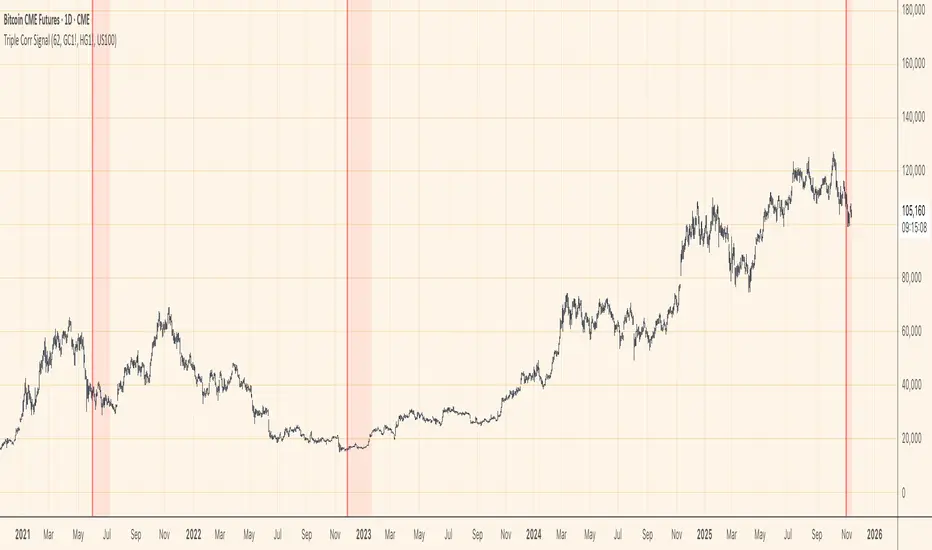
Rolling Correlation vs Another Symbol (SPY Default)This indicator visualizes the rolling correlation between the current chart symbol and another selected asset, helping traders understand how closely the two move together over time.
It calculates the Pearson correlation coefficient over a user-defined period (default 22 bars) and plots it as a color-coded line:
• Green line → positive correlation (move in the same direction)
• Red line → negative correlation (move in opposite directions)
• A gray dashed line marks the zero level (no correlation).
The background highlights periods of strong relationship:
• Light green when correlation > +0.7 (strong positive)
• Light red when correlation < –0.7 (strong negative)
Use this tool to quickly spot diversification opportunities, confirm hedges, or understand how assets interact during different market regimes.
