3 HULLs & ICHIMOKU divided by PRICEBasically just another form of moving average, for quick swings, built for testing/use with API cryptobots, simple switch from buy to sell.
Hull MA(2 candles back) times 3 plus Ichimoku divided by price(1 candle back) = value1
Hull MA(3 candles back) times 3 plus Ichimoku divided by price(1 candle back) = value2
if value1>value2 then buy else sell
calculates price from 1 candle back, and calculates signal from 2nd and 3rd candle prices, so no repainting? so best on low timeframes.
for when use in bot, would not need 1 candle lag. Lag is for TV chartists to not have to suffer repainting.
Bots do not repaint. they are not "painting" anything, they simply open or close orders, which cannot be "repainted"
but here on TV chart, when you refresh the browser page, the script recalculates, and signals may be repainted.
hopefully this will not repaint. please test. thankyou
Search in scripts for "bot"

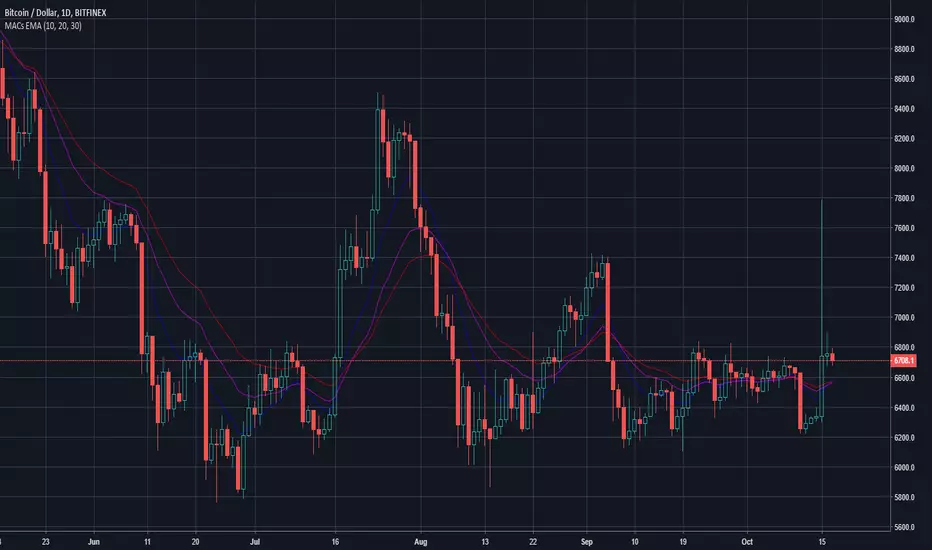
MACs EasyMoney - LongTermSignalsIntroducing " MACs EasyMoney - LongTermSignals " Indicator. Specially designed for weekly and 1 Month duration charts . Picks the calls perfectly :)
Latest other updates:
BOT Trading Integration is completed for the following indicators,
1) MACs EasyMoney - Swing Trade Signals
2) MACs EasyMoney - Scalp Trade Signals
Strategy Test Report for the BOT script shows the following results,
* Profitable Percent = 99.42%
* Profitable Factor = 93.76
Thanks,
Mac.
Pharoceus PT-V2 CryptoScalper RSI+BB+SRSI+Stochastic IndicatorThis is the updated Version of the ProfitTrailerV2 RSI+BB+StochRSI+Stochastic Oscillator Signal+Alerts
Description
This is an all-in-one indicator with alerts that most people call signals and it's designed for Cryptocurrency leverage trading. This indicator features, the most popularly used indicators in technical analysis and are the basic technical analysis indicators any successful trader should master before going into more advance technical analysis tools. The Pharoceus ProfitTrailerV2 CryptoScalper RSI+BB+SRSI+Stochastic Oscillator Signal+Alerts features the Bollinger Bands, Relative Strength Index, Stochastic RSI and Stochastic Oscillator, and it was designed for use with Pharoceus ProfitTrailerV2 CryptoScalper and can also be used with all other trading bots or on its own as a powerful market leveraging and trading indicator using alerts.
The ProfitTrailerV2 RSI+BB+SRSI+Stochastic Oscillator Signal+Alerts can be customized to any trader specific trading patterns and offers the ability to choose a combination of indicators from the featured ones to use. With the Buy and Sell Signal feature, trading on any cryptocurrency exchange can be automated and with the alerts feature, the Pharoceus ProfitTrailerV2 CryptoScalper RSI+BB+SRSI+Stochastic Oscillator Signal+Alerts will automated buying and selling signals for any crypto trading bot but I'll always recommend using for making buys only when using with any bot. This indicator/script can be used with any base pair; BTC, ETH, and USD or USDT.
As mentioned above, all four indicators can be combined to find a very safe and secure buy and profitable sell signals, which maximizes your profit margins and overall earnings over time. Also, 2 or 3 could be combined as well, depending on the traders knowledge on how to use each indicator independently to find its best settings. My recommendation would be to test all independently and or together with very little capital to find what works best for you. I recommend this because the cryptocurrency market in a very volatile market and unpredictable, some combination of indicators would work for some certain coin pairs and not all, while others would work better with a different setting and a particular coin pair.
As with all script use at your own risk and only trade what you can afford to lose, while this indicator isn't designed to lose you money and I will not be held liable for any losses due to misuse. I am also not a financial advisor and the ProfitTrailerV2 RSI+BB+SRSI+Stochastic Oscillator Signal+Alerts will be made available soon as it's still undergoing rigorous testing and it's in no way and manner affiliated with any group of individuals or bot.
Trade Smart and with only what you can afford. Donations are also welcome to encourage my work, This is a totally free to use script to help traders, small time or big time that works towards making the indicator sharing world accessible to all who will not definitely be ripped-off and support a community of sharing.
discord.gg
BTC: 199qMzu4gvr3bUXWEpLG5uS6TEKKvw5pbe
ETH: 0xf8339952a224a228f2f8c58a5666a8ffleddebfb
BCH: qqmmds8u3f8m6ek387jtefg07525dvaxzqrshd86gz

Ichimoku Cloud Strategy for CryptoVersion 1.0
This strategy uses the Ichimoku Cloud indicators and is based on a bot i developed. The bot has more entry/exit rules which will hopefully be added in the near future.
Still a profitable strategy even in it's simplest form.
Do not run this strategy on a timeframe < 1h, best timeframe will be 4h
Happy Trading!!
If you find this strategy useful, please consider a donation to:
BTC: 1PGuWcQwb4WZyFYX4ehyqcJWcbX42jW7Y6
ETH: 0x912aD30Ff9A49c69D51ECeE5A65A7E7d5321ED0C

ProfitTrailerV2 RSI+BB+SRSI+Stochastic Oscillator Signal+AlertsThis is an all-in-one indicator with alerts that most people call signals and it's designed for Cryptocurrency leverage trading. This indicator features, the most popularly used indicators in technical analysis and are the basic technical analysis indicators any successful trader should master before going into more advanced technical analysis tool. The ProfitTrailerV2 RSI+BB+SRSI+Stochastic Oscillator Signal+Alerts features the Bollinger Bands, Relative Strength Index, Stochastic RSI and Stochastic Oscillator, and it was designed for use with ProfitTrailer V2 and can also be used with all other trading bots or on its own as a powerful market leveraging and trading indicator using alerts.
The ProfitTrailerV2 RSI+BB+SRSI+Stochastic Oscillator Signal+Alerts can be customized to any trader specific trading patterns and offers the ability to choose a combination of indicators from the featured ones to use. With the Buy and Sell Signal feature, trading on any cryptocurrency exchange can be automated and with the alerts feature, the ProfitTrailerV2 RSI+BB+SRSI+Stochastic Oscillator Signal+Alerts will automated buying and selling signals for any crypto trading bot but I'll always recommend using for making buys only when using with any bot. This indicator/script can be used with any base pair; BTC, ETH, and USD or USDT.
As mentioned above, all four indicators can be combined to find a very safe and secure buy and profitable sell signals, which maximizes your profit margins and overall earnings over time. Also, 2 or 3 could be combined as well, depending on the traders knowledge on how to use each indicator independently to find its best settings. My recommendation would be to test all independently and or together with very little capital to find what works best for you. I recommend this because the cryptocurrency market in a very volatile market and unpredictable, some combination of indicators would work for some certain coin pairs and not all, while others would work better with a different setting and a particular coin pair.
As with all script use at your own risk and only trade what you can afford to lose, while this indicator isn't designed to lose you money and I will not be held liable for any losses due to misuse. I am also not a financial advisor and the ProfitTrailerV2 RSI+BB+SRSI+Stochastic Oscillator Signal+Alerts will be made available soon as it's still undergoing rigorous testing.

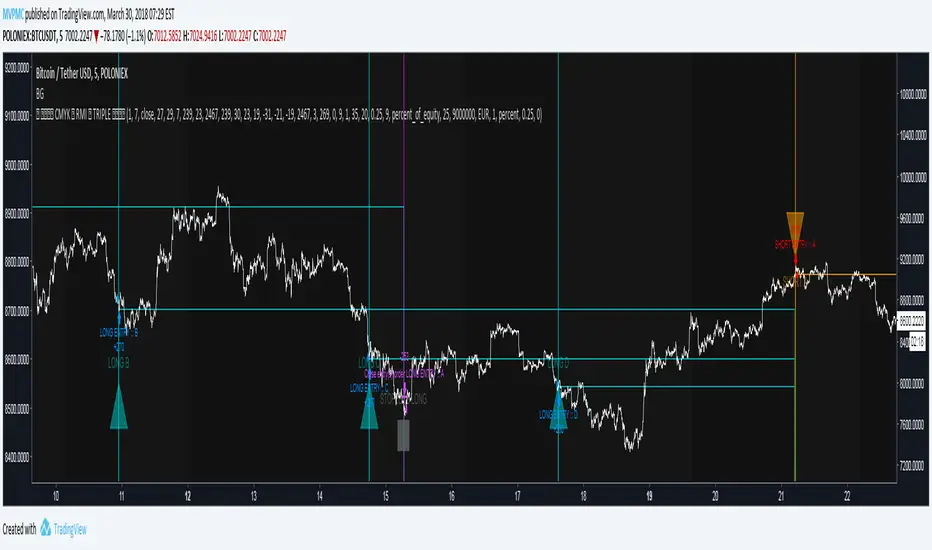
CMYK RMI TRIPLE Automated strategy▼ This is the strategy version of the script.
◊ Introduction
This script makes use of three RMI 's, that indicate Overbought/Oversold on different timescales that correspond with Frequency’s that move the market.
◊ Origin
The Relative Momentum Index was developed by Roger Altman and was introduced in his article in the February, 1993 issue of Technical Analysis of Stocks & Commodities magazine.
While RSI counts up and down ticks from close to close, the Relative Momentum Index counts up and down ticks from the close relative to a close x number of days ago.
This results in an RSI that is smoother, and has another setting for fine tuning results.
This bot originated out of Project XIAM , an investigative script that outlined my approach towards Automated Trading Strategies.
Are you interested in writing bots yourself ? check out the beta version of this script.
It has many bugs, but also most of the Skeleton.
◊ Usage
This script is intended for Automated Trading with AUTOVIEW or TVAUTOTRADER , on the 1 minute chart.
◊ Features Summary
Overlay Mode
Indicator Mode
Three RMI's
Trend adjustment
Pyramiding
Ignore first entries
Take Profit
Stop Loss
Interval between Entries
Multiring Fix
Alert signal Seperation
◊ Community
Wanna try this script out ? need help resolving a problem ?
CMYK :: discord.gg
AUTOVIEW :: discordapp.com
TRADINGVIEW UNOFFICIAL :: discord.gg
◊ Setting up Autoview Alerts
Use the study version of this script, To set up The Alerts Autoview Picks up on.
The Signals to work with are :
Open 1 Long
Use this to open one Long Position.
With quantity being : /
Once per bar
Being larger than 0
Comment example : e=exchange b=long q=amount t=market
Open 1 Short
Use this to open one Short Position.
With quantity being : /
Once per bar
Being larger than 0
Comment example : e=exchange b=short q=amount t=market
Close1 Position
Use this to Close The amount of one Open Position.
With quantity* being : /
Once per bar
Being larger than 0
Comment example : e=exchange c=position q=amount t=market
*Beware when using a percental % quantity, instead of an absolute quantity.
Percental Quantities are based on the , Not
And will change in absolute value relative to the amount of open trades.
Close All positions
Use this to Close All Open Positions.
With quantity being :
Once per bar
Being larger than 0
Comment example : e=exchange c=position t=market
For the specific Syntax used in the comment of the alert, visit Autoview .
◊ Setting up TVAutotrader
Use the strategy version of this script, And load it into TVAT .
◊ Backtesting
Use the strategy version of this script for backtesting.
◊ Contact
Wanna try this script out ? need help resolving a problem ?
CMYK :: discord.gg
PT Magic Triggers So its me again. I have decided to create Trend Trigger Script for PT Magic addon for a trading bot Profit Trailer. If you do not own this bot and Addon the following explanation will not help you.
For each Trend you define number of minutes and it then calculates the percentage change between the close price now and X candles before.
Same calculation is for all 6 Triggers i beleive that is all you need :)
Hope it helps you all.
LTC: LYHj4WDN7BPu5294cSpqK3SgWSWdDX56Qt
BTC: 1NPVzeDSsenaCS9QdPro877hkMk93nRLcD

MACD, backtest 2015+ only, cut in half and doubledThis is only a slight modification to the existing "MACD Strategy" strategy plugin!
found the default MACD strategy to be lacking, although impressive for its simplicity. I added "year>2014" to the IF buy/sell conditions so it will only backtest from 2015 and beyond ** .
I also had a problem with the standard MACD trading late, per se. To that end I modified the inputs for fast/slow/signal to double. Example: my defaults are 10, 21, 10 so I put 20, 42, 20 in. This has the effect of making a 30min interval the same as 1 hour at 10,21,10. So if you want to backtest at 4hr, you would set your time interval to 2hr on the main chart. This is a handy way to make shorter time periods more useful even regardless of strategy/testing, since you can view 15min with alot less noise but a better response.
Used on BTCCNY OKcoin, with the chart set at 45 min (so really 90min in the strategy) this gave me a percent profitable of 42% and a profit factor of 1.998 on 189 trades.
Personally, I like to set the length/signals to 30,63,30. Meaning you need to triple the time, it allows for much better use of shorter time periods and the backtests are remarkably profitable. (i.e. 15min chart view = 45min on script, 30min= 1.5hr on script)
** If you want more specific time periods you need to try plugging in different bar values: replace "year" with "n" and "2014" with "5500". The bars are based on unix time I believe so you will need to play around with the number for n, with n being the numbers of bars.

Mine Shaft + Drift + Ore Pocket Detector (Gap+Touch)Mine Shaft + Drift + Ore Pocket Detector (Gap+Touch) — Full Description (v1.6.1, Pine v6)
*Experimental - *Test Phase*
1) What this indicator is intended to do
This indicator attempts to algorithmically discover “mine shaft” price structure on a chart by:
Collecting structural anchor points (gaps and optionally pivots),
Generating candidate trend “rails” (centerline + parallel upper/lower borders) from pairs of anchors,
Fitting an optimal channel width around each candidate centerline,
Scoring candidates based on how well price action conforms to the channel (touches + containment),
Selecting and rendering:
the main shaft channel (primary),
additional drifts (secondary shafts per direction),
And then detecting Ore Pockets: time locations where multiple selected lines intersect (time confluence / intersection clustering).
The conceptual model is:
A shaft = a best-fit channel that price respects over time (the “main tunnel”).
Drifts = alternate channels close in quality to the main shaft (secondary tunnels).
Ore pockets = future/past time coordinates where multiple channels’ centerlines intersect densely (confluence in time, not necessarily in price).
2) What it is doing right now (current behavior)
In its current form, the script does a bounded, performance-limited scan:
It stores a limited number of anchor points in arrays.
It only considers a bounded number of recent anchors per direction.
It constructs candidate lines from anchor pairs and evaluates channel fitness using sampled bars.
On the last bar, it selects top candidates per direction and draws:
a “main” channel per mode (single best overall, or separate up/down),
plus optional drift channels,
plus ore pocket markers.
It is producing meaningful channels and drifts, but it is currently more likely to lock onto a strong “local” shaft than the one macro shaft spanning the entire market structure.
3) Core mechanics (how the script finds shafts)
3.1 Anchor generation (what points it uses)
Anchors are the “support points” used to build candidate shaft centerlines.
Two anchor families are supported:
A) Gap anchors (from your selected gap mode)
These attempt to capture “displacement events” and their boundaries/mids.
B) Pivot anchors (optional structural anchors)
These use pivots to inject macro structure points that are not strictly gap-based.
All anchors are stored as:
anchorX: bar_index of anchor
anchorY: price of anchor
anchorD: direction flag (+1 for up, -1 for down)
Anchors are capped by maxAnchors with FIFO trimming.
3.2 Candidate generation (how it produces centerlines)
For each direction (+1 and -1):
Collect “recent” anchors of that direction within lookbackBars (bounded to maxDirAnchors).
For each pair of anchors (x1,y1) and (x2,y2) that satisfy:
spacing within ,
slope sign consistent with direction,
Construct the line equation:
slope m and intercept b
Fit a channel width w around that line (via width mode).
Score it (touches + inside count minus width penalty).
Keep the top K rails (K = driftCount+1 typically).
3.3 Scoring model (what “best” means right now)
For a candidate centerline:
At sampled bars (stride sampling), compute:
channel top = y(x) + w
channel bot = y(x) - w
Evaluate:
Inside: candle range fits within the channel ± tolerance
Touches: high near top border, low near bottom border (within tolerance)
Score formula:
score = insideCount * insideWeight
+ touchCount * touchWeight
- (w / ATR) * widthPenalty
So:
Higher inside and touch counts increase score
Wider channels are penalized (in ATR units) to avoid “cheating” via enormous width
3.4 Width fitting (how the channel thickness is chosen)
Width is either:
Fit (scan widths): scans widths between a min width and a max deviation cap and selects the best scoring width.
Fixed ATR Envelope: uses a fixed width derived from ATR (currently hard-coded to a 2.0 ATR envelope in your present draft).
Fixed Max Deviation: width is max observed deviation from line in sampled window.
This matters because “macro shaft” detection is strongly influenced by whether the width-fitting is allowed to expand enough to contain large historical moves, without being penalized into losing to a smaller local shaft.
3.5 Rendering (what gets drawn)
For any selected rail, it draws:
Upper border line (top rail)
Lower border line (bottom rail)
Optional centerline (main only)
Optional fill between borders (main only)
Label at current bar with touches and inside count
Drifts render similarly but without main-only features (depending on flags).
3.6 Ore Pocket detection (time confluence)
Ore pockets are not “price zones” directly.
They are computed as follows:
Collect selected centerlines (m,b) for:
the main selected shaft(s),
and all drift centerlines (both directions if present)
For each pair of selected lines, compute intersection x-coordinate:
x* = (b2 - b1) / (m1 - m2)
Only keep intersections within:
Cluster intersections by time proximity (clusterBars)
Mark the strongest clusters (highest counts) as “Ore Pocket” vertical dotted lines with labels.
Interpretation:
A dense cluster indicates many selected rails converge around a similar time coordinate.
It is a “time confluence” hypothesis point.
4) Full settings reference (what each setting is for)
01) Gap Anchors
Gap Mode
FVG (3-candle)
Uses a classic 3-candle fair value gap pattern:
Up gap if low > high
Down gap if high < low
Anchors are derived from the gap boundaries.
Candle Gap (open-close)
Gap based on open vs close of the same bar with a tick threshold.
Candle Gap (open-prev close)
Gap based on open vs close with a tick threshold.
Gap Threshold (ticks)
Only used for the candle gap modes.
Controls the minimum gap size required to register an anchor.
Anchor Price
Boundary: anchors at one gap boundary (more “structural edge”)
Mid: anchors at midpoint of the gap (more “center of displacement”)
Include Pivot Anchors (structure)
When enabled, adds pivots as additional anchors to stabilize macro detection.
Pivot Length
Pivot sensitivity (how many bars left/right define a pivot).
Larger values = fewer, more structural pivots.
02) Channel Fit + Touch Scoring
Lookback Bars
The historical window used to:
filter which anchors are considered “recent enough”
evaluate channel fitness (sampled evaluation)
Larger lookback tends to favor macro shafts, but also increases computational risk (mitigated by evalBars and stride).
ATR Length
ATR period used for tolerance and width penalty scaling.
Tolerance (ATR mult)
Defines how close price must be to a rail to count as “touch” and how strict the “inside channel” containment is.
Higher tolerance = easier to score high on touch/inside.
Min Border Touches (keep rail)
Minimum number of border touches required before a candidate is even eligible.
Score: Inside Weight
Weight of inside count in score.
Score: Border Touch Weight
Weight of border touches in score.
This is a strong driver of “shaft-like” behavior.
Score: Width Penalty (in ATRs)
Penalizes wide channels relative to ATR.
Higher penalty biases toward narrow/local shafts.
03) Performance Controls
Max Stored Anchors (global)
Maximum anchor points kept in memory arrays.
Too low can cause loss of macro structure; too high increases candidate noise.
Max Anchors / Direction (scan)
Hard cap on how many anchors are used in candidate generation per direction.
Critical: this strongly influences whether macro shaft can be found, because if you only keep the most recent anchors, you lose the early-structure anchor points.
Eval Bars (max)
Maximum historical bars actually evaluated for scoring.
Even if lookbackBars is large, evaluation is capped here.
Eval Stride (sample every N bars)
Sampling step for evaluation.
Larger stride = faster but less accurate scoring.
04) Candidate Generation
Min Anchor Spacing (bars)
Minimum distance between the two anchors used to define a candidate line.
Prevents micro-noise lines from being evaluated.
Max Anchor Spacing (bars)
Maximum distance between the two anchors used to define a candidate line.
If this is too low, you cannot generate truly macro candidate lines.
05) Shaft + Drift Display
Main Shaft Mode
Best Overall (Single Shaft): chooses one best rail among Up/Down and draws it as main.
Up Only: show only the best upward rail.
Down Only: show only the best downward rail.
Up + Down: show both main up rail and main down rail simultaneously.
Show Ascending Shaft
Toggles rendering for the “up” main shaft (when mode allows it).
Show Descending Shaft
Toggles rendering for the “down” main shaft (when mode allows it).
Drifts per Direction
Number of additional top-ranked rails to draw per direction (after the best one).
Extend Lines
Right: extend lines to the right only.
Both: extend both left and right.
Fill Main Shaft Channel
Fill between upper and lower borders for main shaft.
Main Shaft Fill Transparency
Transparency level for main fill.
Show Main Shaft Centerline
Draw the dashed centerline for the main shaft.
06) Ore Pocket (Intersection-Time Confluence)
Show Ore Pockets (Time Confluence)
Enables ore pocket discovery and rendering.
Intersection Window Forward (bars)
How far into the future intersections are considered.
Intersection Window Backward (bars)
How far into the past intersections are considered.
Cluster Radius (bars)
How close in time intersections must be to merge into a cluster.
Min Intersections per Cluster
Minimum cluster count required before a pocket is shown.
Max Pocket Markers
Limit how many pocket clusters are drawn.
07) Visual Controls
Show Gap Anchors
Displays the gap anchor dots for debugging.
Show Pivot Anchors
Displays pivot anchor dots for debugging.
5) How to use it (practical workflow)
Step A — Confirm anchor behavior
Turn on Show Gap Anchors.
Choose your Gap Mode.
Verify you are seeing anchors where you expect (displacement boundaries).
If anchors are sparse:
Reduce gap threshold (ticks) for candle-gap modes
Enable pivots to inject structure
Increase lookbackBars and maxAnchors so early anchors are not dropped
Step B — Get stable main shaft candidate discovery
Enable Include Pivot Anchors with a medium pivotLen.
Use Fit (scan widths) initially.
Increase Max Anchors / Direction (scan) so you’re not only using recent anchors.
Increase Max Anchor Spacing so macro pairs are eligible.
If you keep getting only local shafts:
That is usually because the candidate pool does not include enough old anchors, or the maxSpacing prevents long-span lines.
Step C — Tune scoring so the “whole-structure” shaft wins
If the script picks a small local channel instead of the macro channel:
Increase insideWeight relative to touchWeight (macro channels tend to contain longer structure even with fewer perfect “touches”)
Reduce widthPenalty, because macro channels may need to be wider to accommodate historical volatility
Increase lookbackBars and evalBars to make “whole-structure fit” matter
Step D — Drifts as secondary shafts
Once main shaft is good:
Increase Drifts per Direction
Validate that drifts represent meaningful alternate sub-shafts rather than noisy duplicates.
If drifts look too similar:
This is expected if many candidates differ only slightly; future refinements should diversify drift selection (see “what still needs done”).
Step E — Ore pockets interpretation
Ore pockets indicate time confluence of multiple rails.
Use them as:
“Time windows to watch”
Not as deterministic price levels
Tune:
clusterBars (cluster tightness)
minClusterSize (signal strength)
6) What still needs done (explicit backlog)
The macro “main mining shaft channel” spanning the entire market structure, and
Smaller shafts/drifts nested inside the macro structure.
To accomplish that, the current algorithm needs additional architecture. Concretely:
A) True multi-scale / hierarchical discovery (primary missing feature)
Right now: one pass, one lookback, one score objective.
Still Needed:
Macro pass: discover a primary shaft using a very long evaluation window and anchor set.
Micro pass(es): discover drifts/secondary shafts using:
residuals (distance from macro centerline),
or segmented time windows (regime partitions),
or anchor subsets constrained to local regions.
This is the single biggest reason we are not consistently getting the full-structure shaft.
B) Anchor retention strategy for macro detection
Right now:
anchors are FIFO capped and direction scanning uses “recent anchors only.”
To reliably find 10-year shafts we need:
an option to store/retain representative anchors across the entire history, not only the most recent ones.
Examples of necessary improvements:
“Stratified anchor sampling” across time (keep some old anchors even when maxAnchors is hit)
“Macro anchor bank” (separate storage for pivots or major gaps)
C) Candidate generation constraints must support macro lines
If we want a shaft spanning the whole structure:
maxSpacing must allow it
the candidate pool must contain anchors far apart in time
So the algorithm needs:
better selection of anchor pairs for long-span candidates (e.g., include earliest/oldest anchors + newest anchors deliberately, not accidentally)
D) Drift diversification
Right now drifts are “next best by score,” which often yields near-duplicates.
We want:
“diverse” secondary shafts:
enforce minimum angular difference,
enforce minimum offset difference,
or penalize candidates too similar to the already-selected shaft.
E) Width fitting logic for macro channels
Macro channels often require:
either a higher width cap,
or a different penalty profile.
Current width penalty is simple and can bias against macro channels.
Needed:
width penalty that scales by timescale or by total evaluated bars,
or separate macro/micro scoring.
F) Ore pocket semantics enhancement (optional but aligned)
Currently pockets are time intersections only.
If you want “pocket zones,” improvements could include:
projecting intersection price and drawing a zone box,
clustering in (time, price) space instead of only time,
adding “importance” weighting based on which lines intersect (macro line intersections weighted higher).
7) Known limitations (current version)
Heavy compute only runs on last bar (good for performance), but means:
changes in anchors/parameters can reselect rails abruptly
Candidate set is bounded; macro shaft can be missed if not in pool
Drift selection can be redundant
Ore pockets are time clusters, not price clusters

1-Min Gold Taylor Technique# 🟡 1-Minute Gold Taylor Trading Technique - Professional Strategy
## 📊 OVERVIEW
The **1-Minute Gold Taylor Trading Technique** is a sophisticated intraday scalping strategy specifically designed for XAUUSD (Gold) on the 1-minute timeframe. This strategy implements George Douglas Taylor's classic 3-Day Trading Cycle adapted for modern algorithmic trading with precise entry and exit rules.
**Best For:** Gold traders, scalpers, and intraday momentum traders
**Timeframe:** 1-minute (optimal), can work on 3-5 minute
**Instrument:** XAUUSD, GC futures
**Trading Sessions:** London and New York sessions (GMT-based)
---
## 🎯 STRATEGY CONCEPT
### Taylor's 3-Day Cycle (Modernized)
This strategy identifies and trades three distinct market phases:
1. **Accumulation Day** - Range-bound consolidation where smart money accumulates positions
2. **Manipulation Day** - Liquidity sweeps and stop-hunts creating high-probability reversal setups
3. **Distribution Day** - Trending continuation where positions are distributed
The strategy automatically detects these phases through price action and provides clear entry signals during the highest-probability setups.
---
## 🔧 KEY FEATURES
### ✅ Automated Session Tracking
- **Asian Session** (00:00-05:00 GMT) - Range identification only, no trades
- **London Session** (06:00-13:00 GMT) - Primary trading window for manipulation setups
- **NY Session** (13:00-17:00 GMT) - Continuation and distribution trades
### ✅ Liquidity Sweep Detection
- Identifies sweeps of Asian High/Low
- Detects Previous Day High/Low violations
- Configurable sweep buffer to filter noise
- Visual confirmation on chart
### ✅ Multi-Indicator Confirmation
- **VWAP** - Session-based volume-weighted average price
- **20 EMA** - Dynamic support/resistance confirmation
- **SuperTrend** - Trend direction and reversal signals (dot indicators)
- **ATR-based** - Adaptive to volatility
### ✅ Professional Risk Management
- 3-tier profit taking system (33% / 33% / 34% position splits)
- Configurable Risk:Reward ratio (default 1:3)
- Adaptive stop-loss based on volatility
- Automatic end-of-day position closure
- No pyramiding (one position at a time)
### ✅ Visual Trading Environment
- **Asian Range Box** - Yellow box showing consolidation zone
- **Session Backgrounds** - Color-coded trading sessions
- **Previous Day Levels** - High/Low reference lines
- **Entry Signals** - Clear green (long) and red (short) markers
- **SuperTrend Dots** - Visual trend confirmation
---
## 📈 ENTRY RULES
### 🟢 LONG ENTRY (All Conditions Required)
1. **Liquidity Sweep** - Price sweeps below Asian Low OR Previous Day Low
2. **Rejection** - Candle forms lower wick and closes back above the level
3. **Trend Confirmation** - SuperTrend flips bullish (green dot appears below price)
4. **VWAP/EMA Reclaim** - Price closes above VWAP or 20 EMA
5. **Session Timing** - Must be during London or NY session
6. **Automated Signal** - Green triangle appears below candle
### 🔴 SHORT ENTRY (Mirror Logic)
1. **Liquidity Sweep** - Price sweeps above Asian High OR Previous Day High
2. **Rejection** - Candle forms upper wick and closes back below the level
3. **Trend Confirmation** - SuperTrend flips bearish (red dot appears above price)
4. **VWAP/EMA Reject** - Price closes below VWAP or 20 EMA
5. **Session Timing** - Must be during London or NY session
6. **Automated Signal** - Red triangle appears above candle
---
## 💰 EXIT STRATEGY
### 3-Tier Profit System
**TP1 (33% of position):**
- Target: 1:1 Risk:Reward
- Typically at VWAP or Asian range midpoint
- Secures base profit
**TP2 (33% of position):**
- Target: 1:2 Risk:Reward
- Typically at Asian range opposite boundary
- Locks in substantial gain
**TP3 (34% of position - Runner):**
- Target: 1:3 Risk:Reward (default)
- Typically at Previous Day High/Low or beyond
- Maximizes winners
### Stop Loss
- Fixed points below/above entry (default: 6 points)
- Can be adjusted based on ATR for volatility adaptation
- Tight enough for 1-minute scalping, wide enough to avoid noise
### End-of-Day Close
- All positions automatically closed at 17:00 GMT
- No overnight risk
- Clean slate for next trading day
---
## ⚙️ CUSTOMIZABLE PARAMETERS
### Risk Management
- **Risk:Reward Ratio** (1.0 - 10.0) - Default: 3.0
- **Stop Loss Points** (1.0 - 20.0) - Default: 6.0
- **Trailing Stop** - Optional for trend days
### Session Times (Adjustable for Your Timezone)
- Asian Start/End
- London Start
- NY Start/End
- Fully customizable to match your broker's daily close
### Indicators
- **ATR Length** - Default: 14
- **ATR Multiplier** - Default: 2.0 (SuperTrend sensitivity)
- **EMA Length** - Default: 20
- **Sweep Buffer** - Default: 2.0 points (filters false sweeps)
### Visuals (Toggle On/Off)
- Asian Range Box
- VWAP Line
- 20 EMA Line
- Previous Day Levels
- Session Background Colors
---
## 📊 PERFORMANCE EXPECTATIONS
### Realistic Statistics
- **Win Rate:** 40-60% (varies by market condition)
- **Average R:R:** 1:2.5 to 1:3.5 (with partial profits)
- **Trades Per Day:** 1-4 high-quality setups
- **Best Performance:** During manipulation days (sweeps + reversals)
### Ideal Market Conditions
✅ Medium to high volatility (ATR > 1.0)
✅ Clear trending sessions
✅ Strong liquidity sweeps
✅ Clean support/resistance at Asian range
### Challenging Conditions
⚠️ Very low volatility (ATR < 0.5)
⚠️ Major news events (NFP, FOMC)
⚠️ Extreme ranging days with no sweeps
⚠️ Asian session overlap confusion
---
## 🎓 HOW TO USE
### Setup
1. Add strategy to **1-minute XAUUSD chart**
2. Adjust session times to match your timezone/broker
3. Start with default settings
4. Enable alerts for entry signals
### Trading Workflow
1. **Pre-Market:** Identify Asian range when it forms
2. **London Open:** Watch for sweeps of Asian high/low
3. **Wait for Signal:** All 4-5 conditions must align (automatic)
4. **Enter on Signal:** Green/red triangle appears
5. **Let Strategy Manage:** Automatic TP1, TP2, TP3 exits
6. **Review Daily:** Journal which day type occurred
### Optimization
- Backtest on 3+ months of data
- Adjust stop loss based on recent ATR
- Fine-tune sweep buffer for your trading style
- Test different R:R ratios for your risk tolerance
---
## 🚨 ALERTS INCLUDED
The strategy includes 4 alert types:
1. **Long Entry Signal** - All conditions met for buy
2. **Short Entry Signal** - All conditions met for sell
3. **Bullish Sweep Detected** - Asian/PDL swept, prepare for long
4. **Bearish Sweep Detected** - Asian/PDH swept, prepare for short
Set up alerts to receive notifications via:
- TradingView mobile app
- Email
- SMS (via webhook)
- Discord/Telegram (via webhook)
---
## ⚡ UNIQUE ADVANTAGES
### Why This Strategy Stands Out
1. **Session-Aware Logic** - Trades only during optimal liquidity windows
2. **Institutional Approach** - Based on liquidity sweeps and order flow concepts
3. **Risk-Conscious** - 3-tier exits ensure you capture profits while letting winners run
4. **Clean Visuals** - Everything you need on the chart, nothing you don't
5. **No Repainting** - All calculations are based on closed candles
6. **Fully Automated** - Once configured, strategy handles entries and exits
### Gold-Specific Optimizations
- Designed specifically for Gold's unique volatility patterns
- Session times optimized for XAUUSD trading hours
- Stop loss and targets calibrated for typical Gold 1-min movements
- Sweep detection tuned to Gold's tendency for liquidity grabs
---
## 📖 STRATEGY LOGIC (For Developers)
### Technical Implementation
- **Language:** Pine Script v6
- **Type:** Strategy (not just indicator)
- **Calculation:** On bar close (no repainting)
- **Lookback:** Minimal (efficient on 1-minute data)
### Key Components
```
1. Session Detection → Hour-based GMT logic
2. Asian Range → var float tracking daily high/low
3. Sweep Detection → Price breach + reversal confirmation
4. SuperTrend → ATR-based trend filter
5. Entry Logic → Boolean combination of all conditions
6. Exit Management → strategy.exit() with multiple targets
```
---
## ⚠️ IMPORTANT DISCLAIMERS
### Risk Warning
- This strategy is for **educational purposes**
- **Past performance does not guarantee future results**
- Trading Gold on 1-minute timeframe is **high risk**
- Always use proper risk management (1-2% per trade max)
- Test thoroughly on **paper trading** before live implementation
### Recommended Prerequisites
- Understanding of support/resistance
- Familiarity with session-based trading
- Knowledge of liquidity concepts
- Experience with 1-minute scalping
- Proper broker with tight spreads on Gold
### Not Recommended For
- Complete beginners to trading
- Accounts under $1,000
- Traders unable to monitor during London/NY sessions
- High-spread brokers
- Emotional/impulsive traders
---
## 🔄 VERSION HISTORY
**v1.0** (Current)
- Initial release
- Core Taylor 3-Day Cycle implementation
- Asian range tracking
- Liquidity sweep detection
- 3-tier exit system
- Full visual suite
- Alert integration
---
## 💡 TIPS FOR SUCCESS
### Best Practices
1. **Trade the manipulation days** - Highest win rate on sweep-and-reverse setups
2. **Respect the session times** - Don't force trades outside London/NY
3. **Journal your trades** - Note which day type (Accumulation/Manipulation/Distribution)
4. **Scale position size** - Bigger on high-conviction setups
5. **Monitor ATR** - Adjust stop loss on volatile days
### Common Mistakes to Avoid
❌ Trading during Asian session
❌ Entering without all 5 conditions met
❌ Moving stops closer "to protect profit"
❌ Removing the partial profit system
❌ Over-trading on range days
❌ Ignoring the session backgrounds
---
## 📞 SUPPORT & FEEDBACK
### How to Provide Feedback
- Use TradingView's comment section below
- Report bugs with chart screenshots
- Share your optimization results
- Suggest improvements
### Future Updates May Include
- Multi-timeframe confirmation option
- Volume profile integration
- Machine learning day-type classifier
- Advanced trailing stop algorithms
- Telegram bot integration
---
## 🏆 CONCLUSION
The **1-Minute Gold Taylor Trading Technique** brings together classical market theory and modern algorithmic execution. By focusing on institutional liquidity sweeps during optimal trading sessions, this strategy provides a systematic approach to Gold scalping.
**Remember:** Consistency comes from following the rules, not from finding "perfect" entries. Let the strategy do the work.
---
## 📚 RECOMMENDED READING
To deepen your understanding:
- George Douglas Taylor - "The Taylor Trading Technique"
- Mark Fisher - "The Logical Trader"
- Al Brooks - "Trading Price Action Trends"
- ICT Concepts - Liquidity and Order Flow
---
## 🎯 QUICK START CHECKLIST
Before going live:
- ☐ Backtested on 3+ months
- ☐ Paper traded for 2+ weeks
- ☐ Session times match broker
- ☐ Stop loss appropriate for account size
- ☐ Alerts configured
- ☐ Trading journal ready
- ☐ Risk per trade ≤ 2%
- ☐ Understand all entry conditions
- ☐ Know how to disable during news
---
**Strategy Type:** Scalping, Mean Reversion, Liquidity Trading
**Complexity:** Intermediate to Advanced
**Maintenance:** Low (once configured)
**Recommended Chart:** 1-minute XAUUSD
**Optimal Spread:** < 0.3 points
---
## 📈 KEYWORDS
Gold Trading, XAUUSD Strategy, Taylor Trading Technique, 1-Minute Scalping, Liquidity Sweep, Session Trading, Intraday Strategy, Gold Scalping, Smart Money Concepts, Institutional Trading, Asian Range, VWAP Trading, Risk Management, Automated Trading
---
**Developed with:** Pine Script v6
**Compatible with:** TradingView Pro, Pro+, Premium
**License:** Open Source (modify as needed)
---
*Happy Trading! May your sweeps be clean and your reversals be profitable.* 🟡📈
---
### 🔗 SUPPORT THIS WORK
If you find this strategy helpful:
- ⭐ Leave a review
- 💬 Share your results in comments
- 🔄 Share with fellow Gold traders
- 📊 Post your optimized settings
Your feedback helps improve future versions!

Deep Early Pullback ScannerIdentifies high-probability early entry setups in trending stocks. It high lights small-bodied red pullback candles within an uptrend, signaling potential continuation moves before conventional UT Bot buy signal triggers

EMA 9 & 26 Crossover by SN TraderEMA 9 & 26 Crossover by SN Trader – Clean Trend Signal Indicator |
The EMA 9 & 26 Cross (+ Marker) indicator is a lightweight and effective trend-direction and momentum-shift tool that visually marks EMA crossover events using simple “+” symbols placed directly above or below price candles.
This indicator is ideal for scalping, intraday trading, and swing trading across Forex, Crypto, Stocks, Indices, and Commodities.
🔹 Indicator Logic
EMA 9 (Green) → Fast momentum
EMA 26 (Red) → Trend direction
🟢 Green “+” (Below Candle)
Appears when EMA 9 crosses ABOVE EMA 26
Indicates bullish momentum or trend continuation
🔴 Red “+” (Above Candle)
Appears when EMA 26 crosses ABOVE EMA 9
Indicates bearish momentum or potential trend reversal
📈 How to Use
✔ Look for Green “+” for bullish bias
✔ Look for Red “+” for bearish bias
✔ Trade in the direction of higher-timeframe trend
✔ Combine with RSI, UT Bot, VWAP, MACD, Support & Resistance for confirmation
✅ Best For
Trend identification
Momentum confirmation
Scalping & intraday entries
Swing trade timing
Multi-timeframe analysis
⚙️ Features
✔ Clean & minimal design
✔ Non-repainting crossover signals
✔ Works on all timeframes & markets
✔ Pine Script v6 compliant
✔ Beginner & professional friendly
⚠️ Disclaimer
This indicator is for educational purposes only and does not provide financial advice. Always use risk management and additional confirmation before trading.

EMA 9 & 26 Crossover By SN TraderEMA 9 & 26 Crossover – Trend & Momentum Indicator For Scalpers
The EMA 9 & EMA 26 Crossover Indicator is a simple yet powerful trend-following tool designed to identify high-probability buy and sell signals based on short-term and medium-term momentum shifts.
This indicator is widely used by scalpers, intraday traders, and swing traders across Forex, Crypto, Stocks, Indices, and Commodities.
🔹 Indicator Logic
EMA 9 (Green) → Fast momentum
EMA 26 (Red) → Trend direction
BUY Signal
When EMA 9 crosses above EMA 26
Indicates bullish momentum and possible trend reversal or continuation
SELL Signal
When EMA 9 crosses below EMA 26
Indicates bearish momentum and potential downside movement
Clear BUY / SELL labels are plotted directly on the chart for easy visual confirmation.
📈 How to Trade Using This Indicator
✔ Enter BUY trades after EMA 9 crosses above EMA 26
✔ Enter SELL trades after EMA 9 crosses below EMA 26
✔ Use higher timeframes (15m, 1H, 4H) for stronger signals
✔ Combine with RSI, MACD, UT Bot, VWAP, Support & Resistance for confirmation
✅ Best Use Cases
Trend reversal identification
Momentum-based entries
Scalping & intraday strategies
Swing trading trend confirmation
Works on all timeframes
⚙️ Features
✔ Lightweight & fast
✔ Beginner-friendly
✔ Non-repainting signals
✔ Pine Script v6 compatible
✔ Clean visual design
⚠️ Disclaimer
This indicator is for educational purposes only and should not be considered financial advice. Always apply proper risk management and confirm signals with additional analysis.

EMA 9 / 15 / 20 / 26EMA 9 / 15 / 20 / 26 – Multi EMA Trend Indicator (Pine Script v6)
This indicator plots four Exponential Moving Averages (EMAs) — 9, 15, 20, and 26 — on the price chart to help traders identify trend direction, momentum strength, and dynamic support/resistance zones.
Designed for scalping, intraday trading, and swing trading, this script works across Forex, Crypto, Stocks, Indices, and Commodities on all timeframes.
🔹 EMA Settings & Color Coding
EMA 9 (Red) → Very fast momentum
EMA 15 (Green) → Short-term trend
EMA 20 (Yellow) → Intermediate trend filter
EMA 26 (Blue) → Trend confirmation & pullback zone
📈 How to Use
Bullish Trend
EMA 9 > EMA 15 > EMA 20 > EMA 26
Price holding above EMAs
Buy on pullbacks toward EMA 15 / EMA 20
Bearish Trend
EMA 9 < EMA 15 < EMA 20 < EMA 26
Price below EMAs
Sell on pullbacks toward EMA 15 / EMA 20
Sideways Market
EMAs tangled together
Avoid trades or switch to range strategies
✅ Best Use Cases
EMA crossover confirmation
Trend filtering for scalping strategies
Pullback entries
Support & resistance mapping
Works perfectly with UT Bot, RSI, MACD, VWAP, Price Action
⚙️ Features
✔ Lightweight & non-repainting
✔ Pine Script Version 6 compliant
✔ Works on all symbols & timeframes
✔ Beginner-friendly & professional-grade
⚠️ Disclaimer
This indicator is for educational purposes only. It does not provide financial advice. Always use proper risk management and confirm signals with additional indicators or price action.

Sniper HA Strategy (V7 Institutional)Here is a professional, institutional-grade description for your Pine Script. You can copy and paste this directly into the TradingView "Description" box when you publish or use it for your own documentation.
Sniper HA Strategy (V7 Institutional)
Sniper HA V7 is a robust, risk-first trend-following strategy designed to capture high-probability breakouts while aggressively filtering out market noise and "chop."
Unlike standard Heikin Ashi scripts that suffer from repainting or excessive signaling, V7 utilizes a "Native Non-Repainting" engine that calculates Heikin Ashi values internally based on confirmed closed candles. It combines this signal engine with institutional-grade risk management protocols—including dynamic circuit breakers, volatility regime filters, and a "Banker/Runner" split-exit system—to ensure capital preservation during drawdown periods.
1. Core Logic & Signal Generation
Native Heikin Ashi Engine: Calculates HA candles manually using (Open+High+Low+Close)/4 logic on confirmed bars. This eliminates the "flicker" often seen when using standard request.security HA calls.
Volatility Regime Filter ("Dead Zone"): Uses a 14-period ATR relative to its historical median (default 50th percentile) to filter out entries during low-volatility consolidations. If the market is sleeping, the bot stays flat.
Trend Confirmation Protocol: A signal does not trigger an immediate market entry. Instead, it places a Stop Order at a defined percentage (default 1.5%) beyond the signal candle. If price does not break through this level within a set timeout (default 48h), the signal expires. This prevents buying tops or selling bottoms during weak reversals.
2. Institutional Risk Management
Breathing Room Phase (0-48h): Recognizes that new trends need room to breathe. The stop loss is wider (default 5%) during the first 48 hours to survive initial volatility.
Circuit Breaker Phase (48h+): Once the trade matures, the stop tightens to a hard cap (default 8%) to prevent catastrophic loss on failed trends.
Cooldown Period: Enforces a mandatory "cool-off" (default 5 days) after a trade closes to prevent over-trading and "revenge trading" during choppy market conditions.
3. Dynamic Exit System (Banker + Runner)
This strategy employs a hybrid exit mechanism to smooth the equity curve:
The Banker (50%): Exits half the position at a fixed profit target (default 12%).
The Risk-Free Runner (50%): The moment the Banker target is hit, the stop loss for the remaining 50% is automatically moved to Breakeven. This creates a "Risk-Free" trade that trails price using an ATR-based Chandelier Stop (3x ATR), allowing you to catch massive outliers without giving back principal.
4. The Trader's Dashboard
A built-in heads-up display (HUD) in the top-right corner provides real-time state tracking:
Vol Regime: Shows PASS/FAIL based on current volatility.
Pending Orders: Displays the exact price level required to trigger an entry.
Expires In: Countdown timer for pending signals.
Trade Phase: Indicates if the trade is in "Breathing Room," "Circuit Breaker," or "Risk-Free Runner" mode.
Settings & Inputs
Exit Logic: Adjust Banker % and Runner ATR Multipliers.
Risk Management: Configure Stop percentages for initial and mature phases.
Filters: Tune the Trend Confirmation % and Volatility Percentile.
Backtest Window: Restrict testing to specific date ranges.

ETH Multi-Strategy Hybrid SystemETH Multi-Strategy Hybrid System
This strategy is a multi-strategy composite trading system designed for the ETH perpetual futures market.
It integrates trend-based and range-based trading logic under a unified execution and risk management framework, aiming to present the overall structure and performance characteristics of a systematic trading approach.
The public version is provided for backtesting display and structural illustration only.
Core execution details and parameter optimization logic are not disclosed.
📌 System Structure
The system consists of three independent strategy modules and strictly follows the principle of holding only a single directional position at any given time:
Strategy A: Trend-Following Long Module
• Designed for medium- to long-term bullish trends
• Confirms trend validity through multiple layers of conditions
• Employs volatility-driven stop-loss mechanisms and multi-stage profit-taking
• Aims to capture trend continuation while controlling drawdowns
Strategy B: Trend-Following Short Module
• Designed for bearish trends or accelerated downside phases
• Combines trend confirmation with momentum filtering to avoid false rebounds
• Utilizes fixed risk control combined with dynamic exit mechanisms, including trailing exits and profit retracement protection
• Focuses on fast-moving and sentiment-driven downside volatility
Strategy C: Range-Based Long Module
• Activated only in non-trending, low trend-strength market conditions
• Applies mean-reversion logic based on price range and volatility structure
• Automatically exits or becomes inactive when trend strength increases
• Serves as a supplementary module during non-trending market phases
⚙️ Risk Management & Execution Principles
• The system prohibits holding positions in multiple directions simultaneously
• Position allocation follows a predefined and fixed structure
• All risk control is based on market volatility characteristics; no averaging down, pyramiding, or martingale logic is used
• Execution is fully rule-based with no discretionary intervention
🔍 Public Version Notes
• This script is intended solely for backtesting observation and structural reference
• Parameters are fixed and simplified and do not represent the full live-trading version
• Live trading results may differ from backtests due to fees, slippage, and latency
• Not recommended for direct live trading use
🔗 OKX Signal Strategy Follow Link
The live signal execution version of this system has been deployed on the OKX Signal Trading platform for reference and optional follow trading:
👉 OKX Signal Trading
www.okx.com
Please fully understand the strategy’s positioning, risk characteristics, and your own risk tolerance before following.
⚠️ Risk Disclaimer
This strategy does not guarantee profits.
Historical backtest results do not represent future performance.
Please carefully assess suitability and risks before use.

Trend Targets Oscillator- Webhooks v1.8.3Trend Targets Oscillator - Webhooks v1.8.3
Overview
This technical indicator combines a momentum-based oscillator with statistical analysis of historical price behavior to generate trading signals and calculate position management levels. The indicator analyzes past price patterns to establish data-driven thresholds for entries, exits, and stop placement.
Key Components:
• Weighted momentum oscillator with trend-following characteristics
• Statistical percentile analysis for take profit level calculation
• Dynamic stop loss placement based on price structure and volatility
• Adaptive ranges (ATR-based) for dynamic support/resistance visualization
• Real-time performance tracking and historical signal analysis
Critical Disclaimer: This indicator performs technical analysis on historical data. Past patterns, statistics, and performance do not predict, indicate, or guarantee future results. All trading carries substantial risk of loss. This tool does not provide investment advice or trading recommendations.
Important Note: Calculations use standard OHLC data; results may differ on non-standard chart types (Heikin Ashi, Renko, Kagi, Point & Figure, Range).
Technical Methodology
1. Momentum Oscillator
Core Approach: The oscillator employs a weighted Relative Strength Index (RSI) methodology combined with Quantitative Qualitative Estimation (QQE) trailing stop concepts. This creates a momentum indicator that adapts to trending conditions while maintaining sensitivity to reversals.
How It Functions:
• Calculates directional price momentum using weighted price changes
• Applies directional bias to amplify movements aligned with the prevailing trend direction
• Uses a dynamic trailing stop mechanism adapted from QQE methodology to identify potential trend reversals
• Applies exponential moving average smoothing to reduce market noise
• Operates within configurable overbought/oversold threshold zones (default: 70/30)
Signal Generation Process:
• BUY signals occur when the oscillator line crosses above its trailing stop level
• SELL signals occur when the oscillator line crosses below its trailing stop level
• All signals confirm only at bar close, eliminating mid-bar fluctuations and repainting
Technical Parameters (All Configurable):
• RSI Length (default: 100 bars) - Controls the period for momentum calculation
• Stop Multiplier (default: 2.5) - Adjusts the sensitivity of the trailing stop mechanism
• Smoothing Length (default: 6 bars) - Reduces noise through exponential smoothing
• Directional Weight (default: 6.4) - Amplifies trend-aligned price movements
• Overbought/Oversold Levels (default: 70/30) - Defines momentum extreme zones
What This Component Does: This component identifies potential trend changes through momentum analysis, generates entry signals based on the interaction between an oscillator and a trailing stop, filters those signals using overbought and oversold zones, and confirms all signals at bar close to help prevent repainting.
What This Component Does Not Do: This component does not predict future price direction or guarantee signal accuracy or profitability, it cannot eliminate false signals entirely, and it will not perform equally well across all market conditions.
2. Statistical Take Profit Calculation
Methodology: Rather than using fixed risk-reward ratios, this indicator analyzes the Maximum Favorable Excursion (MFE) from historical signals to establish statistically-derived take profit levels using percentile (quantile) analysis.
Maximum Favorable Excursion (MFE) Concept: MFE measures how far price moved in the favorable direction after each historical signal before either reversing or hitting the stop loss. This creates a dataset of historical "best case" price movements for each direction.
Statistical Process:
• Maintains separate historical datasets for LONG signals and SHORT signals (markets behave differently in uptrends vs downtrends)
• Tracks MFE data from the last N signals (configurable, default: 20 signals per direction)
• Calculates percentiles (quantiles) from this historical MFE dataset
• Uses these percentiles to determine take profit distance from entry
Three Statistical Thresholds:
TP1:
• Default: 66th percentile of historical MFE data
• Meaning: Based on historical analysis, approximately 66% of similar past signals moved at least this far in the favorable direction
• Note: This is a statistical observation of past behavior, not a prediction that 66% of future signals will reach this level
TP2:
• Default: 50th percentile (median) of historical MFE data
• Meaning: Represents the middle point of historical favorable price movements
• Note: Past median values do not indicate future median performance
TP3:
• Default: 30th percentile of historical MFE data
• Meaning: Based on historical analysis, approximately 30% of similar past signals moved at least this far
Important Technical Notes:
• Percentile thresholds are fully configurable in settings (you can adjust 66/50/30 to any values)
• Requires minimum historical data (20+ signals per direction) for statistical relevance
• Falls back to configurable risk-reward ratio (default 1.5R) when insufficient historical data exists
• Recalculates dynamically as new signals complete and add to the historical dataset
• "R" represents Risk units (distance from entry to stop loss)
What This Component Does: This component analyzes historical price behavior patterns and calculates statistical percentiles from past favorable movements to establish take-profit levels based on observed historical data. It adapts to the specific instrument and timeframe being analyzed, and it separates its analysis for long versus short signals.
What This Component Does Not Do: This component does not predict where future price will reach or guarantee any specific hit rate or success percentage, and it cannot ensure profits on any individual trade. It also does not account for changing market conditions or regime shifts, and it does not replace the need for proper risk management and position sizing.
3. Dynamic Stop Loss Placement
Methodology: Stop loss calculation combines Donchian Channel logic with Average True Range (ATR) volatility adjustment to create stops that respect recent price structure while accounting for normal market fluctuations.
How It Functions:
Donchian Channel Component:
• Identifies the highest high and lowest low over a specified lookback period (default: 20 bars)
• For LONG signals: Uses the lowest low as the base for stop placement
• For SHORT signals: Uses the highest high as the base for stop placement
• This respects recent price structure and support/resistance levels
ATR Volatility Buffer:
• Calculates the Average True Range over 14 periods to measure current volatility
• Adds a configurable buffer (default: 1.0 × ATR) beyond the Donchian extreme
• For LONG signals: Stop = Donchian Low - (ATR × Buffer Multiplier)
• For SHORT signals: Stop = Donchian High + (ATR × Buffer Multiplier)
• This prevents premature stop-outs from normal price volatility
Technical Parameters (All Configurable):
• Donchian Length (default: 20 bars) - Period for identifying recent price extremes
• SL Buffer Multiplier (default: 1.0 × ATR) - Distance beyond Donchian extreme (0.0 to 5.0)
What This Component Does: This component places stops based on recent price structure using Donchian extremes, adjusts them to reflect current volatility via an ATR-based offset, and adapts dynamically as conditions change. It includes a configurable buffer to suit different trading styles and is designed to respect key technical support and resistance levels.
What This Component Does Not Do: This component does not guarantee that a stop loss will not be hit, nor can it prevent slippage, gaps, or other execution-related risks. It does not ensure a favorable risk-reward outcome on every trade, does not account for fundamental events or news releases, and it does not replace the need for proper position sizing and overall capital management.
4. Adaptive Ranges (ATR-Based)
Methodology: The indicator includes an optional overlay that displays adaptive support and resistance zones based on Average True Range (ATR) volatility measurements. These ranges adjust dynamically as price moves beyond volatility thresholds.
How It Functions:
• Calculates an adaptive moving average that shifts when price moves beyond ATR-based thresholds
• Displays five levels: Upper Resistance 2 (R2), Upper Resistance 1 (R1), Middle (AVG), Lower Support 1 (S1), Lower Support 2 (S2)
• Zones are created using ATR multiples above and below the adaptive average
• When price breaches the outer boundaries significantly, the entire range structure recalculates and repositions
Technical Parameters (All Configurable):
• Length (default: 50 bars) - Period for ATR calculation
• Factor (default: 6.0) - Multiplier for ATR to set zone width
• Source (default: close) - Price data used for calculations
• Show (default: ON) - Toggle visibility
Purpose and Use:
• Provides context for potential reversal or consolidation areas
• Can complement the statistical TP levels by showing additional resistance/support
• Helps visualize market volatility expansion and contraction
• Creates dynamic zones that adapt to changing volatility conditions
What This Component Does: This component displays volatility-adjusted support and resistance zones, adapt dynamically to price movement and changing volatility, providing visual context for potential reversal areas. The segments update when price moves beyond defined threshold boundaries.
What This Component Does Not Do: This component does not predict future support or resistance levels, does not guarantee that reversals will occur at zone boundaries, or replace traditional support and resistance analysis. It also does not account for fundamental catalysts or news-driven events that can override technical behavior.
Visual Components and Displays
Oscillator Panel (Lower Pane)
The oscillator displays in a separate pane below the price chart with the following elements:
• Main Oscillator Line (teal/green): Shows current momentum state
• Trailing Stop Line (purple): Dynamic support/resistance level that triggers signals
• Overbought/Oversold Zones: Horizontal threshold lines (default 70/30)
• Historical Signal Markers: BUY (green triangles up) and SELL (red triangles down) where signals occurred
Reading the Display:
- When oscillator crosses above trailing stop = BUY signal generated
- When oscillator crosses below trailing stop = SELL signal generated
- Oscillator in upper zone (>70) = momentum in overbought territory
- Oscillator in lower zone (<30) = momentum in oversold territory
On-Chart Overlays (Price Chart)
For each historical signal, the indicator displays visual overlays on the main price chart:
Entry Line (Yellow):
- Horizontal line showing the price level where the signal was generated
- Helps identify the actual entry point
Stop Loss Line (Red):
- Horizontal line showing the calculated stop loss level
- Based on Donchian + ATR methodology described above
Three Take Profit Zones (Green for LONG / Red for SHORT):
- TP1 Zone: Lightest shade - conservative percentile target
- TP2 Zone: Medium shade - moderate percentile target
- TP3 Zone: Darkest shade - aggressive percentile target
- Zones displayed as shaded rectangular areas extending forward from signal
Visual historical overlays: This provides visual feedback on historical signal performance and helps assess whether the statistical methodology is appropriate for the current instrument and timeframe.
These visual overlays allow you to see: These visual overlays allow you to see where historical signals occurred and at what price, where stops were placed according to the methodology, and where statistical take-profit levels were calculated. They also show which targets were reached versus not reached, how price behaved relative to the statistical projections, and the adaptive support/resistance context that frames overall market structure.
Statistics Table (Real-Time Analysis)
The indicator displays a comprehensive statistics table (typically in the upper-right corner) showing performance metrics for historical signals.
Table Header: "Historical stats (not predictive) under current settings"
Performance Metrics (Separate rows for BUY and SELL): For the Last N Signals (default: last 20 BUY and last 20 SELL separately):
Column Headers:
• Signal: Direction (BUY or SELL)
• Win: Count of signals where at least one take profit was reached before stop loss
• Loss: Count of signals where stop loss was hit before any take profit was reached
• TP1 Hit: Percentage of signals that reached the first take profit level
• Δ1%: Average percentage distance from entry to TP1, calculated only for signals that actually reached TP1
• TP2 Hit: Percentage of signals that reached the second take profit level
• Δ2%: Average percentage distance from entry to TP2, calculated only for signals that actually reached TP2
• TP3 Hit: Percentage of signals that reached the third take profit level
• Δ3%: Average percentage distance from entry to TP3, calculated only for signals that actually reached TP3
Understanding the Distance Metrics:
The "Dist%" columns show the average percentage gain (from entry price to TP level) for only those trades that successfully reached that specific TP level. This helps you understand the typical profit magnitude when that target is hit.
Footer Message (Historical Performance Evaluation): The table displays one of three messages based on historical loss percentage:
✅ "Historical performance threshold met. Based on past data under current settings. Not a recommendation."
- Displayed when both LONG and SHORT directions show less than 40% losses on past historical data on this specific instrument and timeframe
- indicates the loss-rate is below the configured threshold (40% losses) for both directions over the last N historical observations (descriptive only).
🛑 "Historical performance below threshold. Based on past data under current settings. Not a recommendation."
- Displayed when both LONG and SHORT directions show more than 40% losses on past historical data on this specific instrument and timeframe
- indicates the loss-rate is above the configured threshold (40% losses) for both directions over the last N historical observations (descriptive only).
⚠️ "Historical performance: Mixed / higher risk. Based on past data under current settings. Not a recommendation."
- Displayed when one direction is <40% loss and one is >40% loss on past historical data on this specific instrument and timeframe
- indicates a mixed result: one direction is above and the other is below the threshold over the last N historical observations (descriptive only).
These statistics and messages are descriptive of past historical performance for the specific instrument and timeframe being analyzed, and they are provided purely as informational tools to help you understand how the indicator behaved historically. They are based solely on historical data analysis and can change over time as new signals complete and the underlying dataset updates.
These statistics and messages are not predictions of future performance, trading recommendations or advice, or guarantees of profitability. They do not indicate that past results will repeat, and they should not be interpreted as suggestions to enter trades or to avoid them.
The footer message helps you understand whether the current settings and statistical thresholds have shown historically favorable or unfavorable results on this particular market. However, past favorable statistics do not ensure future favorable results, and past unfavorable statistics do not ensure future unfavorable results.
Configuration Options
All parameters are fully adjustable in the indicator settings. Default values are provided as starting points and may require optimization for different instruments and timeframes.
Oscillator Parameters
• RSI Length (default: 100)
Controls the period used for momentum calculation. Higher values = smoother, slower momentum readings. Lower values = more responsive, potentially noisier readings.
• Stop Multiplier / QQE Factor (default: 2.5)
Controls sensitivity of the trailing stop mechanism. Higher values = wider trailing stop, fewer signals, more trend-following. Lower values = tighter trailing stop, more signals, more sensitive to reversals.
• Smoothing Length (default: 6)
EMA smoothing applied to reduce noise. Higher values = smoother oscillator line. Lower values = more responsive to price changes.
• Directional Weight (default: 6.4)
Amplification factor for trend-aligned movements. Higher values = stronger bias toward current trend direction. Lower values = more balanced, less trend-biased.
• Source (default: close)
Price data used for calculations (close, open, high, low, hl2, hlc3, ohlc4).
Threshold Parameters
• Overbought Level (default: 70)
Oscillator level considered overbought. Range: 0-100. Used for signal filtering and visual reference.
• Oversold Level (default: 30)
Oscillator level considered oversold. Range: 0-100. Used for signal filtering and visual reference.
Statistical Analysis Parameters (Historical Percentile Targets)
• Lookback N Trades (default: 20)
Number of historical signals to include in statistical analysis. Analyzed separately for LONG and SHORT. Higher values = more stable statistics, slower adaptation. Lower values = more adaptive, potentially less stable statistics. Minimum: 5 signals.
• TP1 Target Percentile (default: 66)
Percentile of historical MFE data used for first take profit. Range: 1-99. 66 means ~66% of historical signals reached at least this distance. Higher percentile = more conservative target (closer to entry). Lower percentile = more aggressive target (farther from entry).
• TP2 Target Percentile (default: 50)
Percentile of historical MFE data used for second take profit. 50 = median of historical favorable movements. Adjust based on desired risk-reward profile.
• TP3 Target Percentile (default: 30)
Percentile of historical MFE data used for third take profit. 30 means ~30% of historical signals reached at least this distance. More aggressive, historically reached less frequently.
• Fallback TP (default: 1.50 R)
Risk-reward ratio used when insufficient historical data exists. "R" = Risk units (distance from entry to stop loss). 1.50 R = take profit placed at 1.5× the distance to stop loss. Used until enough signals accumulate for statistical calculation.
Note on Percentile Configuration:
You can customize these percentiles to match your trading style:
- Conservative approach: Use higher percentiles (e.g., 80/60/40) for closer, more frequently reached targets
- Aggressive approach: Use lower percentiles (e.g., 50/30/15) for extended targets with lower historical hit rates
- Balanced approach: Default values (66/50/30) provide middle ground
Stop Loss Parameters
• Donchian Length (default: 20)
Lookback period for identifying recent price extremes. Higher values = stops based on longer-term structure. Lower values = stops based on shorter-term swings.
• SL Buffer (× ATR) (default: 1.00)
Multiplier for ATR-based volatility buffer. Range: 0.0-5.0. 1.0 = stop placed one ATR beyond Donchian extreme. Higher values = wider stops, less risk of premature stop-out. Lower values = tighter stops, higher risk of normal volatility hitting stop.
Adaptive Ranges (ATR-Based) Parameters
• Length (default: 50)
Period for ATR calculation used in adaptive range zones. Higher values = zones based on longer-term volatility. Lower values = zones more responsive to recent volatility changes.
• Factor (default: 6.0)
Multiplier applied to ATR for determining zone width. Higher values = wider zones, farther from average. Lower values = tighter zones, closer to average.
• Source (default: close)
Price data used for adaptive average calculation.
• Show (default: ON)
Toggle visibility of adaptive range overlays on chart. Turn OFF for cleaner chart if you only want oscillator signals.
Visual Display Parameters
• Show Historical B/S Markers (Pane) (default: ON): Displays BUY/SELL triangles in oscillator panel.
• Show B/S on Price Chart (default: ON): Displays BUY/SELL markers on main price chart.
• Show History TP/SL Overlays (default: ON): Displays entry lines, stop lines, and TP zones on price chart. Turn OFF for cleaner chart if you only want the oscillator signals.
• History Segment Length (Bars) (default: 20): How many bars forward the TP/SL overlays extend from signal. Range: 5-200 bars. Does not affect calculations, only visual display duration.
Initial Setup and Learning Period
1. Adding Indicator to Chart
The indicator can be applied to any instrument and timeframe. Default settings are provided as a starting point.
2. Data Collection Period
The statistical analysis requires historical signals to function. Typically 20+ bars provide initial data, while 50-100+ bars may produce more robust statistics. The table displays "Not enough data yet to evaluate" until sufficient signals exist.
3. Observing Initial Performance
Signals develop over time. The calculated TP levels appear relative to actual price movement. Historical statistics show which direction (LONG vs SHORT) has performed differently. The statistics table displays historical behavior patterns.
4. Statistical Data Accumulation
The indicator accumulates historical data over time. Some traders choose to observe performance in paper trading or demo environments before live use. Understanding the methodology involves reviewing how calculations work on historical data.
Webhook Integration and Alerts
The indicator includes alert functionality for integration with automated trading systems and notification services.
Alert Characteristics:
• Alerts trigger only when signals confirm at bar close (no mid-bar alerts)
• Respects the historical performance evaluation footer status
• Includes symbol, timeframe, and direction information in alert message
• Provides JSON-formatted data for easy parsing by automated systems
• Separate alert events for: Entry, TP1, TP2, TP3, Stop Loss, Early Close (Win/Loss)
Alert Events Available:
- Entry: When a new signal is generated
- TP1/TP2/TP3: When each take profit level is reached
- SL: When stop loss is hit
- Early Close Win: When position closes early in profit (without hitting TP or SL)
- Early Close Loss: When position closes early at a loss (without hitting TP or SL)
JSON Data Structure:
Each alert contains structured data including:
• Event type (Entry, TP1, TP2, TP3, SL, etc.)
• Direction (long/short)
• Symbol and timeframe
• Price levels (entry, stop, take profits)
• Timestamps (entry time, event time)
• Duration (milliseconds and minutes from entry to event)
Compatible With:
• Third-party webhook automation platforms and tools that support TradingView webhooks
• Custom trading bot implementations via webhook endpoints
• Notification systems that can receive TradingView alerts
• Any service supporting webhook integration through TradingView's alert system
The author and indicator provider assume no responsibility for losses incurred through automated trading, alert-based systems, webhook implementations, or any third-party integrations. Users are solely responsible for their trading decisions, automation setup, risk management, and system monitoring.
What This Indicator Is and Is Not
What This Indicator Is:
This indicator is a technical analysis tool that combines momentum oscillation with statistical analysis, using a signal-generation methodology built on weighted RSI and QQE concepts. It calculates take-profit levels through historical percentile analysis, places stop losses based on both price structure and volatility, and displays adaptive support/resistance zones derived from ATR. In addition, it tracks and presents historical signal performance and serves as an educational resource for understanding statistical approaches to trading. For accurate results, it requires standard OHLC chart data.
What This Indicator Is Not:
This indicator is not a prediction system or “fortune-telling” tool, nor is it a guaranteed profit generator or a “holy grail” trading system. It does not provide investment advice or financial recommendations, and it is not a substitute for proper education and solid risk management. It may not be suitable for every trader, market, chart type, or market condition, and it is not a replacement for human judgment and decision-making. It also cannot eliminate the possibility of losses, drawdowns, or periods of underperformance, and it is not designed for or tested on non-standard chart types—so results may differ when used outside standard charts.
Who This Indicator Is Designed For
May Be Suitable For:
This indicator may be suitable for traders who prefer systematic, rules-based approaches and want to incorporate statistical analysis into their trading, especially if they’re looking for a methodology that adapts to historical price behavior. It’s best for users who are comfortable with technical analysis concepts, can manage risk and position sizing properly, and are willing to invest time in testing and optimization. It also fits those who understand that past results don’t guarantee future performance and who use standard OHLC charts for their analysis.
May Not Be Suitable For:
This indicator may not be suitable for absolute beginners with no trading experience, or for traders looking for guaranteed profits and “get rich quick” systems. It’s also not ideal for those who are uncomfortable with technical analysis or statistical concepts, who cannot tolerate losses or drawdown periods, or who are unwilling to spend time learning, testing, and refining the methodology. Additionally, it may not fit users seeking a fully automated “set and forget” solution, traders who don’t follow proper risk management principles, or those who primarily work with non-standard chart types.
Important Limitations and Considerations
Technical Limitations:
This indicator has several technical limitations: it requires sufficient historical data for its statistical calculations to work properly, and its performance can vary significantly across different instruments and timeframes. It may perform poorly in ranging, choppy, or low-liquidity markets, and the statistical percentiles it uses are derived from past data that may not reflect future behavior. Depending on market conditions, signals can cluster or become sparse, and no technical system performs equally well across all regimes. Results may also differ on non-standard chart types (such as Heikin Ashi, Renko, Kagi, Point & Figure, or Range charts), and while the adaptive ranges adjust to volatility, they cannot predict regime changes.
Market Limitations:
This indicator has market-related limitations because it cannot account for fundamental events, news, or black swan scenarios, and it does not incorporate market sentiment, positioning, or order flow. Historical statistical patterns can break down during regime shifts, and as market structure evolves, past behaviors may not persist. External drivers such as geopolitical developments or policy changes are also outside its scope, and risks from gaps as well as weekend or overnight moves are not explicitly factored into its calculations.
Execution Limitations:
This indicator has execution limitations because it does not account for slippage, spread, or execution delays, and it cannot guarantee fills at the calculated levels. It also does not explicitly factor in gap risk or overnight holding risk, and it assumes there is sufficient liquidity to execute orders as intended. In addition, it cannot account for exchange outages or other technical failures, and webhook or alert delivery can fail due to connectivity problems or third-party system issues.
User Limitations:
This indicator also has user-related limitations: it requires the discipline to follow signals consistently rather than overriding them emotionally, along with proper position sizing and risk management. Users need the psychological resilience to handle losing streaks and the time to monitor performance and evaluate results on an ongoing basis, especially if using alerts or automation. It also assumes sufficient capital and emotional reserves to withstand drawdowns, as well as a clear understanding of the constraints of standard OHLC charts.
Risk Warnings and Disclaimers
Please Read This Section Carefully
General Trading Risks: Trading and investing involve substantial risk of loss, and you can lose some or even all of your invested capital. Past performance does not indicate, predict, or guarantee future results, and no trading system, indicator, or methodology can eliminate risk. Markets are inherently unpredictable and uncertain, so outcomes can vary widely even when using a consistent approach.
Specific Risks Related to This Indicator: Its historical statistics and percentile calculations are inherently backward-looking, not forward-looking, and past favorable results do not ensure future favorable results. Market conditions can change, historical patterns may stop working or fail to repeat, and statistical analysis cannot predict future price movements. As a result, the indicator can generate losing signals and experience unprofitable periods, with no guarantee of any particular win rate, profit level, or overall performance. Metrics such as “Dist%” reflect historical averages and should not be interpreted as future profit guarantees, while adaptive ranges reflect historical volatility behavior not future support or resistance. Results may also differ significantly when used on non-standard chart types.
What This Indicator Does Not Guarantee: This indicator does not guarantee profitable trades or positive returns, any specific win percentage, success rate, or profit distance, or protection from losses and drawdowns. It also cannot guarantee that historical statistics will persist into the future, that it will be suitable for your specific financial situation, or that it will match your risk tolerance or trading goals. In addition, it does not guarantee reliable operation when used with automated trading systems, nor does it guarantee consistent results across different chart types.
Regulatory Disclaimer:
This indicator is a technical analysis tool for educational and informational purposes only. It does not constitute: Investment advice or recommendations, Financial planning or wealth management services, A solicitation to buy or sell any securities or instruments, A guarantee or warranty of any kind regarding performance, Professional advice tailored to your specific situation
Legal Liability:
By using this indicator, users acknowledge and agree that they are solely responsible for all trading decisions and outcomes, and that the author and indicator provider assume no liability for any losses or damages. Users confirm that they have read and understood all stated risks and disclaimers, agree not to hold the author or provider responsible for any results, and recognize that trading can result in the total loss of capital. They also understand the limitations related to chart types and the indicator’s calculation methods, which may affect how results are produced and interpreted.
Geographic Restrictions:
This indicator may not be suitable or legal in all jurisdictions. It is your responsibility to ensure compliance with local laws and regulations regarding trading and financial markets.
Final Statement
This indicator represents a systematic approach to technical analysis that combines momentum oscillation with statistical analysis of historical price behavior and adaptive volatility-based ranges. It is designed to provide a structured framework for visualizing historical market conditions and statistical behavior under the selected settings.
Access and Support Information
This is an invite-only indicator. For access requests, detailed documentation, setup guides, and ongoing support, please refer to the author's signature field displayed below this publication.
Thank you for taking the time to read this complete description. Understanding the methodology, limitations, and proper usage is essential for anyone considering using this indicator.
Trade safely and responsibly.

SN Trader📌 SN Trader – ATR Trailing Stop with EMA Confirmation (Scalping Strategy)
SN Trader is a precision-built ATR-based trailing stop strategy enhanced with EMA 9 & EMA 26 trend confirmation, designed for high-probability intraday and scalping trades, especially effective on XAUUSD (Gold) and other volatile instruments.
This script is a strategy (not just an indicator), meaning it supports backtesting, performance analysis, alerts, and automated trading via webhooks.
🔍 Core Concept
The strategy combines three powerful components:
ATR Trailing Stop (UT Bot logic)
Dynamically adapts to volatility
Acts as both trend filter and dynamic support/resistance
EMA 9 & EMA 26 Trend Confirmation
Filters out low-quality signals
Ensures trades align with short-term momentum
Crossover-Based Entry & Exit Logic
Prevents over-trading
Keeps entries clean and disciplined
This fusion makes SN Trader suitable for manual traders, systematic traders, and algo traders.
📈 Trading Logic (How It Works)
✅ BUY (Long Entry)
A BUY trade is triggered only when:
Price crosses above the ATR trailing stop (UT Buy signal)
EMA 9 crosses above EMA 26
Price is trading above the ATR trailing stop
❌ SELL (Short Entry)
A SELL trade is triggered only when:
Price crosses below the ATR trailing stop (UT Sell signal)
EMA 9 crosses below EMA 26
Price is trading below the ATR trailing stop
🔁 Exit Rules
Long trades close automatically when a Sell signal appears
Short trades close automatically when a Buy signal appears
No repainting logic is used
⚙️ Inputs & Customization
ATR Settings
Key Value – Controls signal sensitivity
Lower value = more trades (aggressive)
Higher value = fewer trades (conservative)
ATR Period – Volatility calculation window
Candle Source
Option to calculate signals using:
Regular candles
Heikin Ashi candles (for smoother trends)
EMA Settings
Default:
EMA Fast: 9
EMA Slow: 26
Can be adjusted to suit different markets or timeframes
🕒 Recommended Usage
Parameter Recommendation
Timeframe 5-Minute (Scalping)
Markets XAUUSD, Indices, Crypto, Forex
Sessions London & New York
Market Type Trending / Volatile
⚠️ Avoid ranging or extremely low-volatility conditions for best results.
📊 Visual Elements
EMA 9 – Green line
EMA 26 – Red line
ATR Trailing Stop – Blue line
BUY / SELL labels on chart
Clean, minimal overlay for fast decision-making
🔔 Alerts & Automation
Because this script is a strategy, it supports:
TradingView Strategy Order Fill Alerts
Webhook alerts for:
MT4 / MT5 bridges
Crypto exchanges
Custom algo execution systems
This makes SN Trader suitable for fully automated trading workflows.
🛑 Risk Disclaimer
This strategy does not include fixed stop-loss or take-profit by default.
Users are strongly encouraged to:
Apply broker-level SL/TP
Avoid high-impact news events
Forward-test before live deployment
Trading involves risk. Past performance does not guarantee future results.
👤 Access & Distribution
This script may be shared as:
Invite-only
Protected source
Redistribution, resale, or modification without permission is prohibited.
⭐ Final Notes
SN Trader is built for traders who value:
Discipline over noise
Confirmation over impulse
Structure over randomness
Whether used for manual scalping, strategy testing, or algo execution, this script provides a robust and professional trading framework.

TREND PULL BACK BUY SELL//@version=5
indicator("Clean Signal Bot 24/7 ($250 SL)", overlay=true)
// ===== SETTINGS =====
riskDollars = 250.0
pointValue = syminfo.pointvalue
// ===== INDICATORS =====
fastEMA = ta.ema(close, 9)
slowEMA = ta.ema(close, 21)
rsi = ta.rsi(close, 14)
// ===== TREND =====
bullTrend = fastEMA > slowEMA
bearTrend = fastEMA < slowEMA
// ===== PULLBACK =====
pullbackLong = close < fastEMA and close > slowEMA
pullbackShort = close > fastEMA and close < slowEMA
// ===== CANDLE CONFIRM =====
bullCandle = close > open
bearCandle = close < open
// ===== ENTRY SIGNALS =====
buySignal = bullTrend and pullbackLong and bullCandle and rsi > 50
sellSignal = bearTrend and pullbackShort and bearCandle and rsi < 50
// ===== TRADE STATE =====
var bool inLong = false
var bool inShort = false
var float entry = na
var float stop = na
riskPoints = riskDollars / pointValue
// ===== ENTER =====
if buySignal
inLong := true
inShort := false
entry := close
stop := entry - riskPoints
if sellSignal
inShort := true
inLong := false
entry := close
stop := entry + riskPoints
// ===== EXIT =====
exitLong = inLong and (close <= stop or bearTrend)
exitShort = inShort and (close >= stop or bullTrend)
if exitLong
inLong := false
if exitShort
inShort := false
// ===== CANDLE HIGHLIGHT =====
barcolor(
buySignal ? color.lime :
sellSignal ? color.red :
exitLong or exitShort ? color.yellow :
na)
// ===== LABELS =====
if buySignal
label.new(bar_index, low, "BUY", style=label.style_label_up, color=color.lime, textcolor=color.black)
if sellSignal
label.new(bar_index, high, "SELL", style=label.style_label_down, color=color.red, textcolor=color.white)
if exitLong or exitShort
label.new(bar_index, close, "EXIT", style=label.style_label_left, color=color.yellow, textcolor=color.black)
// ===== ALERTS =====
alertcondition(buySignal, "BUY ENTRY", "BUY SIGNAL")
alertcondition(sellSignal, "SELL ENTRY", "SELL SIGNAL")
alertcondition(exitLong or exitShort, "EXIT TRADE", "EXIT SIGNAL")

Quarterlytheory Candles [Fractal Edition Pro+] by aamirlangQuarterlytheory Candles - by aamirlang
Overview
Quarterlytheory Candles is a comprehensive multi-timeframe Smart Money Concepts (SMC) indicator designed for precision trading based on quarterly theory, institutional order flow, and advanced market structure analysis. This indicator combines Higher Timeframe (HTF) candle visualization, liquidity sweeps, market structure shifts, Fair Value Gaps (FVGs), and Smart Money Tool (SMT) divergences to provide traders with institutional-level insights.
Core Features
1. HTF Candles with Quarter-Based System
Adaptive Timeframe Selection: Automatically calculates optimal Higher Timeframe based on your chart timeframe
1m chart → 23m HTF (Q1-Q4 quarters)
5m chart → 90m HTF (Q1-Q4 quarters)
15m/60m chart → 360m/6H HTF (Asia/London/NY AM/NY PM sessions)
Daily chart → Weekly/Monthly HTF
Weekly chart → Monthly/Quarterly HTF
Visual HTF Candle Display:
Shows up to 50 HTF candles with customizable offset
Bullish/Bearish body and wick coloring
Real-time candle formation with live updates
Quarter labels (Q1, Q2, Q3, Q4) or session names (Asia, London, NY AM, NY PM)
Countdown timer showing time remaining in current HTF period
HTF Open Line: Displays the opening price of each HTF candle with customizable style
HTF Fair Value Gaps: Identifies imbalances (BISI/SIBI) on HTF candles
2. C2 Setup Detection
The cornerstone of this indicator - identifies high-probability reversal setups:
C2 Buy Signal: Occurs when HTF candle sweeps previous HTF low and closes back above it
C2 Sell Signal: Occurs when HTF candle sweeps previous HTF high and closes back below it
C2 Confirmation System:
CISD Pattern (Change In State of Delivery): Validates sweep with price reclaiming CISD level
Multi-Period Validation: Confirms setups within 2 HTF periods
C3 Box: Shows HTF open to previous HTF EQ (50% level)
C4 Setup: Secondary setup when C3 EQ is favorable relative to HTF open
Standard Deviation Levels: Automatically calculates extension targets (-1, -2, -2.5, -4, -4.5)
Visual Elements:
C2/C4 labels with transparent backgrounds
T-Spot boxes highlighting setup zones (bullish=green, bearish=red)
CISD confirmation lines
Setup invalidation tracking (XC2/XC4 labels when stop hit)
3. Current Range Tool (CRT)
Displays three critical levels from the most recently closed HTF candle:
HTF High (red dotted line)
HTF EQ/Midpoint (gray dotted line)
HTF Low (green dotted line)
These levels serve as key support/resistance and targets for current HTF period.
4. Market Structure Shifts (MSS)
Automatically detects bullish and bearish market structure breaks
Uses fractal-based swing detection (customizable period: 1-15)
Color-coded MSS lines (blue=bullish, red=bearish)
Labels mark precise MSS points
5. Fair Value Gaps (FVG)
Bullish FVGs (BISI - Buy Side Imbalance Sell Side Inefficiency): Blue zones
Bearish FVGs (SIBI - Sell Side Imbalance Buy Side Inefficiency): Red zones
Mitigation Tracking: Changes to gray when price taps the zone
Automatically manages up to 50 FVGs (configurable)
6. Confirmed HTF Swing Levels
Draws horizontal lines at confirmed swing highs/lows
Confirmation Logic: HTF candle sweeps a level AND next candle closes with rejection
Lines extend for customizable overshoot bars
Useful for identifying swept liquidity levels
7. LTF Sweep Detection
Identifies when HTF candles sweep previous HTF candle highs/lows
Draws sweep lines on main chart at swept levels
Helps visualize liquidity grabs in real-time
8. Trading Sessions & Killzones -
Highlights key institutional trading sessions:
Asia Session (18:00-00:00 NY time) - Gray
London Session (00:00-06:00 NY time) - Red
NY AM Session (06:00-12:00 NY time) - Green
NY PM Session (12:00-18:00 NY time) - Blue
Session Features:
Customizable box colors and transparency
Session high/low pivot lines
Pivot labels with optional price display
Session open lines ("True Day/Asia/London/NY Open")
Days of week labels (MON, TUE, WED, etc.)
Daily/Weekly/Monthly open lines and high/low pivots
9. Smart Money Tool (SMT) Divergences
Compares your chart with two other symbols to identify divergences:
Symbol 1 (default: TVC:DXY - US Dollar Index)
Symbol 2 (default: OANDA:GBPUSD)
10. Information Tables
Two customizable watermark tables:
Info Table: Shows ticker, LTF, HTF, countdown timer, and bias
Personal Table: Customizable inspirational message
How to Use This Indicator
Getting Started
Add to Chart: Apply indicator to your preferred timeframe (works best on 1m, 5m, 15m, 60m, Daily)
Review HTF Candles: Check the HTF candles displayed on the right side with quarter/session labels
Monitor CRT Levels: Watch the dotted High/EQ/Low lines from previous closed HTF candle
Wait for C2 Setup: Look for C2 labels appearing after HTF sweep + CISD confirmation
Trading the C2 Setup
For Long Positions (C2 Buy):
Wait for HTF candle to sweep previous HTF low (price goes below previous HTF low)
HTF candle closes back above the swept low (rejection)
CISD confirmation: Price reclaims the CISD level (blue line)
C2 label appears at the swept low
T-Spot (green box) shows optimal entry zone between HTF open and previous HTF EQ
Standard Deviation levels provide targets (-1, -2, -2.5, -4, -4.5 from CISD swing)
Stop Loss: Above C2 label level (swept low)
Invalidation: If stop hit, label changes to XC2 in red
For Short Positions (C2 Sell):
Wait for HTF candle to sweep previous HTF high (price goes above previous HTF high)
HTF candle closes back below the swept high (rejection)
CISD confirmation: Price breaks below the CISD level (blue line)
C2 label appears at the swept high
T-Spot (red box) shows optimal entry zone between HTF open and previous HTF EQ
Standard Deviation levels provide targets (-1, -2, -2.5, -4, -4.5 from CISD swing)
Stop Loss: Below C2 label level (swept high)
Invalidation: If stop hit, label changes to XC2 in red
Advanced Techniques
Using Bias Filter:
Auto: Allows both long and short setups
Bullish: Only shows long setups (filters out shorts)
Bearish: Only shows short setups (filters out longs)
Combining with Sessions:
Trade C2 setups that occur during high-volume sessions (London/NY AM)
Use session highs/lows as additional confluence
Avoid setups during low-volume periods (late NY PM/early Asia)
FVG Confluence:
Look for C2 setups that align with unfilled FVGs
Target FVGs as potential reversal zones
Use mitigated FVGs as trailing stop areas
MSS Confirmation:
Stronger setups occur after MSS in the C2 direction
Wait for bullish MSS before taking C2 long setups
Wait for bearish MSS before taking C2 short setups
SMT Divergence:
Use SMT divergences as additional confirmation
If DXY shows divergence at your C2 level = higher probability setup
Helps filter false setups and identify institutional manipulation
Risk Management
Maximum 2 HTF periods: C2 setups invalidate if stop not hit within 2 HTF candles
C4 Secondary Setup: If C3 EQ is favorable, you may get a C4 continuation setup
Std Dev Targets: Scale out at -1, -2, -2.5 levels; let runner go to -4/-4.5
Monitor CRT Levels: Previous HTF high/low often act as magnets for price
⚙️ Customization Options
HTF Candles Settings
Toggle HTF Candles display on/off
Fractal mode (uses fractal-based HTF calculation)
Number of candles to display (1-50)
Offset positioning
HTF labels with custom size and color
Body, border, and wick colors for bull/bear candles
FVG zones on HTF candles
HTF Open line style, color, width
Watermark tables (position, text customization)
General Settings
T-Spot box toggle and colors
Bias filter (Auto/Bullish/Bearish)
Market Structure markers (HH/HL/LH/LL)
Vertical lines for HTF candle open/close
CRT lines (High/Low/EQ) with color and width customization
MSS detection toggle with bull/bear colors
Fractal period (1-15)
FVG detection with bull/bear colors, mitigated color
Maximum FVGs to track (1-50)
StdDs toggle with custom levels input
Sessions and Pivots Settings
Timeframe limit (prevents display on higher TFs)
Toggle each session individually (Asia/London/NY AM/NY PM/Extra)
Custom session times and colors
Box transparency control
Session labels toggle
Session high/low pivot lines
Pivot label price display
Alert on broken pivots
D/W/M open lines
D/W/M high/low lines
Days of week labels
True session opens (custom session times for precise opens)
Line styles and widths
SMT Settings
Symbol 1 and Symbol 2 selection
Invert symbol options (for inverse correlations)
Historical data toggle
Alerts
C2 Setup Alerts (long and short)
Sweep Alerts (optional)
MSS Alerts (optional)
FVG Alerts (optional)
Broken Pivot Alerts (optional)
Label System
C2: Confirmed setup label
C4: Secondary setup label
XC2: Invalidated C2 (red if hit on HTF 1, orange if HTF 2)
XC4: Invalidated C4 (red)
MSS: Market structure shift
Q1, Q2, Q3, Q4: Quarter labels for sub-session HTF
Asia, London, NY AM, NY PM: Session labels for 6H HTF
MON, TUE, WED, etc.: Day of week labels
HH, HL, LH, LL: Market structure markers
Std Dev Labels: -1, -2, -2.5, -4, -4.5
Best Practices
For Day Traders (1m, 5m charts)
Use fractal mode for cleaner HTF calculation
Focus on London and NY AM sessions for volume
Trade C2 setups aligned with session bias
Use -1 and -2 Std Dev levels as initial targets
Monitor SMT divergences for confirmation
For Swing Traders (15m, 60m, Daily charts)
Use standard HTF mode for accurate session mapping
Focus on C2 setups at major session opens (Daily, Weekly)
Target -4 and -4.5 Std Dev levels
Use Weekly/Monthly pivots for additional confluence
Allow 2 full HTF periods for setup to play out
For All Traders
Journal your C2 setups: Track success rate, best sessions, best Std Dev targets
Use bias filter strategically: If trending strongly, filter counter-trend setups
Combine with price action: C2 is a framework, not a mechanical system
Respect CRT levels: Previous HTF high/EQ/low are magnets
Don't force trades: Quality > quantity with C2 setups
Backtest on your instrument: Every market has nuances
🔔 Alert Configuration
This indicator supports TradingView alerts:
Click "Create Alert" on TradingView
Select "Quarterlytheory Candles" as condition
Choose alert type:
"Long Trade Alert!" - Fires when C2 Buy confirmed
"Short Trade Alert!" - Fires when C2 Sell confirmed
Set "Once Per Bar Close" frequency
Customize alert actions (notification, email, webhook, sound)
Pro Tip: Use webhook alerts to connect to Discord, Telegram, or trading bots for automated notifications.
⚠️ DISCLAIMER
FOR EDUCATIONAL PURPOSES ONLY
This indicator is provided as an educational tool for learning about Smart Money Concepts, quarterly theory, and institutional order flow analysis. It is NOT financial advice.
Important Notices:
Trading involves substantial risk of loss and is not suitable for everyone
Past performance does not guarantee future results
No indicator can predict market movements with certainty
The developer (aamirlang) is not a registered financial advisor
Always use proper risk management and position sizing
Never risk more than you can afford to lose
This indicator does not guarantee profitable trades
Users are solely responsible for their trading decisions
Test thoroughly on paper/demo accounts before risking real capital
Market conditions change; what works today may not work tomorrow
Technical Disclaimer:
This indicator may repaint on unconfirmed bars (use confirmed signals only)
Higher timeframe calculations may vary slightly from standard TradingView HTF functions
Performance may vary across different instruments and market conditions
Ensure adequate chart history is loaded for accurate calculations
By using this indicator, you acknowledge:
You understand the risks of trading
You have tested this indicator thoroughly
You take full responsibility for all trading decisions
You will not hold the developer liable for any losses
🙏 CREDITS & ACKNOWLEDGMENTS
This indicator builds upon the excellent work of several open-source contributors and combines concepts from various trading methodologies. Full credit and gratitude to:
Core Concepts & Methodology
@traderdaye: I have used the Quarterly theory concepts and True opens of Daye.
@TTrades_edu: The foundational C2/C3/C4 setup structure and CISD pattern detection methodology that forms the core of this indicator
ICT (Inner Circle Trader): Smart Money Concepts framework, killzones, liquidity concepts, and FVG theory
Open Source Code Components
1. Smart Money Tool (SMT) Divergence Detection
Original Author: Algoryze
Component: SMT divergence calculation and visualization system
Contribution: Multi-symbol comparison logic, fractal-based swing detection for divergences
License: Open source (TradingView Public Library)
2. Killzones and Pivot System
Original Author: Tradeforopp
Component: Trading session boxes, pivot high/low detection, D/W/M separators and opens
Contribution: Session time management, pivot line extensions, timezone handling
License: Open source (TradingView Public Library)
Modifications & Enhancements by aamirlang
Integrated all components into unified quarterly theory framework
Developed adaptive HTF calculation system with quarter-based labeling
Created C2/C3/C4 setup detection logic with CISD confirmation
Implemented Standard Deviation target system
Built HTF candle visualization engine with custom quarter formatting
Added Current Range Tool (CRT) for previous HTF levels
Developed setup invalidation tracking system
Created custom watermark and information tables
Implemented confirmed swing detection and LTF sweep visualization
Added comprehensive alert system
Optimized performance and visual clarity
Enhanced customization options throughout
Community & Inspiration
TradingView Community: For feedback, testing, and continuous improvement suggestions
SMC Trading Community: For sharing knowledge on institutional order flow
Pine Script™ Documentation: For technical reference and best practices
Special Thanks
To all traders who have shared their experiences with quarterly theory
To the open-source trading community for fostering collaboration
To early testers who provided valuable feedback
📝 Version Information
Current Version: Fractal Edition Pro+
Indicator Name: Quarterlytheory Candles by aamirlang
Pine Script™ Version: 5
Last Updated: 2026
Compatibility: TradingView Free, Pro, Pro+, Premium plans
📧 Contact & Support
For questions, suggestions, or to report issues:
Before reaching out:
Read this description thoroughly
Check indicator settings and tooltips
Test on demo account first
Review TradingView's Pine Script™ documentation
🔄 Future Development
Potential enhancements under consideration:
Multi-timeframe dashboard view
Custom alert message templates
Volume profile integration
Enhanced session statistics table
Liquidity heatmap visualization
Trade journal integration
C2 Setup analysis and statistics
Auto Bias detection and implementation
Auto SSMT and SMT
PSP Detection
Feature requests are welcome via TradingView comments section.
📜 License
This indicator combines original code by aamirlang with modified open-source components from Algoryze (SMT) and Tradeforopp (Killzones/Pivots).
This indicator is shared for educational purposes. Redistribution or resale of this indicator or its components without proper attribution is prohibited.

SPY Quant ML + Session Filter Strategy [CocoChoco]S&P 500 Quant: Machine Learning & Mean Reversion (Session-Filtered)
Overview
This is a professional-grade quantitative strategy designed specifically for the S&P 500. It combines classical statistical mean reversion (Z-Score) with a modern Machine Learning filter and rigorous institutional-grade risk management.
The strategy is optimized for traders who prioritize high win rates and capital preservation, specifically avoiding the "gap risk" associated with holding positions overnight.
Core Methodology
1. Statistical Entry (The Z-Score Engine)
The strategy identifies "oversold" conditions in a bullish context. It calculates the Z-Score of the price relative to its 20-period Mean (SMA). By default, it looks for a -1.2 Standard Deviation extension, signaling a high-probability "dip" ripe for a snap-back to the mean.
2. Trend & ML Filters
To avoid "catching a falling knife," the strategy uses two layers of confirmation:
Trend Filter: Only takes Long positions when the price is above the 200-period SMA, ensuring we only buy dips in a confirmed uptrend.
ML Correlation Filter: A Machine Learning-inspired module that analyzes the correlation between RSI and Volatility (ATR). It only permits entries when market internal dynamics suggest a reversal is technically "healthy."
3. Institutional Risk Management
This script is built for "safety-first" automation:
Hard Stop Loss: Fixed at 1.5% to protect against sudden market shocks.
Active Trailing: A dual-trigger trailing stop. It activates once the price touches the 20 SMA (The Mean) OR once a trade reaches a 0.50% profit threshold. This ensures near-winners are protected and large runners are captured.
Intraday Circuit Breaker: Includes a Max Daily Drawdown (2%) limit. If hit, the script automatically closes losing positions and halts trading for the day, while allowing winning positions to continue.
Key Features
Session-Specific: Tailored for the US Trading Session (UTC/NY times).
Zero Overnight Risk: Automatically flattens all positions before the market close (16:00 NY Time).
Holiday Intelligence: Hard-coded logic for US Market Holidays and Early Closes (2026–2028), ensuring the bot doesn't get stuck in illiquid holiday markets.
Hourly Entry Cap: Limits entries to one per hour to prevent over-concentration during a single price leg.
How to Use
Timeframe: I suggest you use it on the 5-minute or 1-hour timeframe for optimal results.
Instrument: Designed for the S&P 500, but highly effective on SPY, IVV, and ES (Futures).
Pyramiding: Designed to handle up to 3 concurrent positions, allowing the strategy to scale into a move as the Z-Score deepens.
Automation Ready
This script is fully compatible with webhook-based automation tools. All signals (Entry, SL, Trail, Market Close, and Daily Limit) are clearly labeled in the Alert comments for seamless execution. I haven't tasted it though. This is not financial advice. Please perform your own tests and manage your risk.
Disclaimer
Past performance does not guarantee future results. This script is a tool for quantitative analysis and should be used as part of a broader diversified trading plan.

AngleAura UTAngleAura UT is an advanced trading indicator built on top of the classic UT Bot concept, enhanced with modern risk‑management logic, next‑candle execution, and a clean visual interface.
The script uses a modified algorithm based on:
- ATR‑adjusted trailing levels
- EMA crossover logic
- Dynamic trend switching
This helps identify trend reversals with minimal noise.

BTC - Sentiment (Posts weighted) LSMABTC - Sentiment (Posts Weighted) LSMA | RM
Concept
In the current 2026 market regime, Bitcoin has transitioned into a mature institutional asset. However, retail "Social Liquidity" remains the primary driver of local volatility and blow-off tops. This script serves as a deterministic proxy for crowd conviction, utilizing the LUNARCRUSH:BTC_SENTIMENT feed to identify when social hype has decoupled from fundamental value.
Data Source: LunarCrush Integration
This model utilizes the native LunarCrush data prefix. Unlike simple "mention counts," the BTC_SENTIMENT metric is a percentage-based value (0-100%) representing the "Sentiment of positive posts weighted by interactions."
• Interactions vs. Volume: By weighting sentiment by interactions (likes, shares, comments), the data filters out bot-driven "spam" and focuses on what real participants are actually engaging with.
• Meaning of the Value: 100% indicates that every single interaction-weighted post is positive; 0% indicates total negativity. Historically, BTC sentiment rarely drops below 60% or stays above 90% for long, creating a predictable mean-reverting corridor.
Technical Architecture
• The LSMA Denoising Engine Raw social data is inherently "jittery." To extract a tradable signal, we apply a Least Squares Moving Average (LSMA) with a 28-day lookback.
• Mathematical Advantage: Unlike a Simple Moving Average (SMA), the LSMA calculates a linear regression line for each period to find the "best fit." This allows the indicator to track the velocity of sentiment shifts with significantly less lag, which is critical for identifying "Social Exhaustion" before a price reversal occurs.
• The Social Heat Index (SHI) Calculation: To align this data with the broader Rob Maths ecosystem, we normalize the LSMA output into a standardized 0–10 score using a Linear Feature Scaling (Min-Max) formula: SHI = ((Current LSMA - 65) / 25) * 10 ; This formula treats 65% as the "Floor" (Apathy) and 90% as the "Ceiling" (Hysteria). This 0–10 scale allows for immediate comparison against other institutional risk metrics.
Regime Audits & Usage
• Accumulation (Blue Zone / <72.5%): Social Despair. Retail interest is at a mathematical minimum. Historically, these periods of "Social Apathy" coincide with major local bottoms as institutional "Smart Money" absorbs the lack of retail demand.
• Neutral Zone (Grey): Sustainable growth. Sentiment is within the normal distribution.
• Distribution (Red Zone / >82.5%): Overheated. The crowd is in a state of maximum FOMO. When the SHI exceeds 8.5/10, the risk of a "Liquidity Flush" increases significantly.
Visual Scaling
To ensure the curve is readable, the indicator pane is hard-locked to a 65–90 scale. This prevents the "flat line" effect often seen in 0-100 oscillators and highlights the subtle divergences that occur at cycle peaks.
Disclaimer
Past performance does not guarantee future results. Social metrics are alternative data points and should be used in conjunction with price action and risk management. This is a mathematical model, not financial advice.
Tags
Rob Maths, Rob_Maths, robmaths, Bitcoin, Sentiment, LunarCrush, Quant, LSMA, OnChain, Social Liquidity
