Multi-Timeframe TTM Squeeze Pro with alerts and screenersBased of John Carters TTM Squeeze. Must open the settings and select wether you want to match the timeframe in your chart. This must be done in the pinescreener as well otherwise results will not be correct.
---
# **Squeeze Momentum Pro – Enhanced Screener + EMA Cross Alerts**
This custom version of the Squeeze Momentum indicator expands the standard TTM-style squeeze with screening and automated alert logic so you can quickly find high-quality setups across many tickers.
---
## **What This Script Does**
This indicator plots a three-level squeeze visual similar to TTM Squeeze:
Dot meanings in this indicator
Orange dot:
Strongest squeeze – Bollinger Bands are inside the tightest Keltner level (highest volatility compression).
Red dot:
Medium squeeze – still compressed, but not as tight as orange.
Black dot:
Weak squeeze / lowest level of volatility compression.
Price is coiling, but not as tight as the higher levels.
Green dot (“Fired”):
Squeeze has released — Bollinger Bands have expanded out of the channels and momentum is moving.
A momentum histogram is plotted to show directional pressure during the squeeze.
---
## **Major Improvements Added**
### **① Screenable Conditions for Stock Scanners**
This version includes multiple `alertcondition()` flags so the script can be used as a **Pine Screener inside TradingView**.
Currently it can screen for:
✔ Price closing above the 50-SMA
✔ Presence of an **orange (strong) squeeze dot**
✔ 6/20 EMA crossover signals inside a squeeze
These can be used inside the TradingView Screener or in watchlists to automatically highlight qualifying tickers.
---
### **② 6/20 EMA Trend Signals (Filtered by Squeeze)**
A crossover system was added:
* **Bullish Signal:** 6 EMA crosses above 20 EMA
* **Bearish Signal:** 6 EMA crosses below 20 EMA
But **these signals only trigger if the market is in a red or orange squeeze**, which helps remove noise and focus on valid setups.
---
### **③ Visual Markers Under the Histogram**
Whenever an EMA crossover occurs during a squeeze:
* A **green up-triangle** is plotted for a bullish cross
* A **red down-triangle** for a bearish cross
These markers are drawn **below the histogram**, keeping the display clean while still providing quick visual cues.
---
### **④ Fully Non-Repainting Logic**
All signals and squeeze calculations are based on standard fully-resolved `ta.*` functions, making the results stable both in backtesting and real-time.
---
## **Who This Script Helps**
This version is ideal for:
* Traders who use TradingView’s screener and want automated breakout/continuation filtering
* Traders who scan large watchlists for squeeze setups
* Users who want trend confirmation during volatility compression
---
## **How to Use It**
1. Add the script to your chart
2. Open TradingView Alerts or Screener
3. Select the conditions you want, for example:
* *“Orange Squeeze Detected”*
* *“Squeeze Fire after 3 squeeze dots*
* *“4 REd Dots in a row.”*
* *“Buy Alert”*
* *“EMA 6/20 Bullish Crossover (Squeeze Only)”*
* *“Close Above 50 SMA”*
Once active, TradingView will automatically flag symbols that meet the criteria.
---
## **Summary**
This enhanced Squeeze Momentum indicator turns the standard TTM-style visual into a **true screening and alert system** by adding:
* Multi-level squeezes
* EMA trend signals
* Screener-compatible alert conditions
* Clean visual signals
* Non-repainting logic
It helps traders quickly locate high-probability setups across any watchlist or market.
Bands and Channels

Donchian Channels + Fibs//@version=6
indicator(title="Donchian Channels + Fibs", shorttitle="DC Fibs", overlay=true, timeframe="", timeframe_gaps=true)
// --- 1. 输入设置 ---
length = input.int(20, minval = 1, title="Length")
offset = input.int(0, "Offset")
show_fibs = input.bool(true, "Show Fib Levels")
// --- 2. 核心计算 ---
lower = ta.lowest(length) // 0.0 (下轨)
upper = ta.highest(length) // 1.0 (上轨)
basis = math.avg(upper, lower) // 0.5 (中轨)
range_val = upper - lower // 高度
// --- 3. 斐波那契计算 ---
f_786 = lower + range_val * 0.786
f_618 = lower + range_val * 0.618
f_382 = lower + range_val * 0.382
f_236 = lower + range_val * 0.236
// --- 4. 绘图 (已修复样式错误) ---
// 上下轨 (最粗实线)
u = plot(upper, "Upper 1.0", color = #2962FF, linewidth=2, offset = offset)
l = plot(lower, "Lower 0.0", color = #2962FF, linewidth=2, offset = offset)
// 中轴 (中等实线)
plot(basis, "Basis 0.5", color = #FF6D00, linewidth=1, offset = offset)
// 斐波那契内部线
// 修复点:删除了不支持的 style_dashed/dotted,改为默认实线,但保留了透明度
// 0.786 (偏红)
plot(show_fibs ? f_786 : na, "Fib 0.786", color = color.new(#f23645, 30), linewidth=1, offset = offset)
// 0.618 (橙色)
p_618 = plot(show_fibs ? f_618 : na, "Fib 0.618", color = color.new(color.orange, 30), linewidth=1, offset = offset)
// 0.382 (橙色)
p_382 = plot(show_fibs ? f_382 : na, "Fib 0.382", color = color.new(color.orange, 30), linewidth=1, offset = offset)
// 0.236 (偏绿)
plot(show_fibs ? f_236 : na, "Fib 0.236", color = color.new(#089981, 30), linewidth=1, offset = offset)
// --- 5. 背景填充 ---
fill(p_618, p_382, color = color.new(color.orange, 85), title="Golden Zone Fill")
fill(u, l, color = color.rgb(33, 150, 243, 95), title = "Background")

Support Resistance - Dynamic MTFSupport Resistance - Dynamic MTF
Description
Support Resistance - Dynamic MTF v2 is an advanced multi-timeframe indicator that identifies key support and resistance levels by analyzing pivot points across multiple timeframes. This enhanced version combines the power of current timeframe price action with higher timeframe structure to find the most significant S/R levels where price is likely to react.
What Makes This Different?
Traditional S/R indicators only look at the current chart timeframe. This MTF version allows you to:
Incorporate Higher Timeframe Structure: See where daily S/R levels are while trading on a 5-minute chart
Combine Multiple Timeframes: Merge pivots from both timeframes for stronger, more reliable S/R zones
Dynamic Calculation: S/R levels automatically update as new pivots form
Strength-Based Ranking: Shows only the strongest S/R levels with the most pivot confluence
Key Features
🎯 Multi-Timeframe Analysis
Three Operating Modes:
Current TF Only: Traditional single-timeframe S/R detection
Higher TF Only: Use exclusively higher timeframe pivots for major levels
Combined: Merge both timeframes for comprehensive S/R identification
📊 Dynamic S/R Zones
Automatically identifies S/R zones by clustering nearby pivot points
Calculates zone "strength" based on number of pivots within the zone
Adjustable channel width to control zone clustering sensitivity
Shows only top N strongest levels (customizable 1-10)
🎨 Visual Clarity
Color-Coded Levels: Red for resistance, Green for support
Distance Labels: Shows exact price and percentage distance from current price
HTF Pivot Markers: Optional markers showing where higher timeframe pivots formed
Clean Lines: Extends S/R lines across the chart with customizable style
⚙️ Highly Customizable
Adjustable pivot period (4-30 bars)
Source selection (High/Low or Close/Open)
Maximum number of pivots to track (5-100)
Channel width percentage
Minimum strength threshold
Line style, width, and colors
How It Works
Pivot Detection: Identifies pivot highs and lows on both current and higher timeframes
Zone Clustering: Groups nearby pivots that fall within the channel width
Strength Calculation: Counts how many pivots exist within each zone
Ranking: Sorts zones by strength and displays the top N levels
Dynamic Updates: Recalculates when new pivots form on either timeframe
Settings Guide
MTF Settings
Enable Multi-Timeframe: Turn MTF functionality on/off
Higher Timeframe: Select the HTF (empty = auto, or choose specific timeframe)
MTF Mode: Choose how to combine timeframes
Current TF Only: Standard S/R detection
Higher TF Only: Trade using only HTF structure
Combined: Best of both worlds - most comprehensive
Setup
Pivot Period: How many bars left/right to confirm a pivot (default: 10)
Source: Use actual High/Low or Close/Open for pivots
Maximum Number of Pivots: How many historical pivots to analyze (default: 20)
Maximum Channel Width %: How close pivots must be to form a zone (default: 10%)
Maximum Number of S/R: How many S/R levels to display (default: 5)
Minimum Strength: Minimum pivots required to show a level (default: 2)
Display
Label Location: Where to place price labels (bars ahead)
Line Style: Solid, Dotted, or Dashed
Line Width: 1-4 pixels
Colors: Customize resistance and support colors
Show Pivot Points: Display where pivots formed
Show HTF Markers: Display higher timeframe pivot markers
Use Cases
Day Trading (Scalping)
Chart: 5-minute
HTF: 15-minute or 1-hour
Use: Identify intraday key levels for entries/exits
Swing Trading
Chart: 1-hour or 4-hour
HTF: Daily or Weekly
Use: Find major support/resistance for multi-day holds
Options Trading
Chart: Any timeframe
HTF: One or two levels higher
Use: Identify high-probability rejection zones for puts/calls
Breakout Trading
Use alerts (Resistance Broken / Support Broken)
Enter on confirmed breakouts of strong S/R levels
Higher strength levels = more significant breakouts
How to Use
Add to Chart: Apply indicator to your chart
Enable MTF: Toggle on and select higher timeframe
Choose Mode: Start with "Combined" for best results
Adjust Settings: Tune channel width and minimum strength for your asset
Watch for Reactions: Price typically reacts at these levels (bounces or breaks)
Set Alerts: Use built-in alerts for breakouts
Trading Tips
✅ Strong Levels: Higher strength number = more significant level
✅ HTF Priority: When HTF and current TF conflict, HTF usually wins
✅ Breakout Confirmation: Wait for clean break + retest before entering
✅ Risk Management: Place stops just beyond S/R levels
✅ Confluence: Best trades happen when S/R aligns with other indicators
Best Timeframe Combinations
Your ChartHTF SettingBest For1-min5-minScalping5-min15-min or 1HDay trading15-min1H or 4HIntraday swing1H4H or DSwing trading4HD or WPosition tradingDailyWeeklyLong-term investing
Alerts Available
Resistance Broken: Price breaks above a resistance level
Support Broken: Price breaks below a support level
S/R Breakout: Any support or resistance breakout

Faraz Perfect Structure Scalper + Long Short (Indicator Alerts)XL/XS = Swing-quality trend continuation signals
Buy/Sell Scalp = TEMA+MACD-based fast scalp entries
Designed for MNQ/NQ but can be used on any instrument.
_______
What this script does
Plots structure-based levels (support/resistance, breakout, stop levels).
Marks perfect trend entries as XL (long) and XS (short) using structure + RSI + MACD + 200 EMA trend.
Marks base Long/Short signals as earlier, more aggressive entries.
Adds scalper signals (Buy Scalp / Sell Scalp) based on a TEMA + MACD momentum engine (inspired by ITG style logic) for fast in–out trades.
________
How I use it
I trade scalps primarily from the Buy/Sell Scalp triangles.
I use XL/XS and the structure bands to understand higher-quality swing entries and where price is likely to react.
I avoid trading when price is in the orange “no-add zone” between structure and breakout.
Warning
Futures are highly leveraged. Backtest and forward-test any setup first.
Scalper signals are designed for quick execution with tight risk management.

IDX - 7UP v6 ENHANCED alertsIDX-7UP v6 ENHANCED — Short Public Description
IDX-7UP v6 ENHANCED is a multi-confirmation trend system built for FX, indices, commodities, and metals.
It combines Supertrend, multi-asset strike levels, volume momentum, standard-deviation zones, support/resistance, RSI, ADX, and session behavior to generate high-probability BUY/SELL signals.
The indicator includes four signal types:
REV (reversal), CONT (trend continuation), STRK (strike-momentum break), and SESS (session re-entry).
Each signal is scored using an 8-point confirmation model to ensure quality.
Features include:
• Auto-strike detection for 10 symbols
• Optional simple or detailed chart labels
• Daily SD levels, S/R, ADX-colored trend MA
• Volume spike detection
• Full dashboard with trend, RSI, ADX, volume, and last signal info
• Buy/Sell alerts included
Designed for traders who want structured, strike-based trend detection with strong filtering and clean visual signals.
Alerts
The script includes three alert types:
Buy Signal, Sell Signal, Any Signal Detected
Alerts fire immediately when confirmation thresholds are met.
Confirmation Scoring (0-8 Points)
Every signal passes through an 8-point confirmation system including:
Strike proximity or strike alignment
Daily Standard-Deviation levels (+1, +0.3, -0.3, -1)
Support/Resistance breaks or bounces
Volume filter or high-volume continuation
RSI momentum (OB/OS or rising/falling sequences)
ADX trend-strength filter
SMA-based trend alignment (SMA8 & SMA21)
Signals must meet your minimum confirmation threshold before triggering.

Donchian Predictive Channel (Zeiierman)█ Overview
Donchian Predictive Channel (Zeiierman) extends the classic Donchian framework into a predictive structure. It does not just track where the range has been; it projects where the Donchian mid, high, and low boundaries are statistically likely to move based on recent directional bias and volatility regime.
By quantifying the linear drift of the Donchian midline and the expansion or compression rate of the Donchian range, the indicator generates a forward propagation cone that reflects the prevailing trend and volatility state. This produces a cleaner, more analytically grounded projection of future price corridors, and it remains fully aligned with the signal precision of the underlying Donchian logic.
█ How It Works
⚪ Donchian Core
The script first computes a standard Donchian Channel over a configurable Length:
Upper Band (dcHi) – highest high over the lookback.
Lower Band (dcLo) – lowest low over the lookback.
Midline (dcMd) – simple midpoint of upper and lower: (dcHi + dcLo)/ 2.
f_getDonchian(length) =>
hi = ta.highest(high, length)
lo = ta.lowest(low, length)
md = (hi + lo) * 0.5
= f_getDonchian(lenDC)
⚪ Slope Estimation & Range Dynamics
To turn the Donchian Channel into a predictive model, the script measures how both the midline and the range are changing over time:
Midline Slope (mSl) – derived from a 1-bar difference in linear regression of the midline.
Range Slope (rSl) – derived from a 1-bar difference in linear regression of the Donchian range (dcHi − dcLo).
This pair describes both directional drift (uptrend vs. downtrend) and range expansion/compression (volatility regime).
f_getSlopes(midLine, rngVal, length) =>
mSl = ta.linreg(midLine, length, 0) - ta.linreg(midLine, length, 1)
rSl = ta.linreg(rngVal, length, 0) - ta.linreg(rngVal, length, 1)
⚪ Forward Projection Engine
At the last bar, the indicator constructs a set of forward points for the mid, upper, and lower projections over Forecast Bars:
The midline is projected linearly using the midline slope per bar.
The range is adjusted using the range slope per bar, creating either a widening cone (expansion) or a tightening cone (compression).
Upper and lower projections are then anchored around the projected midline, with logic that keeps the structure consistent and prevents pathological flips when slope changes sign.
f_generatePoints(hi0, md0, lo0, steps, midSlp, rngSlp) =>
upPts = array.new()
mdPts = array.new()
dnPts = array.new()
fillPts = array.new()
hi_vals = array.new_float()
md_vals = array.new_float()
lo_vals = array.new_float()
curHiLocal = hi0
curLoLocal = lo0
curMidLocal = md0
segBars = math.floor(steps / 3)
segBars := segBars < 1 ? 1 : segBars
for b = 0 to steps
mdProj = md0 + midSlp * b
prevRange = curHiLocal - curLoLocal
rngProj = prevRange + rngSlp * b
hiTemp = 0.0
loTemp = 0.0
if midSlp >= 0
hiTemp := math.max(curHiLocal, mdProj + rngProj * 0.5)
loTemp := math.max(curLoLocal, mdProj - rngProj * 0.5)
else
hiTemp := math.min(curHiLocal, mdProj + rngProj * 0.5)
loTemp := math.min(curLoLocal, mdProj - rngProj * 0.5)
hiProj = hiTemp < mdProj ? curHiLocal : hiTemp
loProj = loTemp > mdProj ? curLoLocal : loTemp
if b % segBars == 0
curHiLocal := hiProj
curLoLocal := loProj
curMidLocal := mdProj
array.push(hi_vals, curHiLocal)
array.push(md_vals, curMidLocal)
array.push(lo_vals, curLoLocal)
array.push(upPts, chart.point.from_index(bar_index + b, curHiLocal))
array.push(mdPts, chart.point.from_index(bar_index + b, curMidLocal))
array.push(dnPts, chart.point.from_index(bar_index + b, curLoLocal))
ptSet.new(upPts, mdPts, dnPts)
⚪ Rejection Signals
The script also tracks failed Donchian breakouts and marks them as potential reversal/reversion cues:
Signal Down: Triggered when price makes an attempt above the upper Donchian band but then pulls back inside and closes above the midline, provided enough bars have passed since the last signal.
Signal Up: Triggered when price makes an attempt below the lower Donchian band but then snaps back inside and closes below the midline, also requiring sufficient spacing from the previous signal.
// Base signal conditions (unfiltered)
bearCond = high < dcHi and high >= dcHi and close > dcMd and bar_index - lastMarker >= lenDC
bullCond = low > dcLo and low <= dcLo and close < dcMd and bar_index - lastMarker >= lenDC
// Apply MA filter if enabled
if signalfilter
bearCond := bearCond and close < ma // Bearish only below MA
bullCond := bullCond and close > ma // Bullish only above MA
signalUp := false
signalDn := false
if bearCond
lastMarker := bar_index
signalDn := true
if bullCond
lastMarker := bar_index
signalUp := true
█ How to Use
The Donchian Predictive Channel is designed to outline possible future price trajectories. Treat it as a directional guide, not a fixed prediction tool.
⚪ Map Future Support & Resistance
Use the projected upper and lower paths as dynamic future reference levels:
Projected upper band ≈ is likely a resistance corridor if the current trend and volatility persist.
Projected lower band ≈ likely support corridor or expected downside range.
⚪ Trend Path & Volatility Cone
Because the projection is driven by midline and range slopes, the channel behaves like a trend + volatility cone:
Steep positive midline slope + expanding range → accelerating, high-volatility trend.
Flat midline + compressing range → coiling/contracting regime ahead of potential expansion.
This helps you distinguish between a gentle drift and an aggressive move that likely needs more risk buffer.
⚪ Reversion & Rejection Signals
The Donchian-based signals are especially useful for mean-reversion and fade-style trades.
A Signal Down near the upper band can mark a failed breakout and a potential rotation back toward the midline or the lower projected band.
A Signal Up near the lower band can flag a failed breakdown and a potential snap-back up the channel.
When Filter Signals is enabled, these signals are only generated when they align with the chart’s directional bias as defined by the moving average. Bullish signals are allowed only when the price is above the MA, and bearish signals only when the price is below it.
This reduces noise and helps ensure that reversions occur in harmony with the prevailing trend environment.
█ Settings
Length – Donchian lookback length. Higher values produce a smoother channel with fewer but more stable signals. Lower values make the channel more reactive and increase sensitivity at the cost of more noise.
Forecast Bars – Number of bars used for projecting the Donchian channel forward.
Higher values create a broader, longer-term projection. Lower values focus on short-horizon price path scenarios.
Filter Signals – Enables directional filtering of Donchian signals using the selected moving average. When ON, bullish signals only trigger when the price is above the MA, and bearish signals only trigger when the price is below it. This helps reduce noise and aligns reversions with the broader trend context.
Moving Average Type – The type of moving average used for signal filtering and optional plotting.
Choose between SMA, EMA, WMA, or HMA depending on desired responsiveness. Faster averages (EMA, HMA) react quickly, while slower ones (SMA, WMA) smooth out short-term noise.
Moving Average Length – Lookback length of the moving average. Higher values create a slower, more stable trend filter. Lower values track price more tightly and can flip the directional bias more frequently.
-----------------
Disclaimer
The content provided in my scripts, indicators, ideas, algorithms, and systems is for educational and informational purposes only. It does not constitute financial advice, investment recommendations, or a solicitation to buy or sell any financial instruments. I will not accept liability for any loss or damage, including without limitation any loss of profit, which may arise directly or indirectly from the use of or reliance on such information.
All investments involve risk, and the past performance of a security, industry, sector, market, financial product, trading strategy, backtest, or individual's trading does not guarantee future results or returns. Investors are fully responsible for any investment decisions they make. Such decisions should be based solely on an evaluation of their financial circumstances, investment objectives, risk tolerance, and liquidity needs.

EMA Cloud5 EMA works as a single indicator.
You can see 8-21-55-100-200 EMAs all together in one indicator.
There is also a cloud between the 8 and 21 EMA. When the 8 EMA is above the 21 EMA, the cloud appears green. When the 21 EMA is above the 8 EMA, the cloud appears red.

MaxToro 1H Pivots HL + Sessions + Wick Detector + EMAs [v2.4]MaxToro 1H Pivots + Sessions + Wick Detector + EMAs — Indicator Description
The MaxToro 1H Pivots + Sessions + Wick Detector + EMAs indicator is a multi-tool market-structure system designed to highlight liquidity, wick imbalances, intraday session behavior, and dynamic trend direction. It combines several professional-grade tools into a single clean overlay.
Core Features
1. Automatic Pivot High/Low Mapping (1H-Style Labels)
Plots swing highs and lows using customizable left/right lengths.
Labels each pivot with the exact price for easy reference.
Helps identify structural shifts, liquidity zones, and trending environments.
2. Session Visualization (Tokyo, London, New York)
Highlights the three major trading sessions directly on the chart.
Custom session times (America/Chicago timezone).
Each session has a separate color for fast volatility recognition.
Ideal for traders using:
Time-of-day models
ICT Killzones
Session-based liquidity shifts
3. Wick Rejection Detector
This system identifies candles with abnormally large wicks, helping you detect:
Liquidity sweeps
Rejection zones
Stop hunts
Market inefficiencies
Features include:
Upper wick detections
Lower wick detections
Bar highlighting
Optional wick-range lines
Alerts for both upper and lower wick events
Perfect for spotting algorithmic manipulation and reversal zones.
4. EMA Trend Filters (20 / 50 / 100 / 200)
This version includes a full moving average suite:
EMA 20 → short-term momentum
EMA 50 → mid-term trend
EMA 100 → structure bias
EMA 200 → higher-timeframe trend anchor
Features:
Toggle on/off
Adjustable opacity
Clean color-coded lines
Works as dynamic support/resistance
Confluence with pivots & wick sweeps
5. Information Table
A corner-based info box shows wick conditions in real time:
Wick multiplier
Upper wick signal (true/false)
Lower wick signal (true/false)
Helps traders interpret candle behavior without scanning every bar.
What This Indicator Helps You Do
✔ Identify liquidity sweeps
Wick detector + pivot labels show where algorithms take out highs/lows.
✔ Improve directional bias
EMA 100/200 and pivot structure help confirm trend direction.
✔ Read session-driven volatility
You instantly see when price is entering or exiting high-volume killzones.
✔ Catch reversals early
Wick rejections highlight exhaustion, displacement setups, and trap candles.
✔ Trade with confidence
You always know:
Where pivots are
What session you’re in
Where major EMAs sit
Whether candles show aggressive wick pressure
Ideal For
ICT/SMC traders
Liquidity & sweep-based strategies
Session-based traders
Trend-followers or scalpers
Anyone using 1H pivots for intraday directional bias
Summary
This all-in-one indicator blends institutional concepts—liquidity mapping, wick manipulation, time-of-day behavior, and trend structure—to give you a complete picture of the market in one clean visual tool.
Perfect for mechanical execution and top-down confluence.

3MA Slope Detection_三均线斜率侦测Detect the slope of the moving average and change its color to determine whether it has entered a trend or is consolidating.

VM TRADERS 3 Moving Averages SimpleThis indicator displays three Simple Moving Averages (SMA) that can be toggled on/off individually. Perfect for traders who use multiple SMAs to identify trends, support/resistance levels, and potential entry/exit points.
Features:
- SMA 30 (White) - Short-term trend
- SMA 50 (Yellow) - Medium-term trend
- SMA 100 (Blue) - Long-term trend
- Toggle each SMA on/off independently
- Customizable periods and colors
- Clean and organized settings interface
Ideal for swing trading, trend following, and multi-timeframe analysis across Forex, Crypto, Stocks, and Synthetic indices.

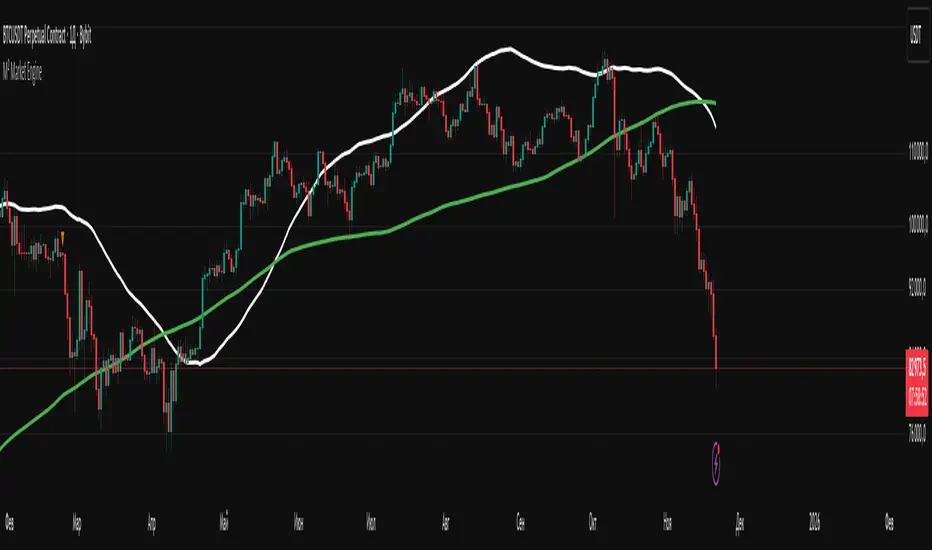
M² Market EngineWhat the indicator can do:
1. Plots up to 5 moving averages simultaneously on the same chart.
2. Uses a single price source (default: close, but any standard source can be selected).
3. Allows you to switch the type of all moving averages with one parameter: SMA / EMA / WMA / RMA
4. Provides full individual control over each MA:
- custom period
- custom color
- custom line thickness (1–5)
- ability to disable/hide any MA
5. Works on any timeframe and any asset
Mars Mission ModelIdentifies Fair Value Gaps (FVGs) during the New York AM session (8-11 AM EST) that form outside Bollinger Bands, then tracks Previous Day High/Low liquidity sweeps to generate inverse FVG signals when conditions align.
What makes this unique:
This is NOT a standard FVG indicator. Uniquely combines session-specific FVG detection with Bollinger Band volatility filtering AND PDH/PDL liquidity sweep confirmation to generate inverse signals. This triple-filter confluence approach is an original methodology not found in existing indicators.
Core Logic:
Detects 3-candle Fair Value Gaps (where candle 1's high/low doesn't overlap with candle 3's low/high). When the middle candle closes beyond the Bollinger Bands during NY AM session, a green box marks the qualified FVG.
The indicator simultaneously tracks Previous Day High/Low levels and monitors for liquidity sweeps (price trading through these levels) during the NY AM session, marked with rocket emojis 🚀.
Inverse FVG Signals:
When a qualified FVG gets mitigated (price closes back through it) AND the corresponding PDH/PDL was already swept in that session, an inverse signal appears (alien emoji 👽):
Bullish FVG mitigated + PDH swept = Bearish inverse signal
Bearish FVG mitigated + PDL swept = Bullish inverse signal
This proprietary combination of session timing, volatility expansion, liquidity sweeps, and FVG mitigation creates a focused reversal detection system that doesn't exist in any open-source indicator.
Let's go to Mars 🚀
For educational use only. Not financial advice.

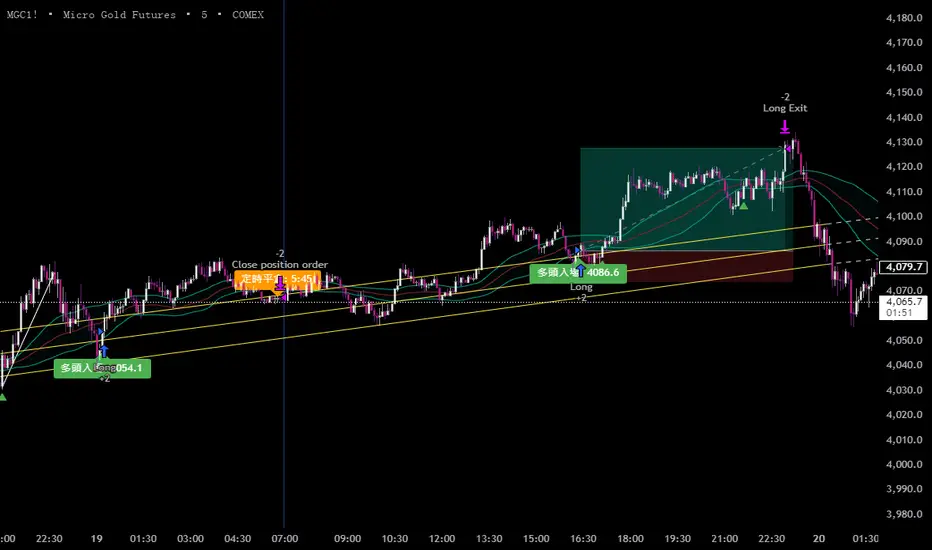
黃金5KCompelling Sales Description:
Unlock the Treasure of Consistent Profits!
Want to know where the market's hidden opportunities lie?
Go find them—with our powerful RSI + BB + Channel Automated Trading Strategy!
Tired of guessing when to enter or exit trades? Let our advanced algorithm do the heavy lifting for you. This strategy seamlessly combines:
RSI (Relative Strength Index) to identify overbought or oversold conditions.
Bollinger Bands (BB) to track volatility and pinpoint potential breakouts.
Channel Trading to capitalize on trending markets and price boundaries.
Fully automated, this system executes trades with precision, eliminating emotional decisions and saving you time. Whether you're a beginner or an experienced trader, this strategy adapts to market shifts to help you stay ahead.
Don't just chase profits—unlock the treasure of disciplined, data-driven trading.
Ready to transform your trading journey?
Contact us for details at: kbocc123@gmail.com
Seize the strategy. Secure your success. 🚀
9 Custom Horizontal Levels + Text LabelsThis tool provides nine fully customizable price levels for volatility-based analysis.
Each line allows manual price input and independent control of visibility, color, and style.
Common uses include constructing volatility bands such as ±1 SD and ±2 SD around a settlement or reference price. Traders can quickly map key levels, visualize market structure, and adapt the lines to fit any strategy.

ST – Soothing areas 2TF [Soothing Trades]Short Description
ST – Soothing areas 2TF runs two Soothing Areas engines at once (e.g. 15m + Daily).
It finds bullish/bearish zones from Heikin Ashi body gaps on each higher timeframe, filters them per symbol and per timeframe, and tracks mitigation with optional same-day border outlines. HTF1 and HTF2 areas have their own colors, labels, and behavior, so you can see intraday and higher-timeframe structure together on one chart.
Full Description
This is the dual-timeframe version of Soothing Areas: two independent higher-timeframe engines, one chart.
Core logic
You choose two higher timeframes: HTF1 (e.g. 15m, 30m, 1h) and HTF2 (e.g. 4h, 1D, 1W).
For each HTF, the script:
• Uses the Heikin Ashi version of your symbol.
• Detects body gaps between past Heikin Ashi candles, which often mark strong directional moves.
• Classifies valid gaps: Bullish area (demand/support) or Bearish area (supply/resistance).
• Applies a per-symbol, per-timeframe minimum area height filter so only significant gaps become areas.
• Anchors the box at the previous HTF open time using xloc=bar_time to keep geometry stable across chart timeframes.
• Extends the right edge forward while the area is active (if the "extend while active" option is enabled).
Mitigation logic
Each HTF has its own mitigation penetration setting (0–1):
• 1.00 = the HTF body must penetrate essentially the full height of the area.
• Lower values = shallower penetration required to count as mitigated.
For each area, on every bar, the indicator:
• Recomputes the HTF Heikin Ashi body (H/L) projected to the chart timeframe.
• Checks if the HTF body overlaps the area's vertical range.
• Checks if penetration meets or exceeds the specified fraction of the box height.
• If both conditions are true, the area flips from active → mitigated.
Mitigation styles & same-day outline persistence
For each HTF, there are two modes after mitigation:
Standard mitigated styling (outline persistence OFF):
• The box switches to your mitigated colors (bull/bear) and separate fill/border opacity + width.
• The area is visually de-emphasised vs active zones but still visible.
Same-day outline persistence (outline persistence ON):
• On mitigation, the box becomes border-only (no fill) using dedicated outline colors, width, and style (solid/dashed/dotted).
• The outline continues to extend right for the rest of the current day.
• Next day, it stops extending and is flagged as no longer persistent.
• This lets you keep a visual memory of "where the move happened and was mitigated today" without covering your chart in solid boxes.
Visibility & labeling
• HTF1 & HTF2 can be toggled independently (show/hide boxes).
• Active boxes can have labels with separate toggles for HTF1 and HTF2.
• Custom text, for example "HTF1" and "HTF2".
• Separate text colors for each engine.
• Position: Top-Right of the box, or Middle-Right (vertically centered).
• Labels are dynamically updated as the box extends so they stay at the current right edge.
Per-symbol per-timeframe thresholds
• Up to four symbol slots (e.g. NQ, GC, YM, ES).
• For each symbol you can define: Minimum area height for HTF1 and Minimum area height for HTF2.
• Any symbol that isn't matched falls back to Default – HTF1 / Default – HTF2.
• This way, an NQ 15m area doesn't have to follow the same threshold as an ES Daily area.
How traders use it
• Map intraday Soothing Areas (HTF1) together with higher-timeframe Soothing Areas (HTF2) to see where local setups align with bigger structure.
• Identify which intraday zones sit inside daily/weekly zones.
• Distinguish which areas are fresh vs mitigated vs only remaining as outlines that day.
• Use HTF2 for major bias and HTF1 for more precise execution.
• Watch border-only outlines to understand where the market has already satisfied liquidity during the current day.
Visual features
• Dual-timeframe Heikin Ashi body gap detection
• Independent colors for HTF1 and HTF2 (bullish/bearish)
• Active vs mitigated states with customizable styling
• Optional same-day border-only outline persistence
• Per-symbol, per-timeframe minimum gap filtering
• Optional labels on active boxes with custom text and positioning
• Time-anchored geometry for stable display across chart timeframes
Notes & disclaimer
• Works across most symbols supported by TradingView Pine Script v6.
• Best on instruments where higher-timeframe Heikin Ashi structure is informative (indices, futures, FX majors, liquid crypto, etc.).
• Provided for educational purposes only and is not financial advice.
Always test any approach on demo and manage your own risk.

ST – Soothing areas 1TF + Mitigated [Soothing Trades]Short Description
ST – Soothing areas 1TF + Mitigated turns higher-timeframe Heikin Ashi body gaps into clean bullish/bearish areas, extends them forward, and marks them as mitigated once price has traded back into them. Active boxes are decision zones; faded boxes show where liquidity has already been tapped earlier in the day.
Full Description
This indicator builds a structured map of higher-timeframe "impulse origins" and tracks when those areas have been cleaned up by price.
Core logic
• Uses a user-selected higher timeframe (HTF) built from Heikin Ashi candles.
• Detects body gaps between prior Heikin Ashi candles – strong impulsive moves that often define supply/demand zones.
• Classifies each valid gap as: Bullish area (potential support on retest) or Bearish area (potential resistance on retest).
• Applies a per-symbol minimum gap size (in price units) so only meaningful gaps become areas.
• Creates a box from the gap body and anchors it at the previous HTF open time, then extends it forward in real time.
Mitigation & fading
Each area remains active until price trades back into it deeply enough.
Mitigation depth is controlled by "Mitigation penetration (0–1)":
• 1.0 ≈ full-depth penetration of the box
• Lower values = shallower penetration required
When the HTF body overlaps the area and the penetration rule is satisfied:
• The area flips from active → mitigated.
• It switches to your mitigated colors, opacity, and border style.
• Its status is stored so you can treat it as de-prioritised.
If "Keep faded after mitigation (same day)" is enabled:
• Mitigated areas remain on the chart and keep extending for the rest of the current trading day.
• When the daily session changes, they stop extending and effectively step into "historic context."
Inputs & customization
• HTF (built from HA bodies) – Choose the higher timeframe used to build areas.
• Per-Symbol Min Gap (price units) – Map individual symbols to custom minimum gap sizes; a default value handles everything else.
• Bull/Bear area (active/mitigated) – Separate colors and opacity for both direction and state.
• Fill opacity / Border opacity / Border width – Visual fine-tuning for active and mitigated boxes.
• Active border style / Mitigated border style – Switch between solid, dashed, or dotted for each state.
• Extend boxes until mitigation – If on, active boxes extend right until they are mitigated.
• Mitigation penetration (0–1) – Controls how deep price must enter the area to count as mitigated.
• Keep faded after mitigation (same day) – Controls whether mitigated areas remain visible and extending during the current day.
How traders use it
Use active areas as primary decision zones for:
• Entries into trend continuation or reversals
• Defining stop placement or invalidation areas
• Planning targets when price trades away from a zone
Use mitigated areas as secondary context:
• They show where liquidity has already been harvested.
• They may still react, but are typically less "fresh" than untouched areas.
• They can help explain why the market stalled or reversed earlier in the session.
Visual features
• HTF Heikin Ashi body gaps converted to structured areas
• Separate colors for bullish vs bearish areas
• Active vs mitigated states with different opacity and borders
• Per-symbol minimum gap filtering for cleaner charts
• Configurable mitigation penetration depth
• Same-day faded area persistence for context
Notes & disclaimer
• Works on most symbols supported by TradingView Pine Script v6.
• Designed for educational and analytical use, not for automated trading.
• This tool is not financial advice.
Always manage your own risk and test any approach before using it with live capital.

30m Hollow Candle on 5m - SSThis indicator overlays 30-minute candles on a 5-minute chart using clean, hollow-style higher-timeframe (HTF) candles.
The design keeps your chart readable while giving you full insight into the 30m structure that drives intraday price movements.
Each 30-minute candle is drawn as a transparent, hollow outline, so your 5-minute candles remain perfectly visible. The indicator preserves all candle characteristics:
Wicks (high & low)
Open/close levels
Color-coded direction (green = bullish, red = bearish)
Invisible body to avoid overlapping or chart clutter
This tool allows intraday traders to track 30m market structure without constantly switching timeframes.

1h Hollow Candle on 5m - SSThis indicator displays 1-hour candles on a 5-minute chart using a clean, minimal visual style designed for intraday traders who want to track higher-timeframe structure without cluttering the chart.
The higher-timeframe (HTF) candles are drawn as hollow outlines, which makes them easy to read while keeping the underlying 5-minute price action fully visible. Each 1-hour candle includes:
Wicks (high & low)
Open/close borders
Color-coded direction (green = bullish, red = bearish)
Transparent body so they never block real candles
This is ideal for traders who want to:
Identify HTF structure during scalping
Spot key reversals inside hourly candles
Track premium/discount zones relative to each 1h candle
Improve top-down analysis without switching timeframes

ST – EQ Bands, VWAP [Soothing Trades]Short Description
ST – EQ Bands, VWAP plots a smooth equilibrium line, inner and outer volatility bands (R1/S1, R2/S2), and VWAP on your chart. It's a fixed-settings overlay designed to show you fair value, stretch, and reaction zones at a glance, without any configuration.
Full Description
This tool combines three ideas into one clean overlay:
• A SuperSmoother equilibrium line (EQ) built from hlc3
• Two sets of ATR-scaled volatility bands (inner and outer)
• A standard VWAP line
All of them are updated in real time and extended to the left using horizontal line objects.
Core logic
• Source: hlc3 (average of high, low, close).
• The equilibrium line uses a fixed-length SuperSmoother filter (len = 200) to stay smooth but responsive.
• Volatility is measured using a smoothed version of true range (ATR) run through the same SuperSmoother engine.
• Inner and outer ranges are created by multiplying this smoothed ATR by constants, then by π (pi), and offsetting EQ up/down.
From those, the script derives:
• EQ – main equilibrium line.
• R1 / S1 – inner bands around EQ (moderate stretch).
• R2 / S2 – wider outer bands (stronger stretch).
• VWAP – TradingView's built-in volume-weighted average price.
How to read it
When price is near EQ, the market is hovering around its smoothed mean.
When price oscillates between S1 and R1, you're often in a controlled, rotational environment – good for mean-reversion or balanced trend trades.
When price pushes into R2/S2, the move is more extended:
• In slower regimes this can flag exhaustion / fade zones.
• In strong trends it can highlight powerful continuation swings where pullbacks toward inner bands are opportunities.
VWAP adds another layer:
• Price relative to VWAP vs EQ tells you if the market is leaning with or against where most volume has transacted.
• EQ + VWAP confluence can mark important "fair value" hubs or flip zones intraday.
Visual design
• EQ line (thicker) to stand out as the core reference.
• Inner bands (R1/S1) as subtle, nearby bands.
• Outer bands (R2/S2) as a dashed, more distant envelope.
• VWAP as its own line with distinct color and width.
• All lines extend left from the most recent bar so structure remains visible when you scroll back.
Inputs
This version is intentionally hard coded for simplicity and consistency:
• No user inputs in the panel; all key parameters (length, multipliers, colors, extension) are pre-tuned.
• Just add it to your chart and start reading the structure.
• (Advanced users can adjust internals directly in the code if they want to experiment, but that isn't required.)
Use cases
• Quickly see when price is compressed vs stretched.
• Frame trades around: EQ crosses and retests, Reactions at inner bands, Extreme moves into outer bands, VWAP alignment or divergence.
• Use as a higher-timeframe context tool in combination with your own entries and execution signals.
Notes & disclaimer
• Works across most symbols and timeframes supported by TradingView Pine Script v6.
• For educational and analytical use only. Not financial advice or a trading signal service.
• Always test and manage your own risk before using any indicator live.

ST – ATR Guides + Midline [Soothing Trades]Short Description
A clean EMA midline with two ATR-based guides above and below price. Use the midline for trend bias and the ATR rails as a dynamic structure for entries, exits, and stop placement on any market or timeframe.
Full Description
What this indicator is
ST – ATR Guides + Midline is a small, focused engine for trend bias and volatility-aware risk management. It gives you:
• One midline (EMA-based) for objective trend direction.
• Two ATR guides (long and short) that expand and contract with volatility.
Together, the three lines form a simple "rail system" you can build your trading framework on.
Core logic
• An EMA is calculated on a user-selectable price source and used as the midline.
• ATR is computed to measure current volatility.
• Two guides are plotted at a configurable ATR distance above and below the midline:
• The lower line acts as the long guide.
• The upper line acts as the short guide.
• The band between the guides adapts automatically to changing volatility conditions.
Inputs & customization
• Signal Source – Choose which price the EMA midline should be built from.
• Fast EMA – Controls how responsive or smooth the midline is.
• Show Midline – Option to hide the midline if you only want to see the guides.
• Midline style – Color and line width for the midline.
• ATR settings – ATR lookback and multiplier to control the size of the band.
• Guide style – Individual colors and widths for the long and short guides.
All parameters can be tuned directly in the TradingView settings panel.
Practical use cases
• Define trend bias at a glance.
• Build a rule-based stop placement framework around ATR instead of arbitrary distances.
• Use the guides as dynamic trailing rails for winning positions.
• Identify "healthy" pullback regions in a trend.
• Frame your existing entry signals (price action, volume, order flow, etc.) inside a clear volatility structure.
Notes & disclaimer
This is not an automatic signal generator.
It is a structural tool meant to support discretionary analysis and systematic frameworks.
Always test any idea thoroughly (backtests, forward tests, demo trading) before using it live.
Nothing in this script or description is financial advice.
Trading involves risk, and you are solely responsible for your own decisions and performance.

PointBlankSignals & Overlays™ is an all-in-one toolkit made up of more than 20+ features primarily focused on generating useful signals & overlays to fulfill any trader's technical analysis needs with relevant data.

Asymmetric Market Momentum Channel█ OVERVIEW
"Asymmetric Market Momentum Channel" is a dynamic channel indicator that adjusts its width based on the actual strength and asymmetry of market momentum. Thanks to the asymmetric band expansion triggered by strong candles, it significantly reduces false breakouts while remaining highly sensitive to genuine moves.
█ CONCEPTS
Traditional volatility channels react too slowly or too uniformly. This indicator introduces asymmetry:
- After a strong bullish candle with a large body and long upper wick, the upper band is pushed much farther than the lower one.
- After a strong bearish candle, the lower band expands more.
As a result, the channel "remembers" the direction of the last real momentum.
- With wide bands (default base_scale 200+), it excels in contrarian (reversal) strategies – price tends to return to the midline, producing clean reversal signals.
- With narrow bands (base_scale set to 100–150), it behaves like a sensitive breakout channel – breakouts from a tight channel deliver very high-quality trend-continuation signals.
█ FEATURES
Fully adjustable asymmetric momentum channel:
- length – SMA period for midline and average range (default 30)
- base_scale – base channel width in % of average candle range (default 200%)
- strength – asymmetry intensity (higher = stronger expansion after powerful candles)
- smooth_len – EMA smoothing of the expansion (default 10)
Visualization:
- Upper band – red, lower band – green
- Midline SMA – gray
- Gradient background fill (enabled by default) – red above midline, green below; intensity controlled by Background Intensity (85 = strong, 95 = very subtle)
Signal modes:
- Contrarian (Reversal) – reversal signals on price returning inside the channel after exceeding it + confirming candle color
- Trend Continuation (Breakout) – classic breakout signals (recommended to lower base_scale to 100–150 for faster triggers)
- Both – displays both types simultaneously
Visual signals:
- Small green triangles below the bar → bullish signal
- Small red triangles above the bar → bearish signal
Alerts: Bullish Signal, Bearish Signal, Any Signal, Breakout Up, Breakout Down
█ HOW TO USE
Add the indicator to your TradingView chart and adjust the settings:
Key parameter:
- base_scale – defines the indicator’s character:
→ 200–300% → wide channel → Contrarian (reversal) mode
→ 100–150% → narrow channel → Trend Continuation (breakout) mode
- strength (default 1.0)
- length (30) – higher values = smoother, more trend-following behavior
smooth_len (10) – lower values = faster reaction to new momentum
Interpretation:
- Wide channel (base_scale ≥ 200) + Contrarian mode → mean-reversion trading
- Narrow channel (base_scale 100–150) + Breakout mode → aggressive trend-following on breakouts
- Both mode works universally – simply change base_scale to completely switch the indicator’s behavior
█ APPLICATIONS
- Scalping & daytrading – narrow channel + Breakout mode on 5–15 min
- Swing trading – narrow or wide channel + Both mode on H1–D1
- Mean-reversion – wide channel + Contrarian mode
- Trend filter – longs only above midline, shorts only below
█ NOTES
- In very strong one-sided trends, contrarian signals generate many false entries – switch exclusively to Trend Continuation (Breakout) mode with a narrow channel.
- Best performance on instruments with clear volatility and volume.
- Always match base_scale to your strategy (wide = reversal, narrow = breakout).
- Combining with volume, support/resistance levels, or indicators like MACD/RSI dramatically improves signal quality.

Jace's Range DetectionAttempts to identify when an instrument is trading in a range. It uses Price Movement %, ATR and ADX. The following parameters are configurable: Range Detection Period, Range Threshold(%), ATR Period, ATR Range Multiplier.
